Bytecode Viewer - 一个轻量级、用户友好的Java/Android字节码查看器、反编译器及更多功能。
	-help                         Displays the help menu
	-clean                        Deletes the BCV directory
	-english                      Forces English language translations
	-list                         Displays the available decompilers
	-decompiler <decompiler>      Selects the decompiler, procyon by default
	-i <input file>               Selects the input file (Jar, Class, APK, ZIP, DEX all work automatically)
	-o <output file>              Selects the output file (Java or Java-Bytecode)
	-t <target classname>         Must either be the fully qualified classname or "all" to decompile all as zip
	-nowait                       Doesn't wait for the user to read the CLI messages
Bytecode Viewer (BCV) 是一个先进轻量级的Java/Android逆向工程套件。由多个开源工具驱动,BCV旨在辅助逆向过程。
BCV 带有6个反编译器、3个反汇编器、2个汇编器、2个APK转换器、高级搜索、调试等功能。
它完全用Java编写,并且是开源的。目前由Konloch维护和开发。
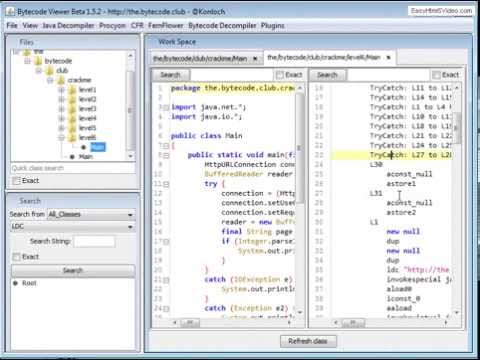
请注意,此演示来自一个非常旧的版本
从 https://github.com/konloch/bytecode-viewer/releases 下载最新版本并运行Bytecode-Viewer-2.10.x.jar。您可能需要通过命令行执行它:java -jar Bytecode-Viewer-2.10.x.jar(将X替换为当前次版本号)
还有一个插件系统,允许您与加载的类文件进行交互。例如,您可以编写一个字符串去混淆器、恶意代码搜索器,或任何您能想到的东西。
您可以使用预编写的插件之一,或编写自己的插件。插件系统支持Java和JavaScript脚本。
一旦插件被激活,它将使用BCV中加载的每个类的ClassNode ArrayList执行插件,这允许用户完全使用ASM来处理它。
只需克隆此仓库并运行mvn package。就这么简单!
打开Maven项目(例如在IntelliJ中,将pom.xml作为项目文件打开)。
将主题更改为您的系统。进入View->Visual Settings->Window Theme并选择System Theme。
使用更多RAM启动BCV,例如 java -Xmx3G -jar BCV.jar
右键单击jar文件,进入属性,然后在常规选项卡底部的安全性下选择解除锁定。
以管理员身份运行BCV。
立即加入The Bytecode Club! - https://the.bytecode.club