
Skip to content
KitploitKITPLOIT
工具漏洞利用博客
Log in
提交
工具漏洞利用博客
提交

黑客、渗透测试和网络安全工具,武装您的安全武器库!

Kitploit 是一个黑客、网络安全和渗透测试工具的目录。发现最新的项目更新,查找漏洞、分析系统、自动化测试并加强你的安全。

订阅源联系隐私© 2026 Kitploit

工具目录

分类

查看所有分类
Loading categories
ogi — Open Source Link Analysis & OSINT Framework | Kitploit

工具/GitHubGitHub/khashashin/ogi
OSINT (Open Source Intelligence)ReconnaissanceInformation GatheringWeb SecuritySocial EngineeringThreat IntelligenceEmail HarvestingLearning & EducationCrawlerDNS Analysis
GitHubkhashashin/ogi

ogi

Open Source Link Analysis & OSINT Framework
查看仓库网站
28037482天前Kitploit 审核通过
分享
内容在请求的语言中不可用。显示英文版本。
OGI Mascot

OpenGraph Intel (OGI)

Open-source visual link analysis and OSINT framework. Free, self-hostable, and community-driven.

License: AGPL v3 CI Docker Python 3.14+ TypeScript React FastAPI Version

Features • Screenshots • Quick Start • Docker • Transform Hub • Architecture • Contributing


Heads up: This project is actively evolving. It has solid core capabilities and test coverage, and we continue to improve documentation, hardening, and feature depth with each release. Contributions, bug reports, and feedback are very welcome.

Features

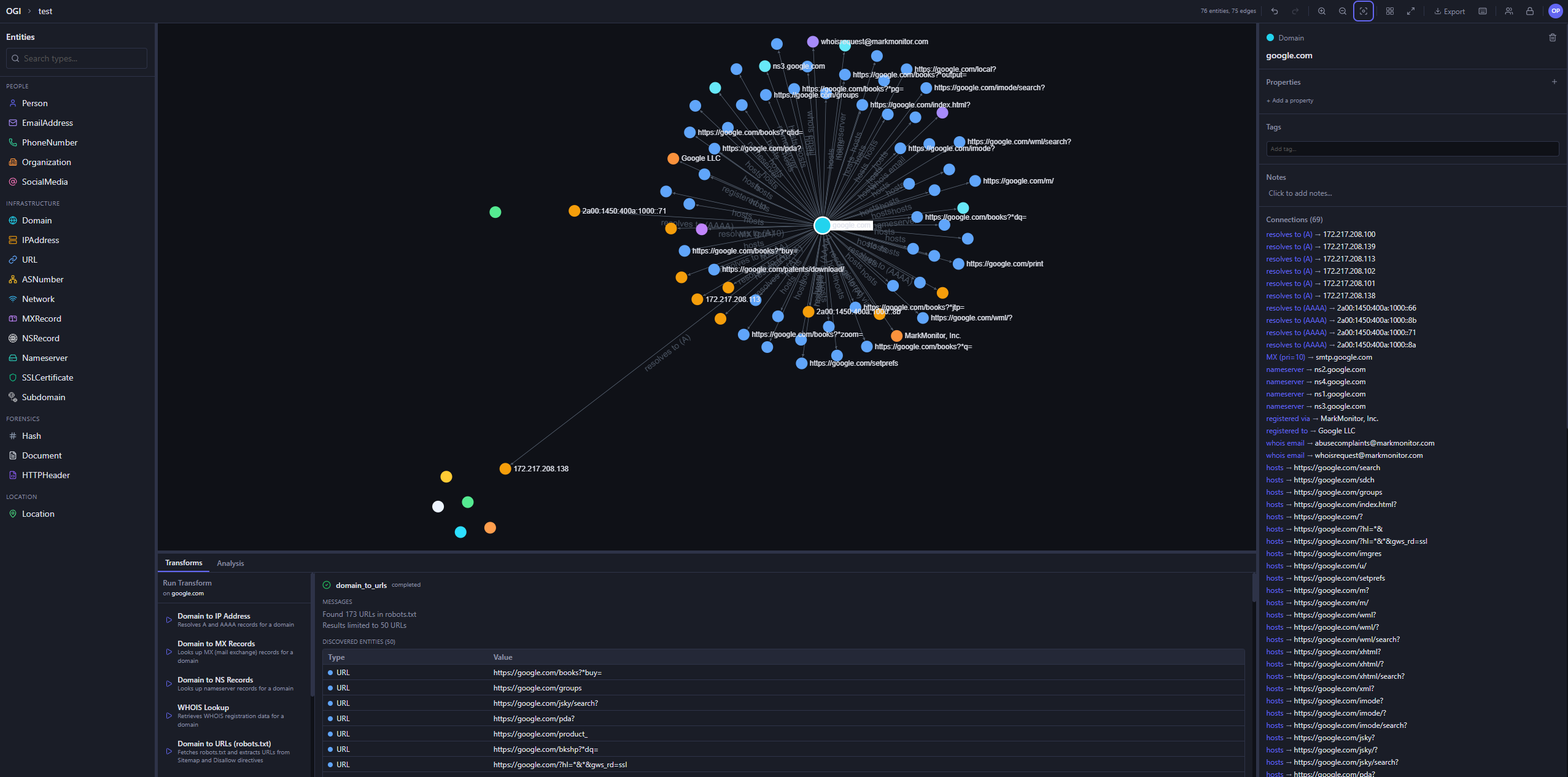
  • Visual graph investigation — drag-and-drop entities, explore connections interactively, 14 layout presets
  • 25+ built-in transforms — DNS, WHOIS, SSL certificates, geolocation, web, email, hash, people, and location enrichment
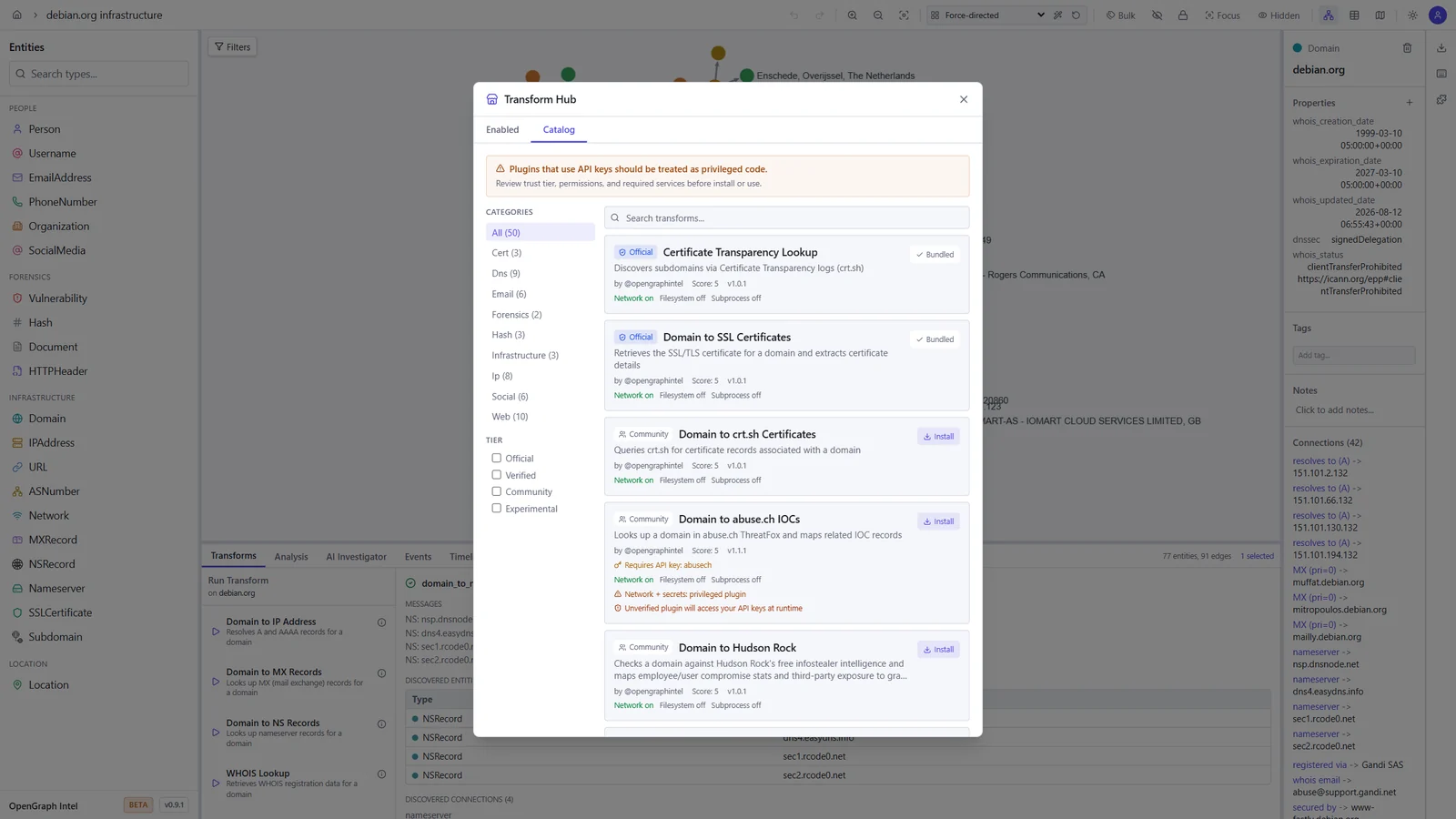
  • Transform Hub — browse and install community transforms from the registry
  • AI Investigator — prompt-driven agentic investigations that plan transform runs, stream progress live, and summarize findings with auditability
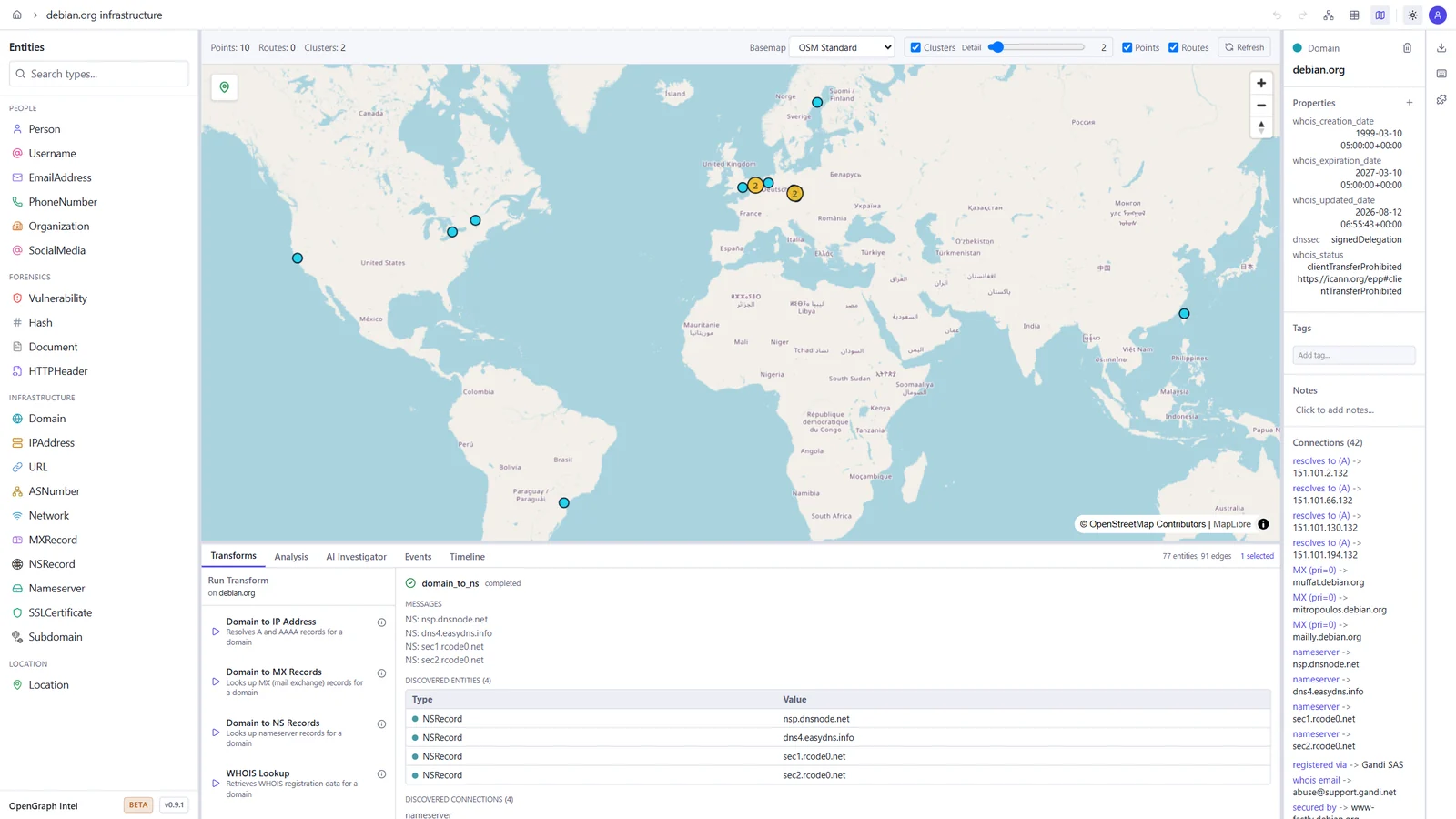
  • Map view — geolocated entities on an interactive map, with clustering and routes
  • Timeline and events — filter the graph by time window and review every transform run in the project's activity log
  • Import / Export — import JSON, CSV, GraphML, and MTGX; export JSON, CSV, GraphML, and PNG images of the graph
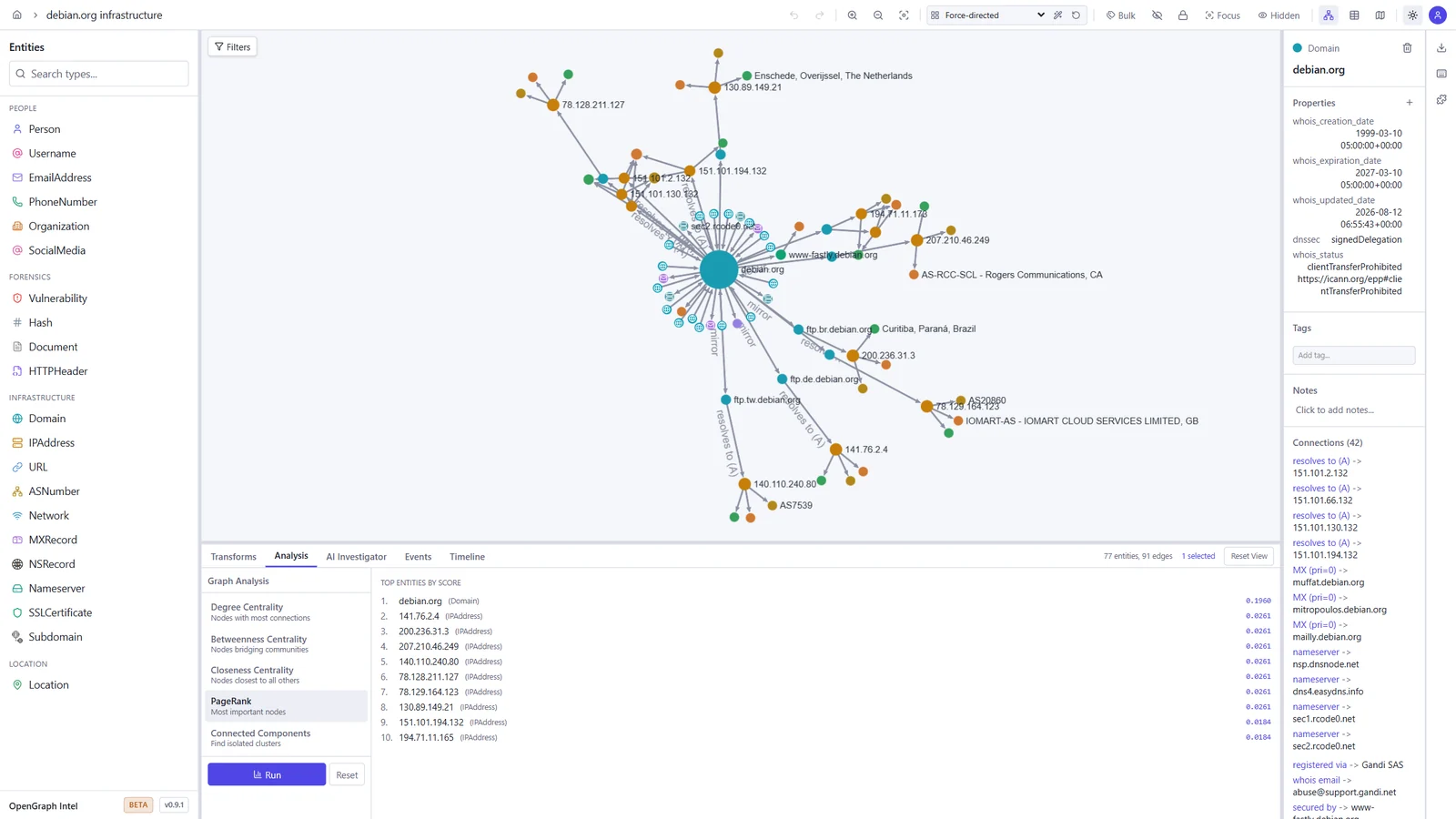
  • Graph analysis — degree, betweenness, and closeness centrality, PageRank, and connected components
  • Light and dark themes — pick dark, light, or follow your system setting
  • Real-time collaboration — projects, sharing, and live sync via Supabase Realtime
  • Async transform jobs — Redis/RQ queue with WebSocket progress updates
  • Plugin system — directory-based plugin discovery with YAML manifests
  • CLI tool — search, install, and manage transforms from the terminal
  • Runs anywhere — local SQLite mode (zero config) or PostgreSQL + Supabase for team/cloud setups
  • Docker ready — one-command deployment with docker compose up

Screenshots

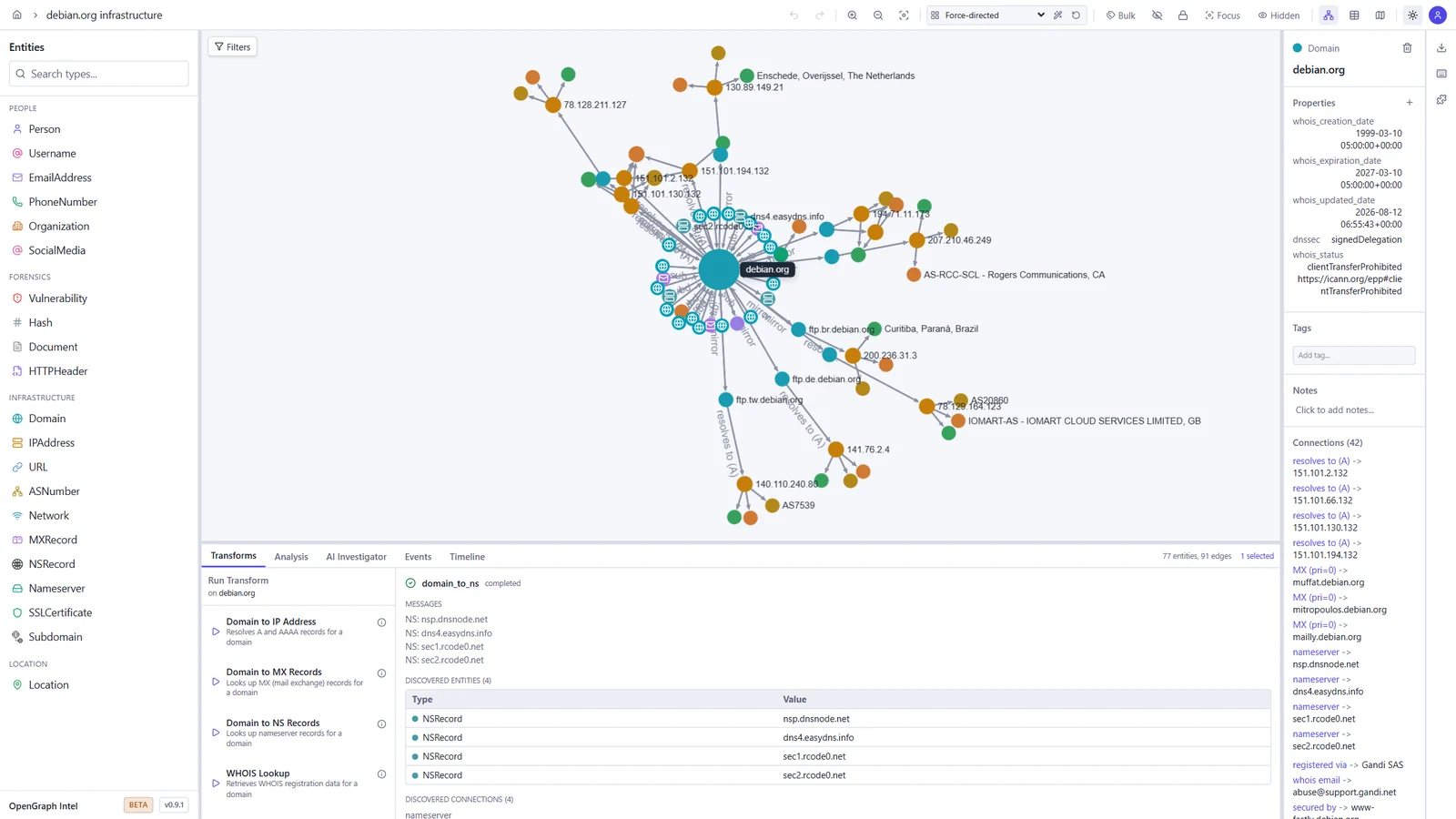
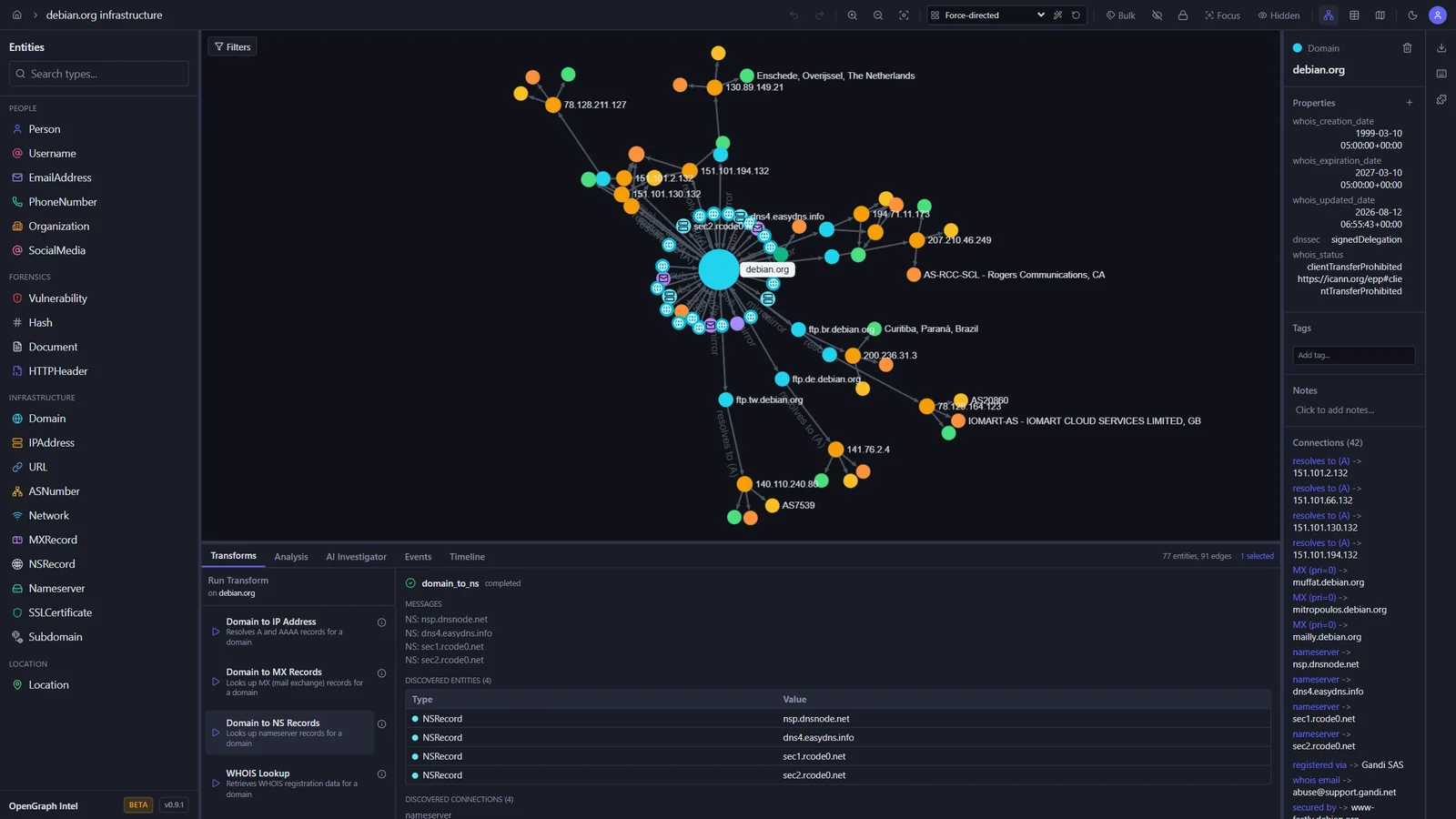
These screenshots show an investigation of the public debian.org infrastructure, built with the built-in transforms.

Graph investigation Map view
Graph of debian.org with its IP addresses, mail and name servers, subdomains, and mirrors, and the output of a DNS transform World map with the geolocated Debian mirror servers
Transform Hub Graph analysis
Transform Hub catalog with official and community transforms, trust tiers, and permissions PageRank results ranking the most important entities in the graph

Light and dark themes

The toggle in the toolbar switches between dark, light, and your system setting.

Dark Light
The graph workspace in the dark theme The graph workspace in the light theme

Quick Start

Prerequisites

ToolVersion
Python3.14+
uvlatest
Node.js24 LTS (22.22+ also works)
pnpm10.x

Backend

cd backend
uv sync
uv run uvicorn ogi.main:app --reload

The API will be available at http://localhost:8000.

For local transform execution, Redis and the transform worker must also be running. Redis alone is not enough.

Start Redis:

docker run -d --name ogi-redis -p 6379:6379 redis:7-alpine

Start the transform worker in a second terminal:

cd backend
uv run python -m ogi.worker.run_worker

If you see Job queue not available or Redis not available, verify that:

  • OGI_REDIS_URL points to redis://localhost:6379/0 for local host-based runs
  • the backend was restarted after Redis came up
  • the separate worker process is running
  • you are not using the Docker-only hostname redis outside Docker Compose

If you run the backend against PostgreSQL (OGI_USE_SQLITE=false), startup will automatically apply Alembic migrations before serving requests. Docker deployments do the same in the backend container entrypoint.

下载工具

最受欢迎

查看全部 →

发现我们社区最常用的工具。

  • 1

    OsintHunter

    letox4/osinthunter

    🎯 终极 OSINT 工具包:调查图谱、置信度评分、别名家族、地图、时间线和报告。49 个模块、400+ 个站点,无需 API 密钥。

    795
  • 2

    ghostlock-app

    yukonga/ghostlock-app

    GhostLock 一键执行应用(CVE-2026-43499)

    520
  • 3

    ARTEX

    baarai/artex

    基于LLM的多智能体自主渗透测试平台,具备规划器/执行器智能体、资产与探索图谱、MITM流量记录以及漏洞复测功能。

    439
  • 4

    redforge

    cybersecurity91/redforge

    浏览器端红队工具包,包含 102 个离线工具,用于侦察、载荷生成、凭据攻击、加密、编码和交战报告。

    346
  • 5

    looking-glass

    anonghosty/looking-glass

    CSIRT 平台,可将 Shadowserver 报告导入 MongoDB,并将其重放为交互式地图、分析、发现、公告和高管仪表板。

    267
  • 6

    CyberStrikeAI

    ed1s0nz/cyberstrikeai

    AI原生网络安全的行动系统——在这里,意图转化为受治理的执行,证据沉淀为运营记忆,每一次操作都让下一次更出色。

    264

探索所有工具

浏览我们的工具集合

查看所有工具 →