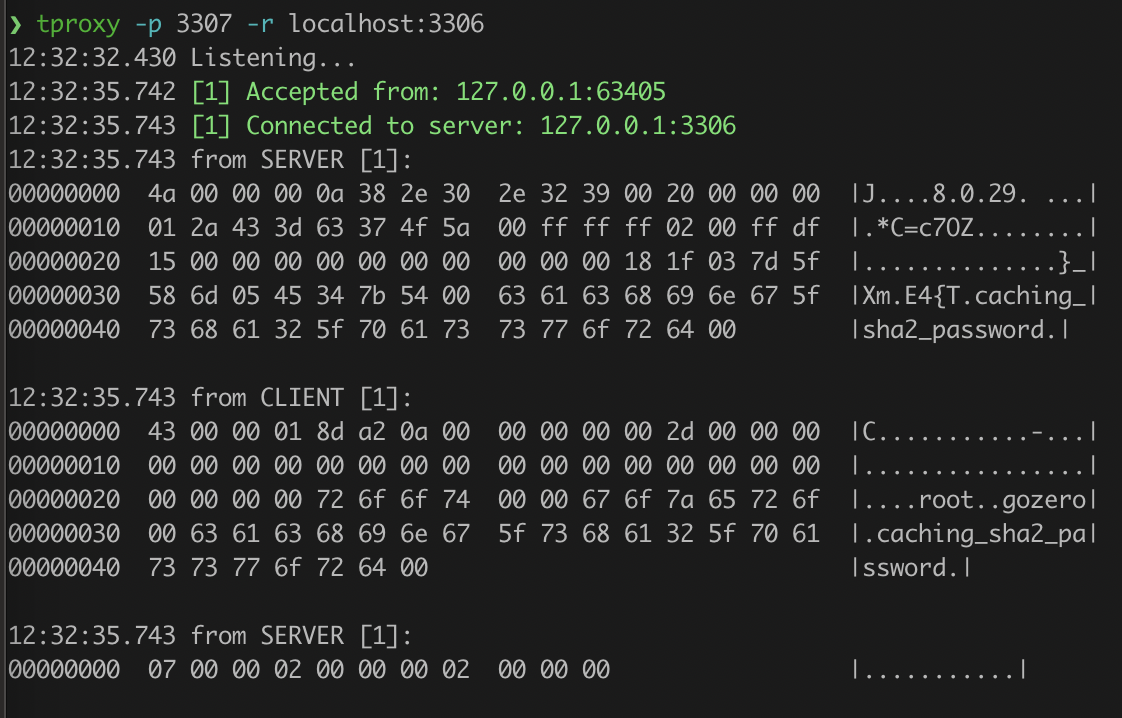
当我在做后端开发或者写 go-zero 的时候,经常会需要监控网络连接,分析请求内容。比如:
$ GOPROXY=https://goproxy.cn/,direct go install github.com/kevwan/tproxy@latest
或者使用 docker 镜像:
$ docker run --rm -it -p <listen-port>:<listen-port> -p <remote-port>:<remote-port> kevinwan/tproxy:v1 tproxy -l 0.0.0.0 -p <listen-port> -r host.docker.internal:<remote-port>
arm64 系统:
$ docker run --rm -it -p <listen-port>:<listen-port> -p <remote-port>:<remote-port> kevinwan/tproxy:v1-arm64 tproxy -l 0.0.0.0 -p <listen-port> -r host.docker.internal:<remote-port>
Windows:
$ scoop install tproxy
$ tproxy --help
Usage of tproxy:
  -d duration
    	the delay to relay packets
  -down int
    	Downward speed limit(bytes/second)
  -l string
    	Local address to listen on (default "localhost")
  -p int
    	Local port to listen on, default to pick a random port
  -q	Quiet mode, only prints connection open/close and stats, default false
  -r string
    	Remote address (host:port) to connect
  -s	Enable statistics
  -t string
    	The type of protocol, currently support http2, grpc, redis and mongodb
  -up int
    	Upward speed limit(bytes/second)
$ tproxy -p 8088 -r localhost:8081 -t grpc -d 100ms
localhost:8081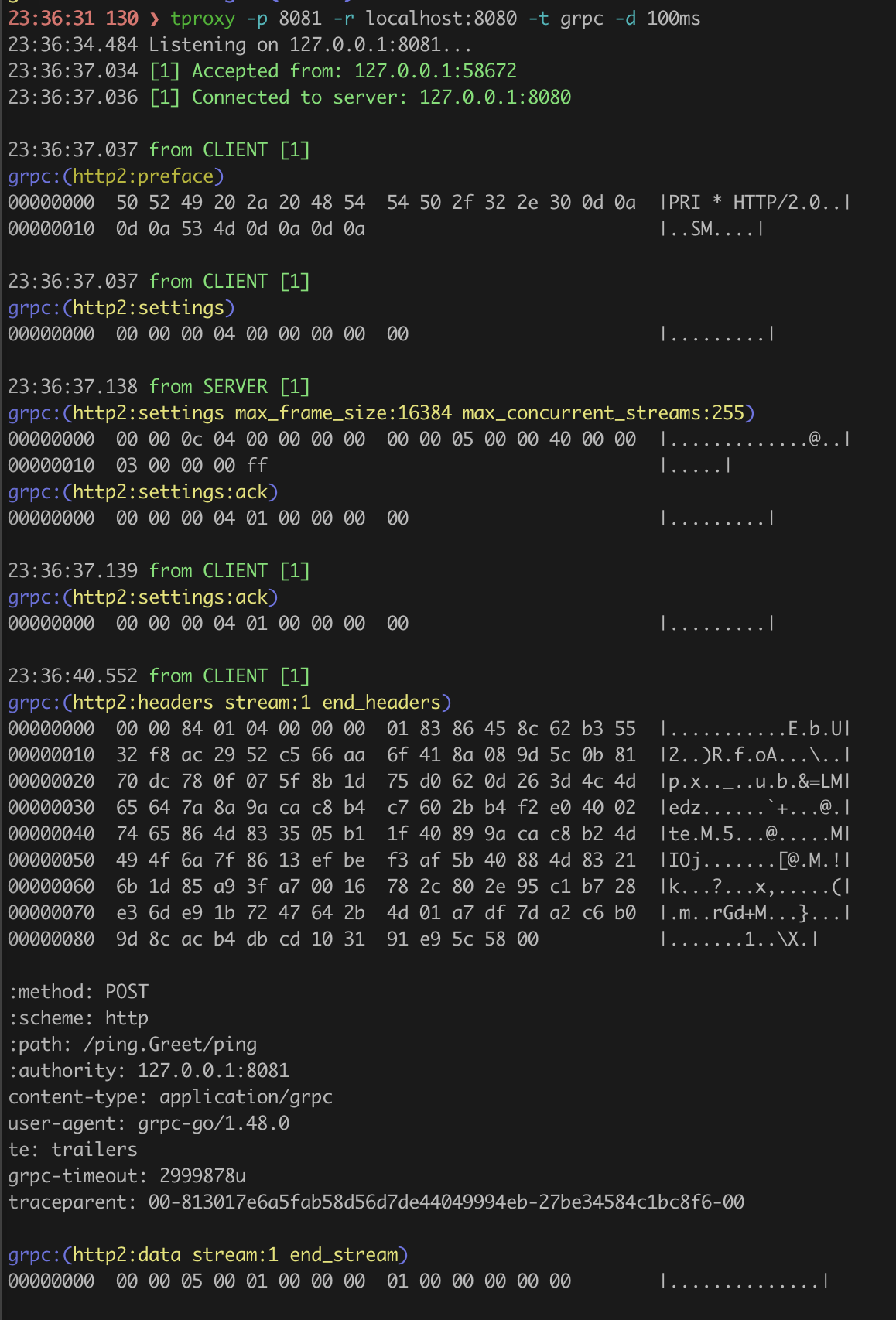
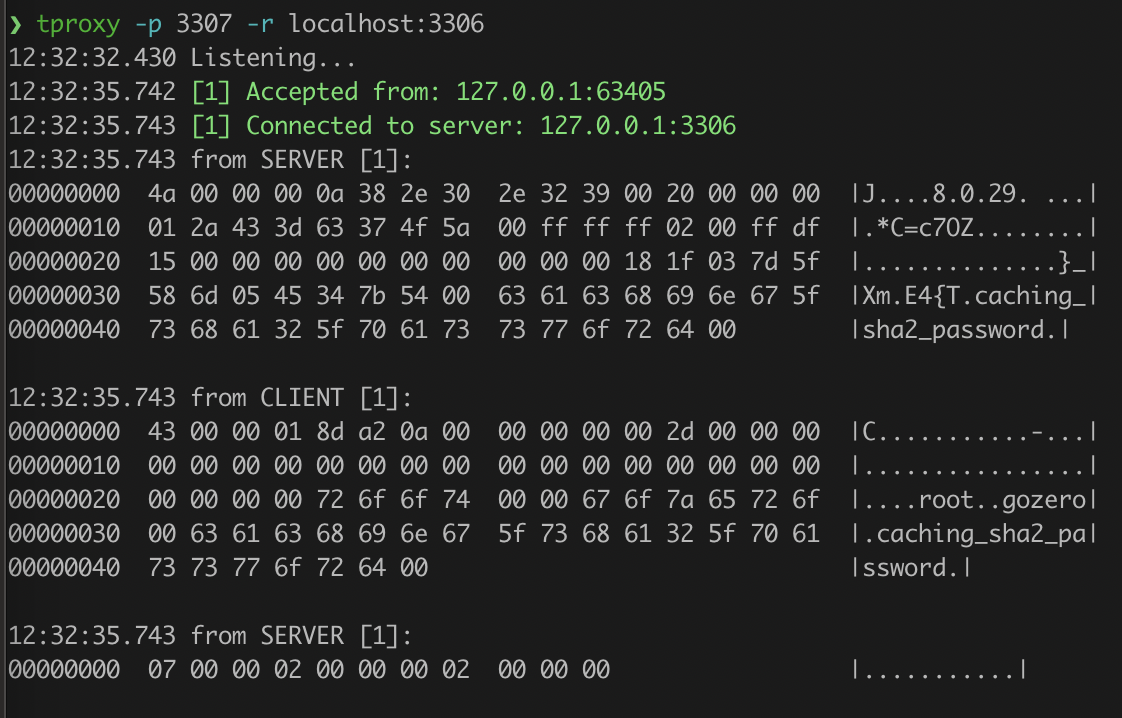
$ tproxy -p 3307 -r localhost:3306
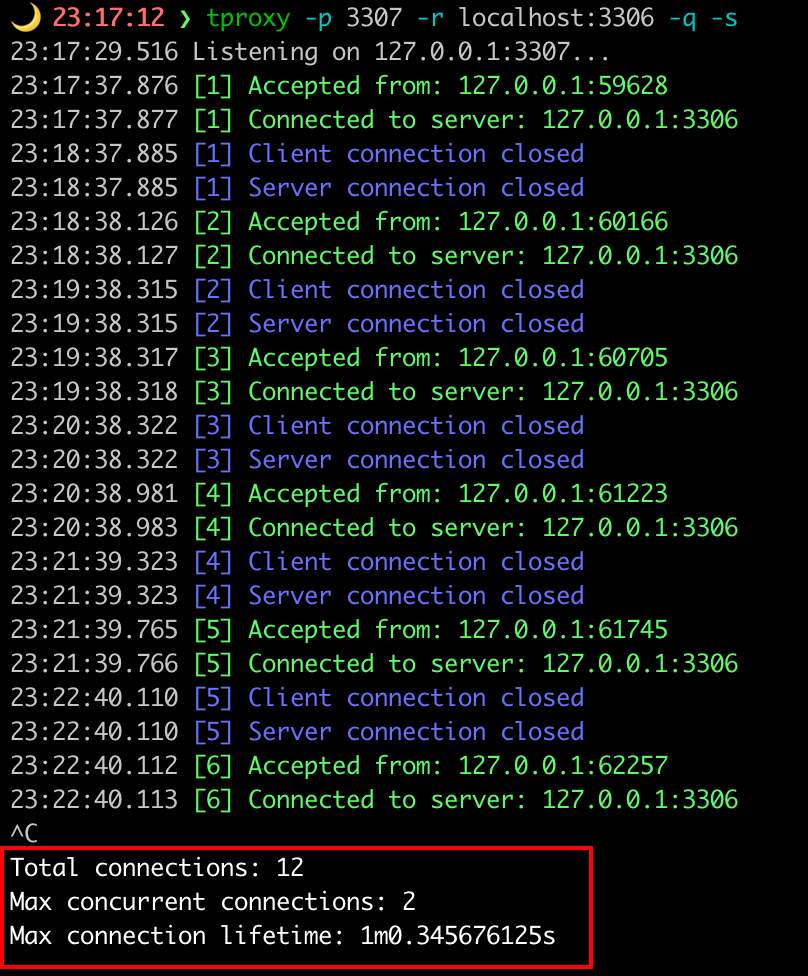
$ tproxy -p 3307 -r remotehost:3306 -s -q
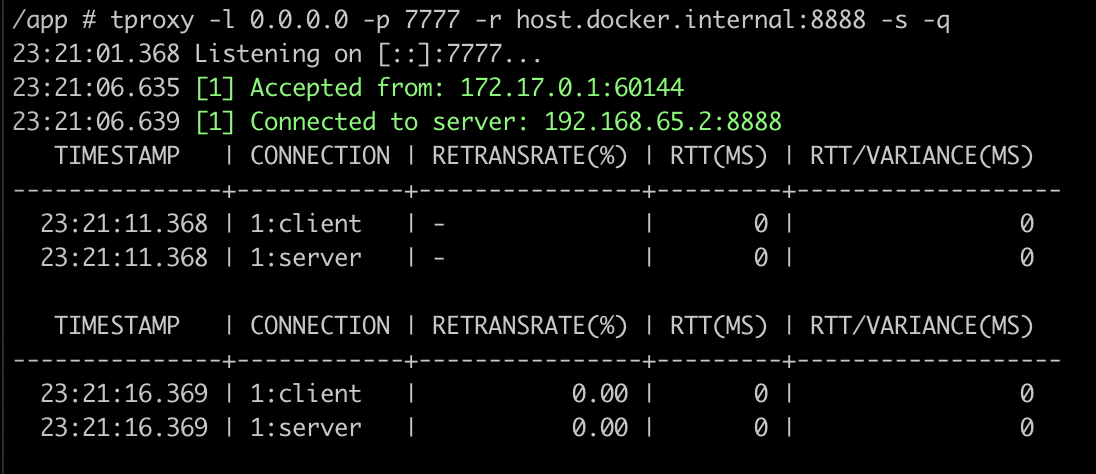
$ tproxy -p 3307 -r :3306 -s -q
如果你正在使用或者觉得这个项目对你有帮助,请 star 支持,感谢!