一个全面的漏洞管理平台,可分析安全扫描报告、利用漏洞情报丰富漏洞数据,并提供可操作的风险评分以优先修复。



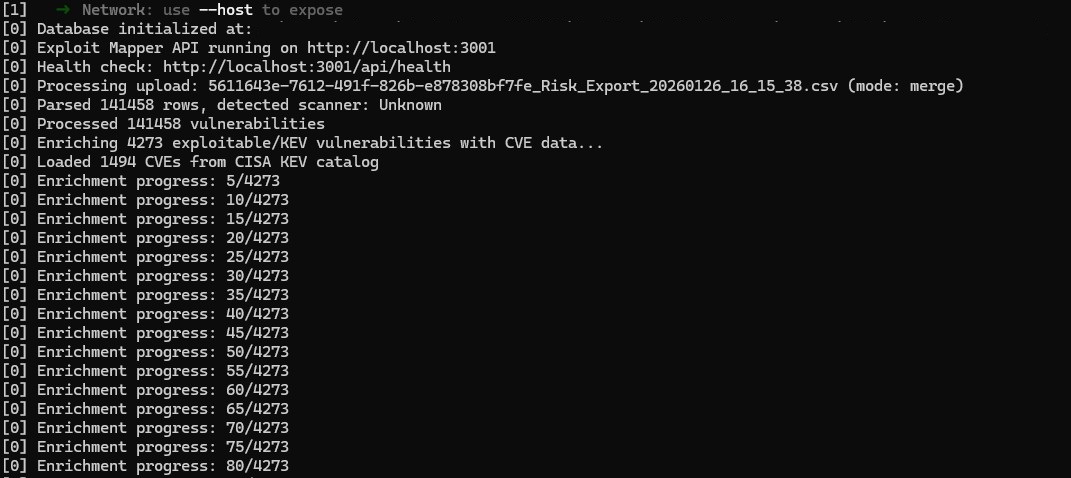
*** 首次上传时使用 CVE 丰富流程会减慢上传速度,它只会尝试丰富从扫描中标记为可被利用的已上传漏洞,但时间可能因上传文件大小而有显著差异。***
仪表盘提供安全态势的概览,包含:
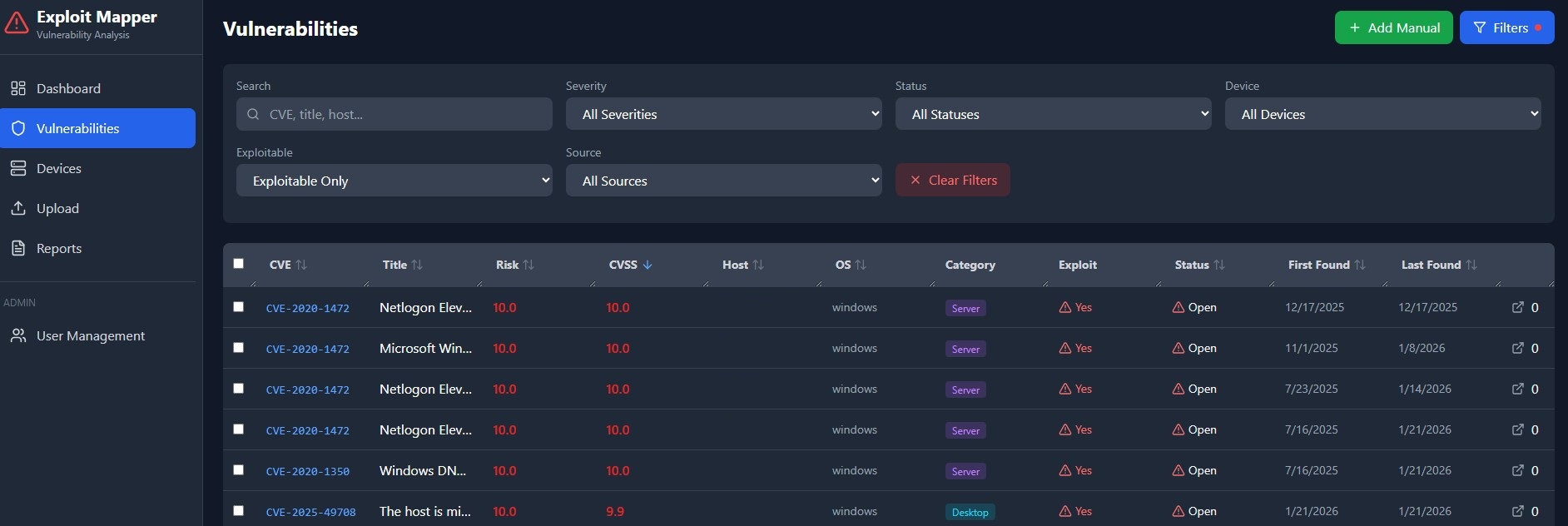
浏览、筛选和排序漏洞,依据:
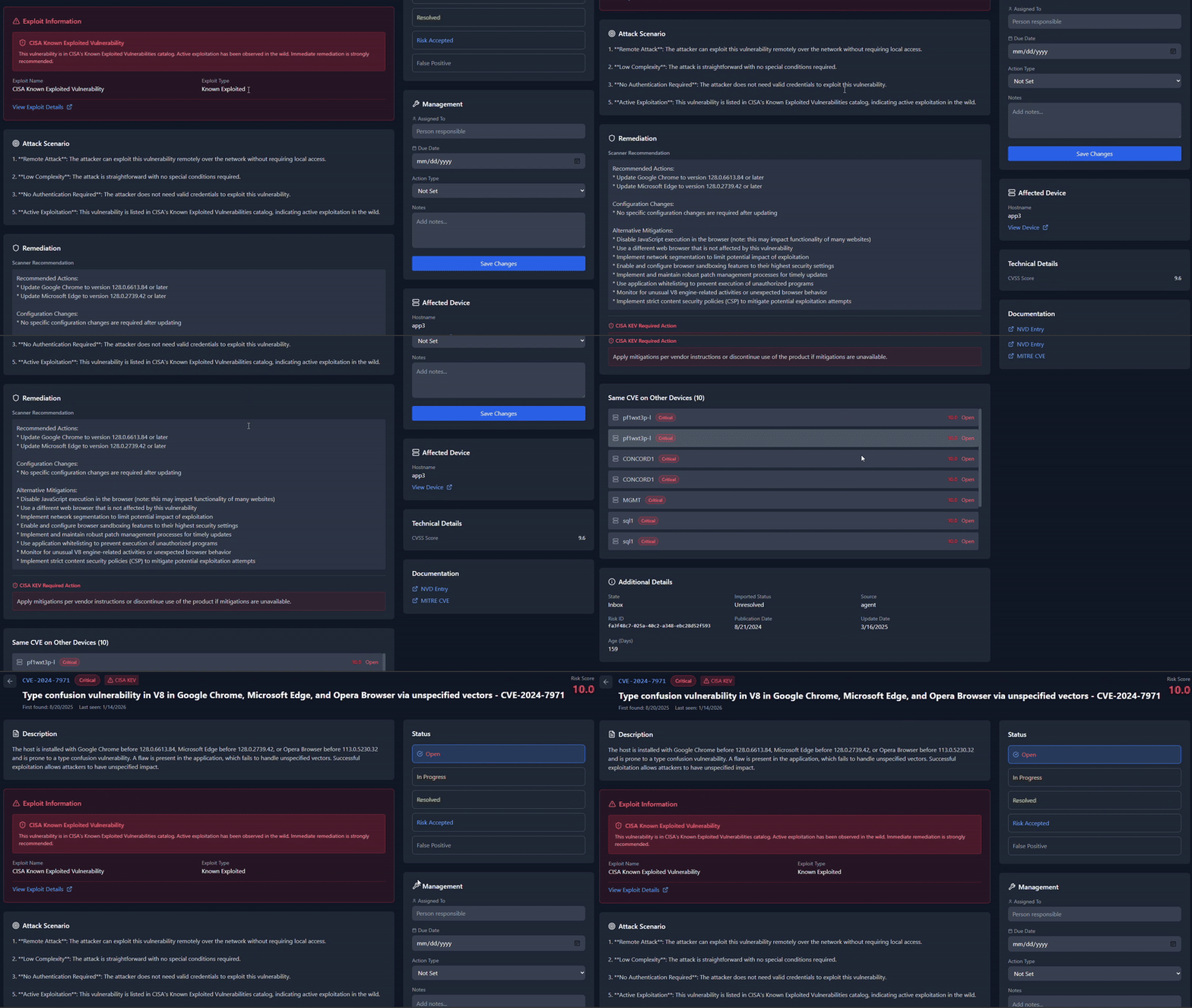
详细视图包括:
选项 A:使用安装程序
node --version
npm --version
选项 B:使用稳定的 Node 版本(推荐)
nvm install 22.12.0
nvm use 22.12.0
选项 C:使用 winget(Windows 包管理器)
winget install OpenJS.NodeJS.LTS
winget install Git.Git
选项 D:使用 Chocolatey
choco install nodejs-lts
choco install git
使用 Homebrew:
brew install node
brew install git
或从 https://nodejs.org 下载安装程序
验证安装:
node --version
npm --version
# 使用 NodeSource 仓库获取最新 LTS
curl -fsSL https://deb.nodesource.com/setup_lts.x | sudo -E bash -
sudo apt-get install -y nodejs git

# 验证
node --version
npm --version
macOS / Linux:
git clone https://github.com/jrokz2315/exploit-mapper.git
cd exploit-mapper
Windows(命令提示符):
git clone https://github.com/jrokz2315/exploit-mapper.git
cd exploit-mapper
Windows(PowerShell):
git clone https://github.com/jrokz2315/exploit-mapper.git
cd exploit-mapper
所有平台:
npm run install:all
或手动安装:
macOS / Linux:
npm install
cd server && npm install
cd ../client && npm install
cd ..
Windows(命令提示符):
npm install
cd server && npm install
cd ..\client && npm install
cd ..
Windows(PowerShell):
npm install
cd server; npm install
cd ..\client; npm install
cd ..
注意(Windows): 如果遇到
better-sqlite3错误,可能需要安装 Windows 构建工具:npm install --global windows-build-tools或从 https://visualstudio.microsoft.com/visual-cpp-build-tools/ 安装 Visual Studio Build Tools,并选择“使用 C++ 的桌面开发”工作负载
开发模式(热重载)—— 所有平台:
npm run dev
这将同时启动后端服务器(端口 3000)和前端开发服务器(端口 5173)。
生产模式—— 所有平台:
# 构建客户端
npm run build

# 启动服务器
npm start
打开浏览器并导航到:
http://localhost:5173http://localhost:3000首次运行时,会创建一个默认管理员账户:
adminAdmin123!首次登录时系统会提示更改此密码。
exploit-mapper/
├── client/                 # React 前端
│   ├── src/
│   │   ├── components/     # 可复用 UI 组件
│   │   ├── pages/          # 页面组件
│   │   └── App.jsx         # 主应用组件
│   ├── package.json
│   └── vite.config.js
├── server/                 # Express 后端
│   ├── src/
│   │   ├── db/             # 数据库架构和连接
│   │   ├── middleware/     # 认证中间件
│   │   ├── routes/         # API 路由
│   │   └── services/       # 业务逻辑
│   ├── data/               # SQLite 数据库(gitignore)
│   ├── uploads/            # 临时上传存储(gitignore)
│   └── package.json
├── package.json            # 根包,包含脚本
├── .gitignore
├── LICENSE
├── CONTRIBUTING.md
└── README.md
| 方法 | 端点 | 描述 |
|---|---|---|
POST | /api/auth/login | 用户登录 |
POST | /api/auth/logout | 用户注销 |
GET | /api/auth/me | 获取当前用户 |
POST | /api/auth/change-password | 更改密码 |
| 方法 | 端点 | 描述 |
|---|---|---|
GET | /api/dashboard/summary | 仪表盘指标 |
GET | /api/dashboard/risk | 风险细分 |
GET | /api/dashboard/trends | 历史趋势 |
GET | /api/dashboard/executive-summary | 执行摘要 |
| 方法 | 端点 | 描述 |
|---|---|---|
GET | /api/vulnerabilities | 列表(含过滤/分页) |
GET | /api/vulnerabilities/:id | 漏洞详情 |
GET | /api/vulnerabilities/exploitable | 仅可被利用的漏洞 |
GET | /api/vulnerabilities/stats/summary | 统计数据 |
PATCH | /api/vulnerabilities/:id | 更新状态 |
PATCH | /api/vulnerabilities | 批量更新 |
POST | /api/vulnerabilities/manual | 添加手动条目 |
DELETE | /api/vulnerabilities/:id | 删除手动条目 |
| 方法 | 端点 | 描述 |
|---|---|---|
GET | /api/devices | 列出设备 |
GET | /api/devices/:id | 设备详情 |
PATCH | /api/devices/:id | 更新设备信息 |
| 方法 | 端点 | 描述 |
|---|---|---|
POST | /api/upload | 上传漏洞报告 |
GET | /api/upload/info | 上传统计 |
DELETE | /api/upload/clear | 清除所有数据 |
| 方法 | 端点 | 描述 |
|---|---|---|
GET | /api/reports | 列出已上传报告 |
GET | /api/reports/:id/export | 导出报告 |
Exploit Mapper 自动检测并映射来自各种漏洞扫描器的列:
| 扫描器 | 检测方法 |
|---|---|
| Arctic Wolf | risk_id、asset_category 列 |
| Nessus/Tenable | plugin_id 列 |
| Qualys | qid 列 |
| OpenVAS | nvt 列 |
| Nexpose/Rapid7 | nexpose 标识符 |
| 通用 CSV/Excel | 智能列名匹配 |
解析器自动映射常见的列名:
| 字段 | 识别的列名 |
|---|---|
| CVE | cve、cves、cve_id、vulnerability_id |
| 标题 | name、title、vulnerability、plugin_name |
| 描述 | description、synopsis、summary |
| 解决方案 | solution、remediation、fix、recommendation |
| 严重性 | severity、risk_severity、risk_level |
| CVSS 分数 | cvss、cvss_score、cvssv3_score |
| 主机 | hostname、asset_name、host_name、fqdn |
| IP 地址 | ip_address、host_ip、asset_ip |
风险评分 = CVSS 分数 + 调整

调整:
  +0.5 如果在 CISA KEV 中(被积极利用)
  +0.3 如果有公开可用漏洞利用
总体 = (最大风险 x 30%) + (平均风险 x 40%) + (平均可利用 x 20%) + (密度 x 10%)

如果存在 CISA KEV:乘以 1.05
| 组件 | 权重 | 描述 |
|---|---|---|
| 最大风险评分 | 30% | 单个最高漏洞风险 |
| 平均风险评分 | 40% | 所有漏洞的平均值 |
| 平均可利用风险 | 20% | 仅可被利用漏洞的平均值 |
| 密度因素 | 10% | log10(总漏洞数 + 1) x 3(最高 10) |
在 server/ 目录中创建 .env 文件(可选 — 参见 server/.env.example):
PORT=3000
NODE_ENV=production
SESSION_SECRET=your-secret-key
Exploit Mapper 使用 SQLite 实现零配置存储。数据库在首次运行时自动创建于 server/data/exploit-mapper.db。
Windows:
netstat -ano | findstr :3000
taskkill /PID <pid> /F
macOS / Linux:
lsof -i :3000
kill -9 <pid>