bee-san/ciphey
⚡ 自动解密加密(无需知道密钥或密码)、解码编码、破解哈希 ⚡
<p align="center">
  <a href="https://cdn.jsdelivr.net/gh/bee-san/Ciphey@d41d19946234477346fede14dadf8c351cc469e6/media/tui-video/out/ciphey-tui-promo.mp4"><img src="https://assets.kitploit.com/production/public/readmes/673/7997e478fcffb1efb25627ba54c13073857f3927bc487f77bf4e905af8ee8e84/5c182b65ae7b92166bf4175c31e9540f3575bfef35204b2120acd9d42870f0be-display-v1.webp" alt="终端中的 Ciphey:输入四层 Base64,Ciphey 询问“Ciphey peels back every layer of encoding”是否为明文,然后输出明文并给出路径 Base64 → Base64 → Base64 → Base64。点击观看一分钟演示。"></a>
</p>

<h1 align="center">Ciphey</h1>

<p align="center">
  <b>粘贴经过编码或加密的文本。Ciphey 会找出方法并把明文交给你。</b><br>
  无需密钥、无需密码名称、无需提示。Base64、hex、Caesar/ROT13、Vigenère、摩尔斯电码以及另外 19 种,支持多层嵌套。
</p>

<p align="center">
  <a href="https://crates.io/crates/ciphey"><img alt="crates.io" src="https://img.shields.io/crates/v/ciphey"></a>
  <a href="https://docs.rs/ciphey"><img alt="docs.rs" src="https://img.shields.io/docsrs/ciphey"></a>
  <a href="https://github.com/bee-san/ciphey/blob/master/LICENSE"><img alt="MIT license" src="https://img.shields.io/badge/license-MIT-blue"></a>
</p>

<p align="center">
  <a href="#install">安装</a> ·
  <a href="#quick-start">快速开始</a> ·
  <a href="#features">功能特性</a> ·
  <a href="#use-it-as-a-library">作为库使用</a> ·
  <a href="#mcp-server-ai-assistants">MCP</a> ·
  <a href="#documentation">文档</a> ·
  <a href="http://discord.skerritt.blog">Discord</a>
  <br><sub>▶ <a href="https://cdn.jsdelivr.net/gh/bee-san/Ciphey@d41d19946234477346fede14dadf8c351cc469e6/media/tui-video/out/ciphey-tui-promo.mp4">观看一分钟演示</a>(MP4,61 秒)</sub>
</p>

## 安装

```bash
cargo install ciphey
```

适用于 Linux(x86_64)、macOS(Intel 和 Apple silicon)以及 Windows(x86_64)的预编译二进制文件位于[发布页面](https://github.com/bee-san/Ciphey/releases/latest),每个文件都附带 `.sha256` 校验和。

要从源码构建,你需要 Rust 工具链:

```bash
git clone https://github.com/bee-san/Ciphey
cd Ciphey
cargo build --release    # the binary is target/release/ciphey
```

或者跳过安装:加入 [Discord 服务器](http://discord.skerritt.blog),进入 `#bots` 频道并输入 `$ciphey <your text>`(`$help` 会列出可用命令)。

## 快速开始

```console
$ ciphey -t 'aGVsbG8gdGhlcmUgZ2VuZXJhbA=='
🕵️ I think the plaintext is Words.
Possible plaintext: 'hello there general' (y/N):
y

🥳 ciphey has decoded 64 times.

The plaintext is:
hello there general
the decoder used is Base64
```

首次运行时,会有一个简短的设置流程,询问你喜欢的配色主题、希望如何显示结果以及是否使用词表,并将你的回答保存到 `~/.ciphey/config.toml`。

```bash
ciphey -t 'NTA3NjYzNzU3MjZjMjA3NjY2MjA2OTcyNjU2YzIwNzM2ZTY2Njc='   # ROT13 → hex → Base64, nothing else needed
ciphey -f secret.txt                    # read the input from a file
ciphey -d -t '...'                      # no y/N prompt: take the first plaintext found (handy in scripts)
ciphey -c 15 -t '...'                   # keep searching for up to 15 seconds (the default is 5)
ciphey -r 'flag\{' -t '...'             # only accept plaintext that matches a regex (a crib)
ciphey --wordlist words.txt -t '...'    # also accept any exact match from a wordlist
```

`ciphey --help` 会列出所有选项。

## 功能特性

### ⚡ 快速

<a href="https://cdn.jsdelivr.net/gh/bee-san/Ciphey@d41d19946234477346fede14dadf8c351cc469e6/media/tui-video/out/fast.mp4"><img src="https://assets.kitploit.com/production/public/readmes/673/159bba837c593380b7087cd9b5854db1f11a641fc229e940d5aac07fcef4d8f2/44ee23ca554ede298904e43da81dc7795cb7856d7d8bd2c1de11b1e622c521b1-display-v1.webp" alt="一个终端对 Base64 字符串运行 time ciphey -d。Ciphey 打印出 'Ciphey is very fast' 以及路径 Base64 → Hexadecimal → caesar,bash 报告 real 0m0.157s。随后一张图表将 Ciphey 的 0.19 秒(10 次运行的中位数)与 Python Ciphey 5.14.0 在相同输入上 60 秒后仍无答案进行对比。"></a>

<sub>▶ <a href="https://cdn.jsdelivr.net/gh/bee-san/Ciphey@d41d19946234477346fede14dadf8c351cc469e6/media/tui-video/out/fast.mp4">观看片段</a>(16 秒)</sub>

三层(先是 ROT13,然后是十六进制,最后是 Base64)在 0.16 秒内被剥离,这是在真实录制中由 bash 的 `time` 测量得出的。以下是更多输入与 Python Ciphey 5.14(Ciphey 所取代的版本)的相同对比:

| 输入 | Ciphey | Python Ciphey 5.14 |
| --- | --- | --- |
| Base64 | 0.11 秒 | 0.92 秒 |
| 十六进制 → Base64 | 0.14 秒 | 1.02 秒 |
| ROT13 → 十六进制 → Base64 | 0.19 秒 | 60 秒内无答案 |
| URL → Base64 → 十六进制 | 0.24 秒 | 1.15 秒 |
| Base64 ×4 | 0.41 秒 | 0.78 秒 |
| 十六进制 → Base32 → Base64 → 十六进制 | 0.54 秒 | 0.72 秒,答案错误 |
| ROT13 → 十六进制 → Base64 → Base32 | 1.15 秒 | 60 秒内无答案 |

<sub>在共享的 16-CPU Linux 机器上,每个输入 10 次运行(Python Ciphey:3 次)的挂钟时间中位数,Ciphey 位于 47bd16d6,关闭 y/N 提示,每次运行使用全新的 <code>$HOME</code>,使其缓存无法发挥作用。每次运行上限为 60 秒。脚本和原始数据位于 <code>media/readme-videos</code> 分支的 <a href="https://github.com/bee-san/Ciphey/tree/media/readme-videos/media/tui-video/bench"><code>media/tui-video/bench</code></a> 中。</sub>

在两者都能得到正确答案的情况下,Ciphey 快 1.9 到 8.6 倍。速度从何而来?

- 它是用 Rust 编写的。
- A* 搜索会优先尝试最有希望的解码器链。
- 每个解码器都通过 [Rayon](https://github.com/rayon-rs/rayon) 并行运行,一次最多处理 10 个候选文本。
- 答案缓存在 `~/.ciphey/database.sqlite` 中,因此第二次输入相同内容时会在毫秒内返回。

### 🧅 一层又一层,无需密钥

Ciphey 不需要被告知它面对的是什么。它会搜索解码器链(十六进制里的 Base64 里的 ROT13、四层 Base64 等等),并在第一个看起来像明文的候选结果处停止。默认情况下,它会向你展示该候选结果并在接受前询问(`-d` 会关闭此行为)。本页顶部的片段展示了一次四层解码。

还有一个计时器:如果 Ciphey 在 5 秒后仍未找到任何内容,它会停止并说明这一点(`-c` 可更改该限制)。

它认识 24 种解码器和破解器:

| 类型 | 解码器 |
| --- | --- |
| Base 编码 | Base64(标准和 URL 安全)、Base32、Base58(Bitcoin、Flickr、Monero、Ripple)、Base91、Base65536、Z85 |
| 其他编码 | 十六进制、二进制、URL(百分号编码)、摩尔斯电码、盲文、A1Z26、Citrix CTX1 |
| 密码 | 凯撒(包括 ROT13)、ROT47、Atbash、维吉尼亚(它会自行算出密钥)、栅栏、反转文本 |
| 奇趣 | Brainfuck(它会运行该程序)、用其他符号书写的摩尔斯或二进制 |

更多解码器正在路上:[#1030](https://github.com/bee-san/Ciphey/issues/1030) 追踪了 109 种尚未加入的解码器。

### 🕵️ 知道它发现了什么

<a href="https://cdn.jsdelivr.net/gh/bee-san/Ciphey@d41d19946234477346fede14dadf8c351cc469e6/media/tui-video/out/lemmeknow.mp4"><img src="https://assets.kitploit.com/production/public/readmes/673/84c20243d028a257087ba77f28e72c257dbf75119ee45f245ff2fc22dde12c3a/b020e730db61fb989370dcf80d464b8c2827a8382a10f9b94bc0cac445dd48f7-display-v1.webp" alt="三次 Ciphey 运行。Base64 解码为 'mount -o username=bee,password=hunter2',被识别为 Mount Command With Clear Credentials。Base64 解码为 otpauth:// 链接,被识别为 Time-Based One-Time Password (TOTP) URI。十六进制解码为 192.168.0.1,被识别为 Internet Protocol (IP) Address Version 4。"></a>

<sub>▶ <a href="https://cdn.jsdelivr.net/gh/bee-san/Ciphey@d41d19946234477346fede14dadf8c351cc469e6/media/tui-video/out/lemmeknow.mp4">观看片段</a>(21 秒)</sub>

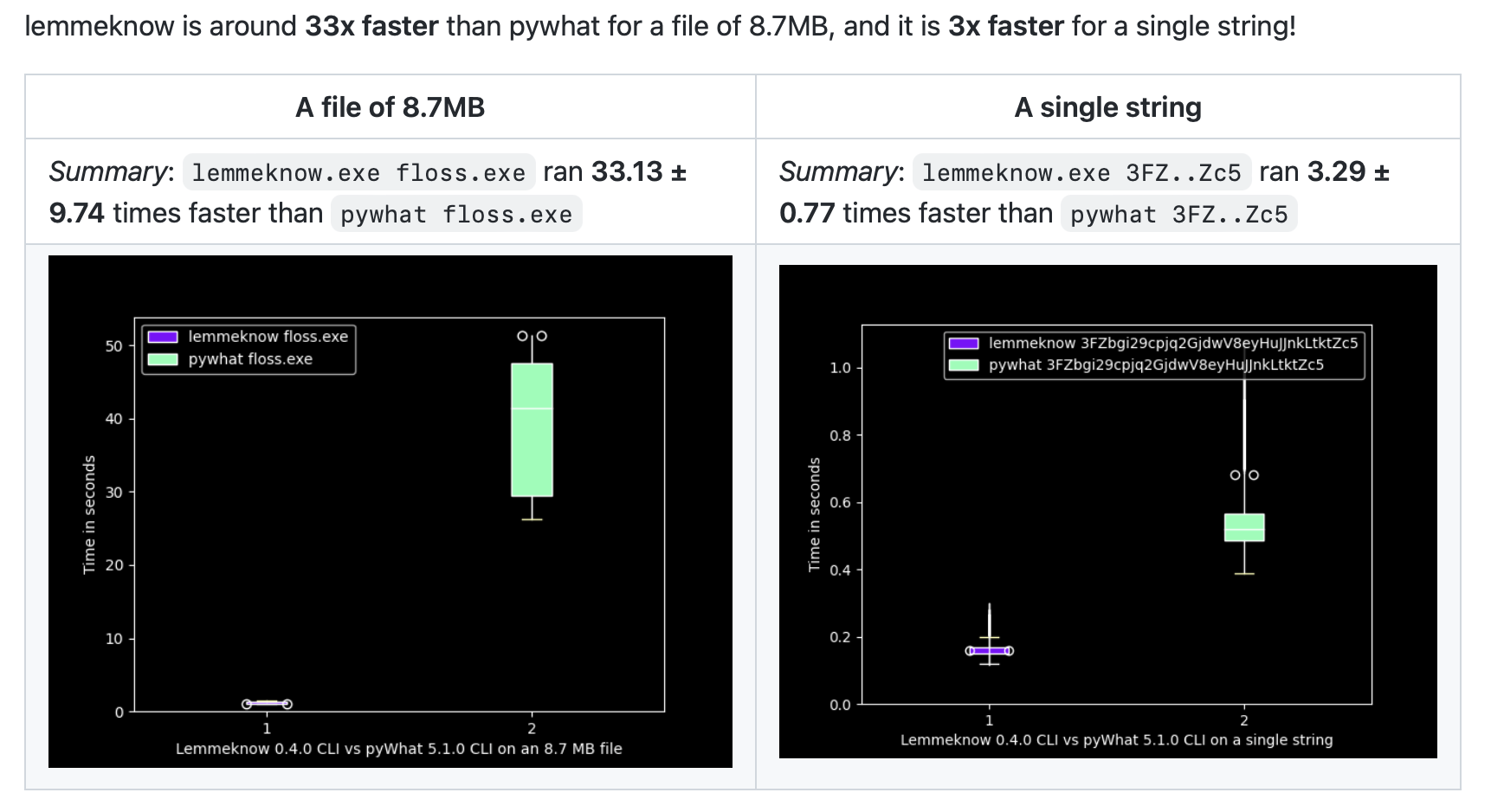
每个候选明文还会经过 [LemmeKnow](https://github.com/swanandx/lemmeknow)——[pyWhat](https://github.com/bee-san/pyWhat) 的 Rust 移植版——的检测,它能识别 120 多种格式。因此 Ciphey 不仅能解码字符串,还能告诉你它是什么:`mount` 或 `sshpass` 命令中的密码、TOTP 密钥、GitHub token 或 Stripe 密钥、IP 或 MAC 地址、电子邮件地址或 URL、加密钱包、AWS ARN、JSON,或任意格式的 CTF flag(`flag{…}`、`picoCTF{…}`、`DUCTF{…}`)。那些只检查字符串包含哪些字符以及长度的 LemmeKnow 模式(例如卡号和电话号码)会被忽略:解码器产生的垃圾数据经常能匹配上它们。

```console
$ ciphey -t '3139322e3136382e302e31'
🕵️ I think the plaintext is Internet Protocol (IP) Address Version 4.
Possible plaintext: '192.168.0.1' (y/N):
```

### 🎯 Crib 与正则模式

<a href="https://cdn.jsdelivr.net/gh/bee-san/Ciphey@d41d19946234477346fede14dadf8c351cc469e6/media/tui-video/out/crib.mp4"><img src="https://assets.kitploit.com/production/public/readmes/673/09c2bd5e4f4bf82d39a594ac92dbaefdc1546878abc64d4995bbd6484e8ee9bf/0bbe6aaae2adda71b0043dcc7d134c497722dfe5cf94815f5055e589162b27b3-display-v1.webp" alt="一个终端对 Base64 字符串运行 ciphey -t,并带上 -r 'picoCTF\{'。Ciphey 报告“Regex matched: picoCTF\{”,询问关于“picoCTF{b4s3_64_1s_fun}”的内容,并将其作为明文打印出来,使用 Base64 解码。"></a>

<sub>▶ <a href="https://cdn.jsdelivr.net/gh/bee-san/Ciphey@d41d19946234477346fede14dadf8c351cc469e6/media/tui-video/out/crib.mp4">观看片段</a>(14.5 秒)</sub>

如果你知道答案的一部分(flag 格式、必须包含的某个词、开头是什么),可以用 `-r` 以正则表达式的形式把它交给 Ciphey。其他检查器会关闭,只有匹配的文本才会被接受。这样可以找到其他检查器会忽略的明文,或者在多个候选看起来都像明文时,只停在你想要的那个上:使用 `-r 'picoCTF\{'` 时,只有 `picoCTF{…}` 形式的 flag 才会结束搜索。

`--wordlist words.txt` 对精确匹配的作用相同:如果某个候选是文件中的一行,它就会被视为明文。

### 🎨 为你的终端而打造

首次运行设置会让你选择配色主题(Capptucin、Darcula、GirlyPop、默认主题,或你自己的 RGB 值),并选择是逐个询问每个明文,还是在最后给出候选列表。你可以在[导览](https://cdn.jsdelivr.net/gh/bee-san/Ciphey@d41d19946234477346fede14dadf8c351cc469e6/media/tui-video/out/ciphey-tui-promo.mp4)的 0:32 处看到它。所有内容都会保存到 `~/.ciphey/config.toml`,之后可以编辑。

### 📚 库优先

`ciphey` 二进制文件是 `ciphey` crate 的一层薄封装。[Discord 机器人](https://github.com/bee-san/discord-bot)也使用它,你的代码同样可以。

## 作为库使用

`perform_cracking` 会像 `ciphey` 二进制文件一样运行整个搜索:

```rust
use ciphey::config::Config;
use ciphey::{perform_cracking, CipheyError};

fn main() {
    let mut config = Config::default();
    config.timeout = 5; // seconds
    config.human_checker_on = false; // never prompt on stdin
    config.api_mode = true; // don't print progress to stdout
    // config.regex = Some(r"flag\{".to_string()); // only accept plaintext matching a crib

    match perform_cracking("aGVsbG8gdGhlcmUgZ2VuZXJhbA==", config) {
        Ok(Some(result)) => {
            let path: Vec<&str> = result.path.iter().map(|step| step.decoder).collect();
            println!("{} (via {})", result.text[0], path.join(" → "));
        }
        Ok(None) => println!("no plaintext found"),
        Err(CipheyError::Timeout { secs }) => println!("gave up after {secs}s"),
        Err(e) => eprintln!("error: {e}"),
    }
}
```

这会打印 `hello there general (via Base64)`。

### 单个解码器

如果你知道面对的是什么,就调用对应的解码器。每个解码器都是 `ciphey::decoders` 中的一个函数:编码会被解码,密码会被破解,而需要密钥的解码器可以用你的密钥进行解密。

```rust
use ciphey::decoders;

let decoded = decoders::base64("aGVsbG8gd29ybGQ=");
assert_eq!(decoded.candidates[0].text, "hello world");

// No key: Ciphey tries every shift and marks the one its checks accept
let cracked = decoders::caesar("Uryyb jbeyq");
let plaintext = cracked.plaintext().expect("a shift reads as English");
assert_eq!(plaintext.text, "Hello world");
assert_eq!(plaintext.key.as_deref(), Some("13"));

// With the key
let decrypted = decoders::vigenere_with_key("Rijvs uyvjn", "KEY")?;
assert_eq!(decrypted.candidates[0].text, "Hello world");
```

要在运行时选择解码器,`decode_with` 接受其名称或别名,而 `list_decoders` 会列出所有解码器及其别名、标签和所需的键:

```rust
use ciphey::{decode_with, list_decoders, DecodeOptions};

let cracked = decode_with("rot13", "Uryyb jbeyq", &DecodeOptions::default())?;
let decrypted = decode_with("affine", "IHHWVC SWFRCP", &DecodeOptions::with_key("a=5, b=8"))?;

for decoder in list_decoders() {
    println!("{}: {}", decoder.name, decoder.key_format.unwrap_or("no key"));
}
```

没有任何内容被过滤掉:你得到的是解码器交给搜索的内容。Ciphey 的明文检查所接受的候选结果会排在最前面,并带有 `detection` 标记;如果它们一个都不接受,你得到的便是未标记的解码结果,由你自己判断(比如全部 25 种凯撒移位,不过密钥较多的破解器只会交出其中最好的几个)。

### 它是明文吗?

`detect_plaintext` 会运行搜索所用的各项检查(正则 crib、词表、LemmeKnow、JSON、常见密码、英语和代码),并说明是哪一项接受了该文本,以及它将其视为何种内容:

```rust
use ciphey::detection::{detect_plaintext, CheckerKind, DetectOptions, Sensitivity};

let found = detect_plaintext("192.168.0.1", &DetectOptions::default()).unwrap();
assert_eq!(found.checker, CheckerKind::LemmeKnow);
assert_eq!(found.description, "Internet Protocol (IP) Address Version 4");
assert_eq!(found.confidence, Some(0.7)); // the format's rarity in pyWhat

// Pick the checkers and how strict the English checker is, or give a crib
let english_only = DetectOptions::new()
    .checkers([CheckerKind::English])
    .sensitivity(Sensitivity::Low);
let crib = DetectOptions::new().regex(r"^flag\{")?;
```

`cargo run --example decode` 会逐一演示上述全部内容,而 `cargo run --example decode -- list` 会列出所有解码器。

- `perform_cracking` 在 `master` 分支上返回 `Result<Option<DecoderResult>, CipheyError>`([#915](https://github.com/bee-san/Ciphey/pull/915)),而单解码器函数和检测函数目前也仅存在于 `master` 分支上。crates.io 上的最新发布版本(0.12.0)仍返回 `Option<DecoderResult>`,因此在下一个版本发布之前,请使用 git 版本:`ciphey = { git = "https://github.com/bee-san/Ciphey" }`。
- 配置是进程全局的。首次调用时的 `Config` 会用于之后的所有调用,单解码器也遵循该配置(例如 `regex` 提示、词表)。它们从不进行交互提示。
- API 文档位于 [docs.rs](https://docs.rs/ciphey)。

## MCP 服务器(AI 助手)

<a href="https://cdn.jsdelivr.net/gh/bee-san/Ciphey@5aa9760b2912611755d037c01b9d2ed14fd3bf81/media/mcp-video/out/ciphey-mcp.mp4"><img src="https://assets.kitploit.com/production/public/readmes/673/67404d20c9782de7baa1586f0240cde7a50e100c9b6761f080c2104f94242d1d/dd2d9b2e27182c74582e74bca4cebf9ca58a72d35ff166f76ce1dc167f9b0b29-display-v1.webp" alt="一个 AI 助手(Kiro CLI)被要求解码 CTF 挑战中的 Base64 字符串。它通过 MCP 调用 ciphey 的 decode 工具,该工具返回明文 flag{ciphey_speaks_mcp} 以及所使用的解码器:Base64 → Hexadecimal → caesar,密钥为 13。随后助手以该 flag 作答。点击观看 30 秒视频。"></a>

<sub>▶ <a href="https://cdn.jsdelivr.net/gh/bee-san/Ciphey@5aa9760b2912611755d037c01b9d2ed14fd3bf81/media/mcp-video/out/ciphey-mcp.mp4">观看视频</a>(29.5 秒)。该聊天回放了一次使用 ciphey-mcp 的真实 Kiro CLI 会话。</sub>

`ciphey-mcp` 是一个 [Model Context Protocol](https://modelcontextprotocol.io) 服务器,因此 Claude Desktop 和 Kiro 等 AI 助手可以使用 Ciphey 解码文本。它位于 `mcp` 特性之后,因此常规的 `ciphey` 构建不包含它:

```sh
cargo install ciphey --features mcp --bin ciphey-mcp
# or, from a clone of this repository:
cargo install --path . --features mcp --bin ciphey-mcp
```

`mcp` 功能尚未在 crates.io 的发布版本中提供(0.12.0 是最新版本),因此在下个版本发布之前,请从 git 安装:`cargo install --git https://github.com/bee-san/Ciphey ciphey --features mcp --bin ciphey-mcp`。

它提供四个工具:

- `decode` 在你不知道 `text` 是如何编码的情况下对其进行解码,并返回 `plaintext` 以及所用解码器的 `path`,其中包含诸如 Caesar 位移之类的键。可选参数:`timeout_secs`(1 到 30,默认 10)和 `regex`,即明文必须匹配的提示串,例如 `flag\{`。
- `decode_with` 对你选择的单个解码器在 `text` 上运行:给它 `decoder` 的 id、名称或别名(`base64`、`rot13`、`vigenere`、`xor_single_byte` 等)。不带 `key` 时,它解码文本,或通过尝试每个密钥来破解密码;带 `key` 时,它进行解密,适用于需要密钥的密码(`13`、`LEMON`、`a=5, b=8`、`rails=3, offset=1`)。它返回每个候选解码结果,以及每个结果是否通过 Ciphey 的明文检查。`regex` 的用法与 `decode` 相同。
- `detect_plaintext` 检查 `text` 是否已经是明文,而不对其进行解码,并说明是哪个检查器接受了它、将其视为何种内容,以及对于 LemmeKnow 的格式,其确信程度如何。可选参数:`checkers`(可取 `lemmeknow`、`json`、`password`、`english` 和 `code` 中的任意项,默认全部五项)、英语检查器的 `sensitivity`(`low`、`medium` 或 `high`)以及 `regex` 提示串。
- `list_decoders` 列出 Ciphey 支持的编码和密码,以及 `decode_with` 接受的 id 和别名,以及每个需要密钥的密码的密钥格式。

`decode` 的结果如下所示。`status` 为 `decoded`、`not_found` 或 `timed_out`。

```json
{
  "status": "decoded",
  "plaintext": "hello there general",
  "path": [{ "decoder": "Base64", "key": null }],
  "checker": "English Checker",
  "timeout_secs": 10
}
```

`decode_with` 配合 `{"decoder": "rot13", "text": "Uryyb jbeyq"}` 会得到下面的结果。`status` 为 `plaintext_found`、`no_plaintext`(没有任何候选通过检查,因此需要自行判断)或 `no_candidates`(文本不符合该解码器的格式)。一个结果最多包含 100 个候选及其 65,536 个字符的文本;`total_candidates` 表示候选总数,被截断的候选会设置 `truncated`。

```json
{
  "decoder": "caesar",
  "status": "plaintext_found",
  "candidates": [
    {
      "text": "Hello world",
      "truncated": false,
      "key": "13",
      "is_plaintext": true,
      "detection": { "checker": "english", "description": "Words", "confidence": null }
    }
  ],
  "total_candidates": 1
}
```

`detect_plaintext` 配合 `{"text": "192.168.0.1"}` 会得到:

```json
{
  "is_plaintext": true,
  "detection": {
    "checker": "lemmeknow",
    "description": "Internet Protocol (IP) Address Version 4",
    "confidence": 0.7
  },
  "checkers": ["lemmeknow", "json", "password", "english", "code"]
}
```

除 `list_decoders` 外,每次调用都在其自身的短生命周期进程中运行。输入限制为 65,536 个字符(键也如此),正则表达式限制为 1,000 个字符。一次 `decode` 最多搜索 30 秒,并可能使用 1 GiB 内存;一次 `decode_with` 调用可运行 30 秒,一次 `detect_plaintext` 调用可运行 10 秒,各自使用 256 MiB 内存。最多同时运行两次 decode 和四次其他调用。服务器不会读取或写入 `~/.ciphey`,因此没有配置文件,也没有缓存。

### Claude Desktop

打开 Settings → Developer → Edit Config,将服务器添加到 `claude_desktop_config.json`,然后重启 Claude Desktop。请使用 `which ciphey-mcp` 打印出的完整路径(在 Windows 上为 `where ciphey-mcp`,例如 `C:\\Users\\you\\.cargo\\bin\\ciphey-mcp.exe`),因为 Claude Desktop 可能无法看到你 shell 的 `PATH`。

```json
{
  "mcpServers": {
    "ciphey": {
      "command": "/Users/you/.cargo/bin/ciphey-mcp"
    }
  }
}
```

### Kiro

```sh
kiro-cli mcp add --name ciphey --command ciphey-mcp
```

或者将下面的条目添加到 `~/.kiro/settings/mcp.json`(所有项目)或 `.kiro/settings/mcp.json`(单个项目)。

### 其他客户端

大多数 MCP 客户端都采用相同的 `mcpServers` 条目:一个由 `ciphey-mcp` 启动、不带任何参数的 stdio 服务器。

```json
{
  "mcpServers": {
    "ciphey": {
      "command": "ciphey-mcp",
      "args": []
    }
  }
}
```

## 须知

- 明文检测并不完美。非英文文本经常会被漏检,而一个接近正确的密钥(尤其是 Vigenère)仍可能产生看起来像英文的文本。[#1031](https://github.com/bee-san/Ciphey/issues/1031) 中有相关评估。如果你对答案有所了解,提供 crib(`-r`)或词表会大有帮助。
- 如果 flag 的前缀不是 flag 关键词(例如 `SEKAI{…}` 而非 `…CTF{…}` 或 `flag{…}`),它看起来会与自身的凯撒移位结果相同,因此在凯撒、ROT13 或 Atbash 下,Ciphey 无法判断哪一个才是正确的。请以 crib 的形式提供格式:`-r 'SEKAI\{'`。
- 如果缓存的答案是错误的,请删除 `~/.ciphey/database.sqlite` 以清除缓存。
- 如果你遇到困难,可以在 [Discord](http://discord.skerritt.blog) 的 `#coded-messages` 中提问。

## 文档

- [docs.rs 上的 API 文档](https://docs.rs/ciphey)
- [`docs/` 文件夹](https://github.com/bee-san/ciphey/blob/master/docs),其中包括[概览](https://github.com/bee-san/ciphey/blob/master/docs/ares_overview.md)、[架构](https://github.com/bee-san/ciphey/blob/master/docs/ares_architecture.md)、[A* 搜索的工作原理](https://github.com/bee-san/ciphey/blob/master/docs/astar.md)以及[明文检测的工作原理](https://github.com/bee-san/ciphey/blob/master/docs/plaintext-detection.md)
- Notion 上的 [Ciphey 2 文档](https://broadleaf-angora-7db.notion.site/Ciphey2-32d5eea5d38b40c5b95a9442b4425710)
- [Introducing Ares](https://skerritt.blog/introducing-ares/),关于 Rust 重写的博客文章(在成为 Ciphey 之前它被称为 Ares)

## 贡献

欢迎在 [issues](https://github.com/bee-san/Ciphey/issues) 中提交 bug 报告、想法和 pull request。新增一个解码器是很好的首次贡献:从 [#1030](https://github.com/bee-san/Ciphey/issues/1030) 中挑选一个,并参照 [`src/decoders/`](https://github.com/bee-san/ciphey/blob/master/src/decoders) 中现有解码器的结构进行编写。你也可以[赞助本项目](https://github.com/sponsors/bee-san)。

<a href="https://github.com/bee-san/Ciphey/graphs/contributors"><img src="https://contrib.rocks/image?repo=bee-san/Ciphey" alt="Avatars of the people who have contributed to Ciphey"></a>

## 致谢

- 由 [@swanandx](https://github.com/swanandx) 开发的 [LemmeKnow](https://github.com/swanandx/lemmeknow) 负责识别 Ciphey 发现的内容,而 [gibberish-or-not](https://github.com/bee-san/gibberish-or-not) 负责判断它是否为英文。
- [Rayon](https://github.com/rayon-rs/rayon) 负责并行运行各个解码器。
- Ciphey 最初是一个 Python 项目;Python 版 Ciphey 5.x 仍可在 [PyPI](https://pypi.org/project/ciphey/) 上获取。感谢所有参与过该项目的人。
- 视频使用 [HyperFrames](https://hyperframes.heygen.com/) 基于真实终端录制制作。源代码、录制内容和构建脚本位于 `media/readme-videos` 分支的 [`media/tui-video`](https://github.com/bee-san/Ciphey/tree/media/readme-videos/media/tui-video) 中。

## AI 使用

我们将 AI 用于 2 件事:

1. TUI 完全由 vibe coding 编写。
2. 我让 AI 花费数小时研究现有的每一个 CTF 挑战。它创建了一份包含 15,071 个 CTF 的列表。随后它逐一浏览了每个 CTF 并查找 writeup。在这些 writeup 中,它查找了与编码/解码相关的任何内容。然后它据此创建了测试。这使我们能够提高测试覆盖率,并确保所有 CTF 编码/解码挑战都能用此工具解决。

## 许可证

MIT。参见 [LICENSE](https://github.com/bee-san/ciphey/blob/master/LICENSE)。