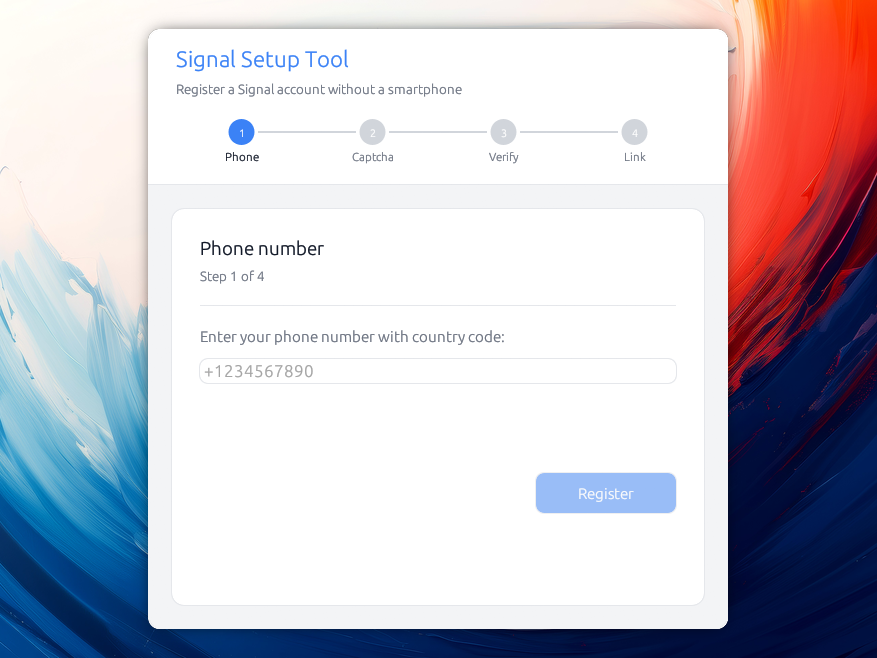
一个桌面应用程序,用于注册 Signal 账户并将其与 Signal Desktop 关联,全程无需智能手机。
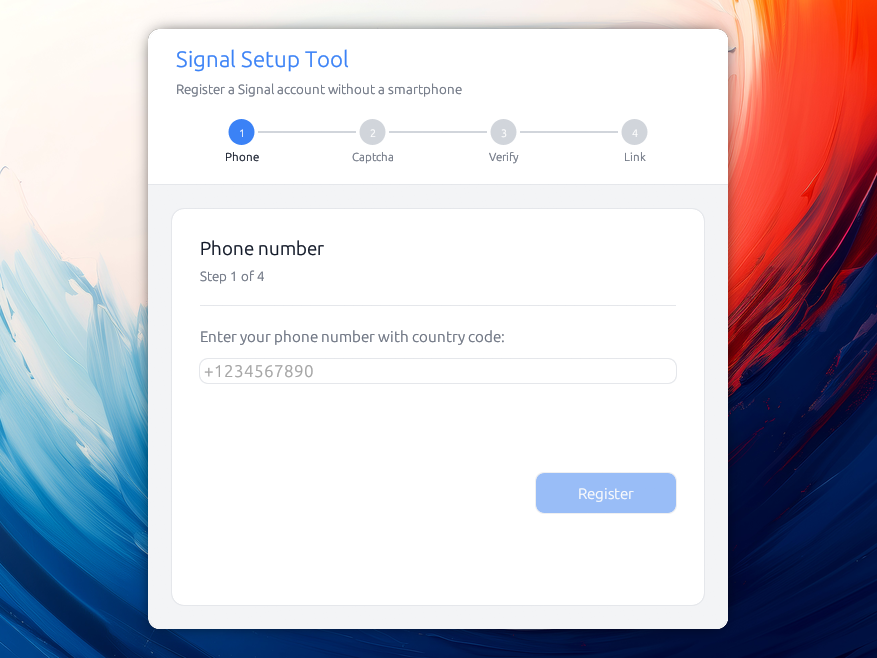
此工具避免了使用智能手机的需要,但在设置阶段仍需要一种接收短信的方式。 Signal 最近推出了无电话号码账户,但这仍然需要 Android 和 Google Play 服务。未来他们很可能会提供其他付款方式。
获取最新版本!
这个工具可能对你有吸引力,原因有很多:
你的 Signal 对话的安全性取决于安装它的设备的安全性:
如果你的设备在未用密码锁定的情况下丢失或被盗,当然有人可以读取上面的消息。同样,执法机构已知会使用取证工具侵入被扣押的设备,从而能够读取设备上的任何内容,包括你的消息。
有些人没有智能手机,他们也应该能够使用 Signal :-)
该工具将自身注册为账户的主设备,并将 Signal Desktop 关联为辅助设备。Signal 允许每个账户关联五台设备,而此工具可以帮助将它们全部关联起来。例如,当你想要与同事共享一个 Signal 账户时,这会很有帮助。
截至目前,Signal Desktop 需要电话号码和智能手机才能设置账户。这未来可能会改变,但在此之前,你可以使用这个工具。
“我猜你的问题与 Signal 目前存在的电话号码注册方式有关。这是我们希望在今年晚些时候添加的一种无需电话号码即可注册的方式,我们正在研究这一点。[...]”
— Ehren Kret,Signal CTO,2026 年 7 月 20 日
从发布页面下载适用于你系统的文件:
.dmg 并将 Signal Setup 拖入“应用程序”。AppImage:使其可执行(chmod +x Signal_Setup-*.AppImage)并运行它。如果你更喜欢,也会发布一个普通的 signal-setup-linux-* 二进制文件。这些发布版本未使用付费开发者证书签名(macOS 每年 99 美元,Windows 甚至更多),因此系统会在安装后向你发出警告:
macOS 会显示“无法打开,因为它来自未识别的开发者。”右键点击应用并选择 打开,然后确认。你只需执行一次。如果它报告应用已“损坏”,请清除下载隔离标志:xattr -dr com.apple.quarantine "/Applications/Signal Setup.app"。
Windows SmartScreen 会显示“Windows 已保护你的电脑。”点击 更多信息,然后点击 仍要运行。
cargo build --release
./target/release/signal-setup
该项目是一个 Cargo 工作区,包含两个 crate:signal-setup-core(Signal 注册与设备关联逻辑)和 signal-setup(依赖前者的桌面 GUI)。构建该工作区会生成上述 signal-setup 二进制文件。
仅在 Linux 上,有几个系统库对 GPU/显示有用:
# Ubuntu / Debian
sudo apt install libxcb-render0-dev libxcb-shape0-dev libxcb-xfixes0-dev \
libxkbcommon-dev libssl-dev protobuf-compiler

# Fedora
sudo dnf install libxcb-devel libxkbcommon-devel openssl-devel protobuf-compiler

# Arch
sudo pacman -S libxcb libxkbcommon openssl protobuf
每个账户都可以从其“管理”界面导出为密钥文件:
signal-account-<number>.json。它包含作为该账户主设备所需的一切,
并使用你选择的密码短语加密。
将其作为备份保留,你就能将其导入另一台机器!
密钥文件还携带主密钥,这对于在无需等待锁定过期的情况下重新注册号码非常有用。
你可以针对 Signal 的暂存环境而非生产环境运行该工具, 这对于开发和测试非常有用,且不会危及你的真实账户:
./target/release/signal-setup --staging
要完成设备关联步骤,你需要一个同样连接到 staging 服务器的 Signal Desktop 实例。从源码构建 Signal Desktop 默认就会这样做:
git clone https://github.com/signalapp/Signal-Desktop.git
cd Signal-Desktop
pnpm install
pnpm start
设置 SIGNAL_SETUP_DEBUG=1 可将 Signal 验证 API 的每个响应(状态码和响应体)打印到终端,这是注册未通过时首先应查看的内容。
此外还提供 --demo 标志,用于使用假数据进行完全离线测试(无需服务器)。在演示模式下,验证码 000000 模拟一个符合设备转移条件的账户,111111 模拟一个被注册锁定的号码。
还有其他工具能够实现这一功能,例如 AsamK 开发的优秀工具 signal-cli,但遗憾的是它们不提供图形用户界面。本工具的早期版本在底层使用了它,但要求用户安装 JVM 才能运行。
因此——也因为我认为这样会更容易——我借此机会深入研究了 Signal 的加密机制。
以下是工作原理的高层概述(本应用注册为主 Signal 设备,然后将 Signal Desktop 链接为辅助设备)。
流程如下:
%%{init: {'theme':'default', 'themeVariables': {'background':'#ffffff'}}}%%
sequenceDiagram
    actor User
    participant App as App
    participant Server as Signal Server
    participant Desktop as Signal Desktop
    participant Store as Disk + Keyring

    Note over App: Step 0: Welcome (if saved accounts)

    rect rgb(235,245,255)
    Note over User,Server: Phase 1: Request verification code
    User->>App: Step 1: enter phone (+1234567890)
    App->>Server: POST /v1/verification/session
    Server-->>App: session.id (+ captcha_required?)
    alt Captcha required
        Note over App: Step 2 shown
        User->>App: solve captcha, paste it
        App->>Server: POST .../session/{id}/code (sms)
    else No captcha
        App->>Server: POST .../session/{id}/code (sms)
    end
    Server-->>User: SMS verification code
    end

    rect rgb(235,255,235)
    Note over User,Server: Phase 2: Verify & register account
    User->>App: Step 3: enter 6-digit code
    App->>Server: PUT .../session/{id}/code {code}
    Note over App: Generate keys: ACI/PNI identity,<br/>signed pre-keys, Kyber PQ keys,<br/>master/profile keys, password
    App->>Server: POST /v1/registration (account attrs + keys)
    alt 409 Device transfer available
        Server-->>App: 409 / DeviceTransferAvailable
        Note over App: warn, retry skipping device transfer
    else 423 Registration locked
        Server-->>App: 423 / RegistrationLocked
        Note over App: ask for the account's key file
    else Success
        Server-->>App: registered
        App->>Server: PUT /v1/accounts/registration_lock (HMAC of master key)
        App->>Store: save metadata (disk) + secrets (keyring)
    end
    end

    rect rgb(255,245,235)
    Note over User,Desktop: Phase 3: Link Signal Desktop
    User->>App: Step 4: launch Desktop, "Link to existing device"
    Desktop-->>User: shows QR code
    User->>App: paste QR image / link
    App->>Server: GET /v1/devices/provisioning/code
    Server-->>App: verification_code
    Note over App: Build ProvisionMessage (identity keys,<br/>profile/master key, code) →<br/>ECDH + HKDF + AES-256-CBC + HMAC
    App->>Server: PUT /v1/provisioning/{ephemeral_id} (envelope)
    Server-->>Desktop: deliver envelope / register as device N
    loop Poll until a new device id shows up
        App->>Server: GET /v1/devices
    end
    loop For every linked device
        App->>Server: GET /v2/keys/{aci}/{device}
        Server-->>App: device pre-keys
    end
    Note over App: send_linked_device_sync():<br/>X3DH + Double Ratchet session per device,<br/>encrypt empty contacts SyncMessage
    App->>Server: PUT /v1/messages/{aci} (encrypted sync, all linked devices)
    Server-->>Desktop: SyncMessage / leaves "Syncing…"
    end

    App-->>User: Step 5 : 🎉 Setup complete
Signal Without Smartphone
Copyright (C) 2026 Alexis Métaireau

This program is free software: you can redistribute it and/or modify
it under the terms of the GNU Affero General Public License as published
by the Free Software Foundation, either version 3 of the License, or
(at your option) any later version.

This program is distributed in the hope that it will be useful,
but WITHOUT ANY WARRANTY; without even the implied warranty of
MERCHANTABILITY or FITNESS FOR A PARTICULAR PURPOSE.  See the
GNU Affero General Public License for more details.

You should have received a copy of the GNU Affero General Public License
along with this program.  If not, see <https://www.gnu.org/licenses/>.