
sbomlyze v0.3.6
SBOM 的 Git diff——比较 CycloneDX、SPDX 和 Syft 文档,检测篡改,并对 CI 进行门禁。
sbomlyze
为你的 SBOM 提供 git diff 功能。 比较两份软件物料清单,查看构建、版本和发布之间的变化。
sbomlyze 比较的是组件哈希,而不仅仅是版本字符串。当攻击者在不提升版本号的情况下替换软件包时,sbomlyze 会将其标记出来。生成器和漏洞扫描器会漏掉这种情况。
[![CI][ci-img]][ci] [![GitHub Marketplace][marketplace-img]][marketplace] [![GitHub Release][release-img]][release] [![Go Report Card][go-report-img]][go-report] [![OpenSSF Scorecard][scorecard-img]][scorecard] [![OpenSSF Best Practices][best-practices-img]][best-practices] [![License: Apache-2.0][license-img]][license] [![Downloads][download-img]][download]
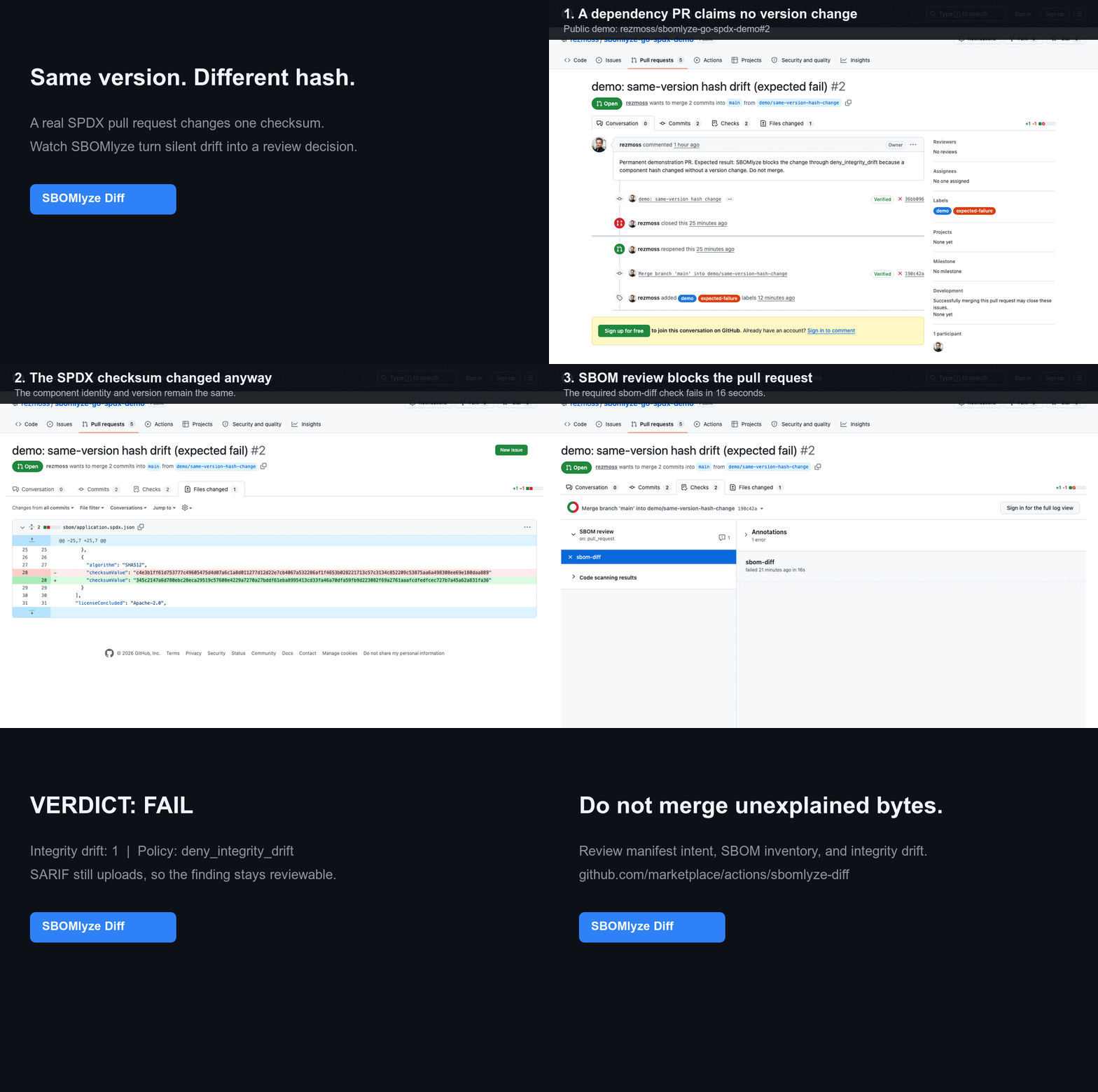
了解为什么这一信号与清单差异或普通组件差异不同,请参阅 清单差异 vs. SBOM 差异 vs. 完整性漂移。
生成器负责制作 SBOM,扫描器负责发现 CVE。sbomlyze 告诉你两份 SBOM 之间发生了什么变化,以及是否应该信任它。 在你的生成器之后运行它:
syft image:tag -o cyclonedx-json | sbomlyze - --compliance无需临时文件即可分析并评分生成的 SBOM。将其与基线进行比较,以分类漂移并控制你的流水线。
GitHub Action 快速开始
添加 [来自 GitHub Marketplace 的 SBOMlyze Diff][marketplace],将已检入或单独生成的 SBOM 与其 git 基线进行比较。下面的不可变 SHA 是已发布的 v0.5.1 Action:```yaml
steps:
-
uses: actions/checkout@3d3c42e5aac5ba805825da76410c181273ba90b1 # v7.0.1 with: fetch-depth: 0
-
uses: rezmoss/sbomlyze@31503690611fda8ebba4ed2bd186eda000442594 # v0.5.1 with: sbom-path: build/sbom.cdx.json
Action 默认会写入 Job Summary,并且可以强制执行策略、报告完整性漂移、上传 SARIF,或维护单条 pull-request 评论。有关输入、输出、权限和安全指南,请参阅[完整的 Action 参考](https://github.com/rezmoss/sbomlyze/blob/main/ACTION.md)。有关通过的依赖更新和被阻止的同版本哈希变更(包含公开的工作流运行和 SARIF 证据),请参阅[实时演示仓库](https://github.com/rezmoss/sbomlyze-action-demo)。

如需针对特定格式的 dogfood,请使用公开的 [Go + SPDX](https://github.com/rezmoss/sbomlyze-go-spdx-demo)、[Node + CycloneDX](https://github.com/rezmoss/sbomlyze-node-cyclonedx-demo) 或[容器](https://github.com/rezmoss/sbomlyze-container-demo)示例。每个示例都包含五个可复现的审查场景。[10 分钟 beta 指南](https://github.com/rezmoss/sbomlyze/blob/main/BETA.md)收集了四个聚焦的激活和信号质量问题。

生成的 SBOM 无需提交:`baseline: workflow-artifact` 会从成功的默认分支运行中检索最近匹配的 artifact。一个[固定版本的 Syft 配套工作流](https://github.com/rezmoss/sbomlyze/blob/main/examples/workflows/syft-companion.yml)展示了生成和基线发布,而 SBOMlyze 仍负责审查和策略。

## 为什么选择 sbomlyze?

许多工具可以生成 SBOM。但很少有工具能比较它们,更少有工具能告诉你某个变更是常规操作还是供应链危险信号。sbomlyze 填补了这一空白。

| 能力 | **sbomlyze** | cyclonedx-cli | sbomqs | syft / trivy |
|---|:---:|:---:|:---:|:---:|
| SBOM 到 SBOM 的**差异** | ✅ | 基础 | ❌ | ❌ |
| **完整性 / 篡改**漂移(哈希变更但版本未变) | ✅ | ❌ | ❌ | ❌ |
| 依赖图差异 + 传递深度风险 | ✅ | ❌ | ❌ | ❌ |
| **NTIA / CISA / BSI** 合规评分 | ✅ | ❌ | ✅ | ❌ |
| 格式转换(Syft / CycloneDX / SPDX) | ✅ | ✅ | ❌ | 部分 |
| **TUI + Web UI** 浏览器 | ✅ | ❌ | ❌ | ❌ |
| 策略门禁 + SARIF / JUnit / Markdown / HTML / Patch | ✅ | 部分 | 部分 | 部分 |

## 功能

- **SBOM 差异比较**:比较两个 SBOM,一目了然地查看新增、移除和变更的组件
- **漂移分类**:区分版本漂移与**完整性漂移**(哈希变更但版本未变,表明存在篡改)以及元数据漂移
- **合规评分**:根据 **NTIA**、**CISA 2025** 和 **BSI TR-03183** 最低要素对任意 SBOM 进行评分
- **依赖图差异**:跟踪传递依赖和供应链深度
- **多格式支持**:Syft、CycloneDX、SPDX(JSON)
- **格式转换**:在 CycloneDX、SPDX 和 Syft 格式之间转换
- **强身份匹配**:PURL → CPE → BOM-ref → namespace/name 优先级
- **统计模式**:分析单个 SBOM 的许可证、依赖和完整性指标
- **交互式 TUI 模式**:通过键盘导航和搜索探索 SBOM
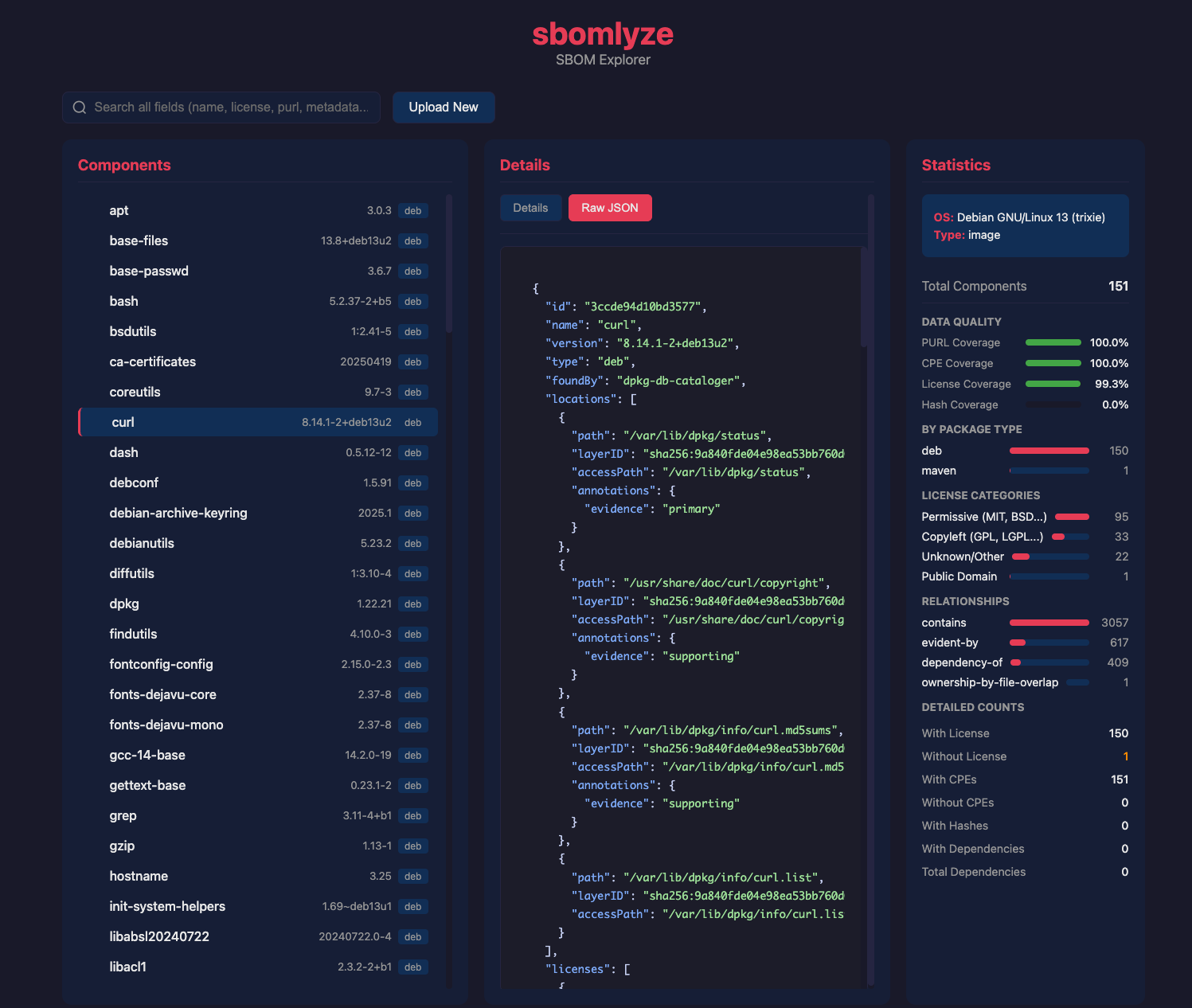
- **Web UI 模式**:基于浏览器的 SBOM 浏览器,支持拖放上传
- **策略引擎**:在 CI 流水线中强制执行漂移、许可证和合规评分规则
- **GitHub Marketplace Action**:通过 Job Summary、SARIF 和可选评论输出,基于 SBOM 漂移对 pull request 进行门禁
- **重复与冲突检测**:查找同一包的多个版本以及模糊的身份匹配
- **多种输出格式**:Text、JSON、SARIF、JUnit XML、Markdown、HTML、JSON Patch
- **容错解析**:遇到错误时继续,并给出结构化警告

## 安装

### Homebrew(macOS/Linux)```bash
brew install rezmoss/sbomlyze/sbomlyze
安装脚本
安装脚本会为您的操作系统/架构下载正确的二进制文件:```bash
Install to ./bin
curl -sSfL https://raw.githubusercontent.com/rezmoss/sbomlyze/main/install.sh | sh
Install to /usr/local/bin (requires sudo)
curl -sSfL https://raw.githubusercontent.com/rezmoss/sbomlyze/main/install.sh | sudo sh -s -- -b /usr/local/bin
Install specific version
curl -sSfL https://raw.githubusercontent.com/rezmoss/sbomlyze/main/install.sh | sh -s -- -v 0.4.0
**安装选项:**

| 选项 | 描述 |
|--------|-------------|
| `-b <dir>` | 安装目录(默认:`./bin`) |
| `-d` | 启用调试输出 |
| `-v <ver>` | 安装指定版本(默认:最新版) |

安装程序始终会验证发布版本的校验和。当安装了兼容的 GitHub CLI 时,它还会验证发布版本的构建来源,如果验证未成功,则会以失败关闭。

### Go 安装```bash
go install github.com/rezmoss/sbomlyze/cmd/sbomlyze@latest
从二进制发布版安装
从 GitHub Releases 下载最新的二进制文件。
从 v0.3.7 开始,发布归档文件附带 GitHub 工件
证明。使用以下命令独立验证下载内容:```bash
gh attestation verify ./sbomlyze_0.4.0_Linux_x86_64.tar.gz
--repo rezmoss/sbomlyze
--signer-workflow rezmoss/sbomlyze/.github/workflows/release.yml
未签名的 apt、rpm 和 apk 仓库安装说明已被移除,直到这些仓库支持包管理器原生的签名验证。

**macOS 用户:** 下载后请移除隔离标记:```bash
xattr -d com.apple.quarantine ./sbomlyze
chmod +x ./sbomlyze
从源码构建```bash
git clone https://github.com/rezmoss/sbomlyze.git cd sbomlyze go build -o sbomlyze ./cmd/sbomlyze
## 快速开始```bash
# Compare two SBOMs (the headline use case)
sbomlyze before.json after.json

# Analyze a single SBOM
sbomlyze image.json

# Read an SBOM from standard input
syft image:tag -o cyclonedx-json | sbomlyze -

# Use standard input on either side of a diff
syft image:tag -o cyclonedx-json | sbomlyze baseline.json -

# Score an SBOM against NTIA / CISA / BSI minimum elements
sbomlyze image.json --compliance

# Interactive TUI explorer
sbomlyze image.json -i

# Web UI (opens browser)
sbomlyze -web

# Convert between SBOM formats
sbomlyze convert syft.json --to spdx
sbomlyze convert cdx.json --to syft -o output.json

# JSON output for CI integration
sbomlyze before.json after.json --json

# SARIF output for GitHub Code Scanning
sbomlyze before.json after.json --format sarif

# Markdown report for PR comments
sbomlyze before.json after.json --format markdown

# Apply policy checks
sbomlyze before.json after.json --policy policy.json
用法```
sbomlyze <sbom1|-> [sbom2|-] [options] sbomlyze convert <sbom|-> --to [-o output]
Modes: Single file: sbomlyze [--json] Show statistics Interactive: sbomlyze -i Interactive explorer Convert: sbomlyze convert --to Convert SBOM format Web server: sbomlyze -web [--port 8080] Web UI explorer Two files: sbomlyze [...] Show diff
Use - in place of one SBOM path to read it from standard input.
Options: -i, --interactive Interactive TUI explorer -web, --web Start web UI server --port Web server port (default 8080) --json Output in JSON format (shortcut for --format json) --format Output format: text, json, sarif, junit, markdown, html, patch --compliance Show NTIA/CISA/BSI compliance scoring --policy Policy file for CI checks --strict Fail on parse warnings --tolerant Continue on parse warnings (default) --no-pager Disable automatic paging of output --to Target format for convert: cyclonedx (cdx), spdx, syft -o, --output Output file for convert (default: stdout) --version, -v Show version information --help, -h Show this help message
## 命令

### 统计模式(单文件)

分析 SBOM 以获取有关组件、许可证和依赖项的洞察。```bash
sbomlyze image.json
输出包含扫描上下文、自动检测的关键发现和统计信息:``` Scan Context: Tool: syft 1.40.1 Schema: 16.0.18 Scan Scope: all-layers Source Type: image Source: alpine:latest
Key Findings: 💻 OS/Distro: Alpine Linux v3.21 📦 Dominated by apk: 71 of 71 packages (100.0%) 📂 8,542 files tracked on filesystem 🔗 Relationships: 71 containment + 64 dependency 📜 License profile: 72% permissive, 20% copyleft ⚠️ Low hash coverage: 0.0% (71 of 71 missing) 🔍 Top catalogers: apkdb-cataloger (71)
📦 SBOM Statistics
Total Components: 71
By Package Type: apk 71
Licenses: With license: 71 Without license: 0