
TCPViewer v1.11.0
一流的macOS应用,让你在Mac上清晰查看每个数据包。Wireshark的替代品。
TCP Viewer
一款简单、原生的 Mac 数据包查看器。
TCP Viewer 可在 macOS 上捕获并读取网络数据包。它使用系统 libpcap 进行捕获,并使用 Wireshark 库获取深度数据包详情。
功能特性
- 原生 macOS 应用,使用 AppKit 构建
- 基于 Wireshark Lib 构建,是 Wireshark 的替代方案
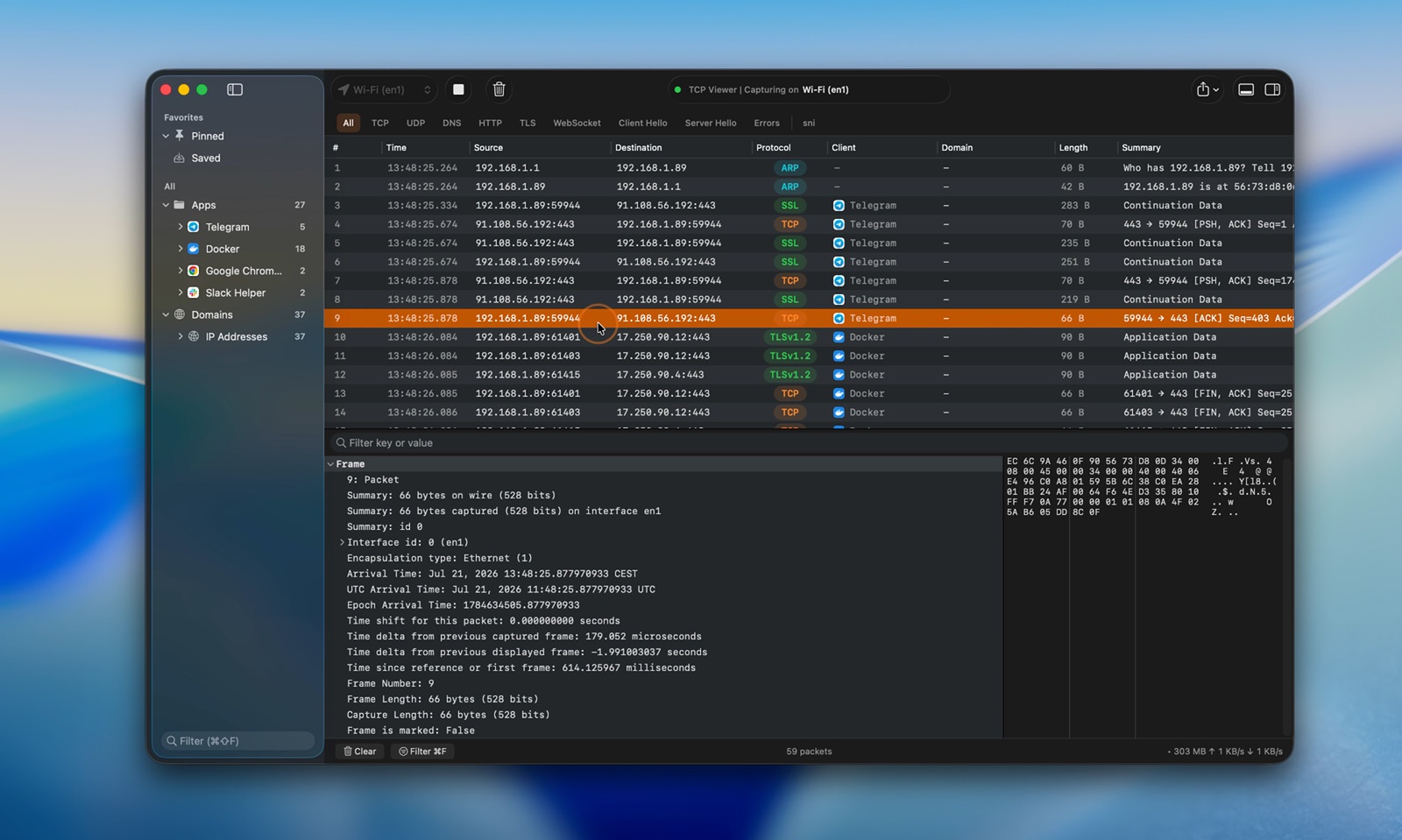
- 捕获实时流量。
- 按应用、域名或 IP 地址对数据包分组。
- 过滤 TCP、UDP、DNS、HTTP、TLS、WebSocket 等。
- 读取协议字段和原始字节。
- 打开 PCAP 和 PCAPNG 文件。
- 跟踪 TCP 和 UDP 流。
- 将数据包导出为 PCAP 或 PCAPNG。
- 通过 TCP Viewer MCP 向 AI 智能体询问你的捕获内容。
- 使用
tcpviewer-cli或 MCP 自动化捕获、标签页、分屏、过滤器、统计、TCP/UDP 跟踪和数据包差异对比。 - 查看完整源代码。
轻松捕获数据包
- 选择网络接口。
- 一键开始或停止。
- 让繁忙的捕获内容依然易于阅读。
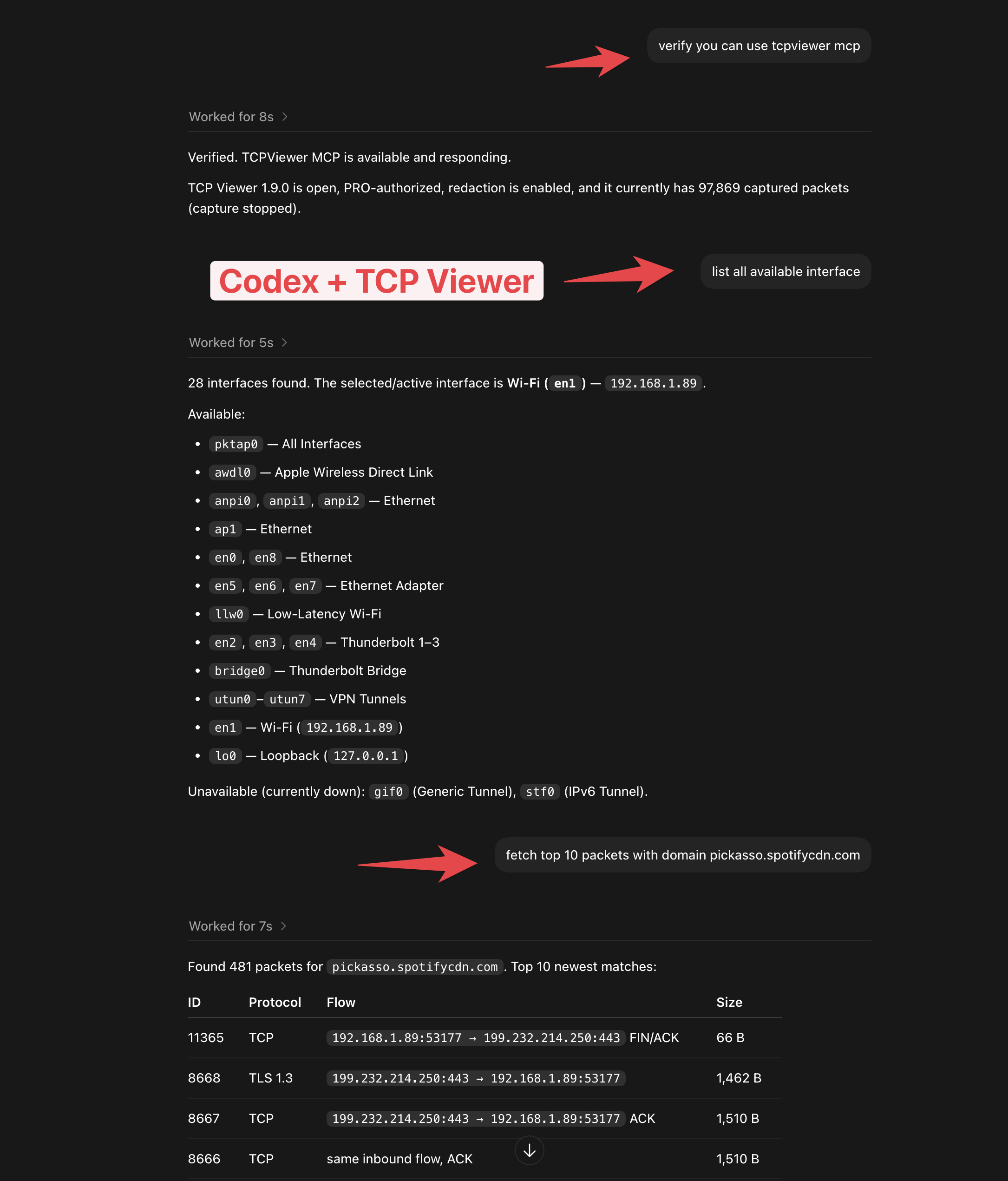
TCP Viewer MCP
- 将 TCP Viewer 连接到 Codex 或其他 MCP 客户端。
- 检查捕获状态。
- 列出网络接口。
- 通过简单的提示词查找数据包。
- 随 TCP Viewer PRO 提供。
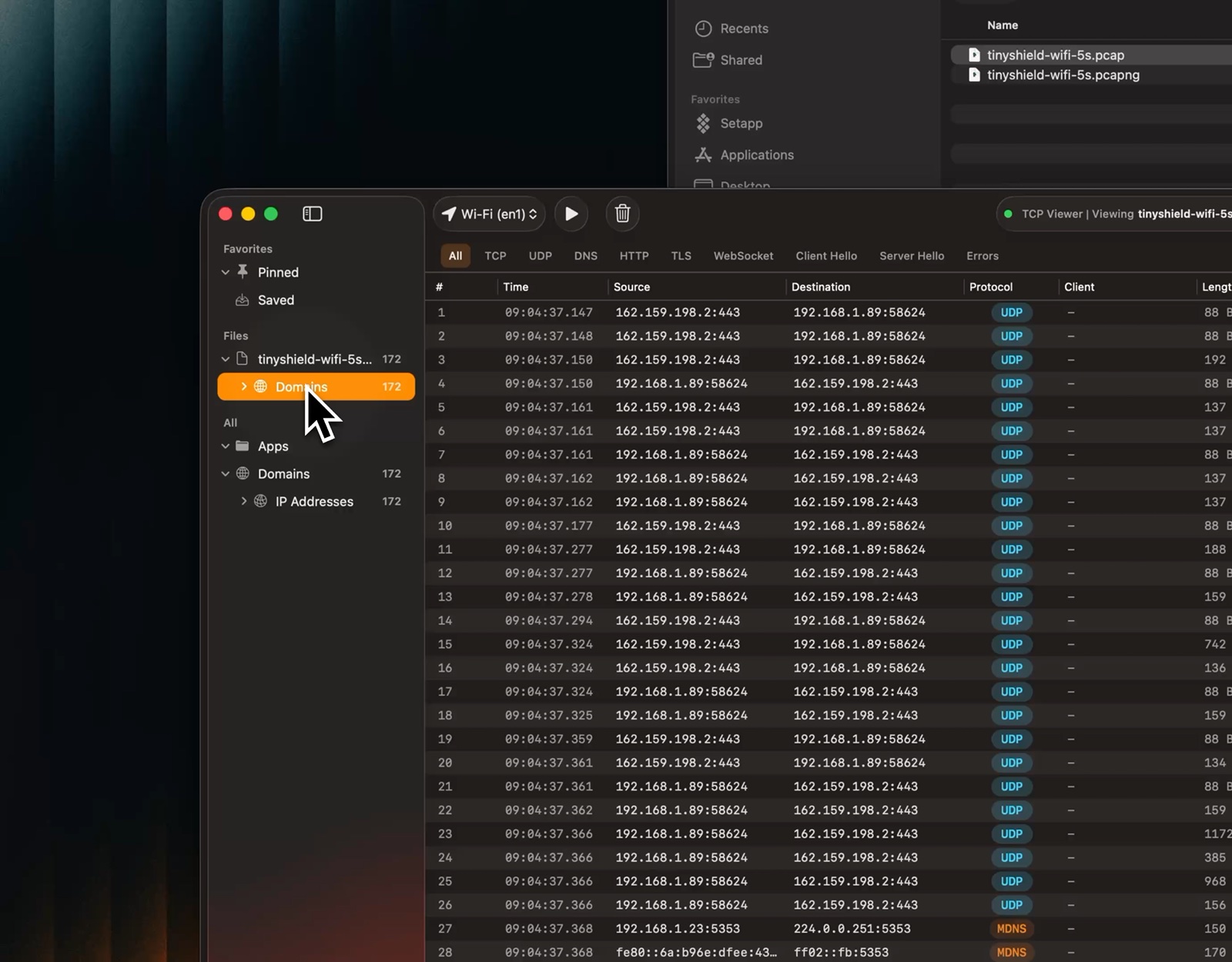
打开捕获文件
- 拖入 PCAP 或 PCAPNG 文件。
- 立即预览数据包。
- 使用与实时捕获相同的视图。
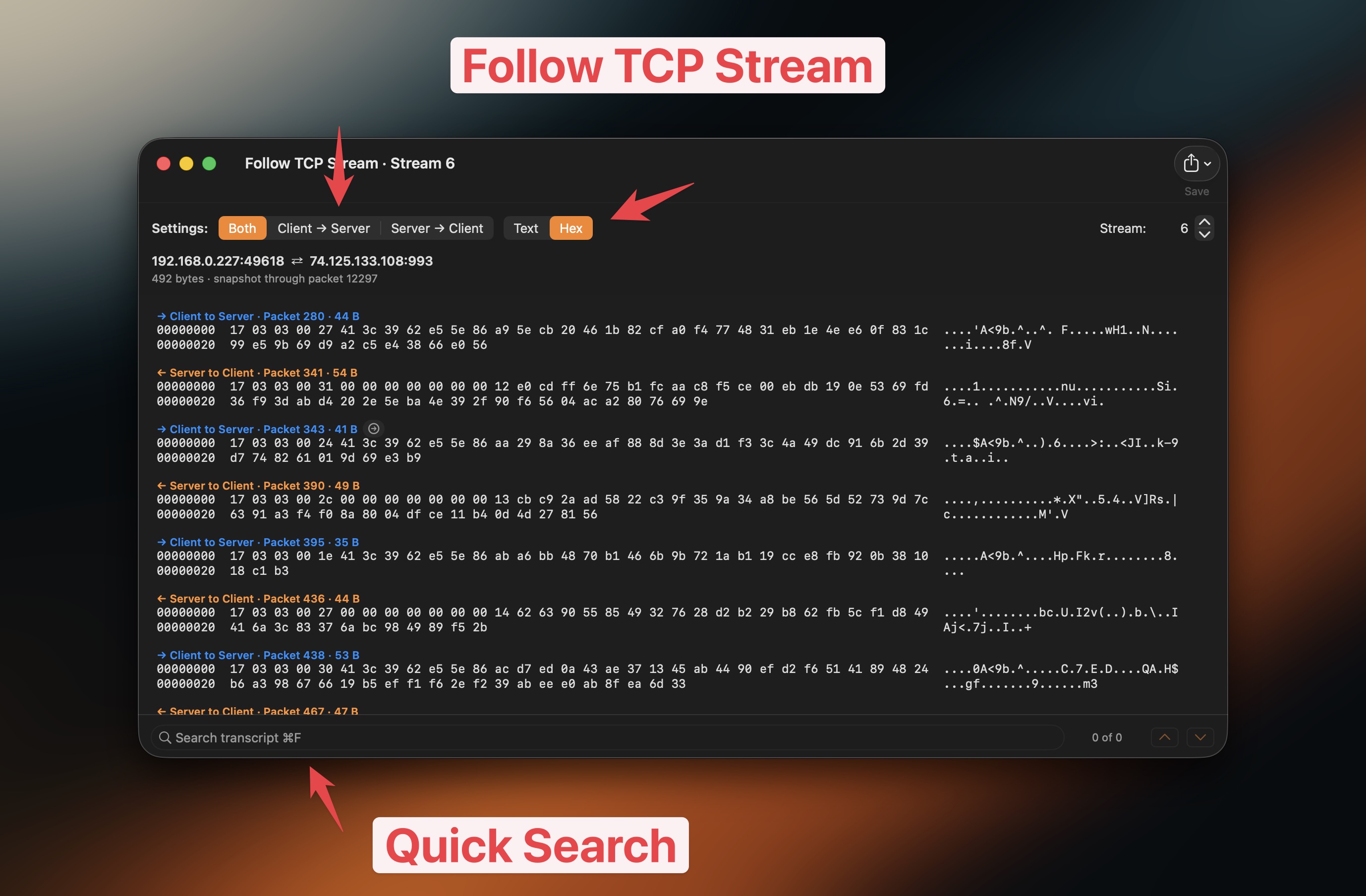
跟踪 TCP 和 UDP 流
- 重建 TCP 会话,或按捕获顺序查看 UDP 数据报。
- 从数据包菜单或工具菜单打开流。
- 同时显示两个方向。
- 仅显示客户端或服务器数据。
- 在文本和十六进制之间切换。
- 搜索流内容。
- 跳回源数据包。
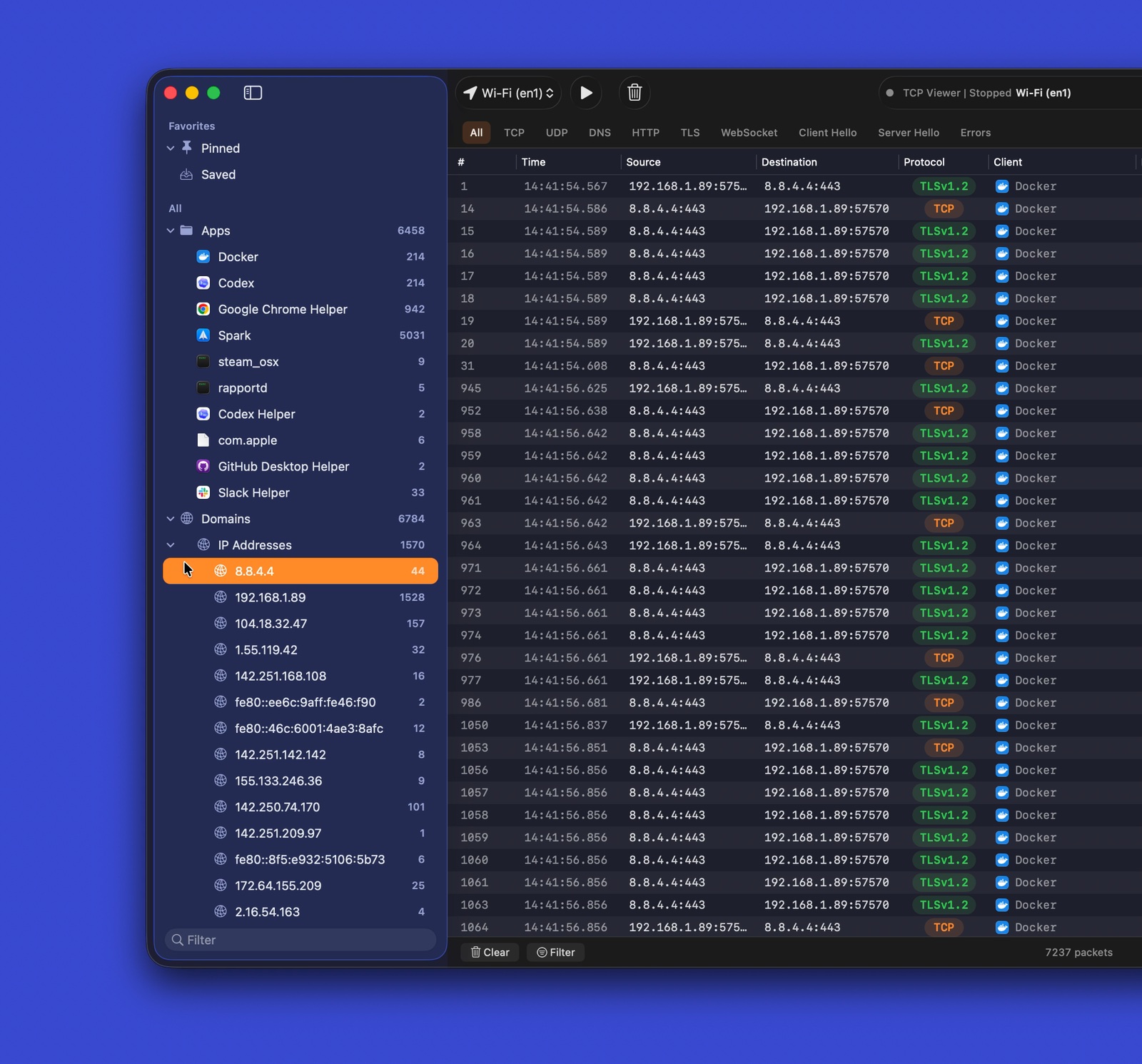
对流量分组
- 按应用对数据包分组。
- 按域名对数据包分组。
- 按 IP 地址对数据包分组。
- 跳转到你需要的流量。
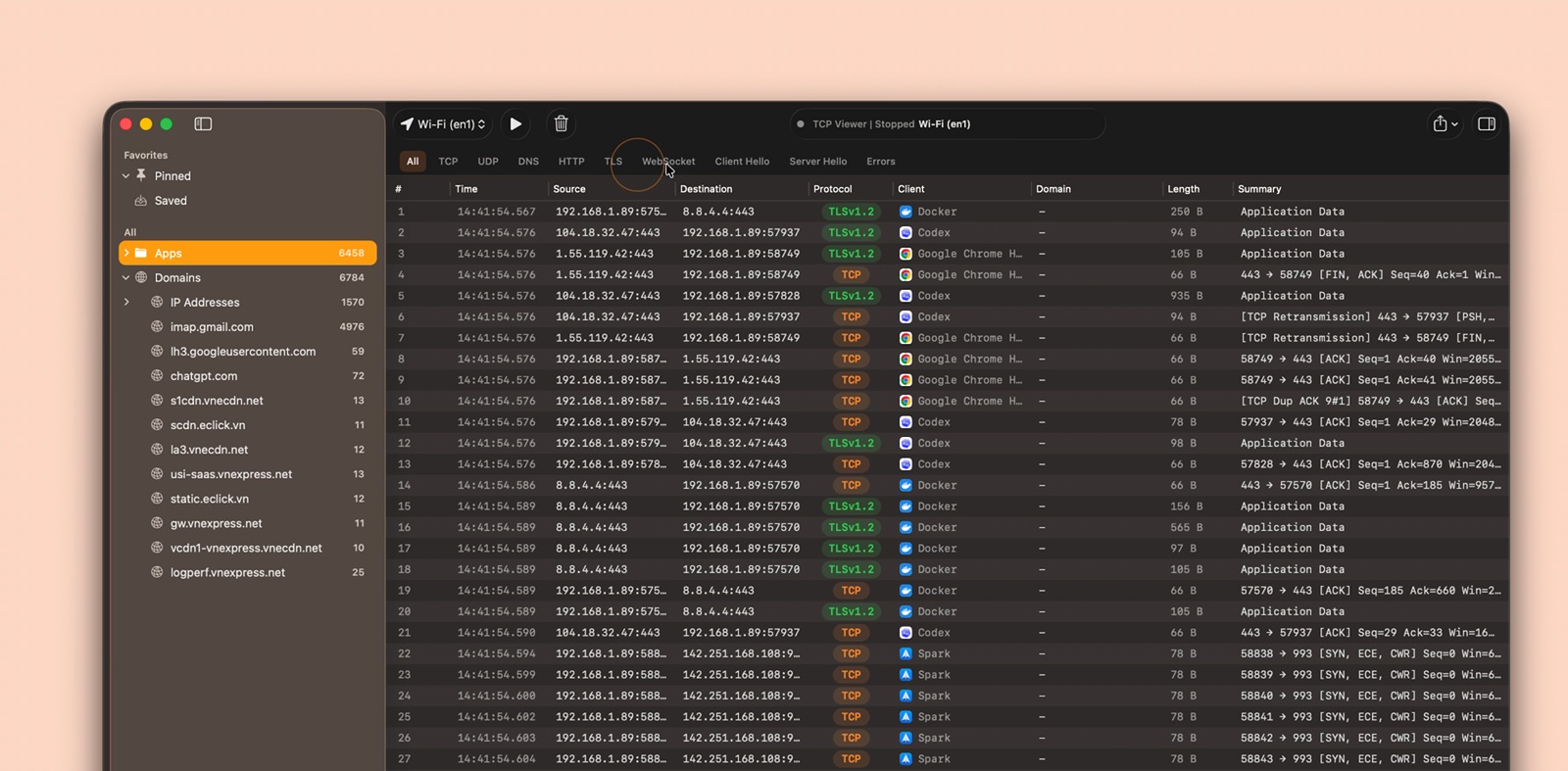
协议过滤器
- 使用常见协议的快捷过滤器。
- 将过滤器与文本搜索结合使用。
- 快速聚焦于有用的数据包。
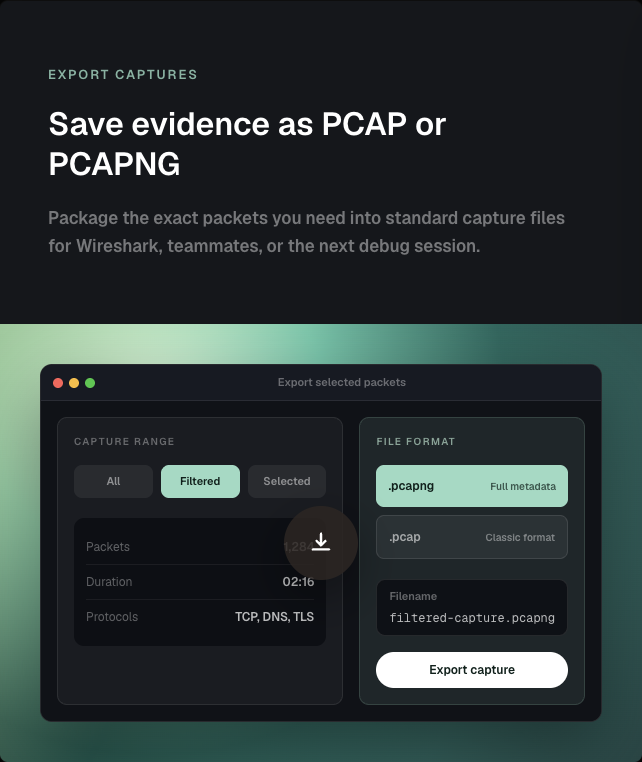
导出捕获内容
- 导出全部、已过滤或选中的数据包。
- 保存为 PCAP 或 PCAPNG。
- 在其他数据包工具中打开结果。
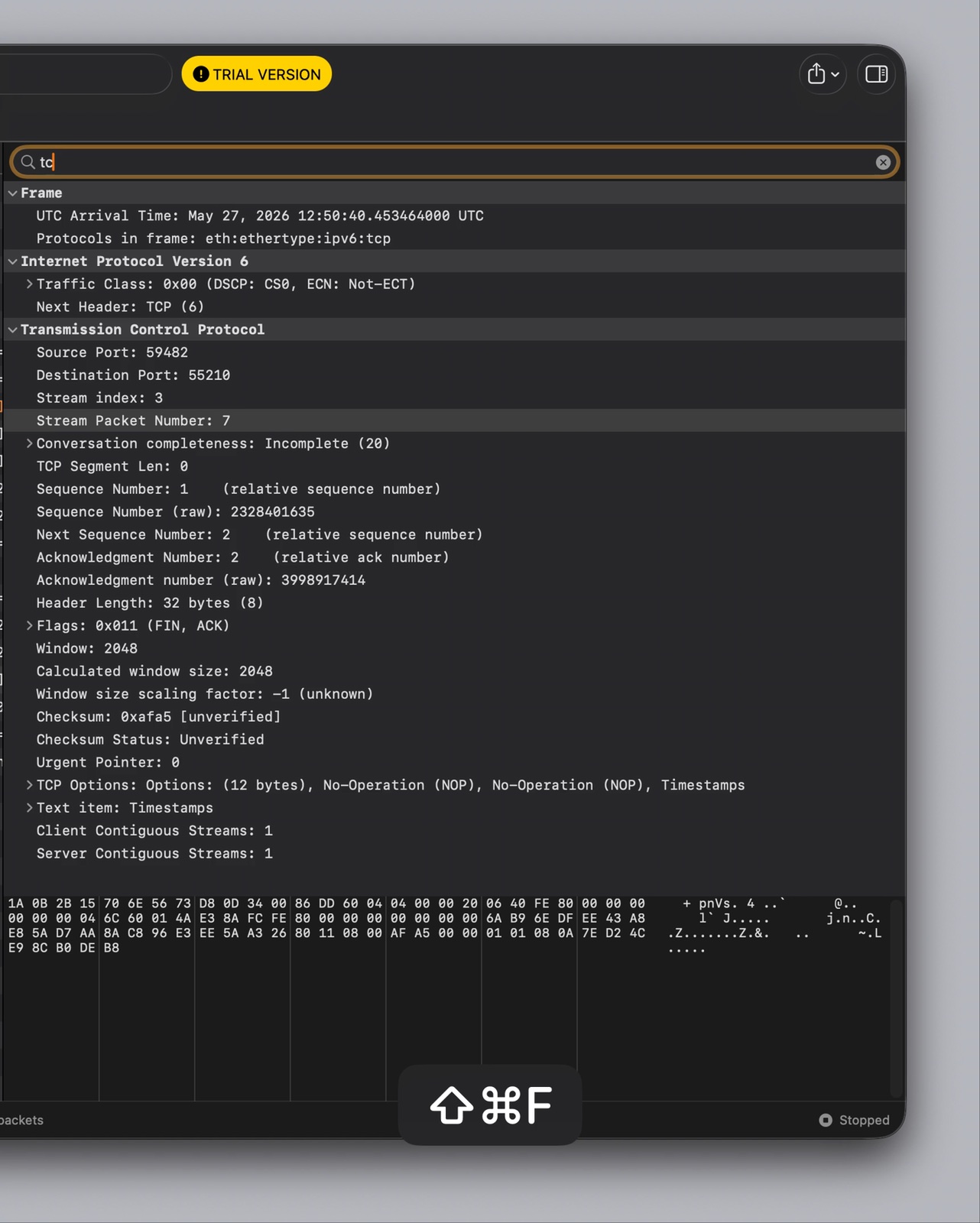
数据包详情
- 读取 Wireshark 级别的协议树。
- 检查字段名称和值。
- 将字段与原始字节对应。
- 搜索数据包详情。
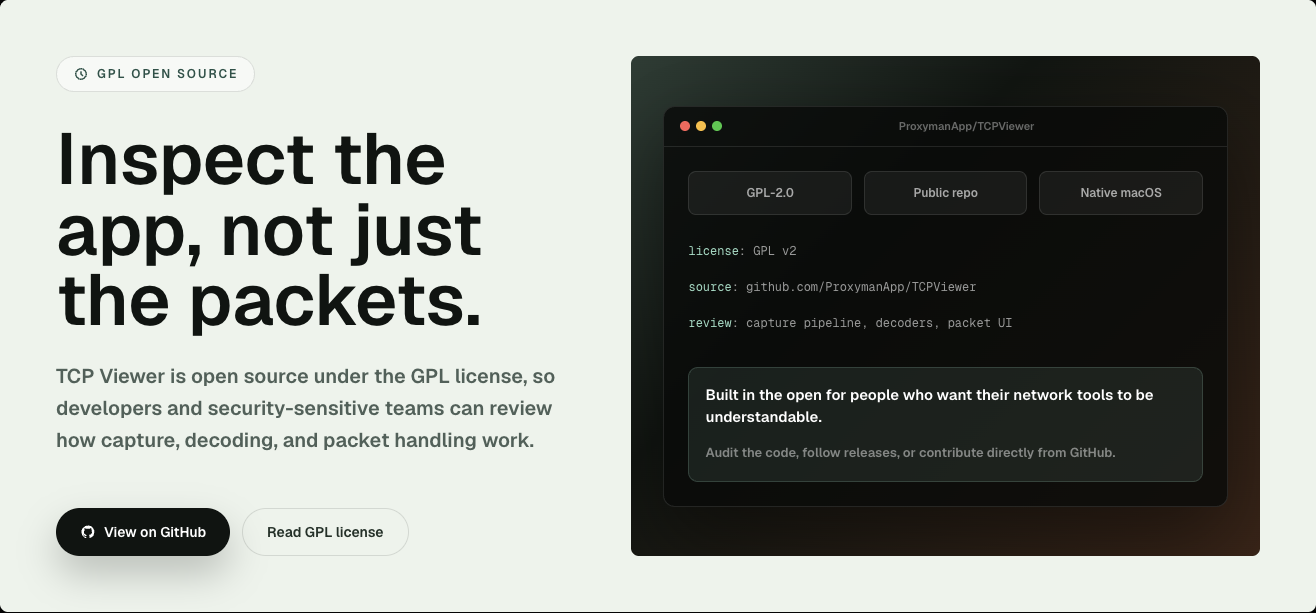
开源
- 依据 GPL-2.0-or-later 许可发布。
- 查看捕获流水线。
- 查看数据包解码。
- 查看原生 macOS 界面。
- 报告问题或提交拉取请求。
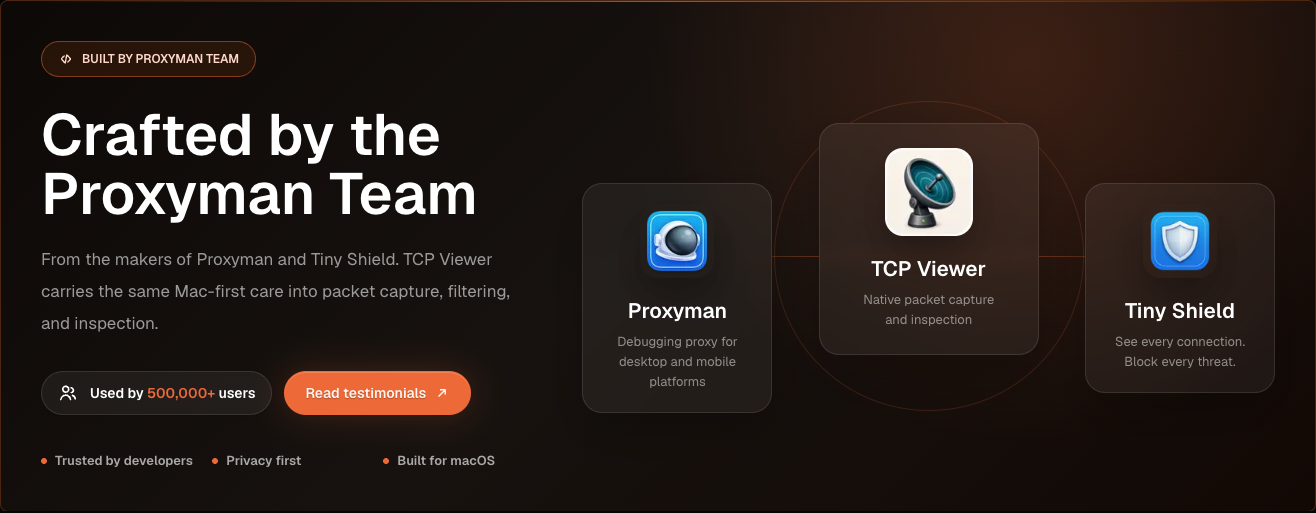
由 Proxyman 团队打造
- 由 Proxyman 和 Tiny Shield 背后的团队开发。
- 专为 macOS 构建。
- 专注于隐私和清晰的网络调试。
系统要求
运行 TCP Viewer:
- Apple Silicon Mac。
- macOS 15 或更高版本。
构建 TCP Viewer:
- Xcode 16 或更高版本。
- Git。
- CMake、Ninja、Meson、pkg-config 和 autotools。
brew install cmake ninja meson pkg-config autoconf automake libtool
安装配置
克隆仓库并包含子模块。然后引导安装固定版本的 Wireshark 依赖。
git clone --recurse-submodules <repo-url>
cd TCPViewer
cp Config/TCPViewer.local.xcconfig.example Config/TCPViewer.local.xcconfig
./scripts/bootstrap-wireshark.sh
已经克隆但未包含子模块?
git submodule update --init --recursive
./scripts/bootstrap-wireshark.sh
引导脚本:
- 首先运行
scripts/bootstrap-wireshark-deps.sh。 - 从源码构建 Wireshark 的运行时库。
- 将它们写入
Vendor/.install/wireshark-deps。 - 使用 macOS 15 作为部署目标。
- 仅使用 Homebrew 获取构建工具。
- 切勿将 Homebrew bottle 的 dylib 复制到发布版本中。
将本地签名、appcast、Sparkle、Sentry 和发布相关值排除在 Git 之外。使用 Config/TCPViewer.local.xcconfig、.env、环境变量或基于 Keychain 的工具。
运行
在 Xcode 中:
- 打开
TCPViewer.xcodeproj。 - 选择
TCPViewerscheme。 - 选择
My Mac。 - 按下 Run。
命令行构建:
xcodebuild -project TCPViewer.xcodeproj -scheme TCPViewer build
如果 Xcode 要求签名,请为 TCPViewer 和 PcapPlusPlusCore 选择一个开发团队。
Packet Details Diff 使用 Microsoft 开源 Monaco 编辑器的一个小型本地捆绑构建版本。构建或运行该应用无需私有 MonacoEditor Swift 包、Node.js 或 CDN。更改 diff 集成时,请参阅 Vendor/MonacoDiff 以重新构建已检入的 Web 资源。
测试
xcodebuild test \
  -project TCPViewer.xcodeproj \
  -scheme TCPViewer \
  -destination 'platform=macOS'
发布
发布脚本可以:
- 构建并对应用进行公证。
- 对 Sparkle 更新进行签名。
- 将文件上传到 Cloudflare R2。
- 将发布版本发布到后端。
首次设置:
npm install
bundle install
gh auth login
从 .env.example 创建一个本地 .env。添加所需的发布值。切勿提交真实密钥。
在 .env 中使用 # 表示注释。sentry-cli 不接受 // 注释。
对于生产发布,向 ReleaseNote.json 添加一个匹配的条目。然后运行:
npm run release
当被询问时,选择 beta 或 production。
生产版本还会:
- 创建 Sparkle appcast。
- 推送
v<version>标签。 - 发布 GitHub release。
若要仅为最新的公开生产版本创建 Homebrew Cask 拉取请求,请运行 make build 并选择 Homebrew Cask PR from latest release。
你也可以直接运行以下命令:
npm run release:homebrew
此步骤会将公开的 DMG 与 GitHub 发布资产进行校验,向 ProxymanApp/homebrew-cask 推送一个分支,并在 Homebrew/homebrew-cask 中发起贡献拉取请求。
产物写入至:
~/Desktop/tcpviewer-production/
许可证
TCP Viewer 采用 GPL-2.0-or-later 许可证。这与其对 Wireshark 库的使用相符。
- 完整 GPL 文本请参见
COPYING。 - 第三方声明请参见
THIRD_PARTY_NOTICES.md。 - 二进制发行版源码条款请参见
SOURCE_CODE_OFFER.md。
致谢
Wireshark 是 Wireshark Foundation 的商标。TCP Viewer 与 Wireshark Foundation 无关联,也未获得其认可。