# TCP Viewer <p align="center"> <img src="https://assets.kitploit.com/production/public/readmes/7234/70a255ef7982ae0aef70f15a2af51cc49f437e778f12d5ed7ddd800881fa77df/da6277d6e9339d20a5428e1787f304a4aa97e20dba2e8517f017ab1d9b4a9b31-display-v1.webp" alt="TCP Viewer。面向 Mac 开发者的更简单的 Wireshark 替代方案。" width="900"> </p> <p align="center"> 一款简单、原生的 Mac 数据包查看器。 </p> <p align="center"> <a href="https://tcpviewer.proxyman.com">网站</a> · <a href="https://api-tcpviewer.proxyman.com/api/releases/download/tcpviewer.dmg">下载</a> · <a href="https://tcpviewer.proxyman.com/docs/">文档</a> · <a href="https://github.com/ProxymanApp/TCPViewer/releases">版本发布</a> </p> TCP Viewer 可在 macOS 上捕获并读取网络数据包。它使用系统 `libpcap` 进行捕获,并使用 Wireshark 库获取深度数据包详情。 ## 功能特性 - 原生 macOS 应用,使用 AppKit 构建 - 基于 Wireshark Lib 构建,是 Wireshark 的替代方案 - 捕获实时流量。 - 按应用、域名或 IP 地址对数据包分组。 - 过滤 TCP、UDP、DNS、HTTP、TLS、WebSocket 等。 - 读取协议字段和原始字节。 - 打开 PCAP 和 PCAPNG 文件。 - 跟踪 TCP 和 UDP 流。 - 使用来自 Proxyman、Chrome、Firefox 或 curl 的 TLS 密钥日志文件解密 HTTPS、TLS 和 QUIC。 - 将数据包导出为 PCAP 或 PCAPNG。 - 通过 TCP Viewer MCP 向 AI 智能体询问你的捕获内容。 - 使用 [`tcpviewer-cli`](https://github.com/proxymanapp/tcpviewer/blob/main/CLI.md) 或 [MCP](https://github.com/proxymanapp/tcpviewer/blob/main/MCP.md) 自动化捕获、标签页、分屏、过滤器、统计、TCP/UDP 跟踪和数据包差异对比。 - 查看完整源代码。 ### 轻松捕获数据包 - 选择网络接口。 - 一键开始或停止。 - 让繁忙的捕获内容易于阅读。 [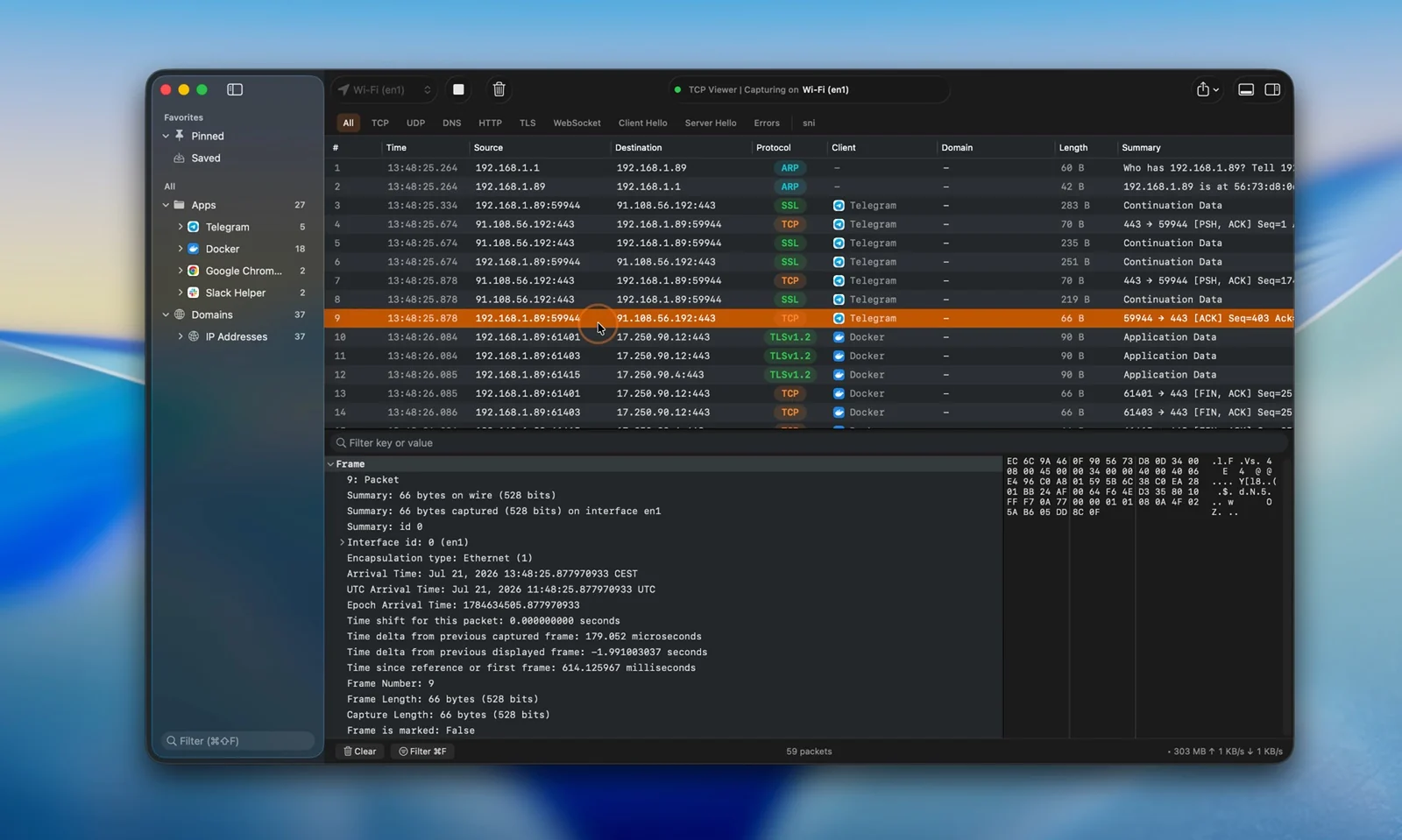](https://tcpviewer.proxyman.com/demo/main-demo.mp4) [观看实时捕获视频](https://tcpviewer.proxyman.com/demo/main-demo.mp4) ### TCP Viewer MCP - 将 TCP Viewer 连接到 Codex 或其他 MCP 客户端。 - 检查捕获状态。 - 列出网络接口。 - 通过简单的提示查找数据包。 - 在 TCP Viewer PRO 中可用。 <p align="center"> <img src="https://assets.kitploit.com/production/public/readmes/7234/ec32c0b131765312a2ca64450ac9b827eac68499974a9ea3cda647c8ddfbfacc/f0504fd1be32b9fdae4027bfe46e353873cab466b32bf17bbff4510be971b0dd-display-v1.webp" alt="Codex 向 TCP Viewer MCP 询问捕获状态、接口和数据包" width="760"> </p> ### 打开捕获文件 - 拖入 PCAP 或 PCAPNG 文件。 - 立即预览数据包。 - 使用与实时捕获相同的视图。 [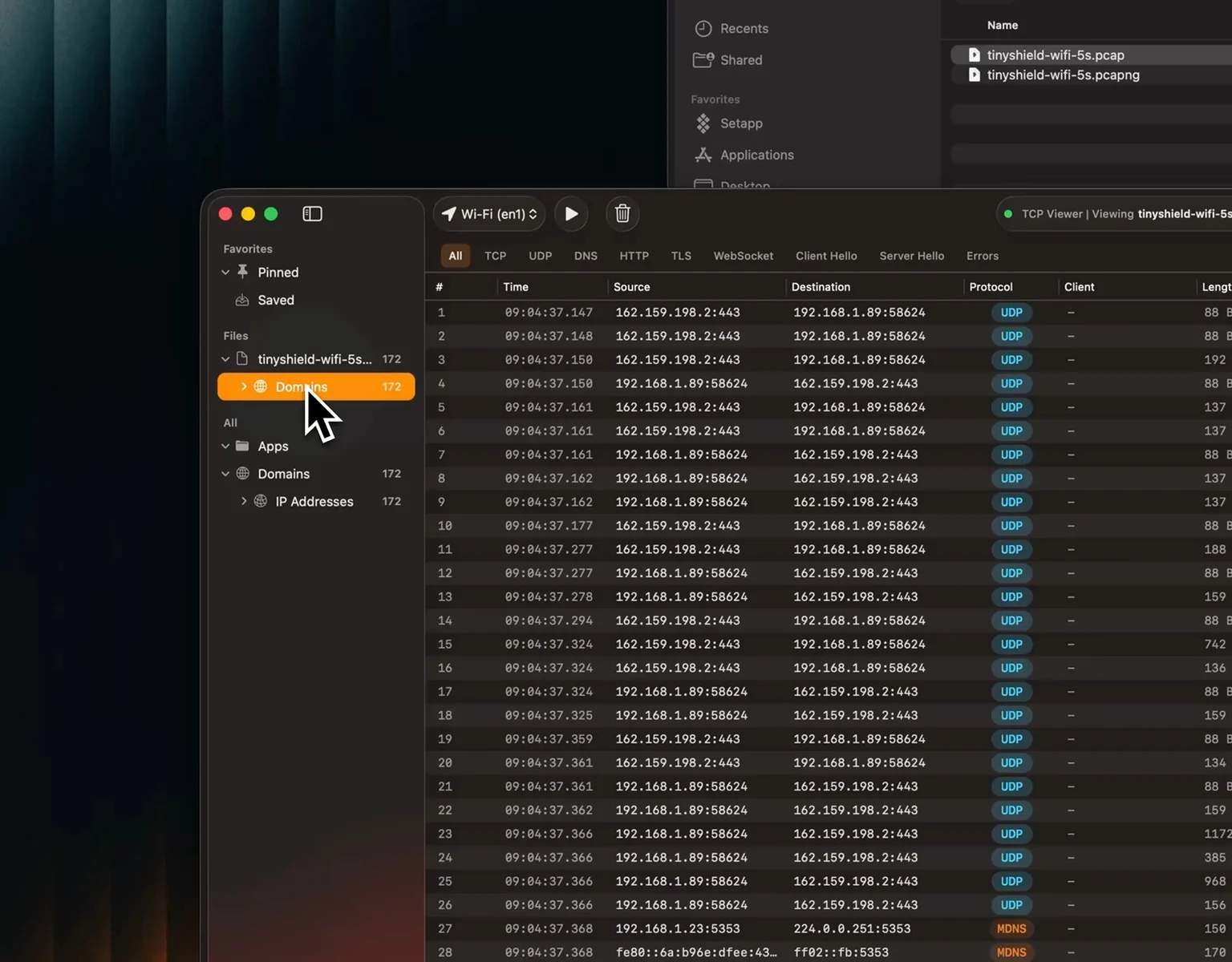](https://tcpviewer.proxyman.com/demo/open-pcap.mp4) [观看文件预览视频](https://tcpviewer.proxyman.com/demo/open-pcap.mp4) ### 跟踪 TCP 和 UDP 流 - 重建 TCP 会话,或按捕获顺序查看 UDP 数据报。 - 从数据包菜单或工具菜单打开流。 - 同时显示两个方向。 - 仅显示客户端或服务器数据。 - 在文本和十六进制之间切换。 - 搜索流。 - 跳回源数据包。 [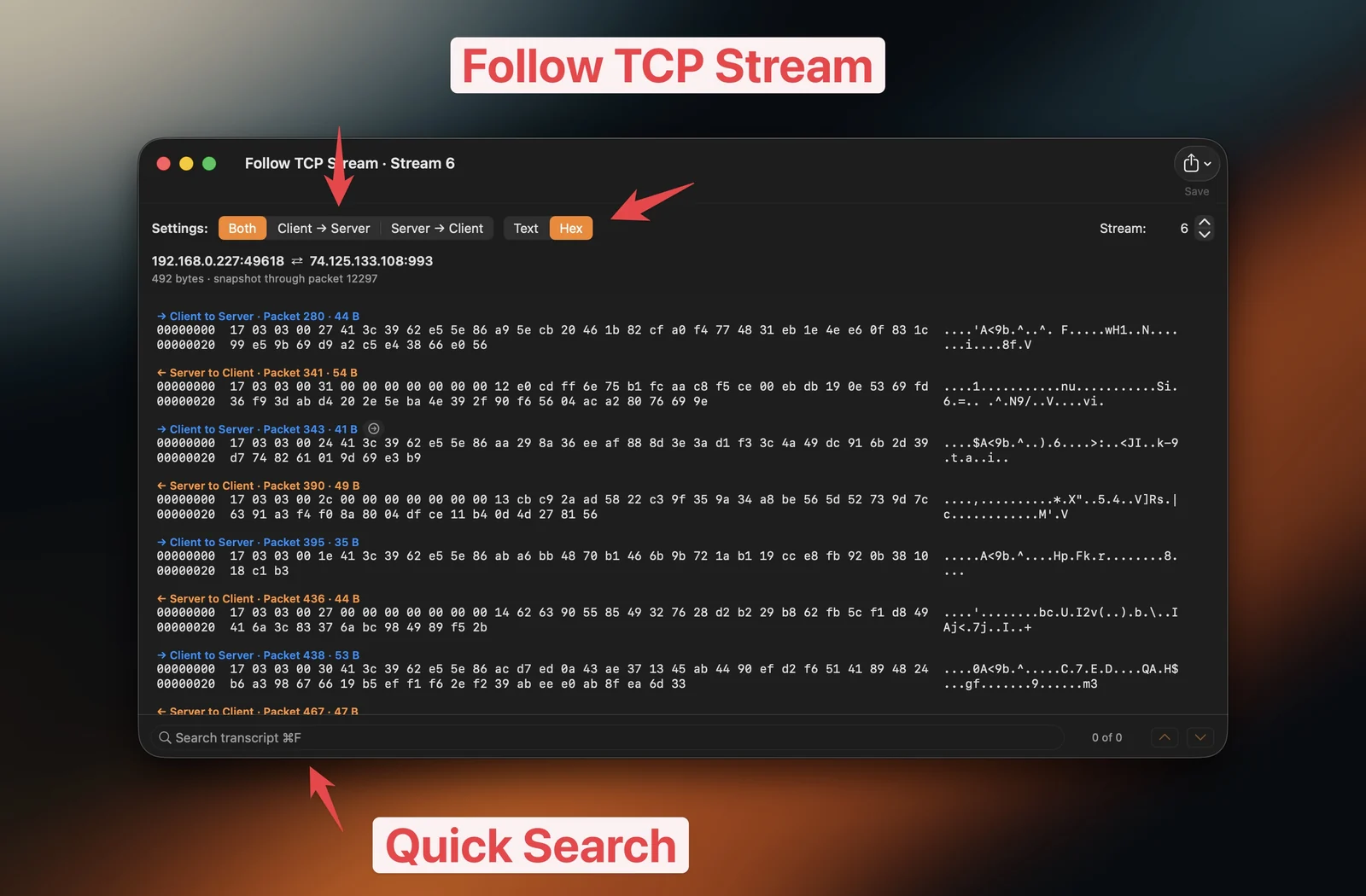](https://tcpviewer.proxyman.com/demo/follow-tcp.mp4) [观看跟踪 TCP 流视频](https://tcpviewer.proxyman.com/demo/follow-tcp.mp4) ### 对流量分组 - 按应用对数据包分组。 - 按域名对数据包分组。 - 按 IP 地址对数据包分组。 - 跳转到你需要的流量。 [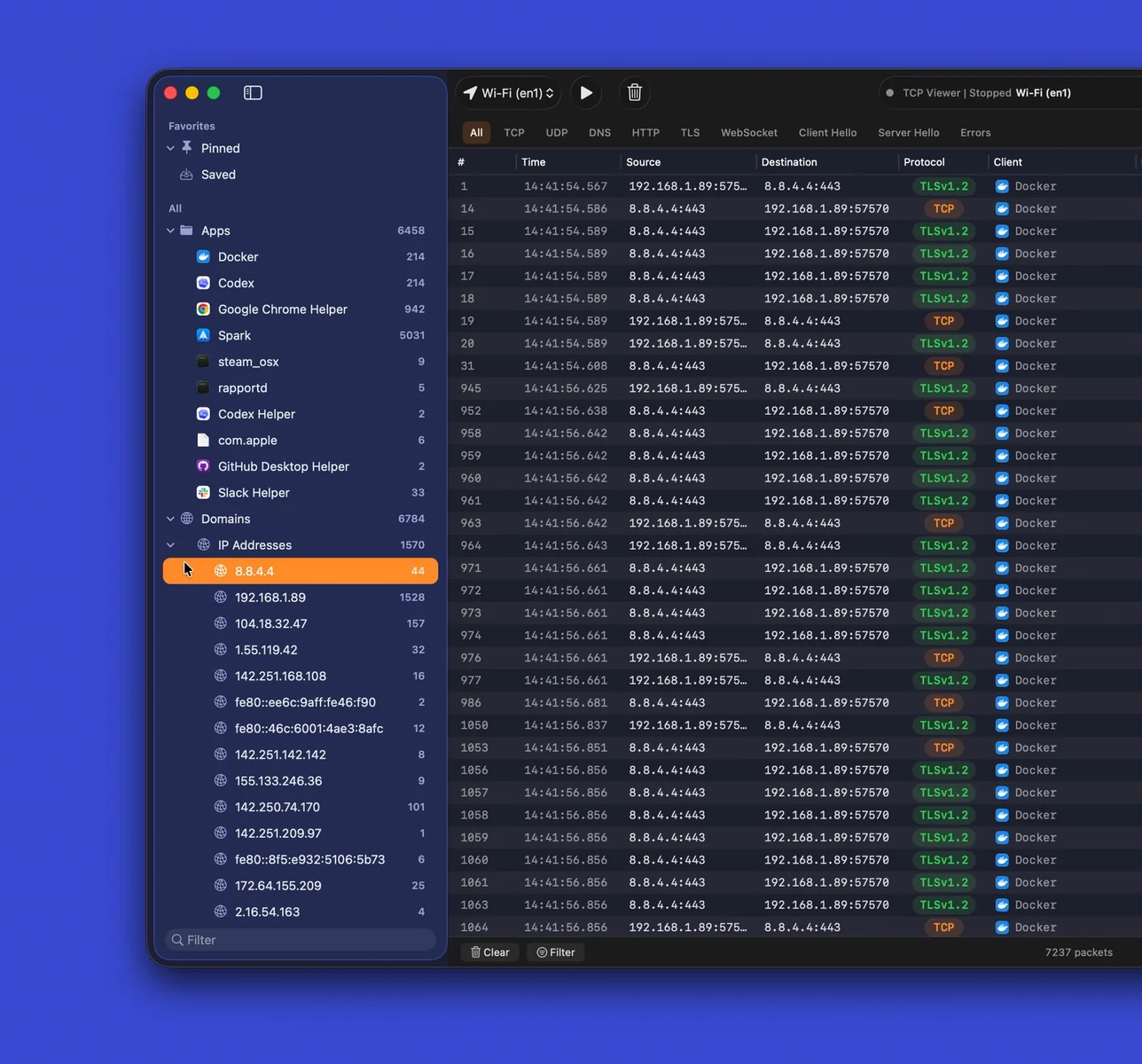](https://tcpviewer.proxyman.com/demo/group-by-app-domains.mp4) [观看分组流量视频](https://tcpviewer.proxyman.com/demo/group-by-app-domains.mp4) ### 协议过滤器 - 对常见协议使用快速过滤器。 - 将过滤器与文本搜索结合使用。 - 快速聚焦于有用的数据包。 [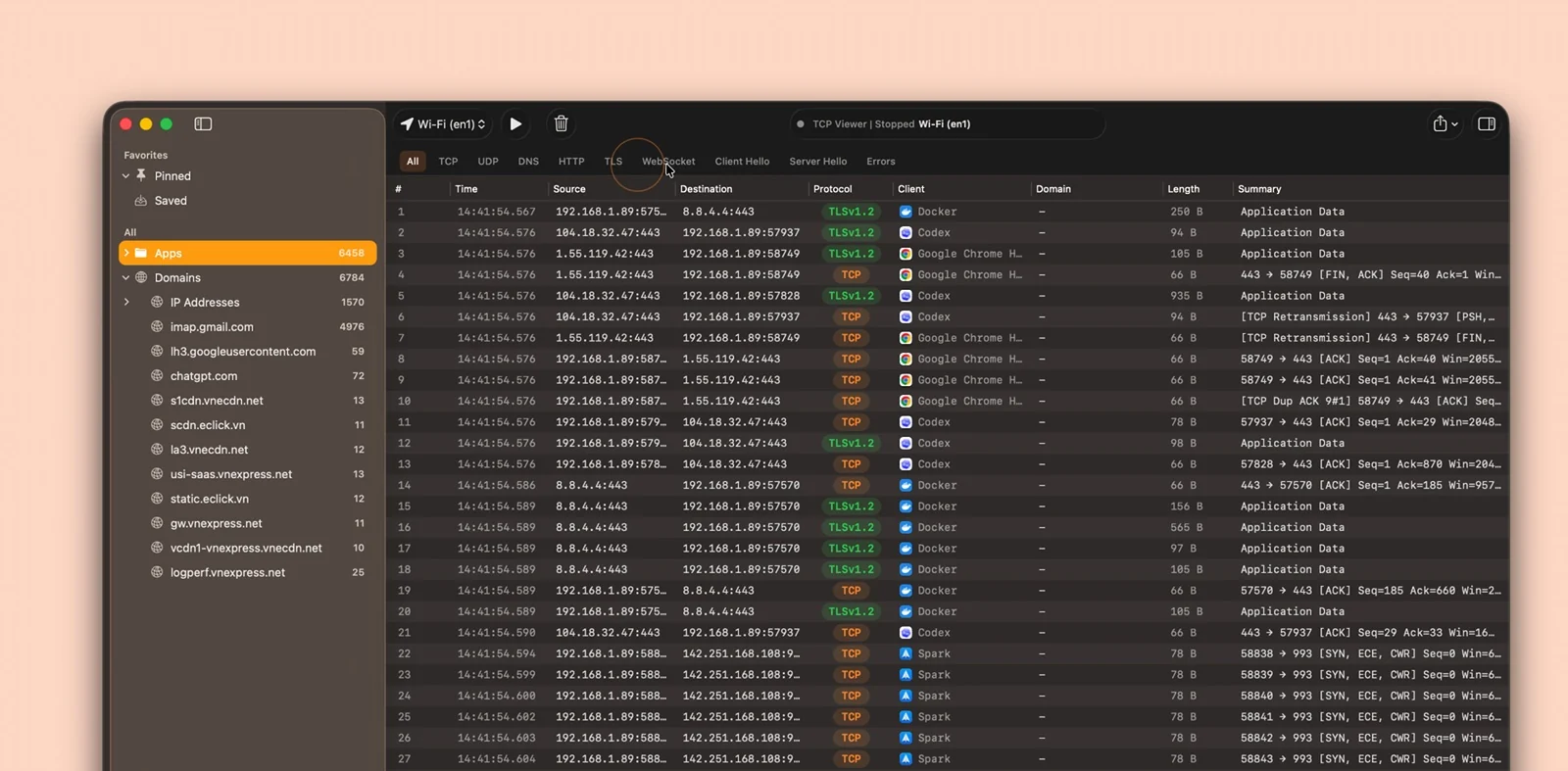](https://tcpviewer.proxyman.com/demo/advanced-filter.mp4) [观看协议过滤器视频](https://tcpviewer.proxyman.com/demo/advanced-filter.mp4) ### 导出捕获内容 - 导出全部、已过滤或选中的数据包。 - 保存为 PCAP 或 PCAPNG。 - 在其他数据包工具中打开结果。 <p align="center"> <img src="https://assets.kitploit.com/production/public/readmes/7234/a9af9eb7c349113a3f8f3fb989d30251cda4f7c94cdb72414af83efafd55903f/c5fa8d71f07fbd464ee6e7a2974568676b90bc4edb12119249d7211f69d28635-display-v1.webp" alt="将选中的数据包导出为 PCAP 或 PCAPNG" width="620"> </p> ### 数据包详情 - 读取 Wireshark 级别的协议树。 - 查看字段名称和值。 - 将字段与原始字节进行匹配。 - 搜索数据包详情。 [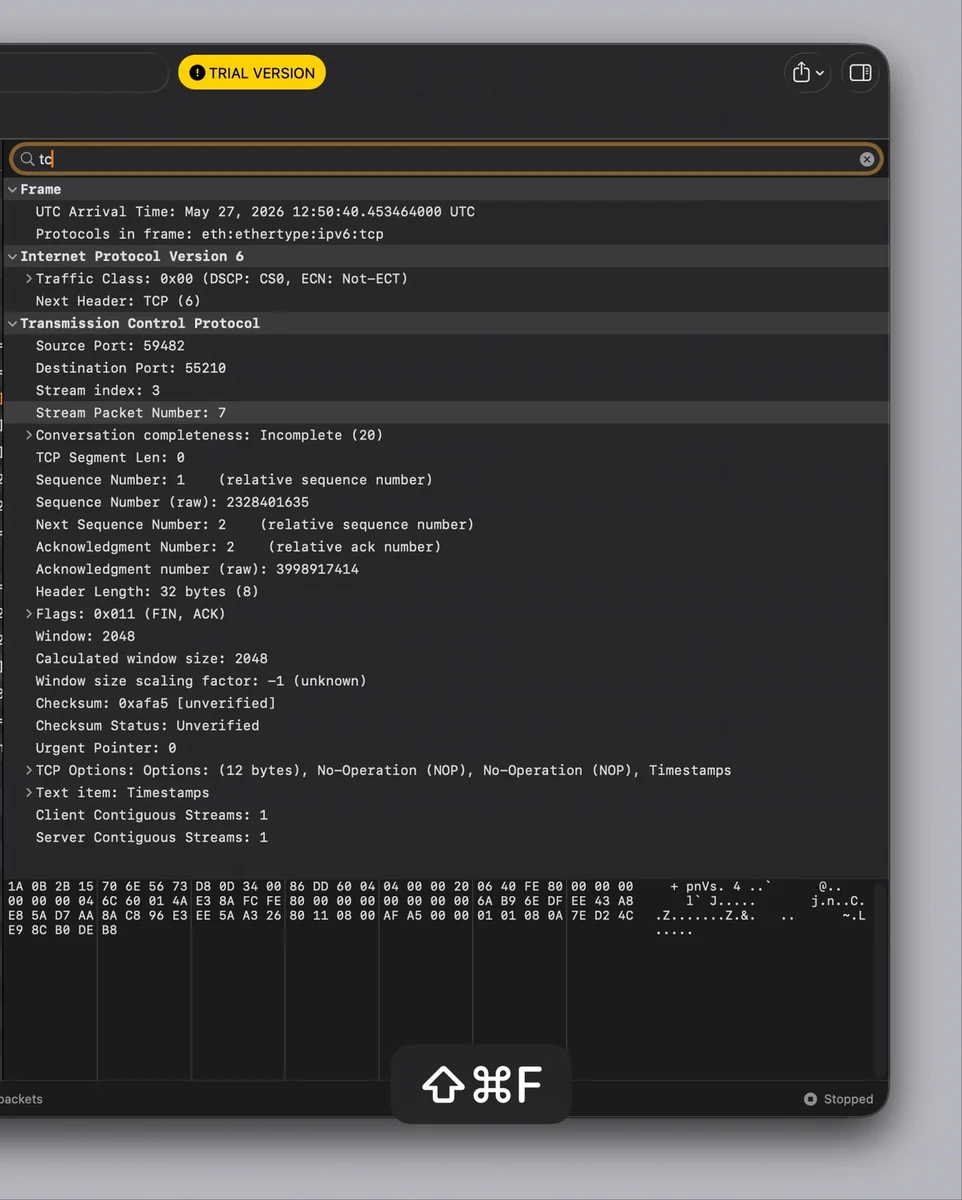](https://tcpviewer.proxyman.com/demo/detail-packet.mp4) [观看数据包详情视频](https://tcpviewer.proxyman.com/demo/detail-packet.mp4) ## 开源 - 采用 GPL-2.0-or-later 许可。 - 查看捕获流水线。 - 查看数据包解码。 - 查看原生 macOS 界面。 - 报告问题或发送拉取请求。 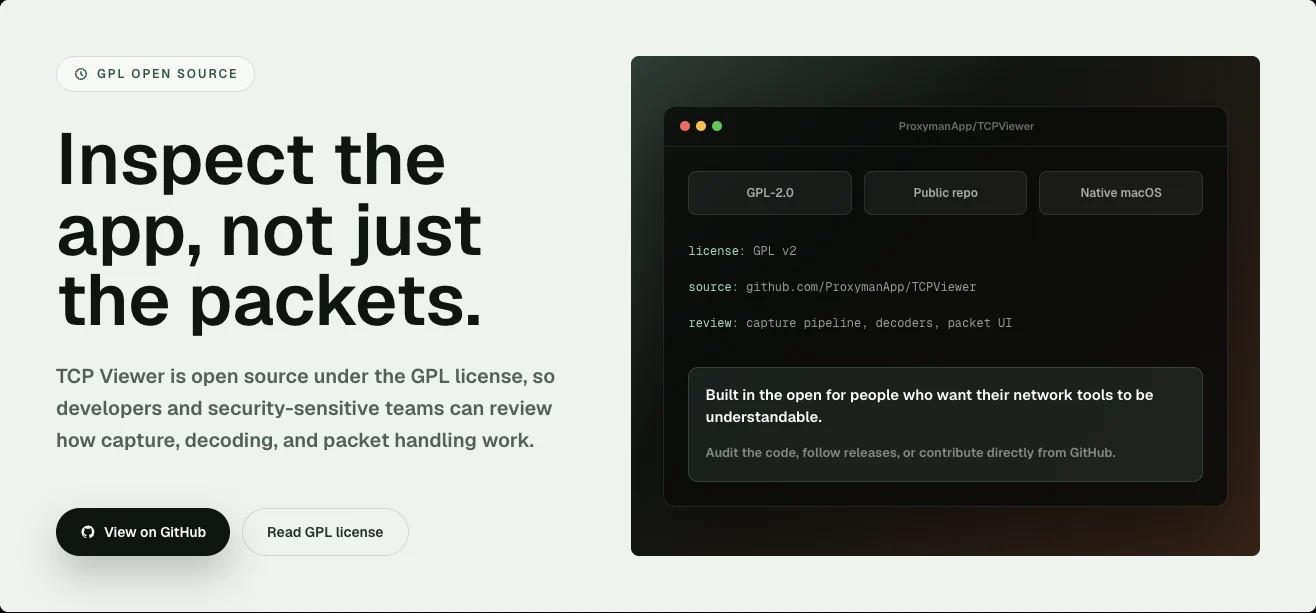 ## 由 Proxyman 团队打造 - 由 [Proxyman](https://proxyman.com) 和 [Tiny Shield](https://tinyshield.proxyman.com/) 背后的团队打造。 - 专为 macOS 构建。 - 专注于隐私和清晰的网络调试。  ## 要求 运行 TCP Viewer: - Apple Silicon Mac。 - macOS 15 或更高版本。 构建 TCP Viewer: - Xcode 16 或更高版本。 - Git。 - CMake、Ninja、Meson、pkg-config 和 autotools。 ```bash brew install cmake ninja meson pkg-config autoconf automake libtool ``` ## 安装配置 克隆仓库并包含子模块。然后引导安装固定版本的 Wireshark 依赖。 ```bash git clone --recurse-submodules <repo-url> cd TCPViewer cp Config/TCPViewer.local.xcconfig.example Config/TCPViewer.local.xcconfig ./scripts/bootstrap-wireshark.sh ``` 已经克隆但未包含子模块? ```bash git submodule update --init --recursive ./scripts/bootstrap-wireshark.sh ``` 引导脚本: - 首先运行 `scripts/bootstrap-wireshark-deps.sh`。 - 从源码构建 Wireshark 的运行时库。 - 将它们写入 `Vendor/.install/wireshark-deps`。 - 使用 macOS 15 作为部署目标。 - 仅使用 Homebrew 获取构建工具。 - 切勿将 Homebrew bottle 的 dylib 复制到发布版本中。 将本地签名、appcast、Sparkle、Sentry 和发布相关值排除在 Git 之外。使用 `Config/TCPViewer.local.xcconfig`、`.env`、环境变量或基于 Keychain 的工具。 ## 运行 在 Xcode 中: 1. 打开 `TCPViewer.xcodeproj`。 2. 选择 `TCPViewer` scheme。 3. 选择 `My Mac`。 4. 按下 Run。 命令行构建: ```bash xcodebuild -project TCPViewer.xcodeproj -scheme TCPViewer build ``` 如果 Xcode 要求签名,请为 `TCPViewer` 和 `PcapPlusPlusCore` 选择一个开发团队。 Packet Details Diff 使用 Microsoft 开源 Monaco 编辑器的一个小型本地捆绑构建版本。构建或运行该应用无需私有 MonacoEditor Swift 包、Node.js 或 CDN。更改 diff 集成时,请参阅 [Vendor/MonacoDiff](https://github.com/proxymanapp/tcpviewer/blob/main/Vendor/MonacoDiff/README.md) 以重新构建已检入的 Web 资源。 ## 测试 ```bash xcodebuild test \ -project TCPViewer.xcodeproj \ -scheme TCPViewer \ -destination 'platform=macOS' ``` ## 发布 发布脚本可以: - 构建并对应用进行公证。 - 对 Sparkle 更新进行签名。 - 将文件上传到 Cloudflare R2。 - 将发布版本发布到后端。 首次设置: ```bash npm install bundle install gh auth login ``` 从 `.env.example` 创建一个本地 `.env`。添加所需的发布值。切勿提交真实密钥。 在 `.env` 中使用 `#` 表示注释。`sentry-cli` 不接受 `//` 注释。 崩溃报告和 dSYM 上传使用位于 `https://sentry.proxyman.com` 的自托管 Sentry 服务器。发布工具会将 `SENTRY_URL` 传递给 `sentry-cli`,并在未设置时回退到该服务器,因此上传绝不会意外发送到 sentry.io。`SENTRY_AUTH_TOKEN` 必须是来自该服务器的 API 令牌。如果 `Config/TCPViewer.local.xcconfig` 设置了 `TCPVIEWER_SENTRY_DSN`,它会覆盖 `.env` 中的值,因此请保持两者同步。 对于生产发布,请向 `ReleaseNote.json` 添加一条匹配的条目。然后运行: ```bash npm run release ``` 当被询问时,选择 `beta` 或 `production`。 生产版本还会: - 创建 Sparkle appcast。 - 推送 `v<version>` 标签。 - 发布 GitHub release。 若要仅为最新的公开生产版本创建 Homebrew Cask 拉取请求,请运行 `make build` 并选择 `Homebrew Cask PR from latest release`。 你也可以直接运行以下命令: ```bash npm run release:homebrew ``` 此步骤会将公开的 DMG 与 GitHub 发布资产进行校验,向 `ProxymanApp/homebrew-cask` 推送一个分支,并在 `Homebrew/homebrew-cask` 中发起贡献拉取请求。 产物写入至: ```bash ~/Desktop/tcpviewer-production/ ``` ## 许可证 TCP Viewer 采用 GPL-2.0-or-later 许可证。这与其对 Wireshark 库的使用相符。 - 完整 GPL 文本请参见 `COPYING`。 - 第三方声明请参见 `THIRD_PARTY_NOTICES.md`。 - 二进制发行版源码条款请参见 `SOURCE_CODE_OFFER.md`。 ## 致谢 - [Wireshark](https://www.wireshark.org/) 提供数据包解析功能。 - [HexFiend](https://github.com/HexFiend/HexFiend) 提供内嵌的十六进制查看器。 Wireshark 是 Wireshark Foundation 的商标。TCP Viewer 与 Wireshark Foundation 无关联,也未获得其认可。