

Skip to content
KitploitKITPLOIT
FerramentasExploitsBlog
Log in
Enviar
FerramentasExploitsBlog
Enviar

Ferramentas de Hacking, PenTest e Cibersegurança para o seu Arsenal de Segurança!

Kitploit é um diretório de ferramentas de hacking, cibersegurança e pentesting. Descubra as últimas atualizações de projetos para encontrar vulnerabilidades, analisar sistemas, automatizar testes e fortalecer sua segurança.

FeedsContatoPrivacidade© 2026 Kitploit

Diretório de Ferramentas

Categorias

Ver todas as categorias
Loading categories
gori — A fast, keyboard-driven HTTP intercepting proxy and pentesting toolkit for the terminal built for humans and AI agents alike. | Kitploit
Ferramentas/GitHubGitHub/hahwul/gori
Vulnerability ScannersWeb Proxies & InterceptionScripting & AutomationWeb Application ExploitationAPI Security TestingInformation GatheringWeb SecurityFuzzingPenetration TestingUtilities & FrameworksRed Teaming
GitHubhahwul/gori

gori

A fast, keyboard-driven HTTP intercepting proxy and pentesting toolkit for the terminal built for humans and AI agents alike.


Ver RepositórioSite
14020115há 1h 15mRevisado pelo Kitploit
Compartilhar
Conteúdo não disponível no idioma solicitado. Mostrando versão em inglês.

A fast, keyboard-driven HTTP intercepting proxy and pentesting toolkit for the terminal,
built for humans and AI agents.

Installation • Usage • Documentation • Contributing


gori (고리, Korean for ring, link, loop) sits in the loop between your client and its target. It captures every request and response as a flow you can replay, fuzz, and scan across HTTP/1.1, HTTP/2, WebSocket, gRPC, and SSE, and holds HTTP/1.1 and HTTP/2 traffic for editing in flight. The TUI, gori run, and MCP share one engine and one project, so scripts and AI agents can drive the same engagement. The capability matrix lists what each protocol and surface supports.
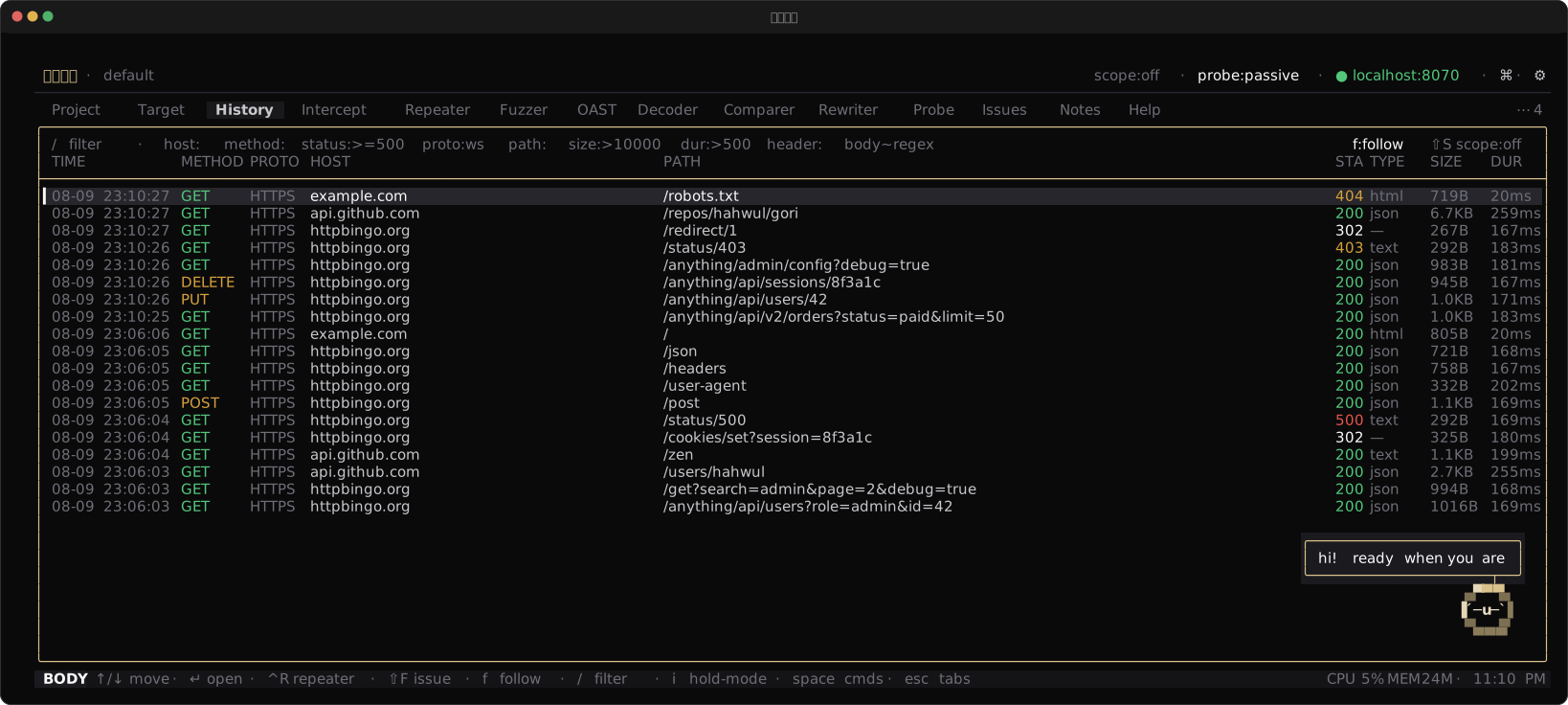
gori TUI: the History tab listing captured HTTP flows

Features

Capture & Intercept

  • Capturing proxy for HTTP/1.1, HTTP/2, WebSocket, gRPC, and SSE
  • Intercept on HTTP/1.1 and HTTP/2, gRPC included: hold, edit, forward, or drop in flight. WebSocket messages too, with proto:ws
  • Searchable History with a query language
  • Scope rules, hostname overrides, and match & replace

Replay, Fuzz & Decode

  • Repeater for crafting and re-sending requests, including WebSocket and gRPC
  • Fuzzer with four attack modes
  • Decoder for chained encode / decode / hash, including signed session cookies
  • Comparer for diffing two flows
  • Inline JWT / SAML / GraphQL / protobuf / MessagePack / CBOR decoding, hex view, and pretty-printing
  • Copy a request as cURL, Python, fetch, Go, httpie, or a CSRF PoC

Discover & Scan

  • Probe: a passive and light-touch active vulnerability scanner
  • Param Miner for hidden parameters
  • Authorize: replay one request under several identities to find broken access control
  • Sequencer for grading the randomness of session, CSRF, and reset tokens
  • Cookie workbench to verify, crack, and re-sign Flask / Rack / Django session cookies
  • OAST collector for blind SSRF, XXE, and injection
  • Findings triage with Markdown / JSON / SARIF export

Keyboard-first Workflow

  • Command palette (Ctrl-P) and space menu (Space) reach every action
  • Rebindable hotkeys and colour themes
  • Mouse support, multi-line editing, and go-to-line

Headless & Scriptable

  • gori run for scripts and CI
  • gori mcp, an MCP server for AI agents (it does not start a capture proxy)

Installation

Quick install (macOS / Linux)

curl -fsSL https://gori.hahwul.com/install.sh | bash

Update with gori update. On a Chocolatey, Homebrew, Snap, or AUR install it prints the package manager's command.

On Windows, use Chocolatey, or download gori-windows-x86_64.exe from Releases, rename it to gori.exe, and put it on your PATH.

Chocolatey

The Chocolatey package installs the Windows x86_64 binary:

choco install gori

Homebrew

brew tap hahwul/gori
brew install gori

Nix

nix run github:hahwul/gori               # run without installing
nix profile install github:hahwul/gori   # install

From source

Requires Crystal >= 1.21.0 and pkg-config.

git clone https://github.com/hahwul/gori.git
cd gori
shards build --release   # writes bin/gori

System libraries (Brotli / Zstd), offline builds, and other options are in the Installation guide.

Usage

One engine and one project, three entry points.
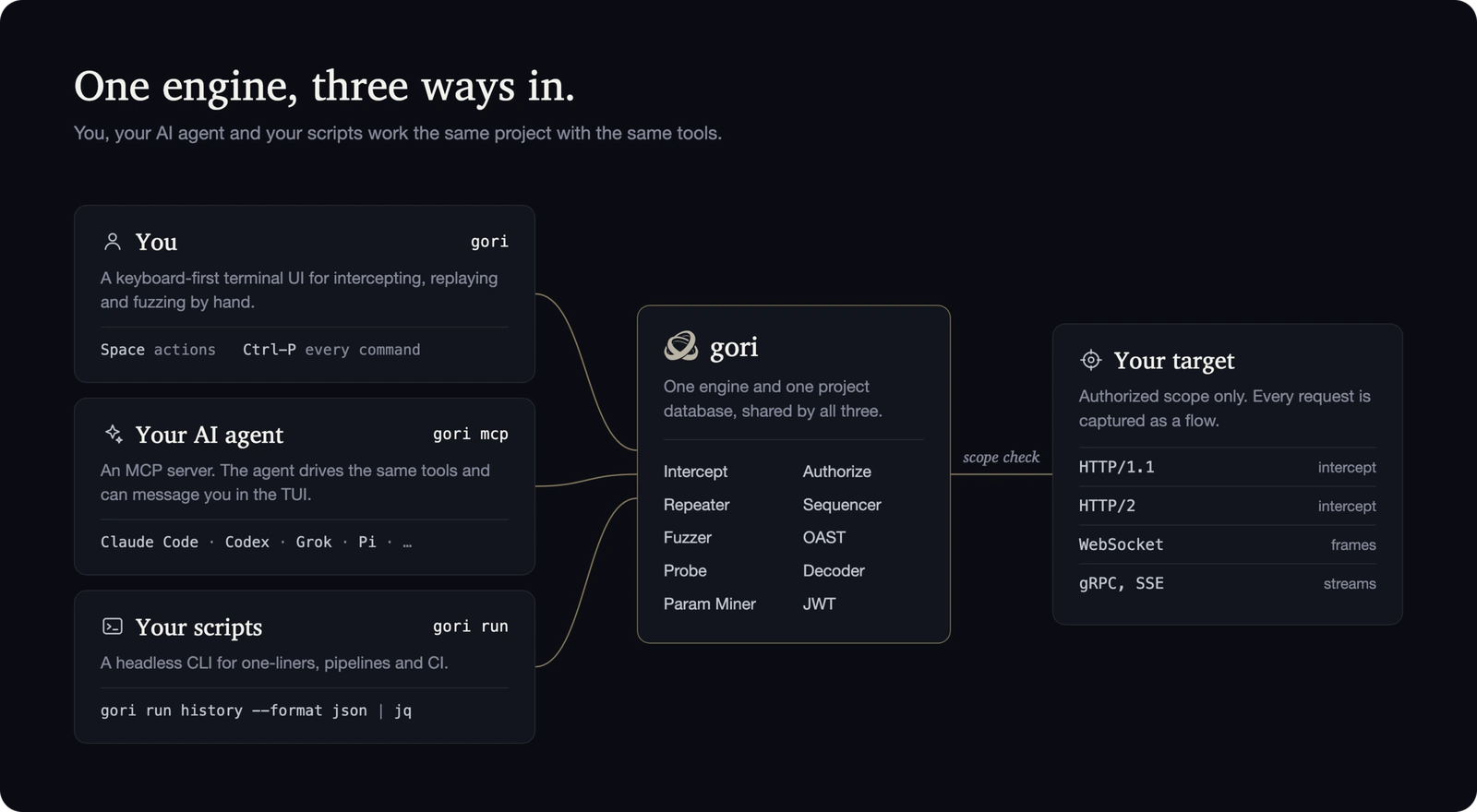
One engine, three ways in: you through the TUI, your AI agent through gori mcp, your scripts through gori run

For humans: gori (TUI)

gori

The proxy listens on 127.0.0.1:8070. A short first-run wizard picks the theme, and a new global default bind if that port is taken (projects can pin their own later). To intercept HTTPS, trust gori's root CA: Open browser in the palette (Ctrl-P) launches a browser that already trusts it and is proxied. Captured traffic lands in History. Ctrl-P opens the command palette and Space the context actions.

gori --listen 0.0.0.0 --port 8080   # global bind for this run only (not persisted)

For AI agents: gori mcp (MCP server)

gori mcp is a Model Context Protocol server. An AI client spawns it over stdio, reads your traffic, and uses the tools you do. Write the config for your agent, then restart the client:

gori mcp --install-claude-code   # Claude Code   (~/.claude.json)
gori mcp --install-claude        # Claude Desktop
gori mcp --install-codex         # OpenAI Codex
gori mcp --install-agy           # Antigravity CLI
gori mcp --install-grok          # Grok
gori mcp --install-hermes        # Hermes        (~/.hermes/config.yaml)
gori mcp --install-pi            # Pi            (~/.pi/agent/mcp.json)

Pi needs an MCP adapter, such as pi-mcp-adapter (pi install npm:pi-mcp-adapter). The installer honors PI_CODING_AGENT_DIR when set.

Add --read-only for an untrusted agent: read tools only, no live requests. The AI Setup guide covers connecting an agent and running a first request.

For scripts: gori run (headless CLI)

gori run runs the same engines without the UI, for scripts, CI, or an agent's shell:

gori run history --format json      # dump captured flows as JSON
gori run sitemap                    # endpoints seen so far
gori run --help                     # every subcommand

All three share one project database. The full guide is in the documentation and in the app's Help tab.

Development

shards build          # debug binary at bin/gori (add --release to optimise)
shards run gori       # run without installing

If linking fails with undefined BrotliDecoder* symbols, libbrotlidec is missing or pkg-config cannot find it. The Installation guide covers the system libraries and the -Dwithout_native_codecs offline build.
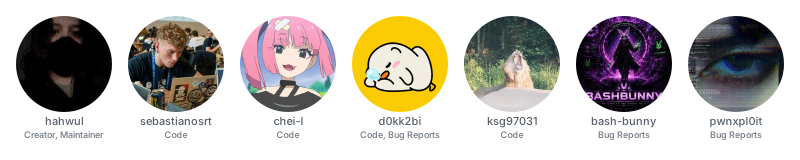
Contributors

The people who built gori, with what each of them contributed

Baixar ferramenta

Mais Populares

Ver todos →

Descubra as ferramentas mais usadas pela nossa comunidade.

  • 1

    OsintHunter

    letox4/osinthunter

    🎯 O kit definitivo de OSINT: grafo de investigação, pontuação de confiança, famílias de alias, mapa, linha do tempo e relatórios. 49 módulos, mais de 400 sites, sem necessidade de chaves de API.

    614
  • 2

    ghostlock-app

    yukonga/ghostlock-app

    # Aplicativo de Execução em Um Toque GhostLock (CVE-2026-43499)

    476
  • 3

    ARTEX

    baarai/artex

    Plataforma autônoma de testes de penetração multiagente com LLM, com agentes planejador/executor, grafos de ativos e de exploração, registro de tráfego MITM e reteste de vulnerabilidades.

    389
  • 4

    redforge

    cybersecurity91/redforge

    Kit de ferramentas de red team do lado do navegador com 102 ferramentas offline para reconhecimento, geração de payloads, ataques a credenciais, criptografia, codificação e relatórios de engajamento.

    334
  • 5

    CyberStrikeAI

    ed1s0nz/cyberstrikeai

    O sistema de ação para cibersegurança nativa em IA—onde a intenção se torna execução governada, a evidência se torna memória operacional, e cada operação melhora a próxima.

    257
  • 6

    antifox

    antifox-ai/antifox

    Plataforma de testes de penetração autónoma com multiagentes de IA que executa reconhecimento, descoberta de superfície de ataque, validação de exploração e entrega de relatórios com evidências.

    247

Explore todas as ferramentas

Navegue pela nossa coleção de ferramentas

Ver todas as ferramentas →