
 stanfrbd/cyberbro
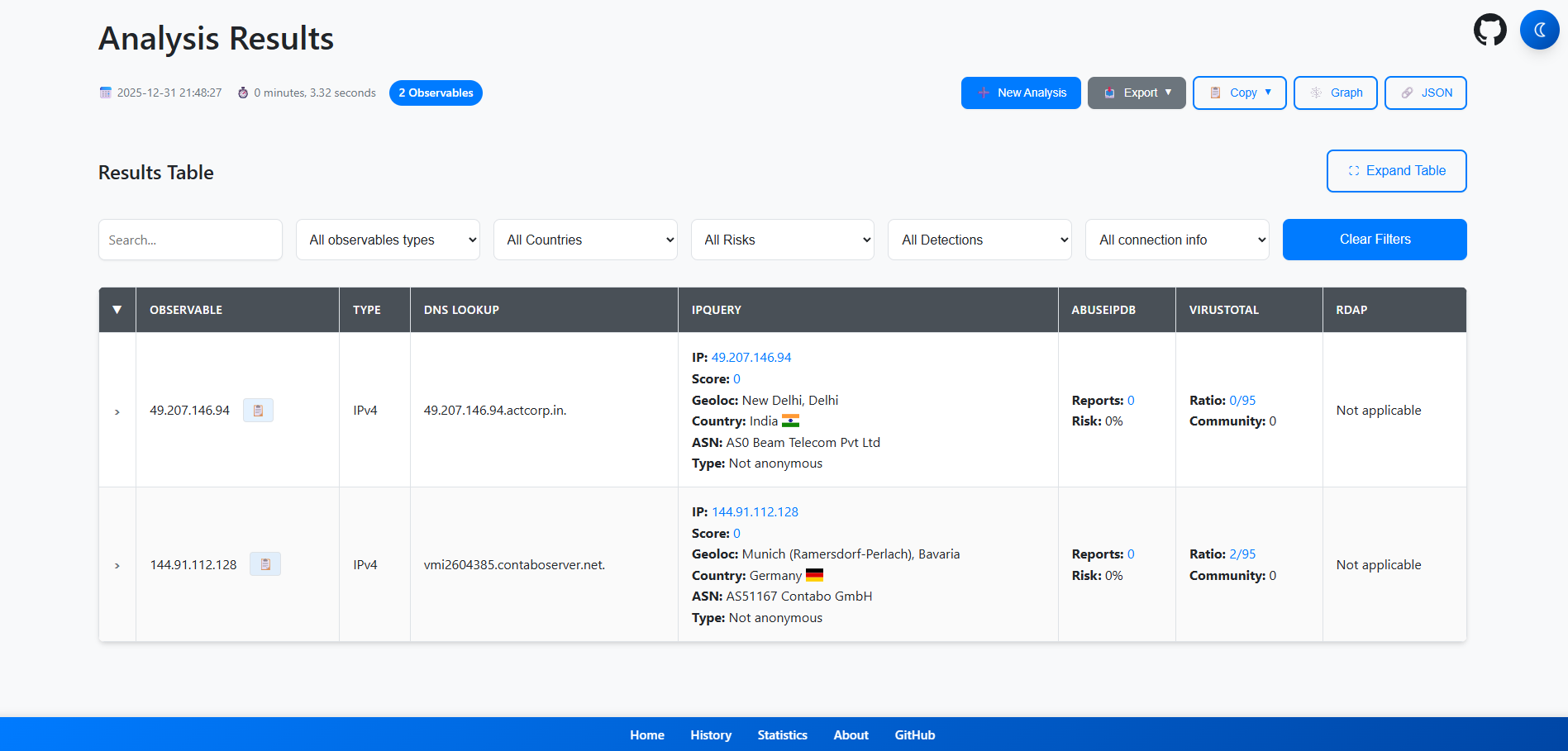
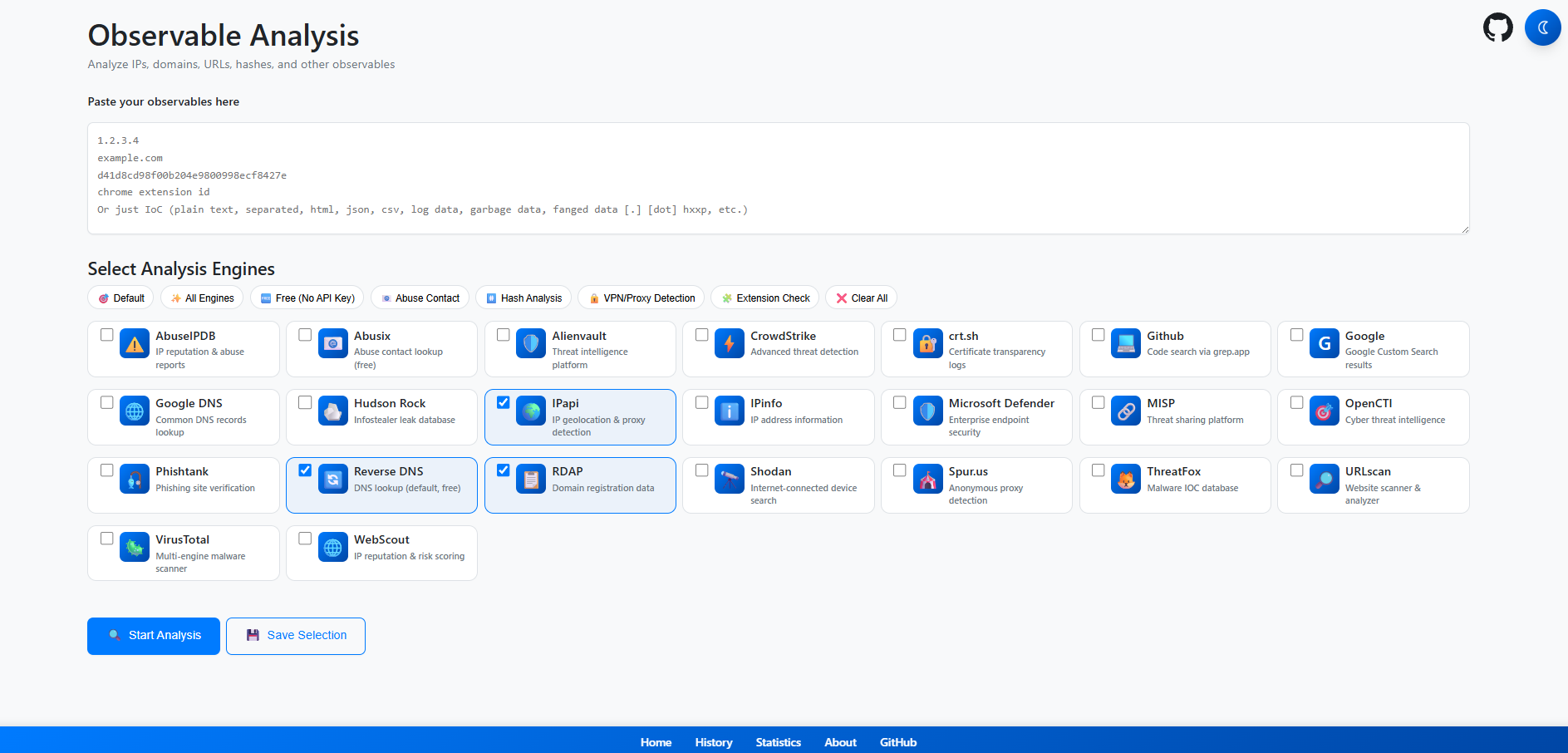
A simple application that extracts your IoCs from garbage input and checks their reputation using multiple CTI services.

A simple application that extracts your IoCs from garbage input and checks their reputation using multiple services.
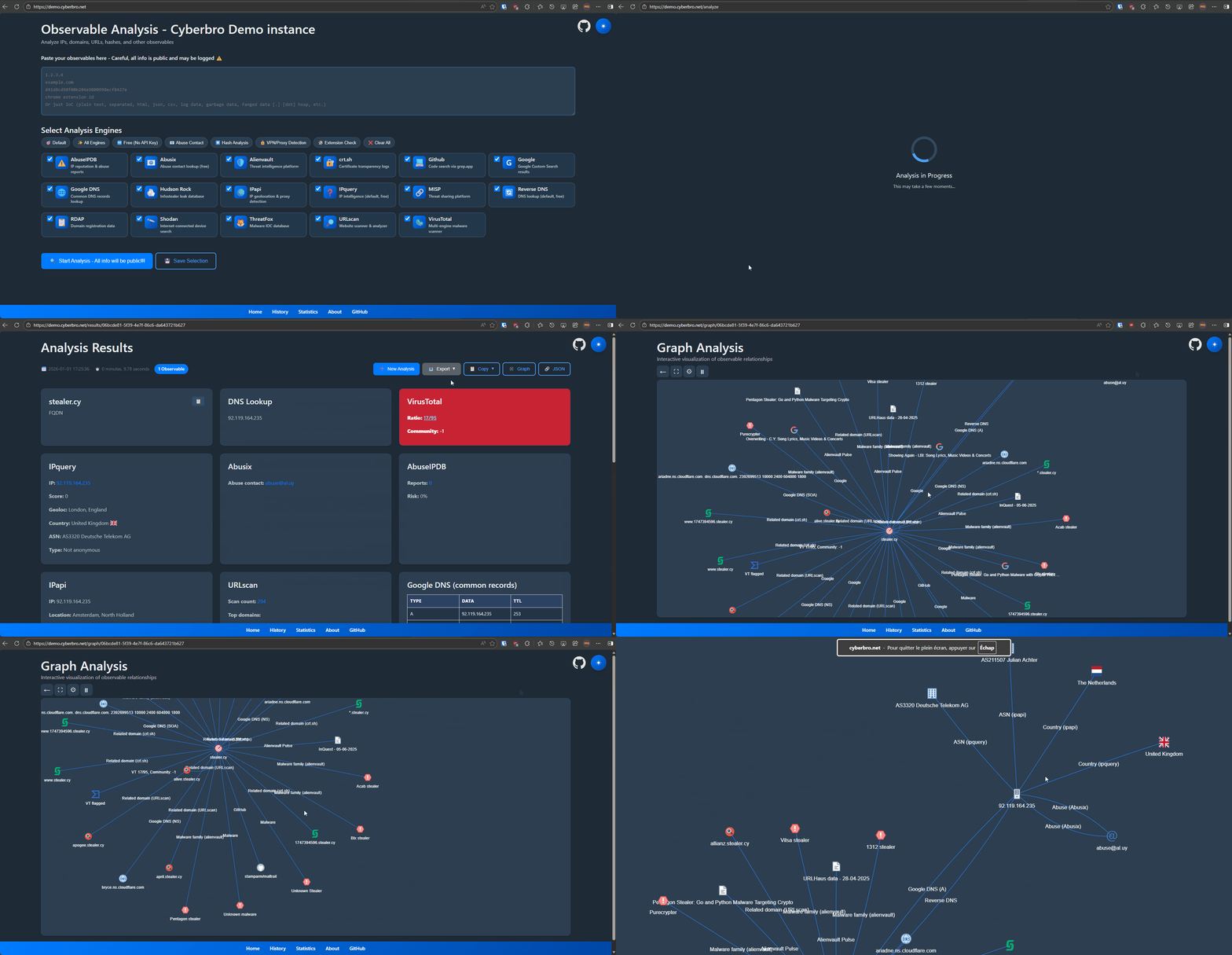
🌐 demo.cyberbro.net






Inspired by Cybergordon and IntelOwl.
This project aims to provide a simple and efficient way to check the reputation of your observables using multiple services, without having to deploy a complex solution. Read the docs at https://docs.cyberbro.net/
[!TIP] To build custom reports, use Cyberbro with your favorite LLM (Claude, OpenAI gpt-5...) via MCP (Model Context Protocol)
Checkout Cyberbro MCP for more information.
[!TIP] If you are lazy, you need Docker.
Do agit clone; copy.env.sampleto.env;docker compose upthen go tolocalhost:5000. Yep, that's it!
git clone https://github.com/stanfrbd/cyberbro
cd cyberbro
cp .env.sample .env
[!NOTE] Don't have API keys? No problem, just copy
.env.sampleto.envand leave optional values empty. Be careful if a proxy is used.
You will be able to use all free engines!
.env file.[!WARNING]
.envcontains sensitive secrets and must never be committed. For production/team deployments, use SOPS, Vault, or an equivalent secret manager workflow.
ABUSEIPDB=token_here
ALIENVAULT=token_here
CRIMINALIP_API_KEY=token_here
CROWDSTRIKE_CLIENT_ID=client_id_here
CROWDSTRIKE_CLIENT_SECRET=client_secret_here
DFIR_IRIS_API_KEY=token_here
DFIR_IRIS_URL=https://dfir-iris.local
DFIR_IRIS_SEARCH_NOTES=false
GOOGLE_CSE_CX=cx_here
GOOGLE_CSE_KEY=key_here
GOOGLE_CSE_URL=https://www.googleapis.com/customsearch/v1
GOOGLE_SAFE_BROWSING=token_here
HISTER_TOKEN=token_here
HISTER_BASE_URL=https://hister.example.com
IPAPI=token_here
IPINFO=token_here
MDE_CLIENT_ID=client_id_here
MDE_CLIENT_SECRET=client_secret_here
MDE_TENANT_ID=tenant_here
MISP_API_KEY=token_here
MISP_URL=https://misp.local
MISP_FEEDBACK_SERVER_URL=https://misp-feedback.local
MISP_FEEDBACK_TOKEN=token_here
OPENCTI_API_KEY=token_here
OPENCTI_URL=https://demo.opencti.io
PROXY_URL=
RANSOMWARE_LIVE_API_KEY=token_here
RL_ANALYZE_API_KEY=token_here
RL_ANALYZE_URL=https://spectra_analyse_url_here
ROSTI_API_KEY=token_here
SHODAN=token_here
SPUR_US=token_here
THREATFOX=token_here
VIRUSTOTAL=token_here
WEBSCOUT=token_here
[!IMPORTANT] Starting with version
v0.13.0, Cyberbro no longer supportssecrets.jsonand the/configpage. Cf. discussion 165.
If you already have a legacysecrets.json, convert it to.envwith:python3 scripts/secrets_json_to_env.py
See Advanced options for deployment in the docs.
[!WARNING] Make sure you install the
composeplugin asdocker composeand notdocker-compose. In Docker, the app binds to0.0.0.0inside the container even if your local.envsetsFLASK_HOST=127.0.0.1.
docker compose up # use -d to run in background and use --build to rebuild the image
Don't forget to edit
.envbefore building the image.
See Advanced options for deployment in the docs to get all Docker deployment options.
You might want to create a venv before installing the dependencies.
pip install -r requirements.txt
gunicorn (clean mode).gunicorn -c prod/gunicorn.conf.py app:app
python3 app.py