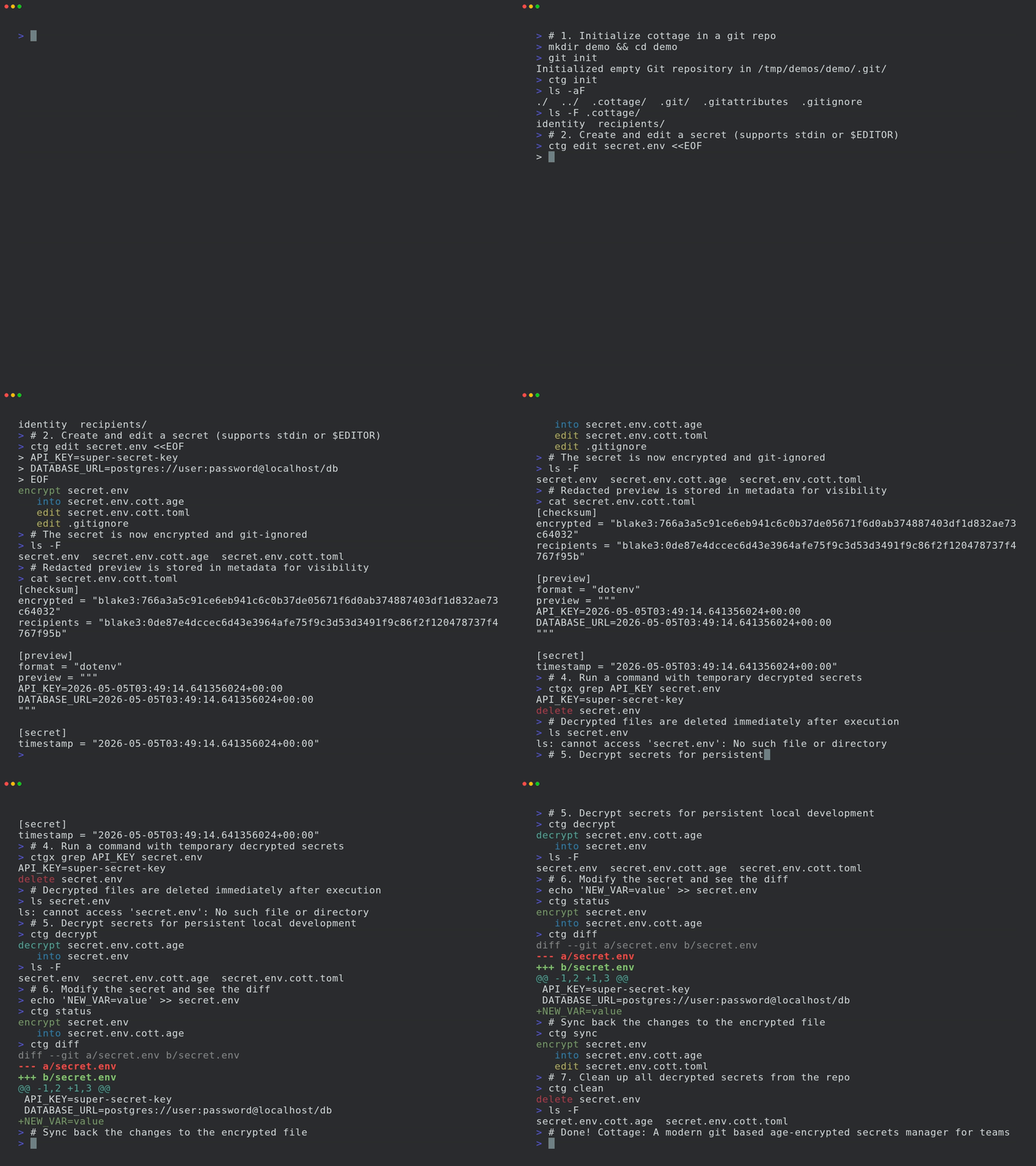
팀을 위한 현대적인 git 기반 age 암호화 비밀 관리자입니다.


cottage는 팀이 git 저장소에서 age로 암호화된 시크릿을 관리할 수 있게 해주는 GitOps 도구입니다.
시크릿을 암호화/복호화하고, 수신자를 관리하며, 시크릿을 저장소 밖에 두면서도 VCS를 통해 쉽게 공유할 수 있는 간단한 워크플로를 제공합니다. cottage는 또한 암호화된 시크릿의 가려진 미리보기를 생성하여 가시성을 높이고, 영구 및 임시 복호화 워크플로를 모두 지원하며, 시크릿이 평문으로 커밋되지 않도록 보장합니다.

.gitignore를 자동으로 업데이트하여 암호화되지 않은 시크릿이 저장소에 들어가지 않도록 합니다.ctg diff는 로컬에서 수정된 시크릿과 추적 중인 암호화된 대응 파일의 diff를 보여줍니다.ctg decrypt/sync는 복호화된 시크릿을 디스크에 유지합니다.ctg run(단축 명령 ctgx)과 ctg edit은 작업 전에 시크릿을 복호화하며, 사전에 이미 존재하던 경우 디스크에 유지하고 그렇지 않은 경우 작업 후 자동으로 정리합니다.ctg encrypt --clean, ctg run --clean, ctg edit --clean은 이전에 존재했던 경우에도 복호화된 파일이 디스크에서 정리되도록 보장합니다.ctg env는 복호화된 시크릿을 환경 변수로 주입하여 명령을 실행하며, 디스크에 전혀 기록하지 않습니다.ctg cat은 메모리에서 복호화하여 stdout으로 출력하므로 다른 도구로 직접 stdin 파이핑할 수 있습니다. ctg tee는 평문을 디스크에 기록하지 않고 stdin을 PATH로 암호화합니다. ctg rotate는 평문을 디스크에 기록하지 않고 현재 수신자에 대해 기존 시크릿을 다시 암호화합니다.ctg clean은 로컬 저장소에서 모든 복호화된 시크릿을 삭제하여 AI 에이전트를 조금 더 안심하고 실행할 수 있게 해줍니다.ctg init은 어떤 디렉터리든 시크릿 저장소로 변환합니다.git pull/diff/push처럼 ctg pull/diff/push를 사용할 수 있습니다.또는 패키지 레지스트리에서 설치:
# rust: cargo-binstall/cargo
cargo binstall --locked cottage
cargo install --locked cottage

# python: pip/uv/uvx
pip install cottage
uv pip install cottage
uvx --from cottage ctg --version

# node: yarn/pnpm/npx
yarn global add @sayanarijit/cottage
pnpm add -g @sayanarijit/cottage
npx -p @sayanarijit/cottage ctg --version
도커 이미지로도 사용할 수 있습니다:
# Docker
docker run --rm -v $PWD:/app sayanarijit/cottage --version

# Podman
podman run --rm -v $PWD:/app quay.io/sayanarijit/cottage --version
또는 GitHub에서 최신 릴리스를 다운로드하세요.
Cottage VS Code 확장을 사용하여 ctg를 설치하고, Copilot 안전 훅을 추가하고, 탐색기에서 파일을 암호화하고, 편집기 워크플로를 통해 .cott.age 파일을 열 수 있습니다.
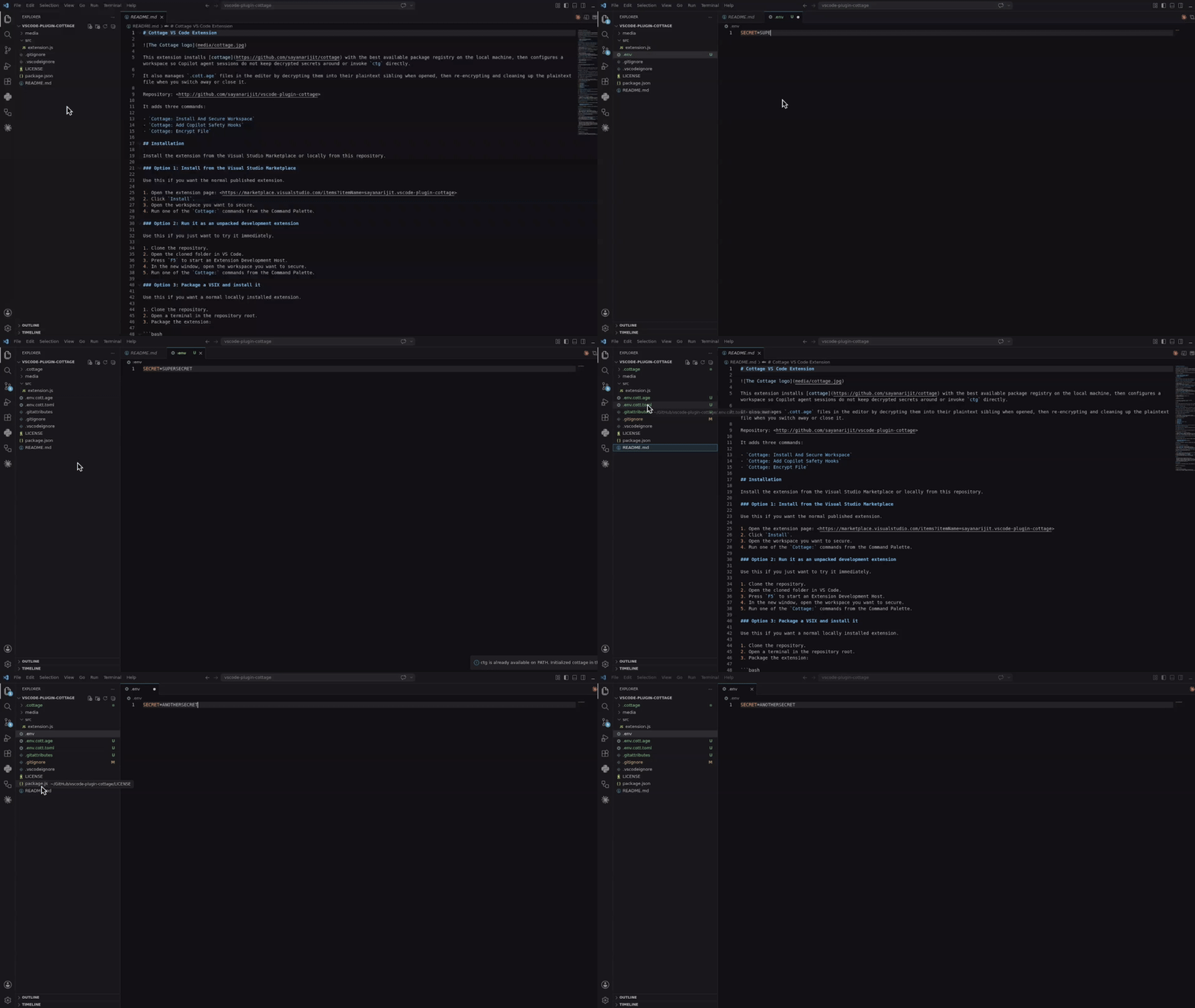
Visual Studio Marketplace에서 설치하거나, vscode-plugin-cottage에서 로컬로 빌드하여 설치하세요.
VSX 파일을 다운로드하여 Cursor 또는 Eclipse IDE에 설치하세요. VS Code 확장과 유사하게 작동합니다.
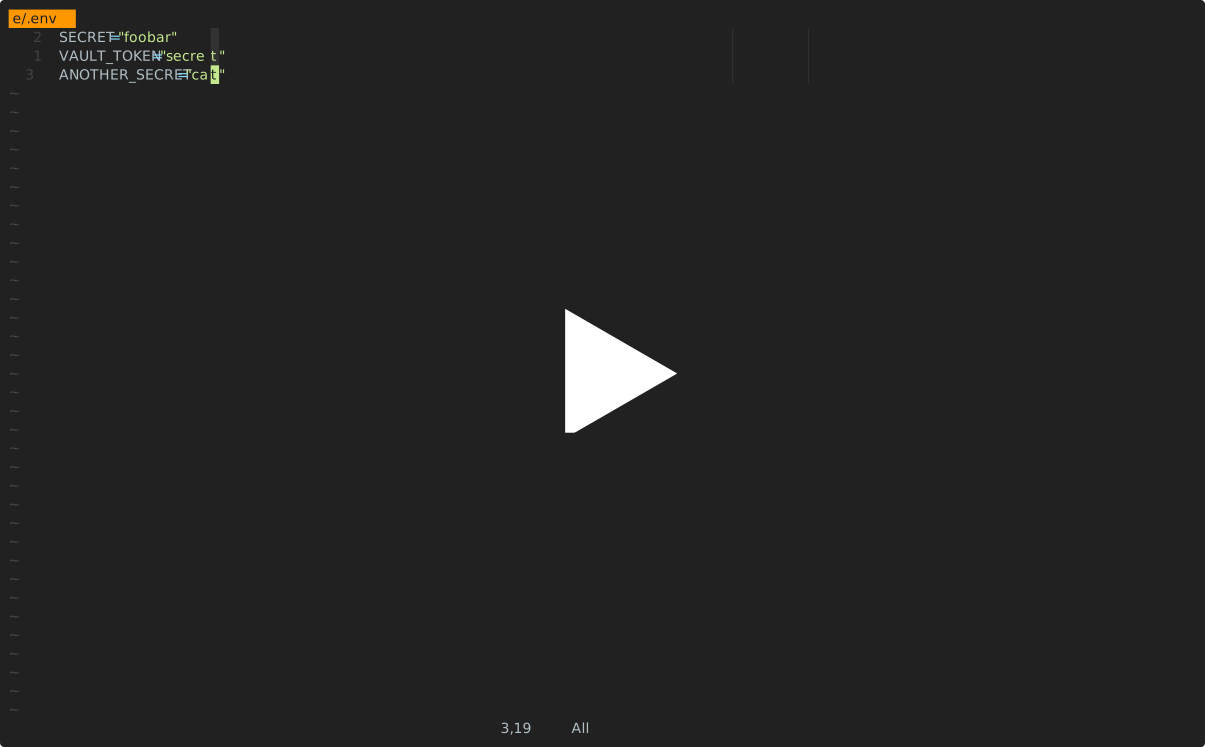
cottage.vim 플러그인을 사용하여 Vim 또는 Neovim에서 시크릿을 암호화/복호화하세요.
아래의 모든 통합은 AI 에이전트가 ctg/ctgx를 직접 실행하거나 시크릿 파일을 보거나 편집하는 것을 방지합니다. 여기에는 .cottage/ 내부의 모든 항목, 모든 *.cott.* 파일(암호화된 *.cott.age 블롭 및 마스킹된 *.cott.toml 미리보기), 그리고 디스크에 여전히 *.cott.age 대응 파일이 존재하는 모든 복호화된 파일이 포함됩니다.
agy)용 .agents프로젝트 초기화:
mkdir project && cd project

git init  # Optional, cottage works better with git but it's not required
ctg init  # Sets up the .cottage directory and necessary files

tree -a
# .
# ├ .cottage/         <- Auto-generated by `ctg init`
# │ └ recipients/     <- This is where your team keeps the public keys of all the recipients.
# │     └ sayanarijit <- Your public key. Commit it. To use an existing public key, just copy that key here.
# ├ .git/...
# └ .gitattributes    <- Added `*.cott.age binary linguist-generated filter=cottage-encrypted -diff` to avoid polluting git diff

# Your private key is stored safely in `~/.config/cottage/identity/<dirname>/<timestamp>.key`.
# You can run `ctg clean --all` anytime to clean up everything cottage ever did.
Create or edit a secret:
# `ctg edit` decrypts the file before opening in $EDITOR and re-encrypts upon save.
# If the decrypted file was not present on disk before running `ctg edit`, it is cleaned up afterwards.
# If it was already present, it is kept on disk.
ctg edit secret.yml