 owasp/owasp-ctf-in-a-box
Self-hosted OWASP CTF kit: one box, one free GitHub org, no cloud dependencies

A self-hosted control plane for security-learning events — one box, one free GitHub org.
Run it for a university, a high school, an OWASP chapter, a meetup.





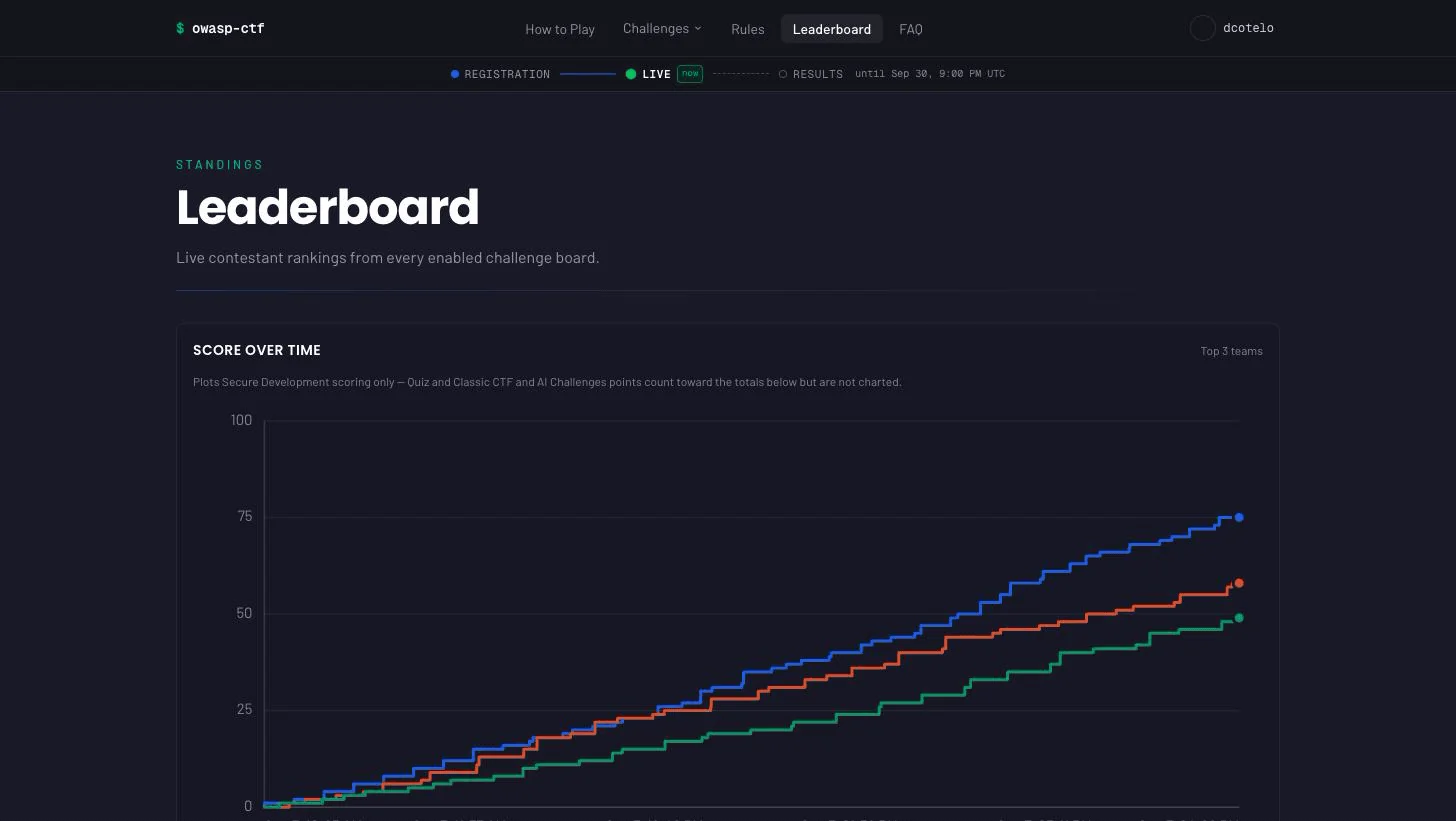
Everything a security event needs, on one machine you control: GitHub sign-in, teams, a live leaderboard, an organizer admin panel, and the scoring behind it. You pick which challenge modules run, alone or together on one leaderboard:
A fourth module, AI, is deprecated: it keeps working in v1.x and is removed in v2.0.0. Run AI security challenges as Jeopardy challenges with flags instead.
It runs from Docker Compose on a laptop, a spare desktop or a small VPS, plus one free GitHub org if you run Secure Development. The scoring rubrics for all six vulnerable apps ship in the box, so there is no private image to request and no scoring code to write. The kit is free and nothing phones home; a cloud host or VPS costs whatever your provider charges.
Who it's for: course instructors, club organizers, OWASP chapter leads, workshop facilitators, and security teams running an internal training day — anyone who wants to run an event without becoming a cloud operator.
v1.0, proven at a real event. The first live event ran on October 7–9, 2026, on the AWS module behind Cloudflare:
| Teams | 28 |
| Players | 41 (24 attempted or scored) |
| Secure Development scores ingested | 498, none dropped |
| Requests served | about 465,000 on the two busiest days |
Known limits are listed in the open in Status and upstream dependencies.
See it running in two minutes — no GitHub org, no OAuth app, nothing to
configure. You need Docker with Compose v2 and openssl:
git clone https://github.com/OWASP/owasp-ctf-in-a-box
cd owasp-ctf-in-a-box
./scripts/dev-stack up
It builds the stack, seeds a demo leaderboard and prints the URL to open.
./scripts/dev-stack score <login> juice-shop 3 lands three more solves
live; ./scripts/dev-stack down tears it down.
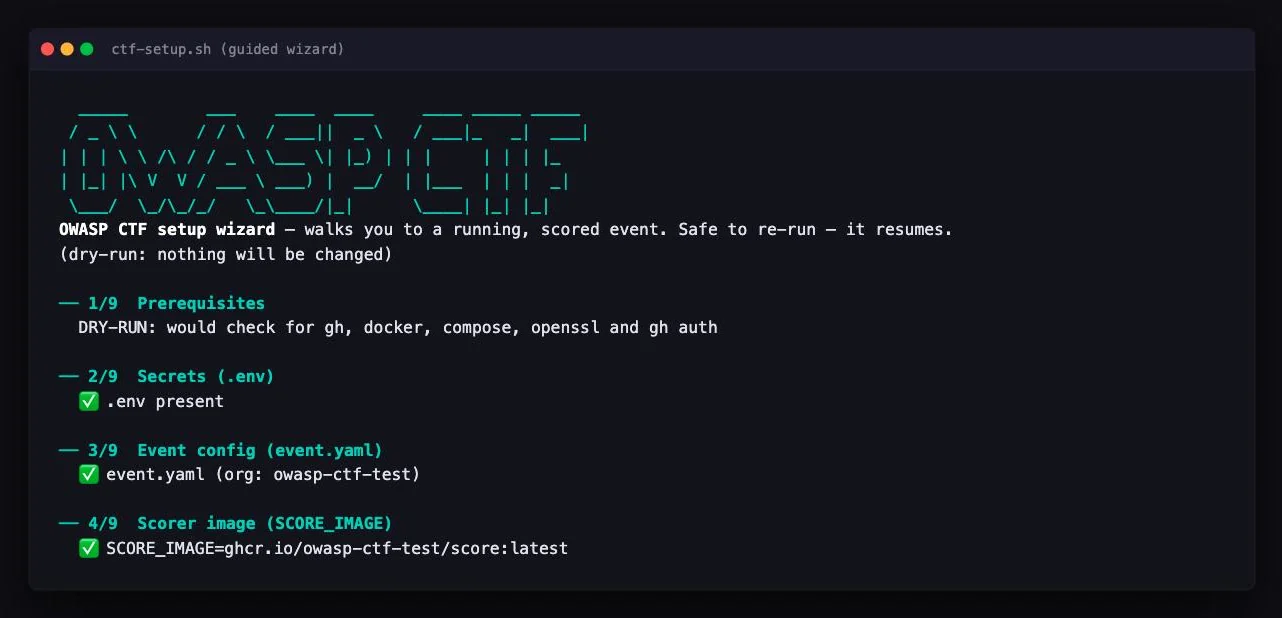
Run a real event with the guided wizard. You also need the
gh CLI, signed in, and a free GitHub org if
the event runs Secure Development:
./setup/ctf-setup.sh check      # verify the tooling
./setup/ctf-setup.sh            # guided, prompts for values, resumable
It asks only for what your event needs, writes .env, does every step it
can automate, and walks you through the few that need the GitHub website.
--dry-run previews the steps that change anything, once .env has the
admin logins (and the org, if you run Secure Development). Everything
else — the event's name, which modules run, which targets — is set at
runtime in /admin, so there is no config file to edit.
With Secure Development, the five containers idle at about 665 MB, so give
the event box about 2 GB of memory; without it, scorer and sync do not run.
In a cloud instead? docs/aws.md (Terraform: ECS Fargate,
ElastiCache and an ALB) or docs/fly.md (one Fly machine).
Fly runs the whole stack, scorer included, so it needs a scorer image
(SCORE_IMAGE) and suits an event that runs Secure Development; a
Quiz/Jeopardy-only event uses Compose or AWS. Every step in detail:
docs/hosting.md.
Secure Development — a GitHub Action in the contestant's fork runs the target's tests against the patch and posts the result on the pull request. The box polls for it about every 30 seconds and the leaderboard recomputes every 10, so a score normally shows within about 40 seconds of the score comment. Six targets, 321 challenges. An unpatched app scores 0, and a correct patch earns its points; CI checks both directions.
Quiz — graded the moment it is answered (all-or-nothing on multi-select), with an attempt cap and a retry cooldown. Needs no GitHub.
Jeopardy — flags are trimmed and matched case-insensitively unless a challenge is marked case-sensitive, with a submission cooldown and optional paid hints. Challenges can be hidden or scheduled for later release. Needs no GitHub.
AI (deprecated, removed in v2.0.0) — each contestant gets a personal launch link to the external challenge site; a solve reports back through that site's callback or a flag typed into the app. Needs no GitHub. The site's side of the contract is in docs/ai-module.md. For a new event, run AI security challenges as Jeopardy challenges with flags.
Quiz, Jeopardy and AI content is written in /admin or imported as one JSON
bundle. Around whichever modules you enable, the platform provides:
