



Clawdbot/Moltbot インストールのセキュリティ強化。公開されたゲートウェイを検出・修正します。
公開された Clawdbot/Moltbot ゲートウェイを検出・修正
問題 • 機能 • クイックスタート • Docker • CLI • 修正内容 • 開発
900以上の Clawdbot/Moltbot インスタンスが現在インターネット上に露出しています(Shodan で確認可能、ポート18789)。認証は一切なく、誰でも次のことが可能です:
| リスク | 影響 |
|---|---|
| API キーへのアクセス | OpenAI、Anthropic などの認証情報を盗む |
| コマンド実行 | マシン上で任意のシェルコマンドを実行 |
| ブラウザ制御 | ブラウジングセッションを乗っ取る |
| メール読み取り | Gmail、カレンダー、連絡先にアクセス |
| チャット読み取り | すべての会話履歴を閲覧 |
| ボットの乗っ取り | あなたの代わりにメッセージを送信 |
これはバグではなく、設定ミスです。gateway.bind を 0.0.0.0 に変更したり、Docker で -p 18789:18789 を適切な認証なしに使用したユーザーが完全に露出しています。
ClawdGuard がこれを修正します。
cargo install clawdguard

# 実行
clawdguard
# リポジトリをクローン
git clone https://github.com/fadidevv/clawdguard.git
cd clawdguard

# ビルド(初回は約2分)
cargo build --release

# 実行
./target/release/clawdguard
# リポジトリをクローン
git clone https://github.com/fadidevv/clawdguard.git
cd clawdguard

# イメージをビルド(初回は約3〜5分)
docker build --no-cache -t clawdguard .

# 実行(設定ディレクトリをマウント)
docker run -v ~/.moltbot:/root/.moltbot clawdguard
# またはレガシー Clawdbot:
docker run -v ~/.clawdbot:/root/.clawdbot clawdguard
clawdguard
以上です!ClawdGuard は以下のことを行います:
ClawdGuard は安全なトークンを生成します。必ず保存してください!
╭────────────────────────────────────────────────────────────────────╮
│  ⚠️  重要:新しいゲートウェイトークンを保存してください!            │
│                                                                    │
│    clwd_a8f2k9x3m1p7v4q2b6n8...                                    │
│                                                                    │
│  これは Control UI や CLI から接続する際に必要です。                │
╰────────────────────────────────────────────────────────────────────╯
Rust がインストールされていない方向けの完全な Docker ドキュメント。
# 1. リポジトリをクローン
git clone https://github.com/fadidevv/clawdguard.git
cd clawdguard

# 2. イメージをビルド(初回は約3〜5分)
docker build --no-cache -t clawdguard .

# 3. スキャンを実行(設定ディレクトリをマウント)
# Moltbot(新しい方):
docker run -v ~/.moltbot:/root/.moltbot clawdguard

# Clawdbot(レガシー):
docker run -v ~/.clawdbot:/root/.clawdbot clawdguard

# 詳細モード
docker run -v ~/.moltbot:/root/.moltbot clawdguard --verbose

# スキャンのみ(修正なし)
docker run -v ~/.moltbot:/root/.moltbot clawdguard --scan-only

# 自動モード(確認なし)
docker run -v ~/.moltbot:/root/.moltbot clawdguard --auto

# ヘルプ表示
docker run clawdguard --help
docker-compose を使ったシンプルな構文:
# docker-compose で実行
docker-compose run clawdguard

# 詳細モード
docker-compose run clawdguard --verbose

# スキャンのみ
docker-compose run clawdguard --scan-only

# 自動モード
docker-compose run clawdguard --auto
| コマンド | 説明 |
|---|---|
docker build --no-cache -t clawdguard . | イメージをビルド |
docker run clawdguard --help | ヘルプ表示 |
docker run -v ... clawdguard | スキャン実行 |
docker run -v ... clawdguard --scan-only | スキャンのみ |
docker run -v ... clawdguard --auto | 自動修正 |
docker run -v ... clawdguard --verbose | 詳細モード |
docker-compose run clawdguard | compose で実行 |
| マウント | 目的 |
|---|---|
~/.moltbot:/root/.moltbot | Moltbot 設定ディレクトリ(新しい方) |
~/.clawdbot:/root/.clawdbot | Clawdbot 設定ディレクトリ(レガシー) |
./results:/app/results | 結果をローカルに保存 |
# エイリアスを作成(設定ディレクトリを使用)
alias clawdguard='docker run -v ~/.moltbot:/root/.moltbot clawdguard'
# またはレガシー Clawdbot:
alias clawdguard='docker run -v ~/.clawdbot:/root/.clawdbot clawdguard'

# その後は次のように実行:
clawdguard
clawdguard --scan-only
clawdguard --verbose
clawdguard [オプション]

オプション:
    --scan-only         問題をスキャンのみ、修正は適用しない
    --auto              確認なしですべての修正を適用
    --backup-dir <DIR>  バックアップファイルのカスタムディレクトリ
    --skip-firewall     ファイアウォールルールの追加をスキップ
    --skip-restart      ゲートウェイサービスの再起動をスキップ
    --token <TOKEN>     生成する代わりに特定のトークンを使用
    -v, --verbose       詳細出力を表示
    --json              結果を JSON で出力(スクリプト用)
    -h, --help          ヘルプを表示
    -V, --version       バージョンを表示
# 基本的な使い方 - スキャン、修正、検証
clawdguard

# スキャンのみ(何も修正しない)
clawdguard --scan-only

# すべて自動で修正(確認なし)
clawdguard --auto

# 自分でトークンを指定
clawdguard --token "my-secure-token-here"

# トラブルシューティング用の詳細出力
clawdguard --verbose

# スクリプト用の JSON 出力
clawdguard --json

# オプションの組み合わせ
clawdguard --auto --skip-firewall --verbose

# カスタムバックアップディレクトリ
clawdguard --backup-dir /tmp/backups
| 設定 | 修正前(安全でない) | 修正後(安全) |
|---|---|---|
gateway.bind | "0.0.0.0" / "lan" / "all" | "loopback" |
gateway.auth.mode | "none" / 欠落 | "token" |
gateway.auth.token | 欠落 | 生成された安全なトークン |
discovery.mdns.mode | "full" | "minimal" |
| ファイルパーミッション | 644 / 755 | 600 |
ClawdGuard は0〜10のリスクスコアを計算します:
| スコア | レベル | 意味 |
|---|---|---|
| 0-3 | 🟢 低 | 軽微な問題、またはすでに安全 |
| 4-6 | 🟡 中 | セキュリティ上の懸念あり |
| 7-10 | 🔴 重大 | インターネットに露出、すぐに修正が必要 |
リスクスコアの計算:
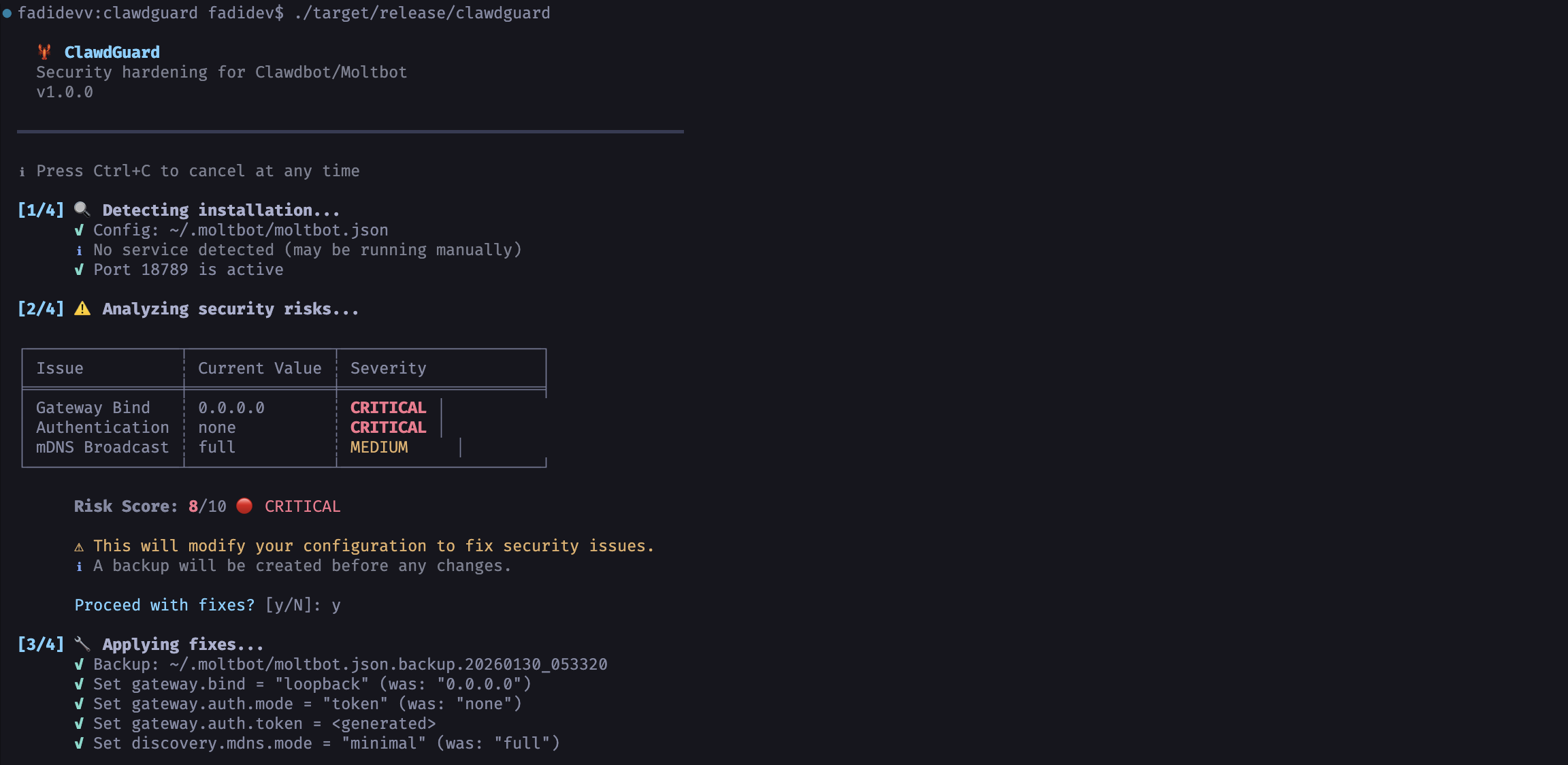
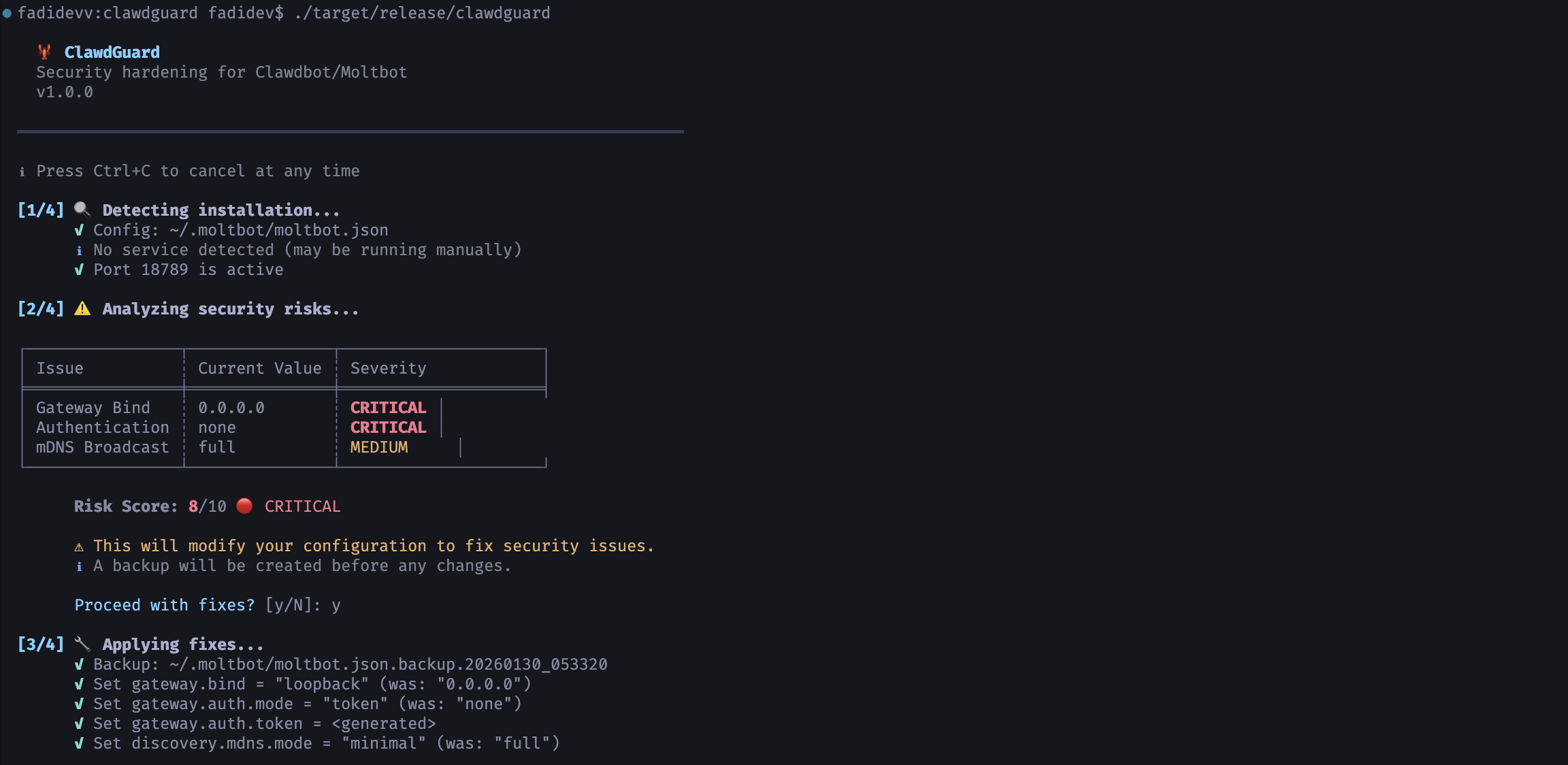
  🦞 ClawdGuard
  Clawdbot/Moltbot のセキュリティ強化
  v1.0.0

━━━━━━━━━━━━━━━━━━━━━━━━━━━━━━━━━━━━━━━━━━━━━━━━━━━━━━━━━━━━━━━━━━━━━━

ℹ いつでも Ctrl+C でキャンセルできます

[1/4] 🔍 インストールを検出中...
      ✓ 設定: ~/.clawdbot/clawdbot.json
      ✓ サービス: bot.molt.gateway (実行中、PID 1234)
      ✓ ポート 18789 がアクティブ

[2/4] ⚠️  セキュリティリスクを分析中...

╭──────────────────┬─────────────────────────┬──────────╮
│ 問題            │ 現在の値                │ 深刻度  │
├──────────────────┼─────────────────────────┼──────────┤
│ ゲートウェイバインド │ 0.0.0.0              │ 重大    │
│ 認証            │ none                    │ 重大    │
│ mDNS ブロードキャスト │ full                   │ 中      │
╰──────────────────┴─────────────────────────┴──────────╯

      リスクスコア: 9/10 🔴 重大

      ⚠ セキュリティ問題を修正するために設定を変更します。
      ℹ 変更前にバックアップが作成されます。

      修正を続行しますか? [y/N]: y

