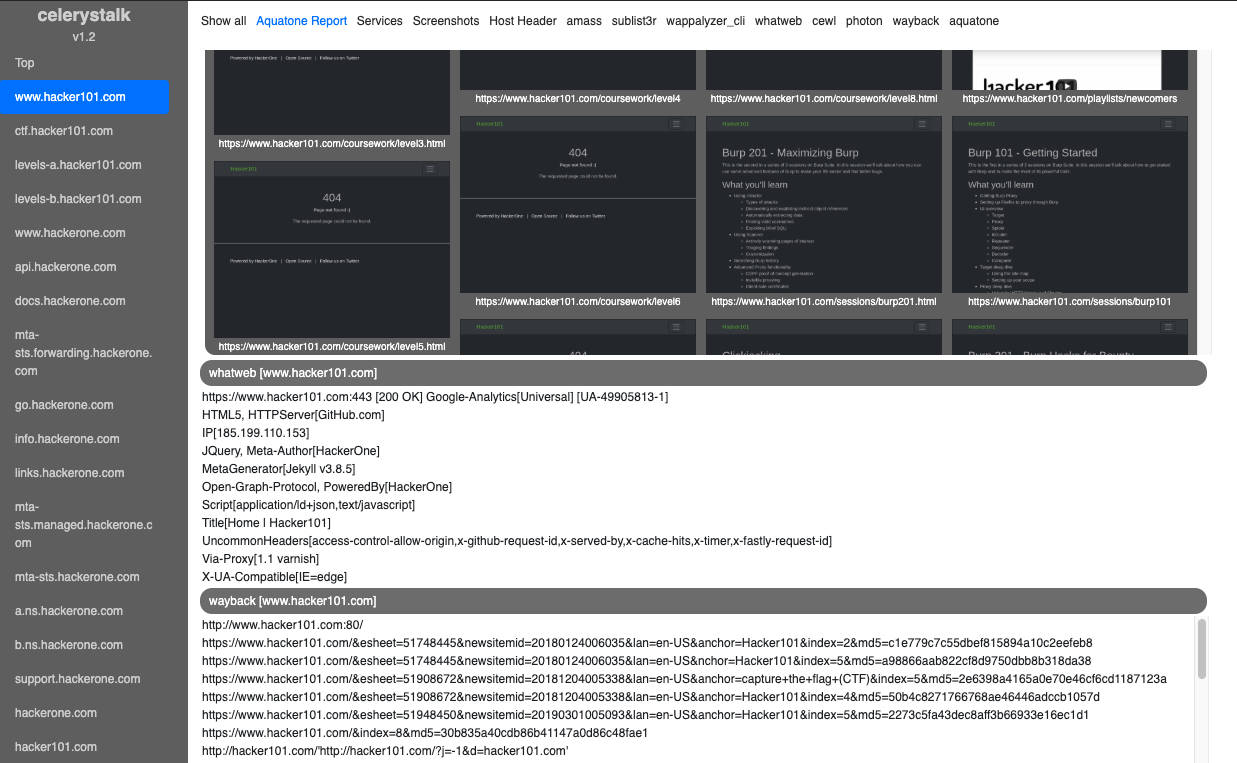

Uno scanner asincrono di enumerazione e vulnerabilità. Esegui tutti gli strumenti su tutti gli host.
celerystalk ti aiuta ad automatizzare il processo di scansione/enumerazione della rete con job asincroni (detti task) mantenendo il pieno controllo su quali strumenti vuoi eseguire.
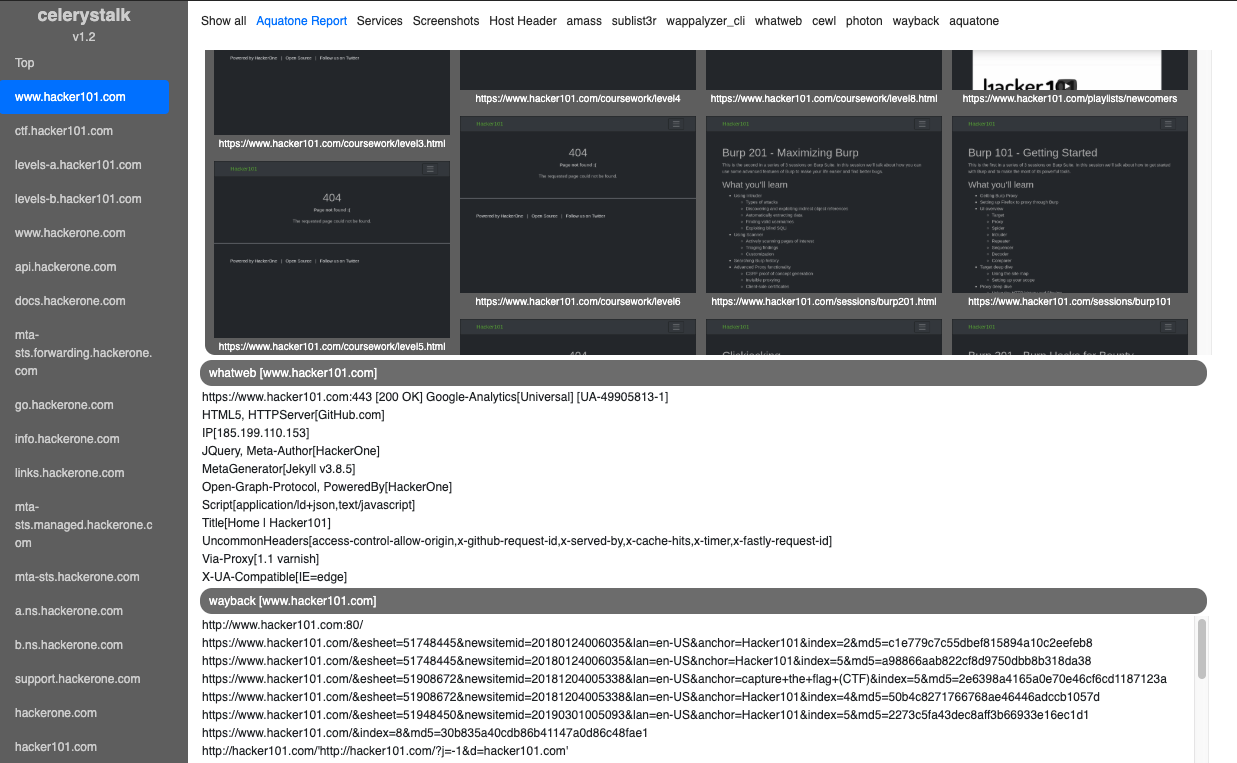
Demo interattiva: Modalità Bug Bounty (HackerOne)
Demo interattiva: Modalità Vulnerability Assessment / PenTest (macchine HackTheBox.eu ritirate)
| Fase | Comando | Esempi di strumenti utilizzati |
|---|---|---|
| DNS Recon/Enumerazione | ./celerystalk subdomains -d domain1,domain2 | Amass, sublist3r |
| Definizione ambito, Import nmap/nessus | ./celerystalk import [scan_data,scope_files,etc.] | celerystalk |
| Scansione porte | ./celerystalk nmap | nmap |
| Enumerazione directory e file, Identificazione vulnerabilità | ./celerystalk scan | Gobuster, Nikto, Photon, sqlmap, wpscan, hydra, medusa, wappalyzer, whatweb, ecc. |
| Screenshot | ./celerystalk sceenshots | Aquatone |
| Analisi | ./celerystalk report | celerystalk |
celerystalk è:
Devi installare ed eseguire celerystalk come root``` git clone https://github.com/sethsec/celerystalk.git cd celerystalk/setup ./install.sh cd .. ./celerystalk -h
## Utilizza il container Docker da Dockerhub```
docker pull sethsec/celerystalk:latest
docker run -p 27007:27007 -ti celerystalk
docker build -t celerystalk https://github.com/sethsec/celerystalk.git docker run -p 27007:27007 -ti celerystalk
## Utilizzo di celerystalk - Le basi
### [Modalità URL] - Come scansionare un URL (o più URL in un file)
#### Avvia tutti gli strumenti abilitati contro un URL o molti URL in un file senza dover importare scope, nmap, ecc.```
# ./celerystalk scan -u url or filename # Run all enabled commands against specified url(s)
# ./celerystalk query watch (then Ctrl+c) # Wait for scans to finish
# ./celerystalk screenshots # Take screenshots
# ./celerystalk report # Generate report
#### Oppure, importa l'elenco degli host che sono in scope e fai eseguire a celerystalk nmap per te```
# ./celerystalk import -S scope.txt # Import IP/CIDR/Ranges and mark as in scope
# ./celerystalk nmap # Nmap all in-scope hosts (reads options from config.ini)
## Utilizzo Avanzato: Modalità Bug Bounty vs Modalità Vulnerability Assessment
Si definisce la modalità al momento dell'istanziazione del workspace. Il workspace predefinito è la modalità VAPT, ma hai due opzioni per i workspace creati manualmente.
* Se si inizia con indirizzi IP/intervalli/CIDR in scope, utilizzare la modalità Vulnerability Assessment and PenTest (VAPT).
* Se si inizia con domini in scope, utilizzare la modalità Bug Bounty (BB).
### [Bug Bounty Mode]
* In modalità BB, tutti i sottodomini trovati con celerystalk o importati manualmente vengono contrassegnati come in scope.
#### Trova sottodomini, definisci host fuori scope, scansiona tutto il resto```
# ./celerystalk workspace create -o /dir -m bb # Create default workspace and set output dir
# ./celerystalk subdomains -d company.com,dom.net # Find subdomains and determine if in scope
# ./celerystalk import -S scope.txt (optional) # Import IP/CIDR/Ranges and mark as in scope
# ./celerystalk import -O out_scope.txt (optional) # Define HOSTS/IPs that are out of scope
# ./celerystalk nmap (optional) # Nmap all in-scope hosts (reads options from config.ini)
# ./celerystalk import -f client.xml (optional) # If you would rather import an nmap file you already ran
# ./celerystalk scan [--noIP] # Run all enabled commands against all in scope hosts
# ./celerystalk query watch (then Ctrl+c) # Wait for scans to finish
# ./celerystalk screenshots # Take screenshots
# ./celerystalk report # Generate report
Nota: Puoi eseguire prima il comando dei sottodomini e poi definire l'ambito, oppure puoi definire l'ambito e importare i sottodomini.
**Nota:** Puoi eseguire prima il comando dei sottodomini e poi definire l'ambito, oppure puoi definire l'ambito e importare i sottodomini.
#### Importa un elenco di host che sono nell'ambito e fai eseguire a celerystalk nmap e analizzare i risultati```
# ./celerystalk workspace create -o /dir -m vapt # Create default workspace and set output dir
# ./celerystalk import -S client-inscope-list.txt # Import IP/CIDR/Ranges and mark as in scope
# ./celerystalk import -O out_scope.txt (optional) # Define HOSTS/IPs that are out of scope
# ./celerystalk nmap # Nmap all in-scope hosts (reads options from config.ini)
# ./celerystalk query watch (then Ctrl+c) # Watch nmap scans as they move from pending > running > complete
# ./celerystalk subdomains -d client.com,client.net # Find subdomains and determine if in scope
# ./celerystalk scan # Run all enabled commands
# ./celerystalk query watch (then Ctrl+c) # Watch scans as they move from pending > running > complete
# ./celerystalk screenshots # Take screenshots
# ./celerystalk report # Generate report
Nota: Puoi eseguire prima il comando subdomains e poi definire l'ambito, oppure puoi definire l'ambito e importare i subdomini.
Per maggiori dettagli, consulta la pagina Configuration nella Wiki
Devi creare un workspace prima di poter fare qualsiasi altra cosa.
#### import
Questo comando consente di importare i dati di porte e host in celerystalk e di definire cosa è in scope e cosa è out of scope.
| Opzione | Descrizione |
| --- | --- |
| -f scan.xml | <b>Nmap/Nessus xml</b><br><ul><li>Aggiunge tutti gli indirizzi IP da questo file alla tabella hosts e li segna tutti in scope per essere scansionati.</li><li>Aggiunge tutte le porte e i tipi di servizio alla tabella services.</li></ul> |
| -S scope.txt | <b>File di scope</b><br><ul><li>Mostra le differenze dei file che non sono stati preparati.</li></ul>|
| -D subdomains.txt | <b>File dei (sotto)domini</b><br><ul><li>celerystalk determina se ogni sottodominio è in scope risolvendo l'IP e cercando l'IP nel DB. Se c'è una corrispondenza, il dominio viene marcato come in scope e verrà scansionato.</li></ul>|```
Import Nmap XML file: ./celerystalk import -f /assessments/nmap.xml
Import Nessus file: ./celerystalk import -f /assessments/scan.nessus
Import list of Domains: ./celerystalk import -D <file>
Import list of IPs/Ranges: ./celerystalk import -S <file>
Specify workspace: ./celerystalk import -f <file>
Import multiple files: ./celerystalk import -f nmap.xml -S scope.txt -D domains.txt
Questo comando esegue tutti gli strumenti di ricerca dei sottodomini nel tuo file di configurazione. Se preferisci, puoi farlo al di fuori di celerystalk e importare i sottodomini con il comando import
| Opzione | Descrizione |
|---|---|
| -d domain1,domain2,etc | Esegui Amass, Sublist3r, ecc. e memorizza i domini nel DB
|
| Find subdomains: celerystalk subdomains -d domain1.com,domain2.com |
#### nmap
Questo comando eseguirà nmap per te, utilizzando le opzioni specificate nel file config.ini. Puoi anche importare i dati di scansione delle porte da un file xml di nmap o da un file .nessus
| Opzione | Descrizione |
| --- | --- |
| nessuna opzione | Legge il comando nmap dal config e scansiona tutti i servizi per gli host in scope |
| -c [filename] | Specifica un file di configurazione di celerystalk [Default: ./config.ini]
#### scan
Questo comando invierà task a celery, che li esegue in modo asincrono e registra l'output nella tua directory di output.
| Opzione | Descrizione |
| --- | --- |
| nessuna opzione | <b>Scansiona tutti gli host in scope</b><ul><li>Legge il DB e scansiona ogni IP e sottodominio in scope.</li><li>Lancia tutti gli strumenti abilitati per gli IP, ma solo strumenti specifici http/http contro i virtualhost</li></ul> |
| --noIP | Non scansionare host per IP (solo vhosts)
| -t ip,vhost,cidr | <b>Scansiona target specifici dal DB o dal file di scansione</b><ul><li>Scansiona un sottoinsieme degli IP e/o sottodomini in scope</li></ul> |
| -s | <b>Simulazione</b><br> Invia tutti i task a celery, ma tutti i comandi vengono eseguiti con un # davanti rendendoli inerti</li></ul> |
| -c [filename] | Specifica un file di configurazione di celerystalk [Default: ./config.ini] |
| -u [URL] | Scansiona un URL specifico, anche se non è ancora nel DB |```
Scan all in scope hosts: ./celerystalk scan
Scan subset of DB hosts: ./celerystalk scan -t 10.0.0.1,10.0.0.3
./celerystalk scan -t 10.0.0.100-200
./celerystalk scan -t 10.0.0.0/24
./celerystalk scan -t sub.domain.com
Simulation mode: ./celerystalk scan -s
Questo comando eseguirà una nuova scansione di un host già scansionato.
| Opzione | Descrizione |
|---|---|
| no option | Per ogni host in scope nel database, celerystalk chiederà se si desidera eseguire una nuova scansione |
./celerystalk rescan -c myconfig.ini
Rescan some hosts ./celerystalk rescan -t 1.2.3.4,sub.domain.com
Simulation mode: ./celerystalk rescan -s
#### query
Controlla asincronamente lo stato della coda di task con la frequenza che preferisci. La modalità watch esegue effettivamente il comando watch di linux in modo da non riempire l'intero buffer del terminale.
| Opzione | Descrizione |
| --- | --- |
| no options | Mostra tutti i task nel workspace corrente |
| watch | Invia il comando al comando unix watch che ti permette di ottenere uno stato aggiornato ogni 2 secondi |
| brief | Limite di 5 risultati per stato (pending/running/completed/cancelled/paused) |
| summary | Mostra solo un banner con i numeri e non i task stessi |```
Query Tasks: ./celerystalk query
./celerystalk query watch
./celerystalk query brief
./celerystalk query summary
./celerystalk query summary watch
Annulla/Metti in pausa/Riprendi qualsiasi attività in esecuzione o in coda.
./celerystalk <verb> all #Cancel/Pause/Resume all tasks from current workspaces
#### Screenshot
| Opzioni | Descrizione |
| --- | --- |
| no options | Acquisisci screenshot per tutti i percorsi conosciuti |```
./celerystalk screenshots
Esegui un report che combina tutto l'output degli strumenti in un file html e un file txt. Puoi eseguirlo quante volte vuoi. Ogni volta che esegui il report, sovrascrive il report precedente.
| Opzioni | Descrizione |
|---|---|
| nessuna opzione | Crea un report per tutti gli host in scope che sono stati scansionati |
| Create Report: ./celerystalk report #Create a report for all scanned hosts in current workspace |
#### db
Elenca o esporta i workspace, host, servizi o percorsi memorizzati nel database di celerystalk
| Opzione | Descrizione |
| --- | --- |
| workspaces | Mostra tutti i workspace conosciuti e la directory di output associata a ciascun workspace |
| workspace | Come workspaces |
| services | Mostra tutte le porte aperte conosciute e i tipi di servizio per IP |
| ports | Come ports. |
| hosts | Mostra tutti gli host (indirizzi IP e subdomini/vhost) e se sono in scope e se sono stati inviati per la scansione |
| vhosts | Come il comando hosts, ma esclude i vhost che sono indirizzi IP. |
| paths | Mostra tutti i percorsi identificati per vhost |
| paths_only | Mostra un elenco di percorsi separati da nuova riga nel db. Utile per il piping in un altro tool |
| export | Esporta le tabelle services, hosts e paths
| export_paths_only | Esporta solo un elenco di percorsi separati da nuova riga nel db in un file.```
Show workspaces: ./celerystalk db workspaces
./celerystalk db workspace
Show services: ./celerystalk db services
./celerystalk db ports
Show hosts: ./celerystalk db hosts
Show vhosts only ./celerystalk db vhosts
Show paths: ./celerystalk db paths
Show paths (no table) ./celerystalk db paths_only
Show tasks: ./celerystalk db tasks
Export tables to csv ./celerystalk db export
Export paths to txt ./celerystalk db export_paths_only
Funzioni Amministrative
## Utilizzo```
Usage:
celerystalk workspace ([create]|[switch]) [-w workspace_name] [-o <output_dir>] [-m <mode>] [-h]
celerystalk import [-f <nmap_file>] [-S scope_file] [-D subdomains_file] [-O outOfScope.txt] [-u <url>] [-h]
celerystalk subdomains [-d <domains>] [-c <config_file>] [-s] [-h]
celerystalk nmap [-t <targets>] [-c <config_file>] [-s] [-h]
celerystalk scan [-t <targets>] [--noIP] [-c <config_file>] [-s] [-h]
celerystalk scan -u <url> [-c <config_file>] [-s] [-h]
celerystalk rescan [-t <targets>] [-c <config_file>] [-s] [-h]
celerystalk query ([full] | [summary] | [brief]) [watch] [-h]
celerystalk query [watch] ([full] | [summary] | [brief]) [-h]
celerystalk report [-h]
celerystalk screenshots [-h]
celerystalk cancel ([all]|[<task_ids>]) [-h]
celerystalk pause ([all]|[<task_ids>]) [-h]
celerystalk resume ([all]|[<task_ids>]) [-h]
celerystalk db ([workspaces]|[workspace]|[services]|[ports]|[hosts]|[vhosts]|[paths]|[paths_only]|[tasks]) [-h]
celerystalk db export [-h]
celerystalk admin ([start]|[stop]|[restart]|[reset]|[backup]|[restore]) [-f <restore_file>] [-h]
celerystalk interactive [-h]
celerystalk (help | -h | --help)
Options:
-h --help Show this screen
-v --version Show version
-f <nmap_file> Nmap xml import file
-c <config_file> Specify a non-default configuration file by name
-o <output_dir> Output directory
-m <mode> vapt = VulnAssmt/PenTest, bb = Bug Bounty
-S <scope_file> Scope import file
-O <outscope_file> Out of scope hosts file
-D <subdomains_file> Subdomains import file
-t <targets> Target(s): IP, IP Range, CIDR
-u <url> URL to parse and scan with all configured tools
-w <workspace> Workspace
-d --domains Domains to scan for vhosts
-s --simulation Simulation mode. Submit tasks comment out all commands
--noIP Only scan targets by DNS hostname (Don't scan the IP address)
Context specific help with examples:
./celerystalk workspace -h
./celerystalk subdomains -h
./celerystalk import -h
./celerystalk nmap -h
./celerystalk scan -h
./celerystalk rescan -h
./celerystalk query -h
./celerystalk pause -h
./celerystalk resume -h
./celerystalk cancel -h
./celerystalk db -h
./celerystalk screenshots -h
./celerystalk report -h
./celerystalk admin -h
Questo progetto è stato ispirato da molti grandi strumenti:
Grazie a @offensivesecurity e @hackthebox_eu per le loro reti di laboratorio
Inoltre, grazie a:
| Opzione | Descrizione |
|---|
| nessuna opzione | Stampa il workspace corrente |
| create | Crea un nuovo workspace |
| -w | Definisce il nome del nuovo workspace |
| -o | Definisce la directory di output assegnata al workspace |
| -m | Modalità [vapt \ bb] |
| Create default workspace ./celerystalk workspace create -o /assessments/client -m bb | |
| Create named workspace ./celerystalk workspace create -o /assessments/client -w client -m vapt | |
| Switch to another workspace ./celerystalk workspace client |
| -t ip,vhost,cidr | Scansiona un sottoinsieme degli IP e/o dei sottodomini in scope. |
| -s | Invia tutti i task a celery, ma tutti i comandi vengono eseguiti con un # davanti, rendendoli inerti. |
| -c [filename] | Specifica un file di configurazione celerystalk [Predefinito: ./config.ini] |
| Rescan all hosts: ./celerystalk rescan |
| Opzione | Descrizione |
|---|
| annulla |
|
| pausa |
|
| ripresa |
|
| Cancel/Pause/Resume Tasks: ./celerystalk 5,6,10-20 #Cancel/Pause/Resume tasks 5, 6, and 10-20 from current workspace |
| Opzioni | Descrizione |
|---|
| start | Avvia i processi Celery & Redis |
| stop | Ferma i processi Celery & Redis |
| restart | Riavvia i processi Celery & Redis |
| reset | Distruggi DB, Svuota Redis, ricomincia da capo |
| backup | Esegui backup del DB e di tutte le directory dei dati di lavoro |
| restore | Ripristina DB e tutte le directory dei dati di lavoro |
| -f [filename] | Nome del file di ripristino |
| Examples: | |
| ./celerystalk admin start | |
| ./celerystalk admin stop | |
| ./celerystalk admin restart | |
| ./celerystalk admin reset | |
| ./celerystalk admin backup -f | |
| ./celerystalk admin restore -f |