 redhuntlabs/log4jhunt
Uno scanner automatico e affidabile per la vulnerabilità Log4Shell (CVE-2021-44228).

Uno scanner automatico e affidabile per la vulnerabilità Log4Shell CVE-2021-44228.
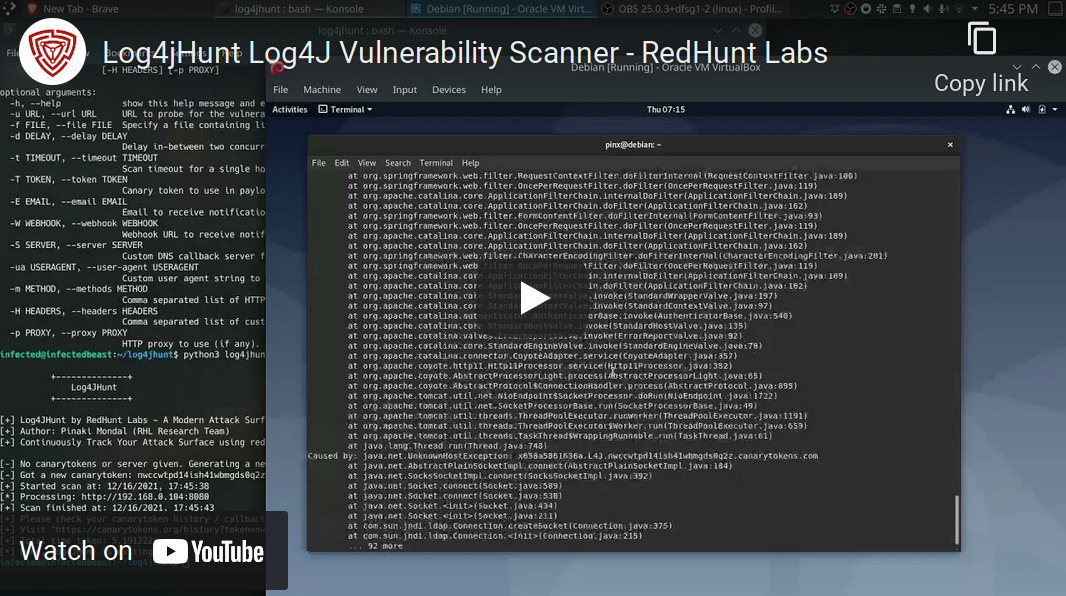
Video dimostrativo:
Ecco l'help di utilizzo:
$ python3 log4jhunt.py

          +--------------+
              Log4JHunt
          +--------------+

[+] Log4jHunt by RedHunt Labs - A Modern Attack Surface (ASM) Management Company
[+] Author: Pinaki Mondal (RHL Research Team)
[+] Continuously Track Your Attack Surface using https://redhuntlabs.com/nvadr.

[-] You have to supply at least a single host to scan!

usage: log4jhunt.py [-h] [-u URL] [-f FILE] [-d DELAY] [-t TIMEOUT] [-T TOKEN] [-E EMAIL] [-W WEBHOOK] [-S SERVER] [-ua USERAGENT] [-m METHOD] [-H HEADERS] [-p PROXY]

optional arguments:
  -h, --help            show this help message and exit
  -u URL, --url URL     URL to probe for the vulnerability.
  -f FILE, --file FILE  Specify a file containing list of hosts to scan.
  -d DELAY, --delay DELAY
                        Delay in-between two concurrent requests.
  -t TIMEOUT, --timeout TIMEOUT
                        Scan timeout for a single host.
  -T TOKEN, --token TOKEN
                        Canary token to use in payloads for scanning.
  -E EMAIL, --email EMAIL
                        Email to receive notifications.
  -W WEBHOOK, --webhook WEBHOOK
                        Webhook URL to receive notifications.
  -S SERVER, --server SERVER
                        Custom DNS callback server for receiving notifications.
  -ua USERAGENT, --user-agent USERAGENT
                        Custom user agent string to use for requests.
  -m METHOD, --methods METHOD
                        Comma separated list of HTTP Method to use
  -H HEADERS, --headers HEADERS
                        Comma separated list of custom HTTP headers to use.
  -p PROXY, --proxy PROXY
                        HTTP proxy to use (if any).
Lo strumento utilizza i token Log4Shell di Canary Tokens. Lo strumento è in grado di generare automaticamente i token, se i valori del token (--token) e del server (--server) sono vuoti.
Una volta generato il token, il token e il valore di autenticazione vengono scritti in un file chiamato canary-token.json.
Puoi specificare i target in due modalità:
./log4jhunt.py -u 1.2.3.4:8080 ...
./log4jhunt.py -f targets.txt ...
Ci sono due modi in cui puoi ricevere i canali di notifica:
--email) -- servizio fornito da Canarytokens.--webhook) -- servizio fornito da Canarytokens.--server) -- un server DNS di callback personalizzato di tua proprietà.Una volta che lo strumento trova un server vulnerabile, le notifiche verranno inoltrate al tuo canale di comunicazione preferito.
--methods.--headers.--user-agent.--timeout.--proxy.Poiché sono coinvolte molte richieste HTTP, per l'host remoto potrebbe essere oneroso gestirle. Il parametro --delay è qui per aiutarti in questi casi. Puoi specificare un valore di ritardo in secondi -- che verrà usato tra due richieste consecutive alla stessa porta su un server.
Abbiamo trattato ulteriori dettagli sulla vulnerabilità Log4j nel nostro Blog.
Lo strumento è concesso in licenza sotto la licenza MIT. Vedi LICENSE.
Attualmente lo strumento è alla versione v0.1.
Il team di ricerca di RedHunt Labs desidera ringraziare Thinkst Canary per il fantastico progetto Canary Token.
Per saperne di più sulla nostra piattaforma Attack Surface Management, dai un'occhiata a NVADR.
