
subfinder v2.17.0
Strumento veloce per l'enumerazione passiva dei sottodomini.

Strumento veloce per l'enumerazione passiva dei sottodomini.




Funzionalità • Installazione • Utilizzo • Configurazione API • Libreria • Unisciti a Discord
subfinder è uno strumento di scoperta dei sottodomini che restituisce sottodomini validi per i siti web, utilizzando fonti online passive. Ha un'architettura semplice e modulare ed è ottimizzato per la velocità. subfinder è costruito per
fare una sola cosa - l'enumerazione passiva dei sottodomini - e la fa molto bene.
Lo abbiamo realizzato nel rispetto di tutte le licenze e restrizioni d'uso delle fonti passive utilizzate. Il modello passivo garantisce velocità e furtività di cui possono avvalersi sia i penetration tester che i bug bounty hunter.
Funzionalità
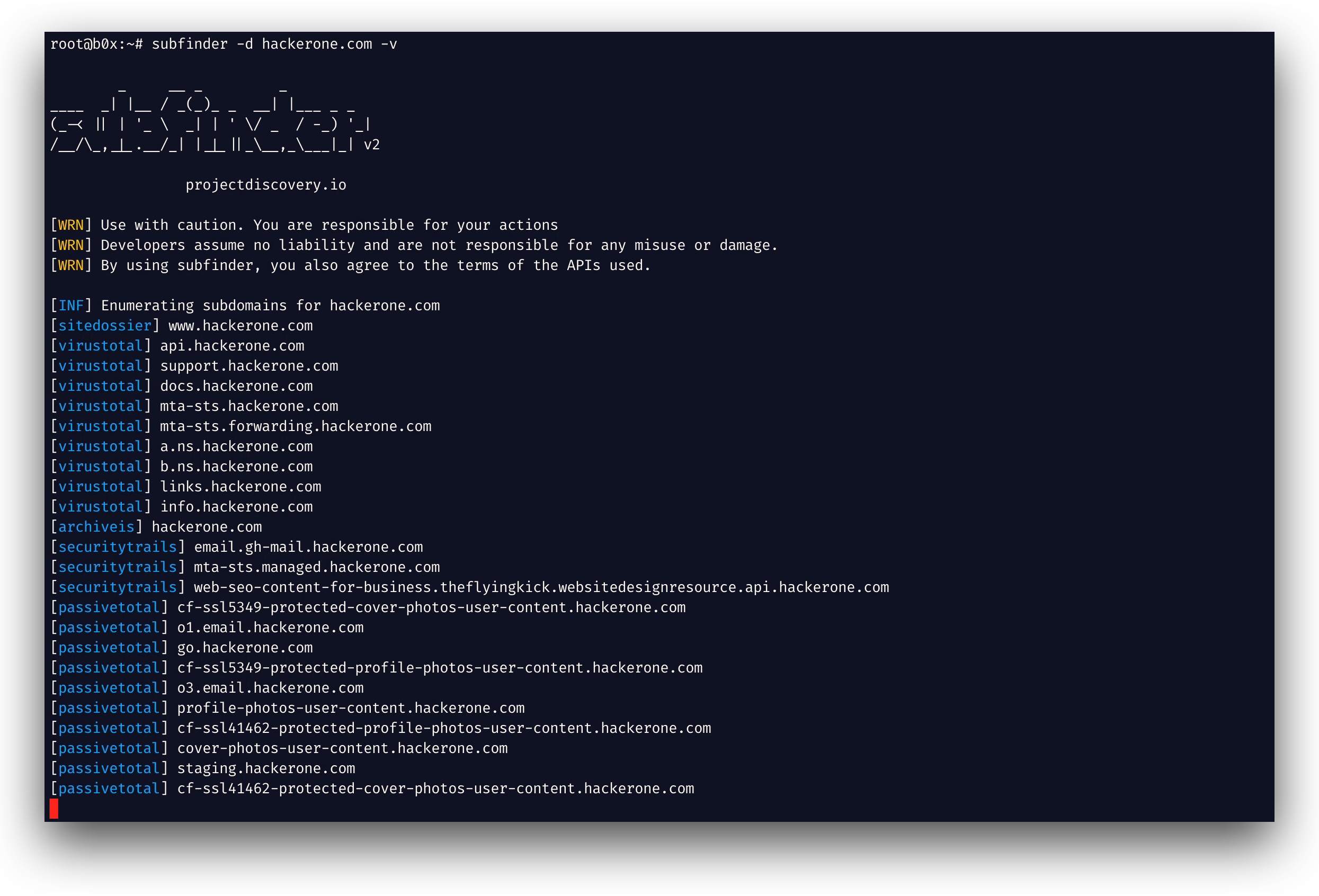
- Moduli veloci e potenti per la risoluzione e l'eliminazione dei wildcard
- Fonti passive selezionate per massimizzare i risultati
- Supporto a più formati di output (JSON, file, stdout)
- Ottimizzato per la velocità e leggero nell'uso delle risorse
- Supporto STDIN/OUT che consente una facile integrazione nei workflow
Utilizzo
subfinder -h
Questo mostrerà la guida per lo strumento. Ecco tutti gli switch supportati.
Usage:
  ./subfinder [flags]

Flags:
INPUT:
  -d, -domain string[]  domains to find subdomains for
  -dL, -list string     file containing list of domains for subdomain discovery

SOURCE:
  -s, -sources string[]           specific sources to use for discovery (-s crtsh,github). Use -ls to display all available sources.
  -recursive                      use only sources that can handle subdomains recursively (e.g. subdomain.domain.tld vs domain.tld)
  -all                            use all sources for enumeration (slow)
  -es, -exclude-sources string[]  sources to exclude from enumeration (-es alienvault,zoomeyeapi)

FILTER:
  -m, -match string[]     subdomain or list of subdomain to match (file or comma separated)
  -f, -filter string[]     subdomain or list of subdomain to filter (file or comma separated)
  -match-regex string[]   regex or list of regex to match on output subdomain (cli, file)
  -filter-regex string[]  regex or list of regex to filter on output subdomain (cli, file)

RATE-LIMIT:
  -rl, -rate-limit int  maximum number of http requests to send per second
  -rls value            maximum number of http requests to send per second for providers in key=value format (-rls "hackertarget=10/s,shodan=15/s")
  -t int                number of concurrent goroutines for resolving (-active only) (default 10)

UPDATE:
  -up, -update                 update subfinder to latest version
  -duc, -disable-update-check  disable automatic subfinder update check

OUTPUT:
  -o, -output string       file to write output to
  -oJ, -json               write output in JSONL format
  -oD, -output-dir string  directory to write output (-dL only)
  -cs, -collect-sources    include all sources in the output (-json only)
  -oI, -ip                 include host IP in output (-active only)

CONFIGURATION:
  -config string                flag config file (default "$CONFIG/subfinder/config.yaml")
  -pc, -provider-config string  provider config file (default "$CONFIG/subfinder/provider-config.yaml")
  -r string[]                   comma separated list of resolvers to use
  -rL, -rlist string            file containing list of resolvers to use
  -nW, -active                  display active subdomains only
  -proxy string                 http proxy to use with subfinder
  -ei, -exclude-ip              exclude IPs from the list of domains
  -mr, -max-results int         limit the number of results per source (0 = unlimited; honored by paginating sources)

DEBUG:
  -silent             show only subdomains in output
  -version            show version of subfinder
  -v                  show verbose output
  -nc, -no-color      disable color in output
  -ls, -list-sources  list all available sources (-oJ for JSON)

OPTIMIZATION:
  -timeout int                  seconds to wait before timing out (default 30)
  -max-time int                 minutes to wait for enumeration results (default 10)
  -rsr, -response-size-read int max response body size to read in bytes from passive sources (0 = unlimited)
Variabili d'ambiente
Subfinder supporta variabili d'ambiente per specificare percorsi personalizzati per i file di configurazione:
SUBFINDER_CONFIG- Percorso del file config.yaml (sostituisce il valore predefinito$CONFIG/subfinder/config.yaml)SUBFINDER_PROVIDER_CONFIG- Percorso del file provider-config.yaml (sostituisce il valore predefinito$CONFIG/subfinder/provider-config.yaml)
Installazione
subfinder richiede go1.26.10 per essere installato correttamente. Esegui il seguente comando per installare la versione più recente:
go install -v github.com/projectdiscovery/subfinder/v2/cmd/subfinder@latest
Scopri altri modi per installare subfinder qui: https://docs.projectdiscovery.io/tools/subfinder/install.
Istruzioni post-installazione
subfinder può essere utilizzato subito dopo l'installazione, tuttavia molte fonti richiedono chiavi API per funzionare. Scopri di più qui: https://docs.projectdiscovery.io/tools/subfinder/install#post-install-configuration.
Esecuzione di Subfinder
Scopri come eseguire Subfinder qui: https://docs.projectdiscovery.io/tools/subfinder/running.
Filtrare i risultati con espressioni regolari
-match-regex e -filter-regex accettano espressioni regolari Go, ripetute o da un file (una per riga), e si combinano con -match e -filter:
subfinder -d example.com -match-regex '^(api|web)[0-9]{1,3}\.' -filter-regex '(^|\.)dev\.'
Libreria Go di Subfinder
Subfinder può essere utilizzato anche come libreria; un esempio minimale dell'uso dell'SDK di subfinder è disponibile qui
Risorse
Licenza
subfinder è realizzato con 🖤 dal team projectdiscovery. I contributi della community hanno reso il progetto ciò che è. Consulta
il file THANKS.md per maggiori dettagli.
Leggi l'informativa sull'utilizzo in DISCLAIMER.md e contattaci per qualsiasi rimozione di API.