
Skip to content
KitploitKITPLOIT
उपकरणएक्सप्लॉइटब्लॉग
Log in
जमा करें
उपकरणएक्सप्लॉइटब्लॉग
जमा करें

हैकिंग, पेनटेस्ट और साइबर सुरक्षा उपकरण आपके सुरक्षा शस्त्रागार के लिए!

Kitploit हैकिंग, साइबर सुरक्षा और पेंटेस्टिंग टूल्स की एक निर्देशिका है। कमजोरियों को खोजने, सिस्टम का विश्लेषण करने, परीक्षण को स्वचालित करने और अपनी सुरक्षा को मजबूत करने के लिए नवीनतम प्रोजेक्ट अपडेट खोजें।

फ़ीडसंपर्कगोपनीयता© 2026 Kitploit

टूल निर्देशिका

श्रेणियाँ

सभी श्रेणियाँ देखें
Loading categories
HostBadger — Read-only Windows host hardening auditor in PowerShell with optional AI analysis | Kitploit
उपकरण/GitHubGitHub/g4bri-3l3/hostbadger
Defensive ToolsPrivilege EscalationVulnerability ScannersVulnerability AnalysisConfiguration AuditingPapers & ResearchMisconfigurationIncident ResponseLog Analysis
GitHubg4bri-3l3/hostbadger

HostBadger

Read-only Windows host hardening auditor in PowerShell with optional AI analysis

रिपॉजिटरी देखें
82393 दिन पहलेअभी तक समीक्षित नहीं

सबसे लोकप्रिय

सभी देखें →

हमारे समुदाय द्वारा सबसे अधिक उपयोग किए जाने वाले उपकरण खोजें।

सभी उपकरण खोजें

हमारे उपकरणों का संग्रह ब्राउज़ करें

सभी उपकरण देखें →
साझा करें
अनुरोधित भाषा में सामग्री उपलब्ध नहीं है। अंग्रेज़ी संस्करण दिखाया जा रहा है।
     _.--""--._
   .'  |    |  '.
  /    |    |    \      HostBadger
 |  (o)|    |(o)  |     Windows host hardening
 |     |    |     |
  \    '.__.'    /
   '._   \/   _.'
      '--..--'

License: MIT OpenSSF Baseline

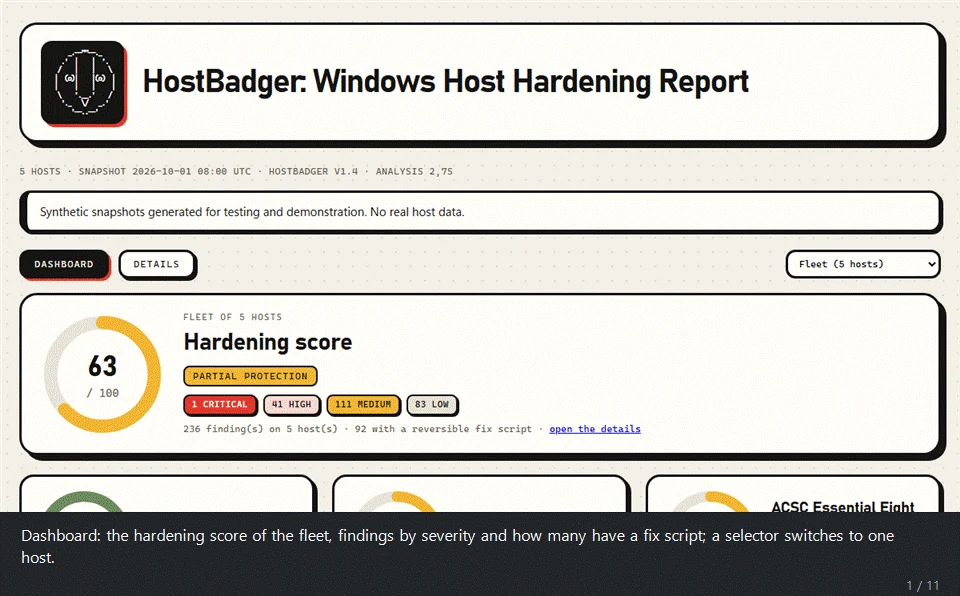
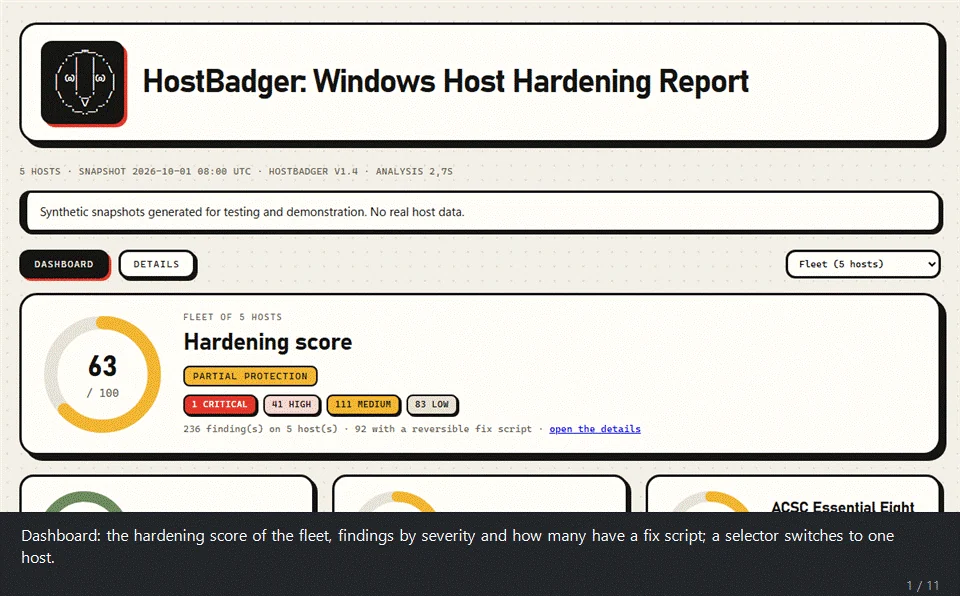
A tour of the demo report

Summary

HostBadger audits the security settings of Windows machines and tells you what is weak. It works in two steps. A single PowerShell script takes a read-only snapshot of a host. The analyzer then reads the snapshots offline and writes an HTML report, a findings CSV and, if you want it, JSON Lines for a SIEM. Hand it one snapshot or a folder with hundreds and you get the whole fleet in one report, or one report per host.

  • 138 checks and about 1,600 settings: 125 hand-written checks plus 1475 DISA STIG registry rules, with the CIS Windows 11 benchmark as the baseline, and the drivers matched against 2,198 known vulnerable or malicious driver files (LOLDrivers).
  • Collect anywhere, analyze anywhere: the collector is one .ps1 file, with no module and no prompt, that runs as SYSTEM or as an administrator through any tool that can run a PowerShell script on your hosts (an EDR's live response such as CrowdStrike Falcon RTR, an RMM, Configuration Manager or Intune scripts, a Group Policy startup script, PowerShell remoting) and takes about 15 seconds per host.
  • Read only: it changes nothing and starts nothing, and it makes no network call unless you ask for one: -CheckUpdates (the Windows Update service searches for missing updates), -KevOnline (downloads the CISA KEV catalog, www.cisa.gov), -DriversOnline (downloads the LOLDrivers catalog, www.loldrivers.io), -EolOnline (downloads software lifecycle data, endoflife.date), -ChocoOnline (downloads program versions, community.chocolatey.org), -CveOnline (downloads CVEs and EPSS scores, services.nvd.nist.gov and epss.empiricalsecurity.com) and -SendToAI (Gemini). Each one is named where it is offered. Test-HostBadgerSafety.ps1 proves the rest from the code.
  • Honest about gaps: what could not be read is listed as not evaluated, never as clean.
  • Nothing to install: Windows PowerShell 5.1 or PowerShell 7.
  • Windows 10, Windows 11 and Windows Server: every host gets the general checks and the STIGs of Defender, Firewall, Edge, Chrome, Firefox and Office (when installed); a Windows 10 host also gets the Windows 10 STIG and a Windows 11 host the Windows 11 STIG. The CIS rule numbers are those of the host's own benchmark: Windows 11, Windows 10, Windows Server 2022, 2019 or 2016 (other versions keep the Windows 11 numbers). A Windows Server 2016, 2019, 2022 or 2025 host gets its own STIG, the domain controller or the member server rules by role (other server versions get no Windows STIG); its user rights are judged against the member server or domain controller list of the CIS Server benchmark.

It reads what a host actually does, which is not always what policy says it should.

Features

Security areas

  • Credential protection: LSASS protection, Credential Guard, memory integrity (HVCI), WDigest, cached logons, LM/NTLM settings, anonymous access.
  • Microsoft Defender and EDR: real-time protection, tamper protection, signatures, exclusions, PUA, Network Protection, behavior monitoring, cloud protection, the 3 standard and 13 more attack surface reduction rules, and which EDR agent each host runs.
  • Disk and boot: BitLocker on system and data volumes, TPM-only protectors, Secure Boot.
  • Network exposure: SMB and LDAP signing, SMBv1, LLMNR, NetBIOS, firewall profiles and logging, risky listeners, legacy SSL/TLS protocols and weak ciphers.
  • Remote access: RDP, NLA and RDP policy, WinRM authentication.
  • Local accounts and UAC: built-in accounts, local administrators, LAPS, password and lockout policy, user rights, UAC settings.
  • Privilege escalation: writable service and task programs, unquoted paths, AlwaysInstallElevated, autoruns, Point and Print (PrintNightmare).
  • Logging and audit: advanced audit policy, command-line auditing, PowerShell script block, module and transcription logging, log sizes.
  • Patching and lifecycle: Windows update age, end of support and, if you ask for it (-CheckUpdates), the updates that Windows Update reports as missing, rated by Microsoft severity.
  • Installed software: the Programs and Features list of every host, shown in the report with pie charts by publisher; with the CISA KEV catalog (-KevFile or -KevOnline) each program that matches a product with vulnerabilities known to be exploited becomes a lead to verify (the catalog has no version ranges, so the match is by vendor and product name only). Releases past their end of support (Flash, Java 6/7, old Office, Exchange and SQL Server, Python, Node.js, .NET, old Visual C++ runtimes) are flagged from a lifecycle table, no download needed. With -EolOnline (or -EolFile) the dates come from endoflife.date (MIT), which adds Oracle Java, Eclipse Temurin, PowerShell 7, VirtualBox and Wireshark, judges each SQL Server instance on its service pack and its latest cumulative update or GDR build (read from the engine file sqlservr.exe), and flags programs behind the latest release of their line (software_outdated: Python 3.12.1 when 3.12.9 has been out for months, a Firefox, Chrome or Notepad++ that stopped updating). A release counts only if it came out before the snapshot and more than -SoftwareGraceDays (30) earlier. With -ChocoOnline (or -ChocoFile) the same check covers 7-Zip, VLC, Git for Windows, GIMP, WinSCP, PuTTY, FileZilla, KeePass, Audacity, Mullvad VPN, OBS Studio and AnyDesk, from the versions and publication dates of their Chocolatey community packages (the same list is asked for whatever the hosts have, so the requests say nothing about them). With -CveOnline (or -CveFile) software_cve lists the known vulnerabilities of the installed version of Python, Node.js, .NET, Notepad++, PowerShell 7, VirtualBox, Wireshark, 7-Zip, VLC, Git, GIMP, WinSCP, PuTTY, FileZilla, KeePass, Audacity, Mullvad VPN and AnyDesk: the CVEs of each product come from the NVD CVE API (asked for by product, never by version) and their version ranges are judged locally; each finding gives the count, the highest CVSS score, the CVEs in CISA KEV and the highest EPSS score (probability of exploitation), and names the release that fixes them all. NVD has a backlog of CVEs without version data, so the newest ones can be missing. About 2.5 minutes without an NVD API key (NVD_API_KEY makes it faster).
  • Vulnerable and malicious drivers: the SHA-256 of every kernel driver file is matched against the LOLDrivers catalog (Apache License 2.0) of drivers used in "bring your own vulnerable driver" attacks. A known malicious driver is Critical, a loaded vulnerable one High. The match is by exact hash, so a fixed version of the same driver does not match. A copy of the catalog ships in data\vulnerable-drivers.json (rebuilt by tools\Convert-LolDrivers.ps1); -DriversOnline downloads a fresh one. The Microsoft vulnerable driver blocklist turned off is a finding too.
  • System hardening: autoplay, automatic logon, screen lock, SmartScreen and the other CIS Windows 11 baseline settings.

Compliance

टूल डाउनलोड करें