 invictus1306/beebug
Un outil pour vérifier l'exploitabilité




beebug est un outil qui peut être utilisé pour vérifier si un plantage de programme peut être exploitable.
Cet outil a été présenté pour la première fois à la r2con 2018 à Barcelone.
Voici quelques fonctionnalités implémentées :
Nous pouvons utiliser beebug pour :
$ wget https://github.com/radare/radare2/archive/3.5.0.tar.gz
$ tar xvzf 3.5.0.tar.gz
$ cd radare2-3.5.0/
$ ./configure --prefix=/usr
$ make -j8

$ sudo make install
$ sudo apt-get install graphviz

$ git clone https://github.com/invictus1306/beebug
$ cd beebug
$ sudo pip3 install -r requirements.txt

$ python3 ./beebug.py -h
usage: beebug.py [-h] -t TARGET [-ta TARGETARGS] [-f FILE] [-g GRAPH] [-i]
                 [-a] [-r REPORT_FILE] [-v]

optional arguments:
  -h, --help            show this help message and exit
  -t TARGET, --target TARGET
                        target program to analyze
  -ta TARGETARGS, --targetargs TARGETARGS
                        arguments for the target program
  -f FILE, --file FILE  input file
  -g GRAPH, --graph GRAPH
                        output graph name
  -i, --instrumentation
                        instrumentation option
  -a, --analyze         analyze crash
  -r REPORT_FILE, --report_file REPORT_FILE
                        DynamoRIO report file to parse
  -v, --version         show program's version number and exit
$ python3 beebug.py -t ./tests/simple_crash -a
Process with PID 5047 started...
File dbg:///home/invictus1306/Documents/warcon_demo/beebug/tests/simple_crash  reopened in read-write mode
= attach 5047 5047
ptrace (PT_ATTACH): Operation not permitted
child stopped with signal 11
[+] SIGNAL 11 errno=0 addr=0x00000000 code=1 ret=0
ptrace (PT_ATTACH): Operation not permitted
ptrace (PT_ATTACH): Operation not permitted
Invalid write crash - Generally it is exploitable, the write value/address could be tainted - Invalid write of size 2
backtrace
0  0x400552           sp: 0x0                 0    [sym.vuln]
1  0x400574           sp: 0x7fff635890c8      24   [main]  main+25
2  0x7f34d4372830     sp: 0x7fff635890e8      32   [??]  sym.libc_start_main+240
3  0x7f34d472c7cb     sp: 0x7fff63589178      144  [??]  sym.dl_rtld_di_serinfo+29051
4  0x400459           sp: 0x7fff635891a8      48   [??]  entry0+41

registers
rax = 0x00000000
rbx = 0x00000000
rcx = 0x7f34d4716b20
rdx = 0x01d85010
r8 = 0x01d85000
r9 = 0x0000000d
r10 = 0x7f34d4716b78
r11 = 0x00000000
r12 = 0x00400430
r13 = 0x7fff635891c0
r14 = 0x00000000
r15 = 0x00000000
rsi = 0x01d85020
rdi = 0x7f34d4716b20
rsp = 0x7fff635890b0
rbp = 0x7fff635890c0
rip = 0x00400552
rflags = 0x00010202
orax = 0xffffffffffffffff
Nécessaire uniquement si vous voulez utiliser l'instrumentation
Fichier config
[dynamorio]
drrun               = /your_path/DynamoRIO-Linux-7.0.0-RC1/bin64/drrun
client              = /your_path/functrace/build/libfunctrace.so
[instrumentation]
disassembly         = False
disas_func          = main
wrap_function       =
wrap_function_args  = 0
cbr                 = True
verbose             = False
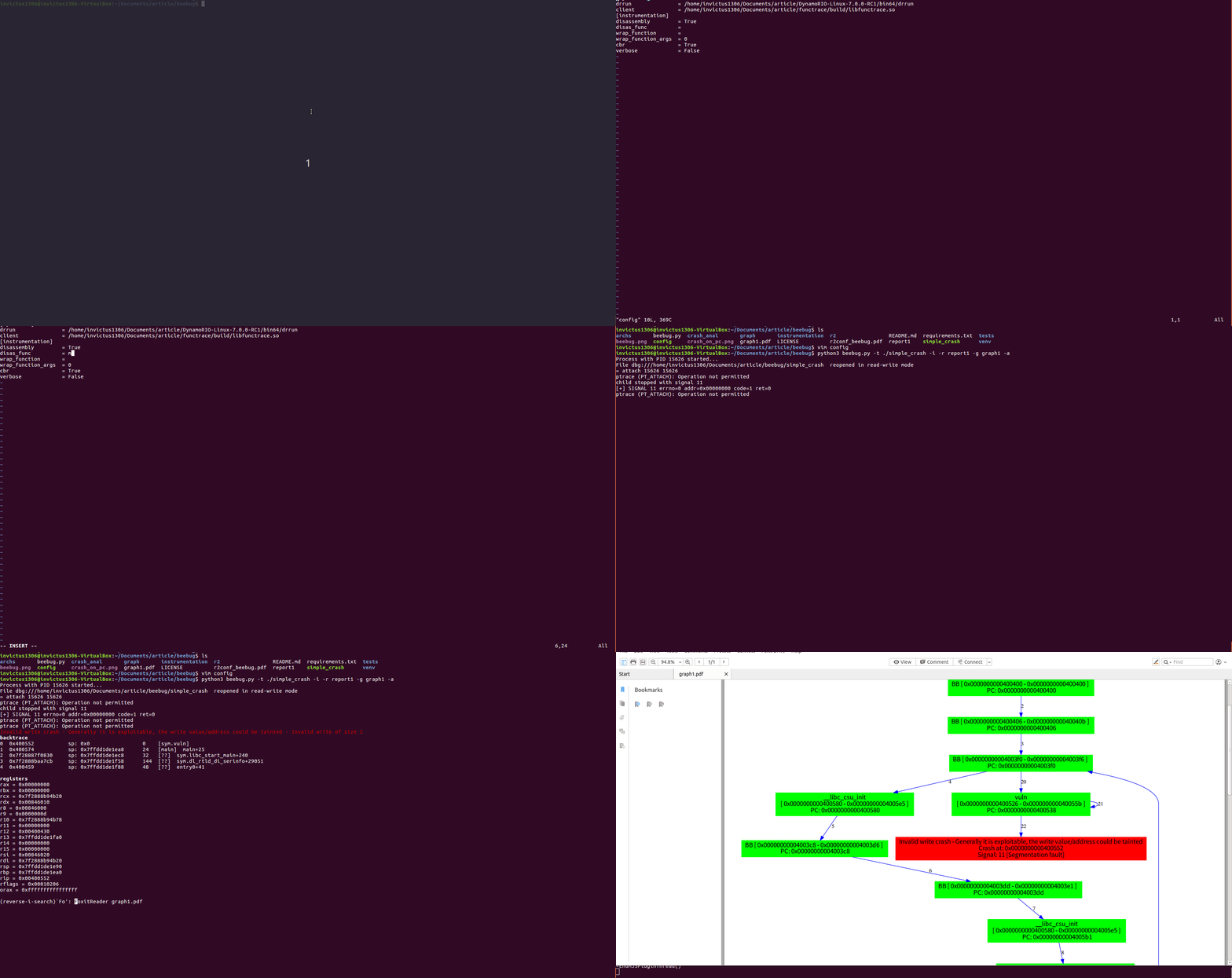
$ python3 beebug.py -t ./tests/simple_crash -i -r report1 -g graph1
$ xpdf grap1
python3 beebug.py -t ./tests/simple_crash -i -r report1 -g graph1 -a
Process with PID 5081 started...
File dbg:///home/invictus1306/Documents/warcon_demo/beebug/tests/simple_crash  reopened in read-write mode
= attach 5081 5081
ptrace (PT_ATTACH): Operation not permitted
child stopped with signal 11
[+] SIGNAL 11 errno=0 addr=0x00000000 code=1 ret=0
ptrace (PT_ATTACH): Operation not permitted
ptrace (PT_ATTACH): Operation not permitted
Invalid write crash - Generally it is exploitable, the write value/address could be tainted - Invalid write of size 4
backtrace
0  0x400552           sp: 0x0                 0    [sym.vuln]
1  0x400574           sp: 0x7fff5ec31f88      24   [main]  main+25
2  0x7fb834795830     sp: 0x7fff5ec31fa8      32   [??]  sym.libc_start_main+240
3  0x7fb834b4f7cb     sp: 0x7fff5ec32038      144  [??]  sym.dl_rtld_di_serinfo+29051
4  0x400459           sp: 0x7fff5ec32068      48   [??]  entry0+41

registers
rax = 0x00000000
rbx = 0x00000000
rcx = 0x7fb834b39b20
rdx = 0x00d15010
r8 = 0x00d15000
r9 = 0x0000000d
r10 = 0x7fb834b39b78
r11 = 0x00000000
r12 = 0x00400430
r13 = 0x7fff5ec32080
r14 = 0x00000000
r15 = 0x00000000
rsi = 0x00d15020
rdi = 0x7fb834b39b20
rsp = 0x7fff5ec31f70
rbp = 0x7fff5ec31f80
rip = 0x00400552
rflags = 0x00010202
orax = 0xffffffffffffffff







