Skip to content
KitploitKITPLOIT
OutilsExploitsBlog
Log in
Soumettre
OutilsExploitsBlog
Soumettre

Outils de Hacking, PenTest et Cybersécurité pour votre Arsenal de Sécurité !

Kitploit est un répertoire d'outils de hacking, de cybersécurité et de pentesting. Découvrez les dernières mises à jour des projets pour trouver des vulnérabilités, analyser des systèmes, automatiser les tests et renforcer votre sécurité.

FluxContactConfidentialité© 2026 Kitploit

Répertoire d'outils

Catégories

Voir toutes les catégories
Loading categories
ARTEX — LLM multi-agent autonomous penetration testing platform with planner/worker agents, asset and exploration graphs, MITM traffic recording, and vulnerability retesting. | Kitploit
Outils/GitHubGitHub/baarai/artex
Penetration Testing FrameworksReconnaissanceVulnerability ScannersNetwork MappingVulnerability AnalysisWeb Proxies & InterceptionScripting & AutomationWeb Application ExploitationInformation GatheringPenetration TestingRed TeamingAI Security
13.9k5.4k543il y a 15h 28mVérifié par Kitploit
GitHubbaarai/artex

ARTEX

LLM multi-agent autonomous penetration testing platform with planner/worker agents, asset and exploration graphs, MITM traffic recording, and vulnerability retesting.

Voir le dépôt

Populaires

Voir tout →

Découvrez les outils les plus utilisés par notre communauté.

  • 1

    OsintHunter

    letox4/osinthunter

    🎯 La boîte à outils OSINT ultime : graphe d'enquête, notation de confiance, familles d'alias, carte, chronologie et rapports. 49 modules, plus de 400 sites, aucune clé API requise.

    1.1k
  • 2

    ghostlock-app

    yukonga/ghostlock-app

    # Application d'exécution en un clic GhostLock (CVE-2026-43499)

    618
  • 3

    looking-glass

    anonghosty/looking-glass

    Plateforme CSIRT qui ingère les rapports Shadowserver dans MongoDB et les rejoue sous forme de cartes interactives, d'analyses, de constats, d'avis et de tableaux de bord exécutifs.

    407
  • 4

    ARTEX

    baarai/artex

    Plateforme autonome de tests d'intrusion multi-agents basée sur des LLM, avec agents planificateur/ouvrier, graphes d'actifs et d'exploration, enregistrement du trafic MITM et retest des vulnérabilités.

    324
  • 5

    jumpserver

    jumpserver/jumpserver

    JumpServer est une plateforme open-source de Gestion des Accès Privilégiés (PAM) qui offre aux équipes DevOps et IT un accès sécurisé et à la demande aux terminaux SSH, RDP, Kubernetes, bases de données et RemoteApp via un navigateur web.

    279
  • 6

    Aliens_eye

    arxhr007/aliens_eye

    Moteur OSINT alimenté par l'IA pour découvrir et cartographier plus de 7 700 identités sur les réseaux sociaux à travers le web

    270

Explorer tous les outils

Parcourez notre collection d'outils

Voir tous les outils →
Partager
Contenu non disponible dans la langue demandée. Affichage de la version anglaise.
ARTEX logo

ARTEX

Autonomous penetration testing that keeps its receipts.

(upstream: Autumn-27/ARTEX, AGPL-3.0)

Self-hosted multi-agent offensive security. A planner explores, workers run real tools, and every finding stays bound to the assets and HTTP traffic that prove it.


Release License CI Go

Quick start · Screenshots · How it works · Install · Configuration · Security


ARTEX is a self-hosted, LLM-driven penetration testing platform. It is not a chat wrapper around a scanner: a planner splits a goal into intents, workers execute them with real tools, and the results are written back into two linked graphs: one for what you know about the target, one for how the test is progressing. Every finding can carry the captured request and response that justify it, and every autonomous action passes through scope rules, approval gates and budgets.

  • It explores, it doesn't chat. Goal decomposition, intent dispatch, worker execution and write-back form a closed loop that keeps advancing until the goal is proven.
  • Two graphs, one audit trail. The shared asset graph says what exists; the per-task exploration graph says what was tried, what it produced, and why. Anchors link the two.
  • Findings with evidence. A recording MITM proxy and a browser extension capture real traffic; findings, evidence quotes and retests are tied to the exact request/response.
  • Autonomy with brakes. Human-in-the-loop approvals, argv-prefix rules, scope/deny gates, token and turn budgets, a target noise governor, and prompt-injection framing on tool output.
  • Self-hosted and model-agnostic. One Go binary with the Next.js UI embedded, PostgreSQL, your own Anthropic/OpenAI-compatible endpoint, or a local Ollama.

Quick start

git clone https://github.com/BaaRai/ARTEX.git
cd ARTEX
cp .env.example .env            # set POSTGRES_PASSWORD (and optionally an LLM key)
docker compose up -d --build    # builds from this checkout, starts PostgreSQL

Open http://localhost:8787. On the first visit /setup asks for the one-time setup token printed at startup:

docker compose logs artex | grep "Setup token"

There is no prebuilt Docker image to pull: the image is always built from your checkout. For all installation paths (script, binaries, source, release archives), see Installation.


Multi-provider workers

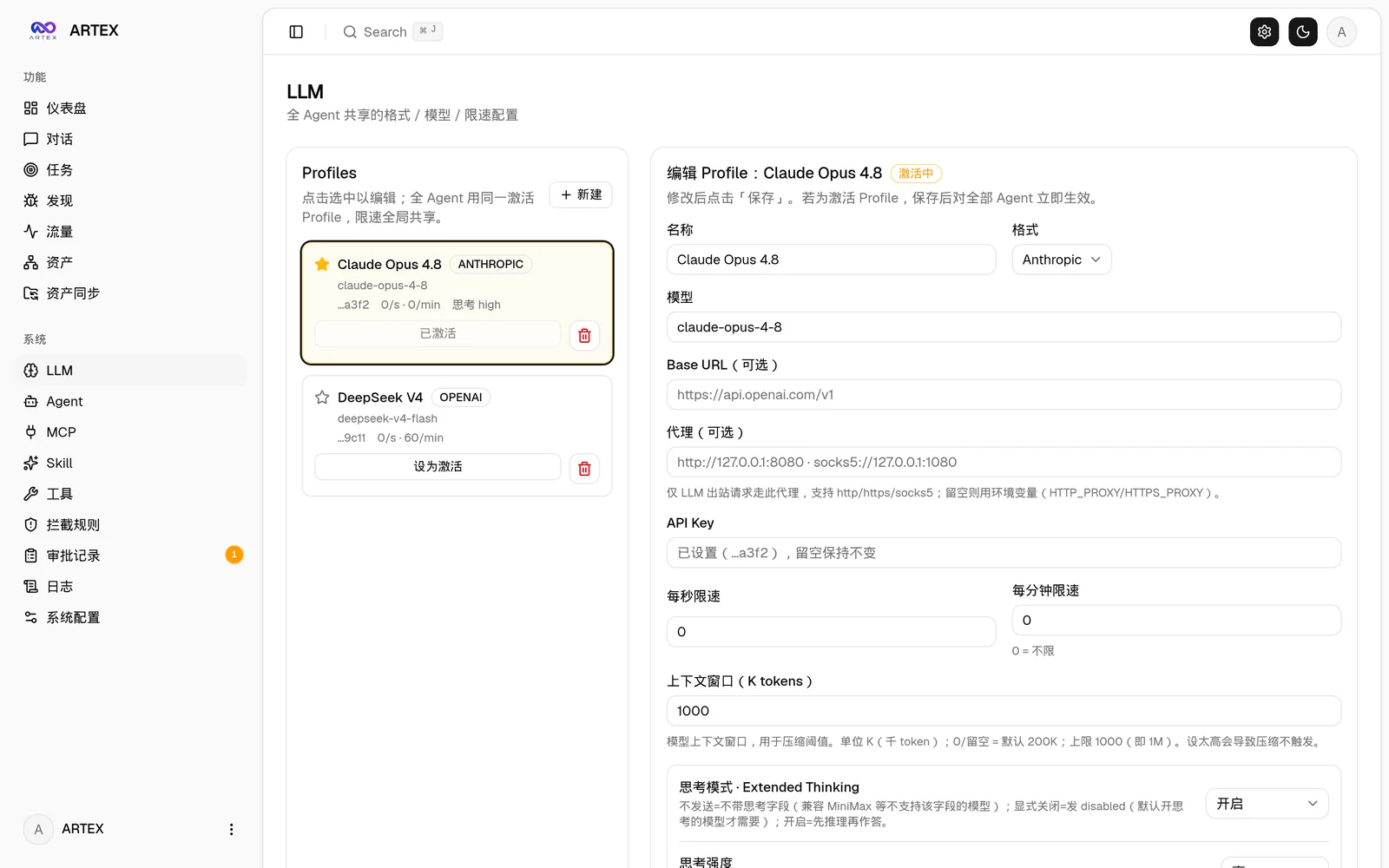
In System → LLM, configure the profiles you want to use. In System → Settings, set the concurrent worker count to at least 2 before starting a task (the count applies to subsequently started tasks). In System → Agents → Worker, leave the model set to follow the task; a fixed Worker model takes precedence over rotation.

When creating a task, select both profiles in LLM config chain, arrange their order, and enable Enable multi-LLM worker rotation. For an existing task, open its LLM config control, change the switch or profile order, and save.

Rotation assigns successive worker intents A, B, A, B, regardless of completion order. Separate intents can run concurrently on different providers; each intent keeps its selected provider unless it fails over. Planner and other unbound roles continue using the task's current profile. Turning rotation off restores ordered task-level failover. An excluded provider is skipped, so an intent pinned to an exhausted profile falls back to the task's current profile instead of retrying it; rotation keeps cycling the whole list and does not rebalance around a dead provider. Saving the chain resets their failure state. Changes do not interrupt in-flight calls. The rotation cursor starts again after a server restart and saving the chain does not reset it; the profile order and switch remain persisted.

The task creation and PUT /api/tasks/{id}/llm APIs accept llm_rotate: true alongside the ordered llm_profile_ids. Omitting llm_rotate on an update preserves its value.

Screenshots

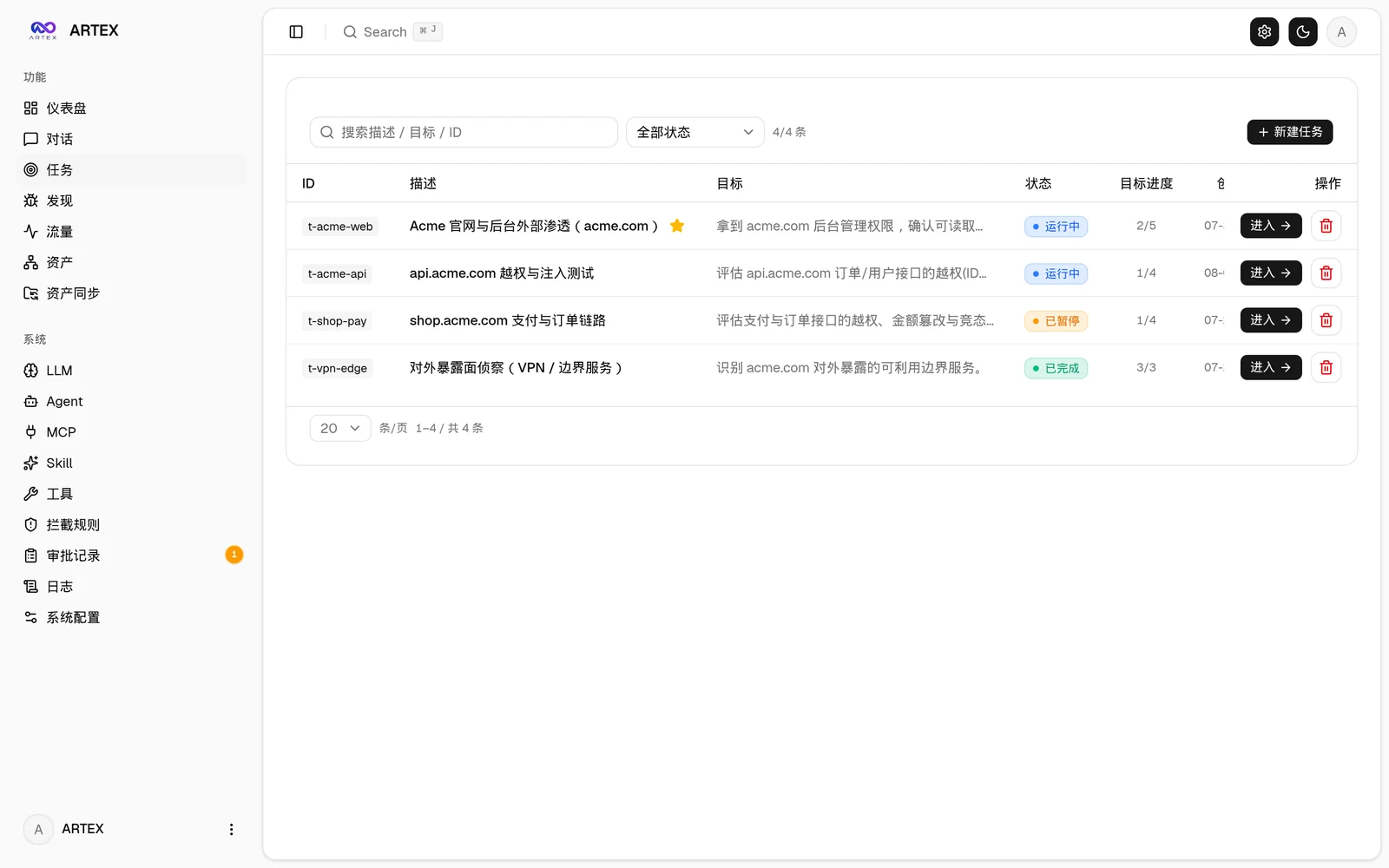
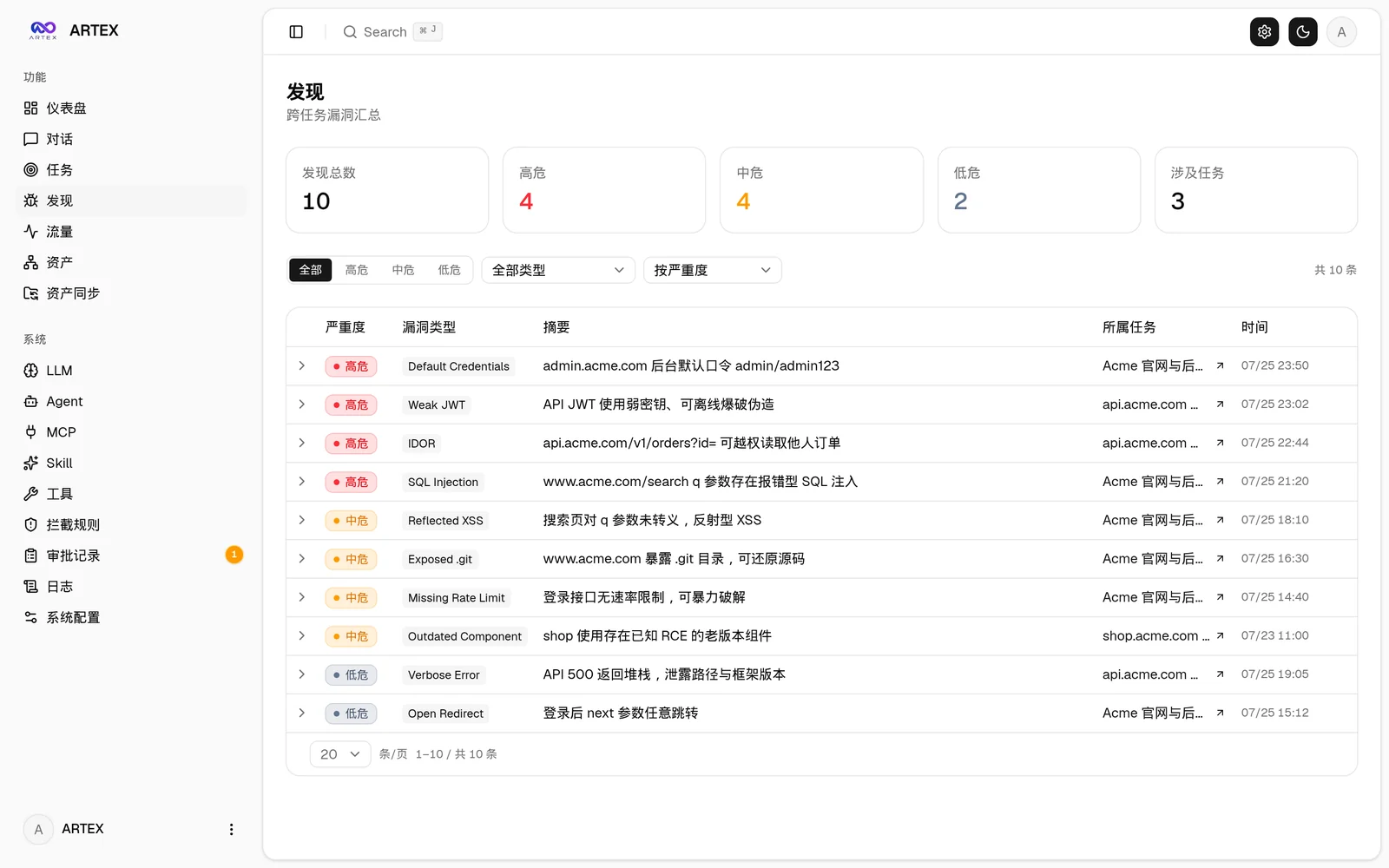
TasksFindings
TasksFindings
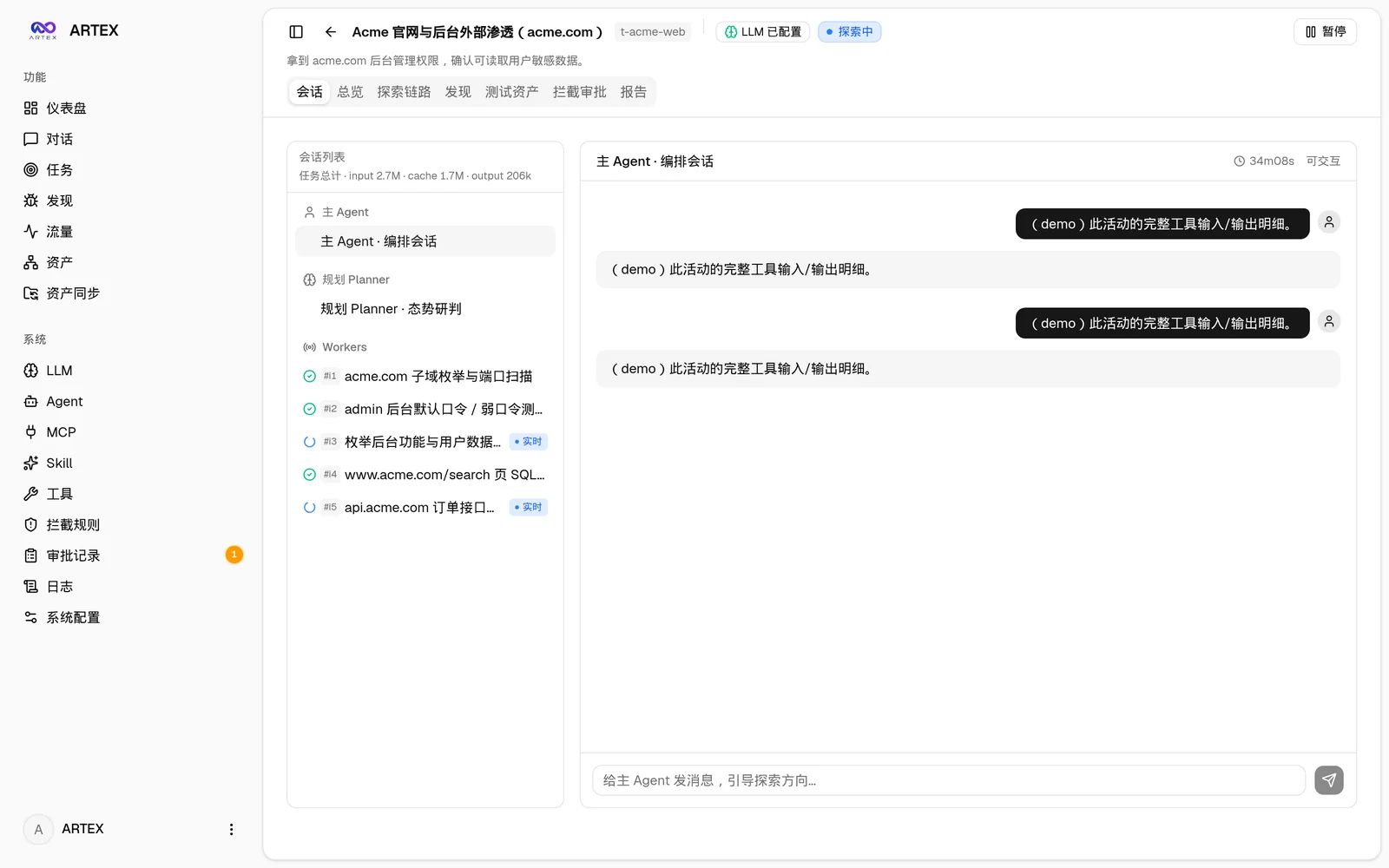
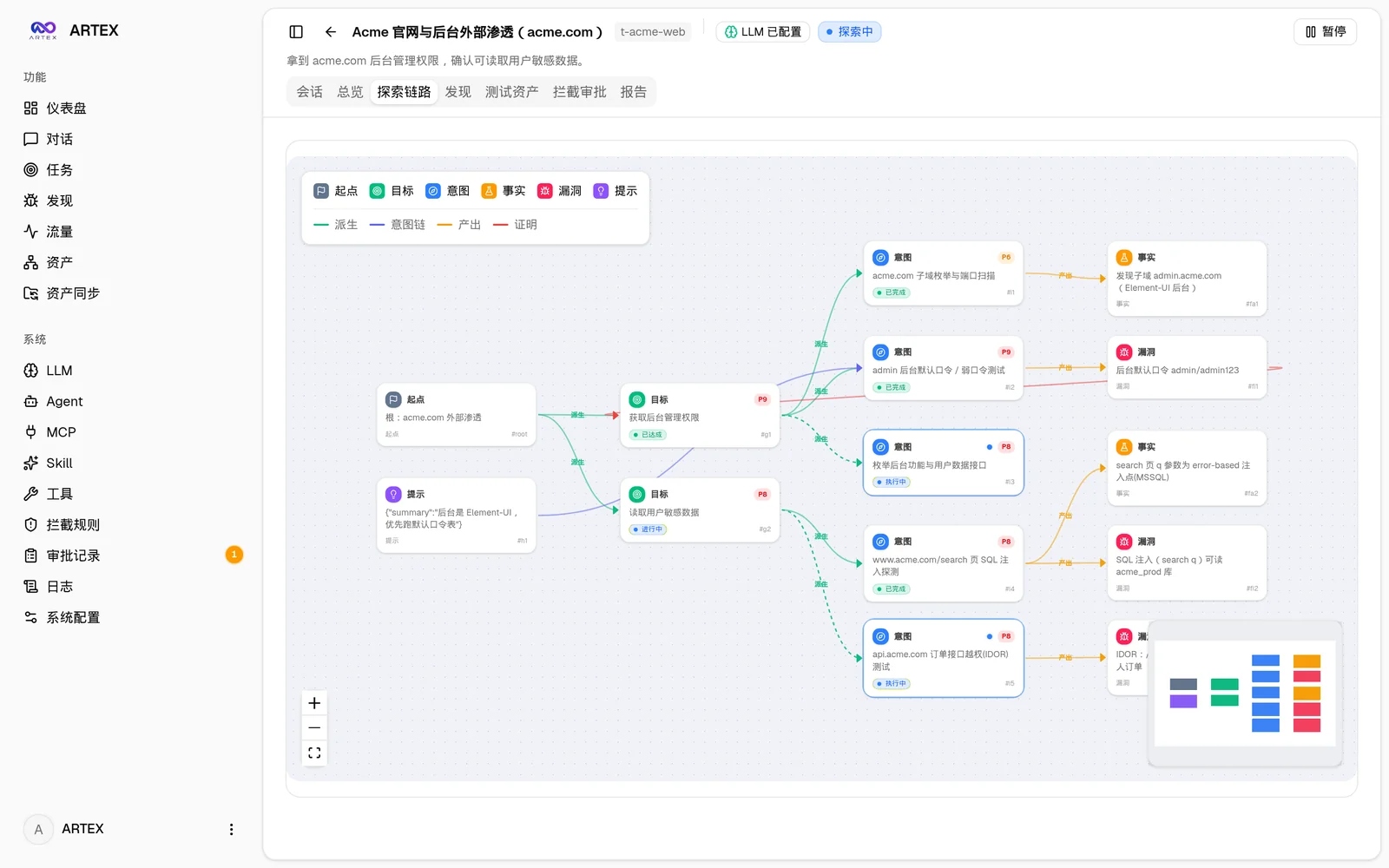
Task execution: sessions and tool callsExploration graph
ExecutionExploration graph
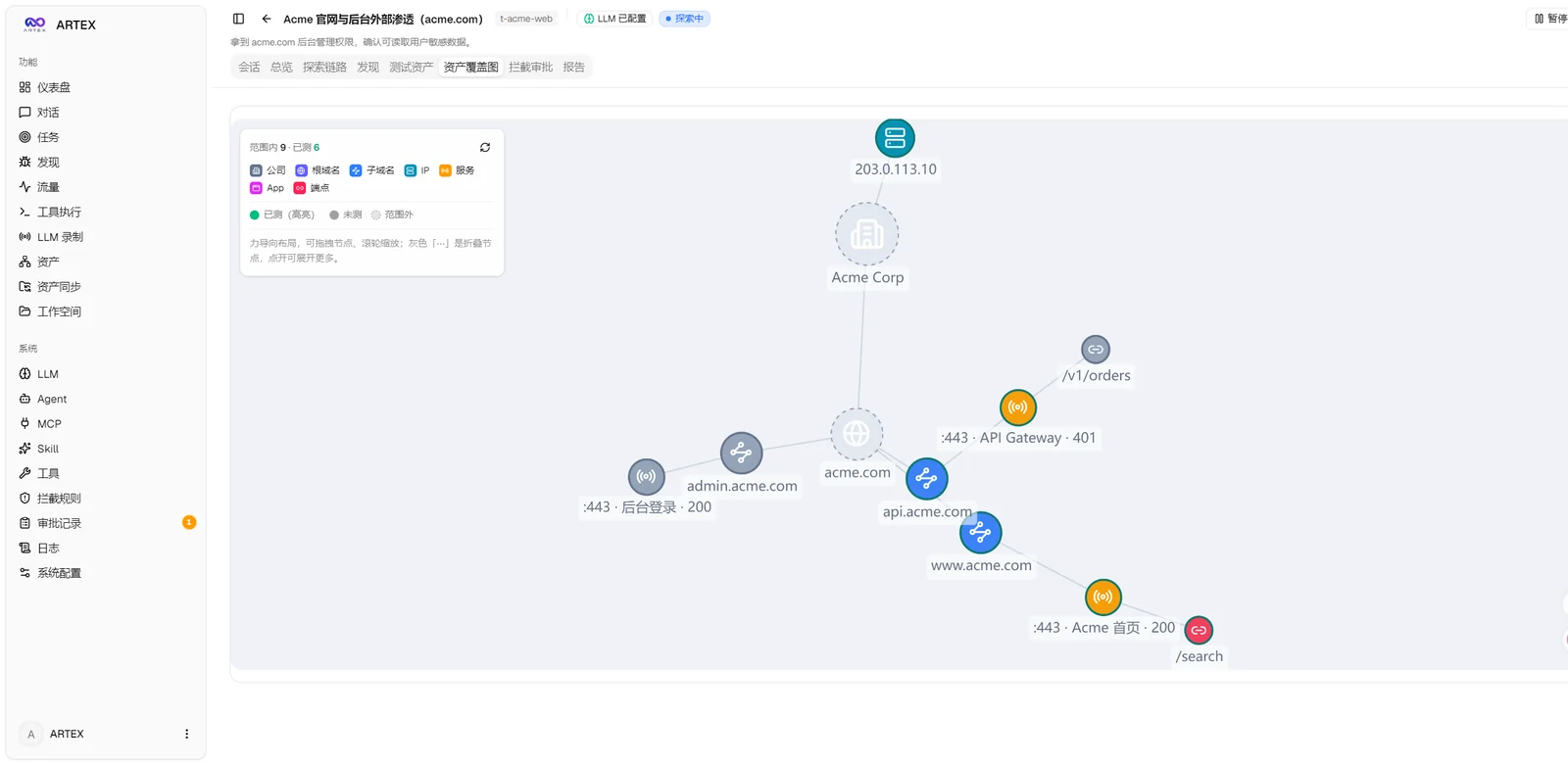
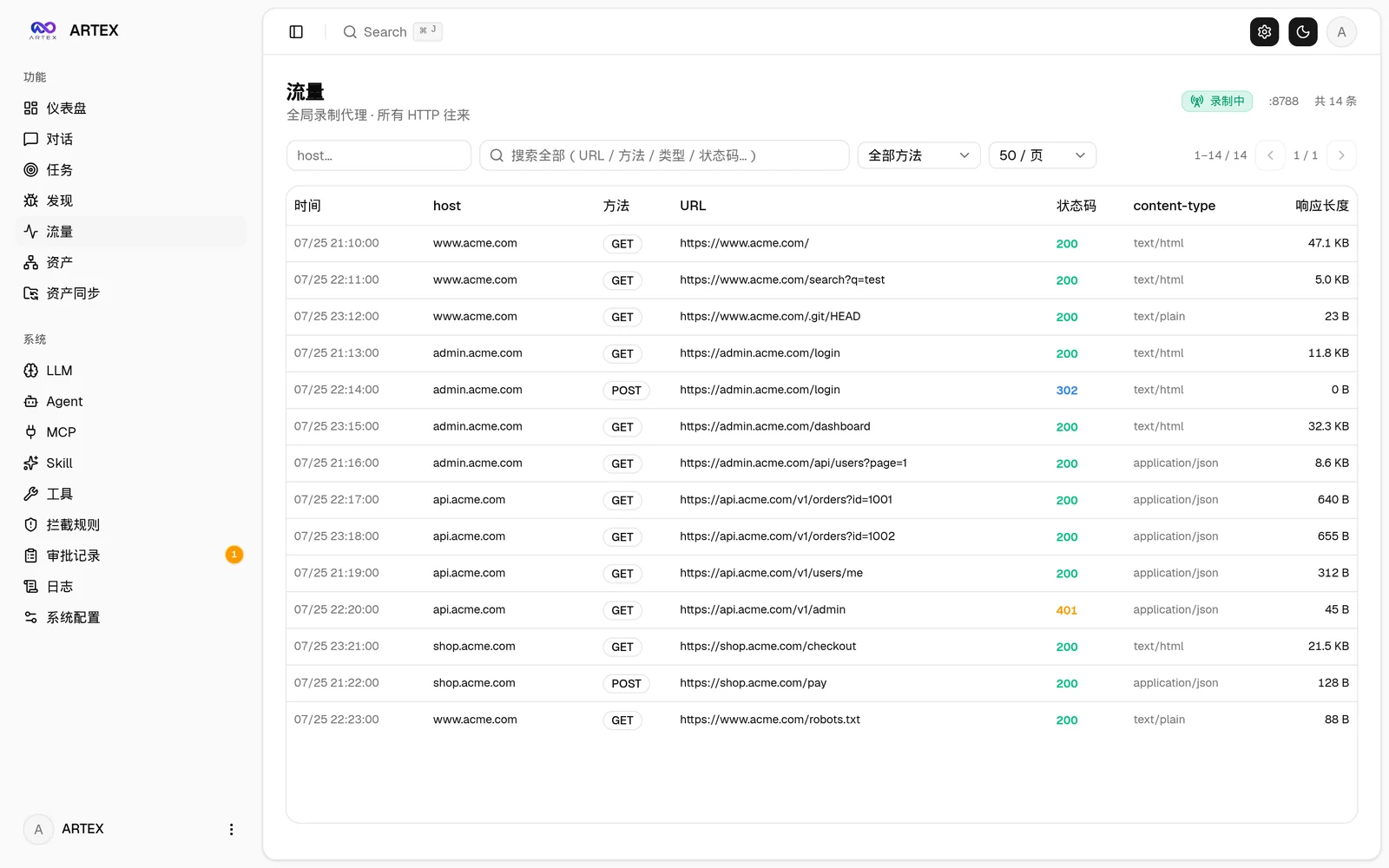
Asset coverage graphTraffic recording
Asset coverage graphTraffic
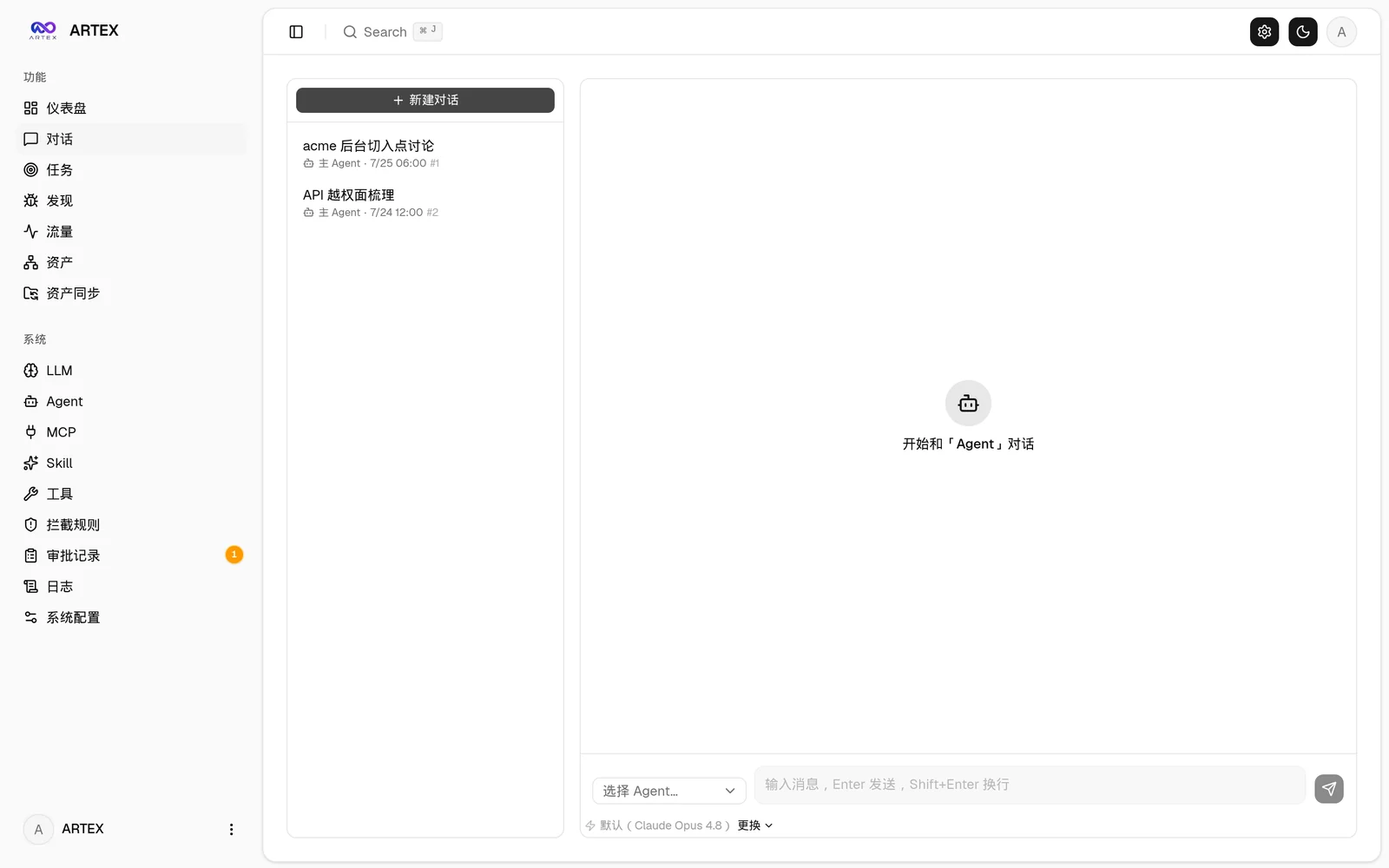
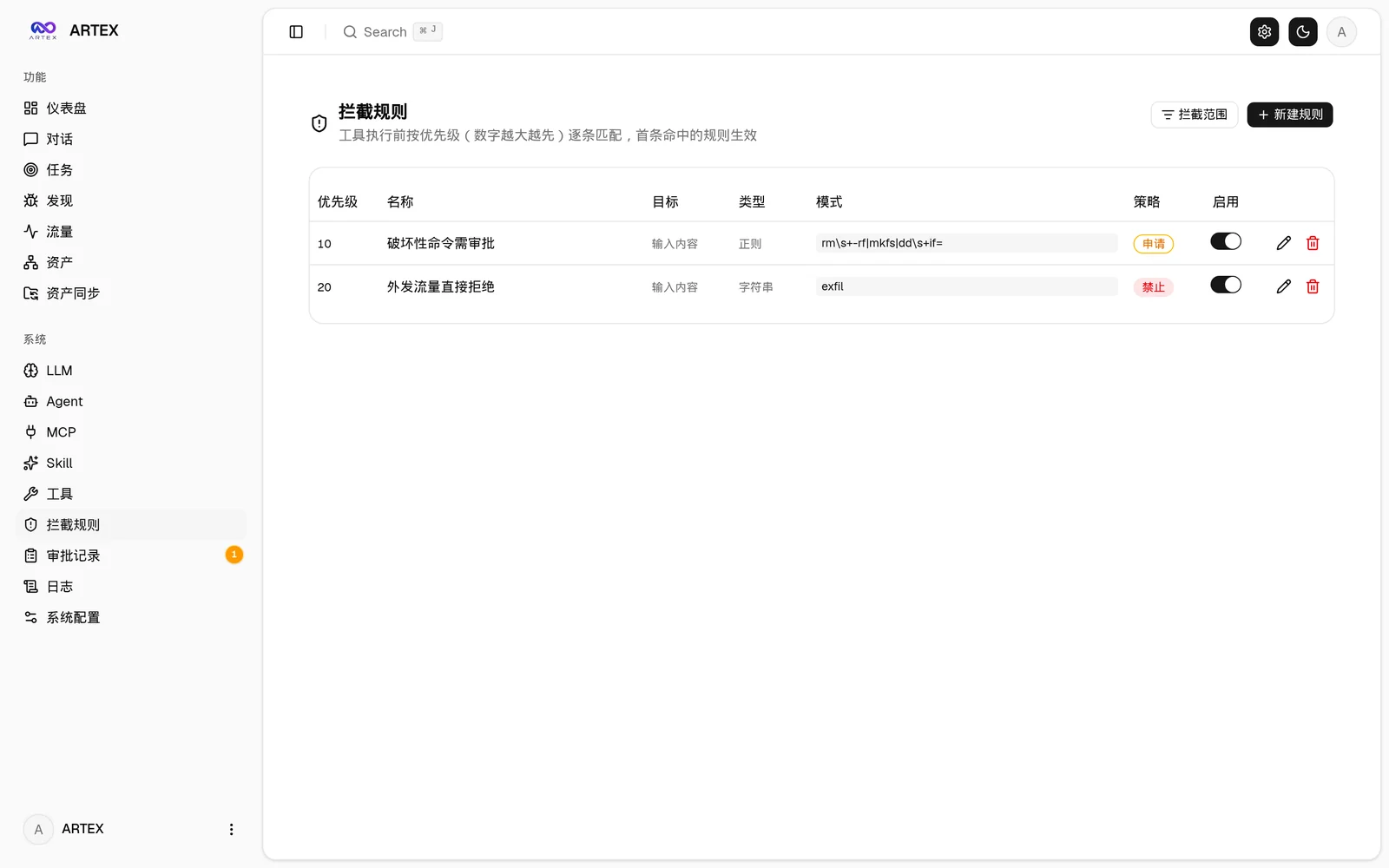
Human-in-the-loop chatInterception approvals
ChatInterception
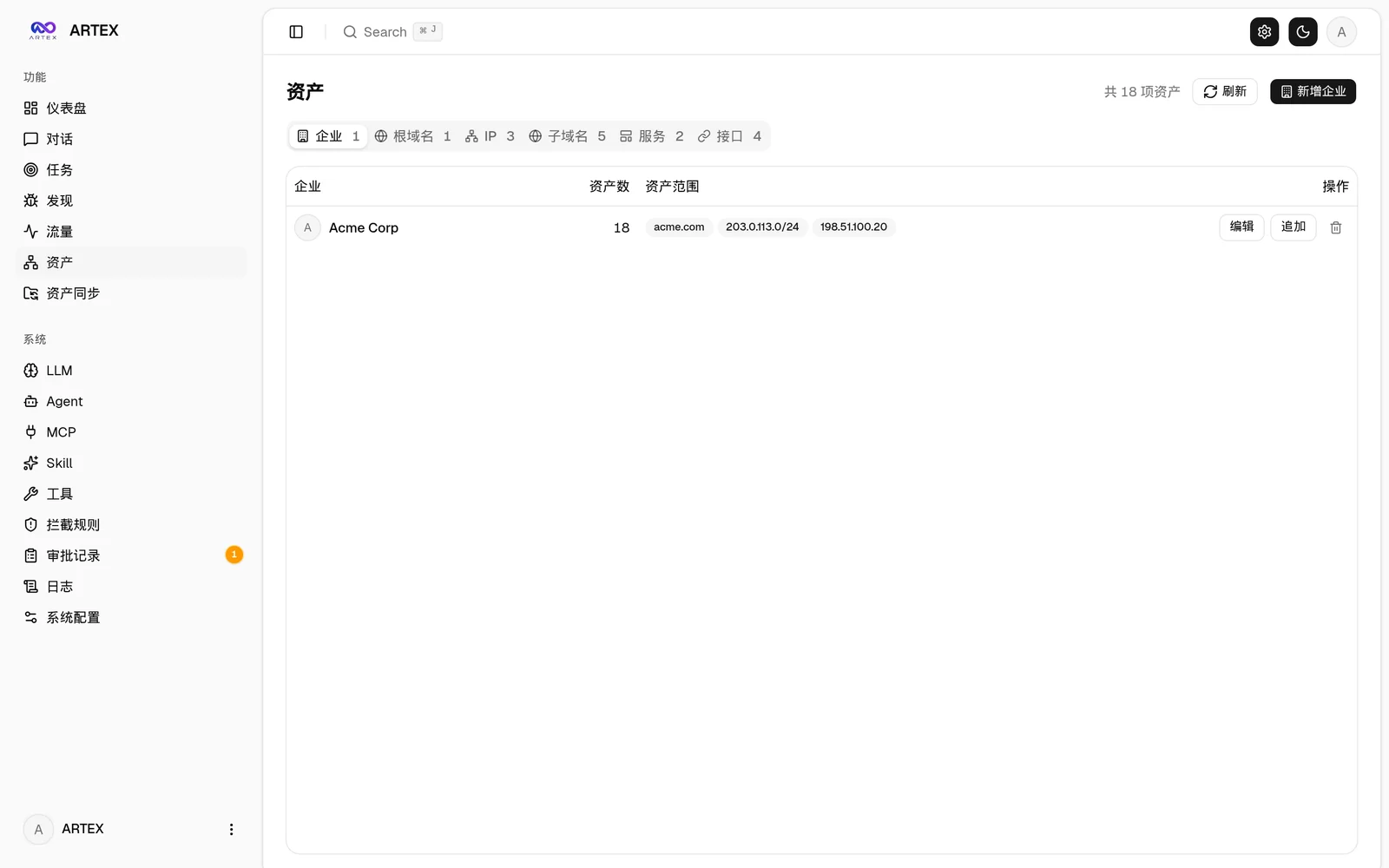
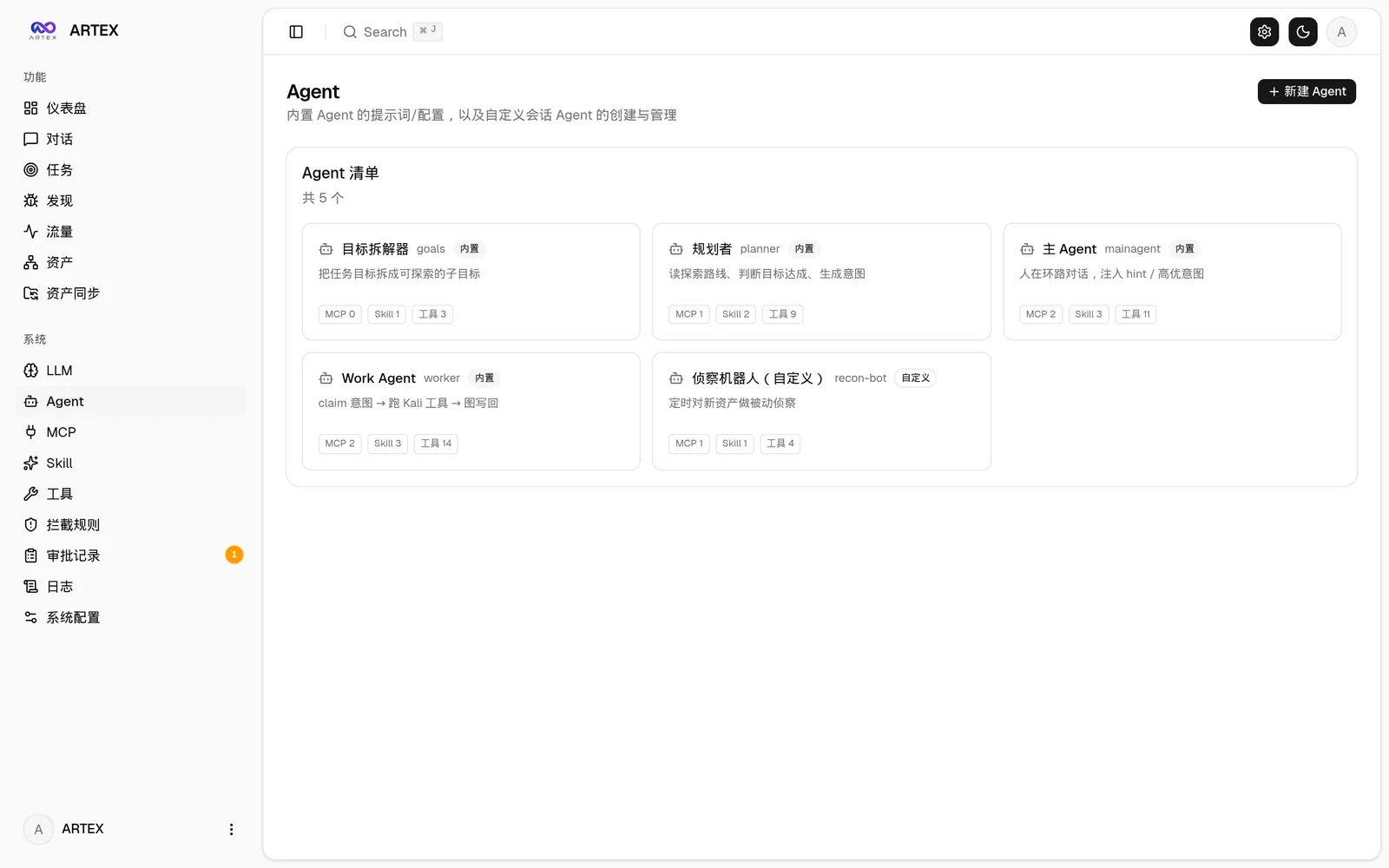
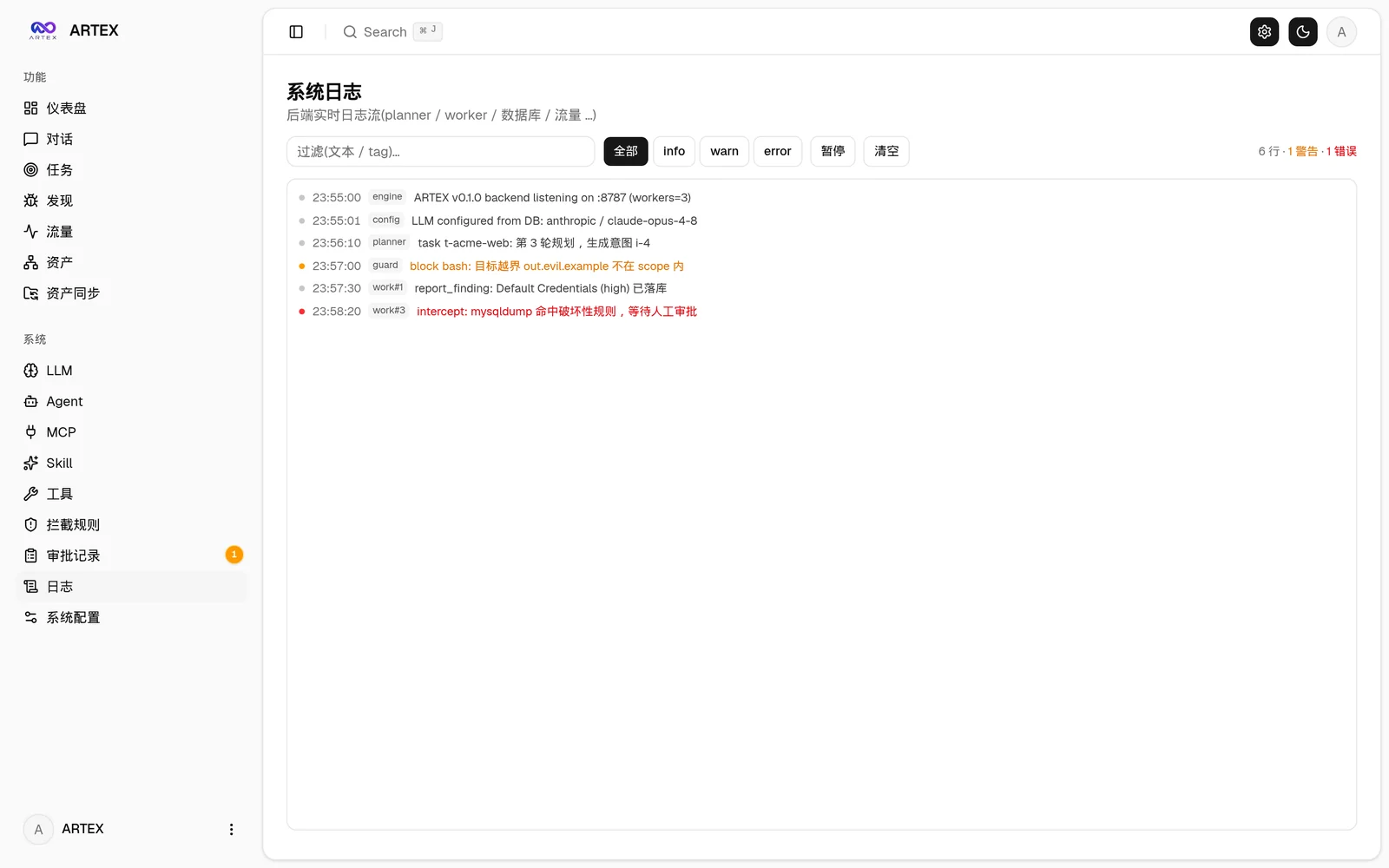
More screenshots (assets, agents, LLM, logs)
AssetsAgent management
AssetsAgent
LLM configurationBackend logs
LLMLogs

How it works

Dual-graph architecture: exploration graph + asset graph

Télécharger l’outil