 taurusomar/psobf
Ofuscador de PowerShell

Su objetivo es transformar el código para dificultar el análisis y las firmas estáticas, útil en laboratorios y compromisos autorizados de Red Team/Pentesting.
Soporta 6 niveles de ofuscación más una arquitectura de transformaciones/pipeline que permite apilar técnicas como tokenización de cadenas, cifrado ligero de literales, enmascaramiento de números, morfología de identificadores, "jitter" de formato, cosmética de flujo de control, inyección de código muerto, perfiles de fragmentación y perfiles deterministas.
⚠️ Uso responsable: esta herramienta está destinada solo para investigación y pruebas autorizadas. No la utilice con fines maliciosos.```powershell
./psobf -h
██████╗ ███████╗ ██████╗ ██████╗ ███████╗
██╔══██╗██╔════╝██╔═══██╗██╔══██╗██╔════╝
██████╔╝███████╗██║   ██║██████╔╝█████╗
██╔═══╝ ╚════██║██║   ██║██╔══██╗██╔══╝
██║     ███████║╚██████╔╝██████╔╝██║
╚═╝     ╚══════╝ ╚═════╝ ╚═════╝ ╚═╝
Omar Salazar
v.2.0.0
Usage: psobf -i -o -level <1|2|3|4|5|6> [options]
Obfuscation Levels: 1 - Char join encoding 2 - Base64 encoding 3 - Base64 encoding (alternate) 4 - GZip + Base64 compression 5 - Script fragmentation 6 - AES-256 CTR encryption (NEW in 2.0.0)
Transform Pipeline Options (use with -pipeline): iden - Identifier morphing (use with -iden obf) strenc - String encryption (use with -strenc xor|rc4) stringdict - String tokenization (use with -stringdict N) numenc - Number encoding fmt - Format jitter (use with -fmt jitter) cf - Control flow obfuscation (use with -cf-opaque, -cf-shuffle) dead - Dead code injection (use with -deadcode N) hexenc - Hex string encoding (NEW) alias - Cmdlet alias substitution (NEW) unicode - Unicode character encoding (NEW) antidebug - Anti-debugging/VM detection (NEW) iexobf - Invoke-Expression obfuscation (NEW)
Examples:
psobf -i script.ps1 -o out.ps1 -level 2
psobf -i script.ps1 -o out.ps1 -level 6 -profile heavy
psobf -i script.ps1 -o out.ps1 -level 4 -pipeline "iden,alias,hexenc,antidebug,iexobf" -iden obf
psobf -i script.ps1 -o out.ps1 -level 4 -pipeline "strenc" -strenc rc4 -strkey 0011223344556677
## Características

<h1 align="center">
  <img src="https://assets.kitploit.com/production/public/readmes/6598/11956ab9f65e8dc1b0460652042c601f70d28bb67e9fd6f0a89813ed5369997f.gif" alt="psobf" width="700px"></a>
  <br>
</h1>

<h1 align="center">
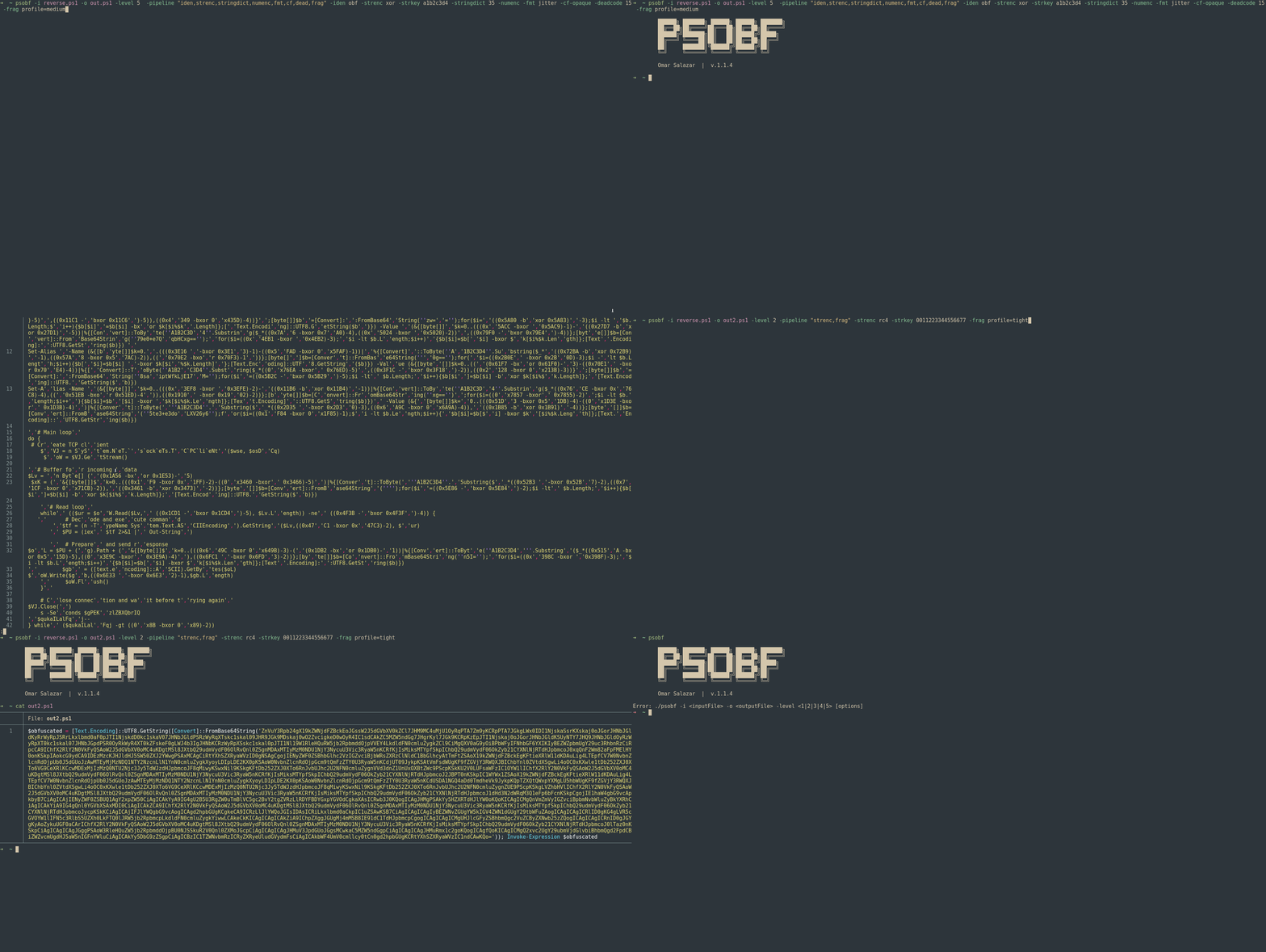
  <img src="https://raw.githubusercontent.com/taurusomar/psobf/HEAD/static/poc2.gif" alt="psobf" width="700px"></a>
  <br>
</h1>

---

## Instalación```bash
go install github.com/TaurusOmar/psobf/v2/cmd/[email protected]
psobf -i input.ps1 -o out.ps1 -level 1..6 [options] psobf -h # full help
## Características

<h1 align="center">
  <img src="https://assets.kitploit.com/production/public/readmes/6598/11956ab9f65e8dc1b0460652042c601f70d28bb67e9fd6f0a89813ed5369997f.gif" alt="psobf" width="700px"></a>
  <br>
</h1>

<h1 align="center">
  <img src="https://raw.githubusercontent.com/taurusomar/psobf/HEAD/static/poc2.gif" alt="psobf" width="700px"></a>
  <br>
</h1>

---

## Instalación```bash
go install github.com/TaurusOmar/psobf/cmd/[email protected]
psobf -i input.ps1 -o out.ps1 -level 1..6 [options] psobf -h # full help
---

## Referencia completa de flags
