 jeanextreme002/pymemoryeditor
Una biblioteca Python pura que te permite inspeccionar, modificar y buscar la memoria de cualquier proceso en ejecución en unas pocas líneas de Python 🐍 .

Una biblioteca de Python puro (construida sobre ctypes) que te permite inspeccionar, modificar y buscar en la memoria de cualquier proceso en ejecución con unas pocas líneas de Python — ¡flujos de trabajo de Cheat Engine en Windows, Linux y macOS!

Lee, escribe y escanea la memoria de cualquier proceso — directamente desde Python.
Una API unificada. Tres sistemas operativos. Sin compilador de C. Sin paso de compilación nativa.




Funciona en Windows · Linux · macOS — 32 y 64 bits.
Modifica un valor en un juego en ejecución · inspecciona el estado de un programa en vivo · extrae datos directamente de la RAM.
pip install PyMemoryEditor
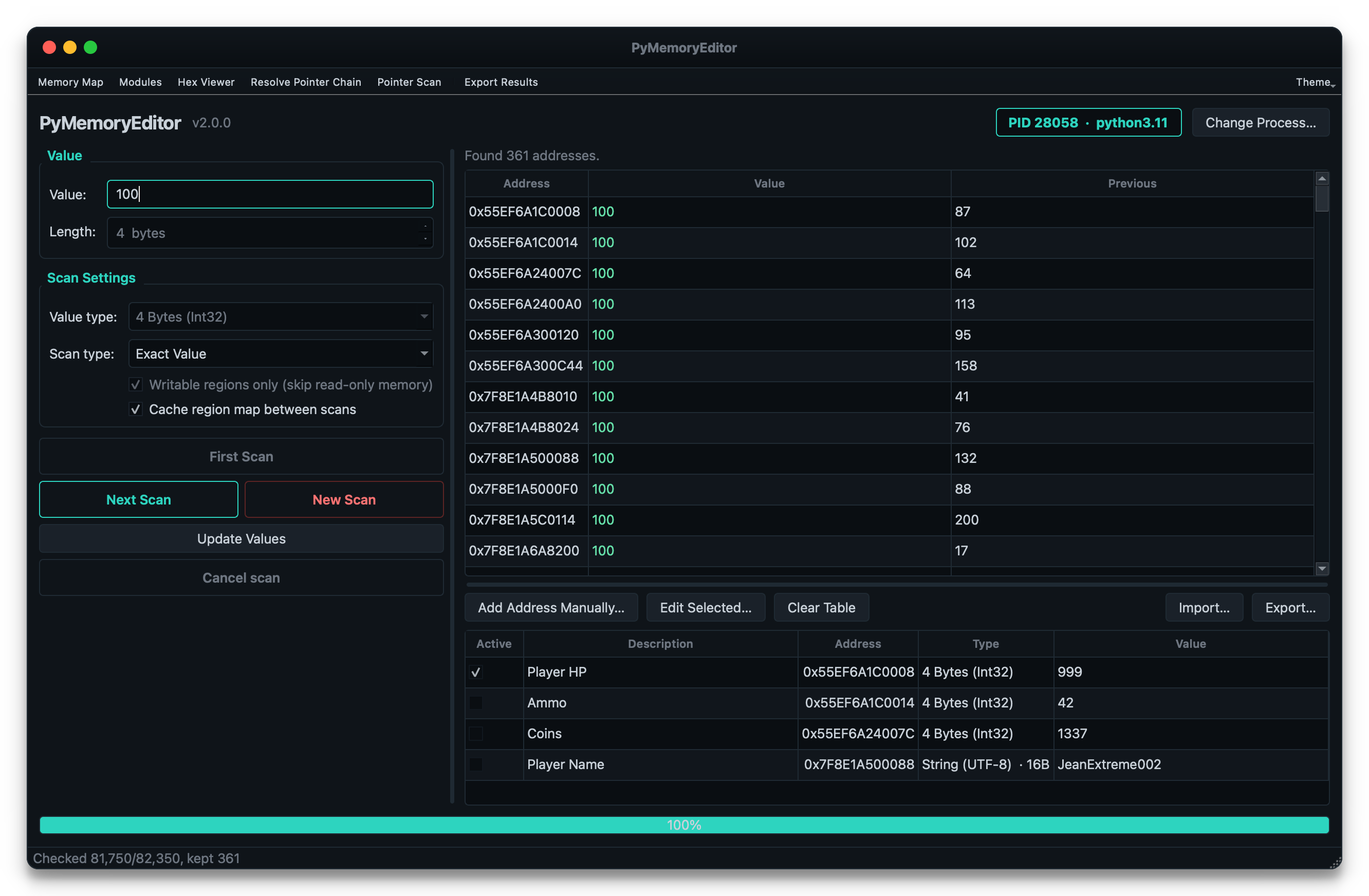
Para instalar también la aplicación GUI incluida (un escáner estilo Cheat Engine), usa el extra app:
pip install "PyMemoryEditor[app]"
pymemoryeditor
Para escaneos más rápidos en procesos grandes, añade el extra speed. Incorpora NumPy
y vectoriza automáticamente el bucle de comparación de escaneo numérico — ~10–30× más rápido en
escaneos selectivos:
pip install "PyMemoryEditor[speed]"
Para permitir que un asistente de IA controle la biblioteca a través del Model Context Protocol, usa
el extra mcp (ver más abajo):
pip install "PyMemoryEditor[mcp]"
📖 Guía completa en Read the Docs.
from PyMemoryEditor import OpenProcess

with OpenProcess(name="game.exe") as process:

    # Scan the whole process for every address holding the value 100.
    for address in process.search_by_value(int, value=100):
        print(f"Found at 0x{address:X}")

    # Read the current value, then write a new one back.
    current = process.read_int(address)
    process.write_int(address, current + 500)
Eso es todo — lee, escribe o escanea otro proceso en tres líneas, de la misma forma en todas las plataformas.
PyMemoryEditor incluye un servidor Model Context Protocol, para que un asistente de IA pueda ejecutar todo el bucle por sí mismo:
"Encuentra el valor de salud en mi juego. Ahora mismo es 100."
Escanea, te pide que recibas daño, refina las coincidencias y te entrega la dirección.
pip install "PyMemoryEditor[mcp]"
claude mcp add pymemoryeditor -- pymemoryeditor-mcp
O en cualquier cliente que lea el JSON de mcpServers (Claude Desktop, editores, …):
{
  "mcpServers": {
    "pymemoryeditor": {
      "command": "pymemoryeditor-mcp",
      "args": []
    }
  }
}
Catorce herramientas cubren todo el flujo de trabajo, con los resultados del escaneo guardados en el servidor tras un handle, de modo que un primer escaneo con 40 000 coincidencias cuesta unos pocos tokens en lugar de todo tu contexto.
Lee la guía de MCP para saber más.
La documentación completa está en pymemoryeditor.readthedocs.io — instalación, el flujo de trabajo de Cheat Engine, cada método y parámetro, la guía de la aplicación GUI, notas de plataforma y solución de problemas.
Un mapa rápido de por dónde ir:
| Inicio rápido | Abre un proceso, lee, escribe y ejecuta tu primer escaneo. |
| Búsqueda en memoria | Escaneos por valor, rangos, refinamiento de resultados, el bucle de Cheat Engine. |
| Escaneo de patrones | Encuentra código/datos con firmas de bytes (AOB) y regex. |
| Punteros | Cadenas de punteros multinivel y el RemotePointer en vivo. |
| Escaneo de punteros | Encuentra punteros estáticos que sobreviven al ASLR. |
| La aplicación GUI | El escáner estilo Cheat Engine incluido. |
| El servidor MCP | Deja que un asistente de IA controle el bucle de escaneo/refinamiento. |
| Referencia de la API | Cada clase, método y parámetro públicos. |
| Notas de plataforma | Permisos y peculiaridades en Windows, Linux y macOS. |
| Solución de problemas | Errores comunes y cómo solucionarlos. |
[!NOTE] Uso responsable. PyMemoryEditor se comunica con otros procesos a través de APIs del sistema operativo. Solo apúntalo a procesos que poseas o para los que tengas permiso explícito de inspeccionar.
