 ecomtech-oss/pisc
Comprobador de seguridad de imágenes OCI públicas (imagen Docker)

PISC (Comprobador de Seguridad de Imágenes OCI Públicas o de imágenes docker) es una herramienta de línea de comandos para evaluar la seguridad de imágenes de contenedores OCI.
Sale con código 1 si se cumple alguna de las siguientes condiciones:
Se puede utilizar para comprobar automáticamente la seguridad de imágenes OCI públicas antes de ejecutarlas en un entorno privado o usarlas como imágenes base en un pipeline CI/CD.
Obtén una clave API para virustotal. La cuenta de usuario final gratuita estándar tiene limitaciones.
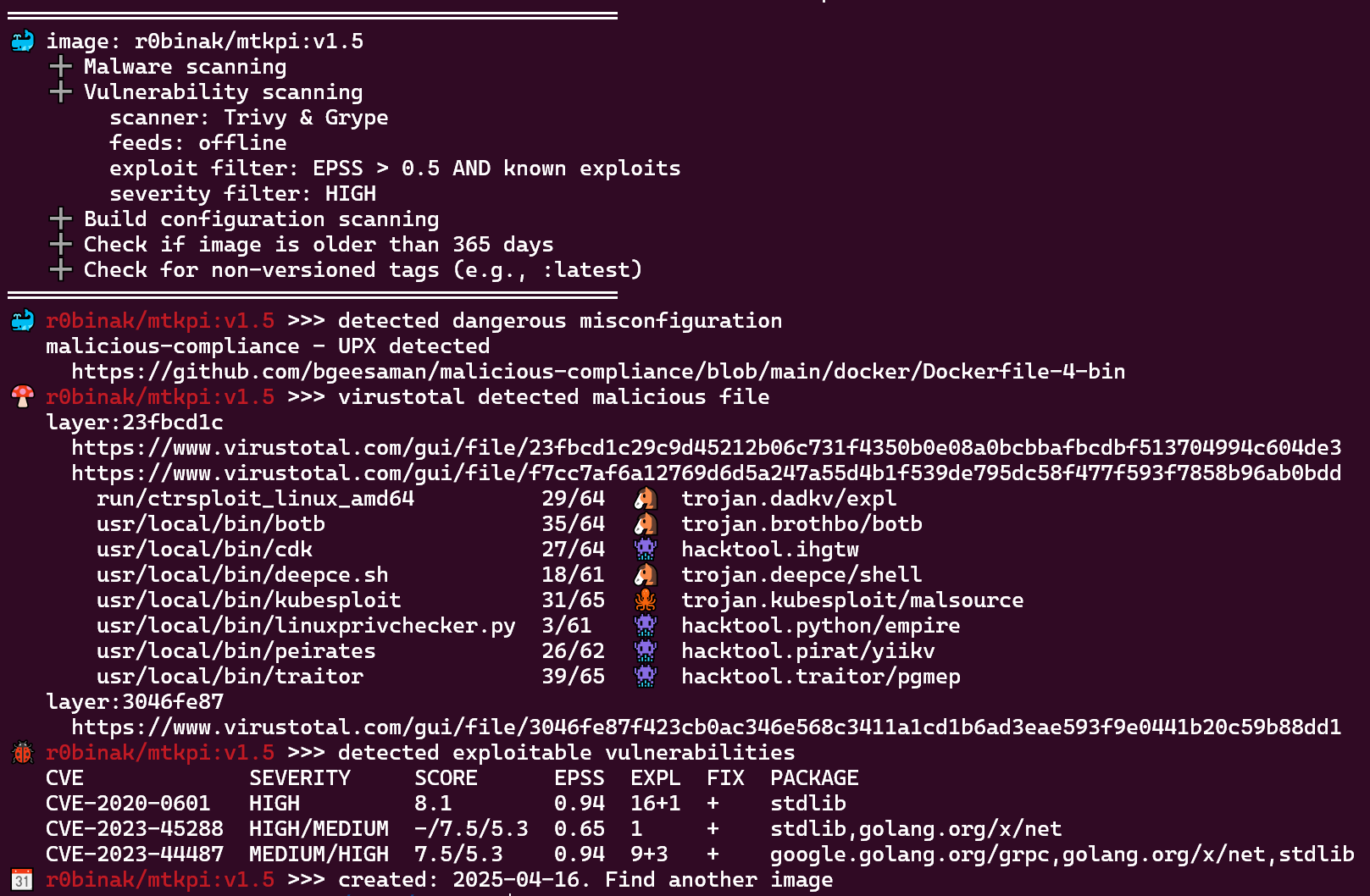
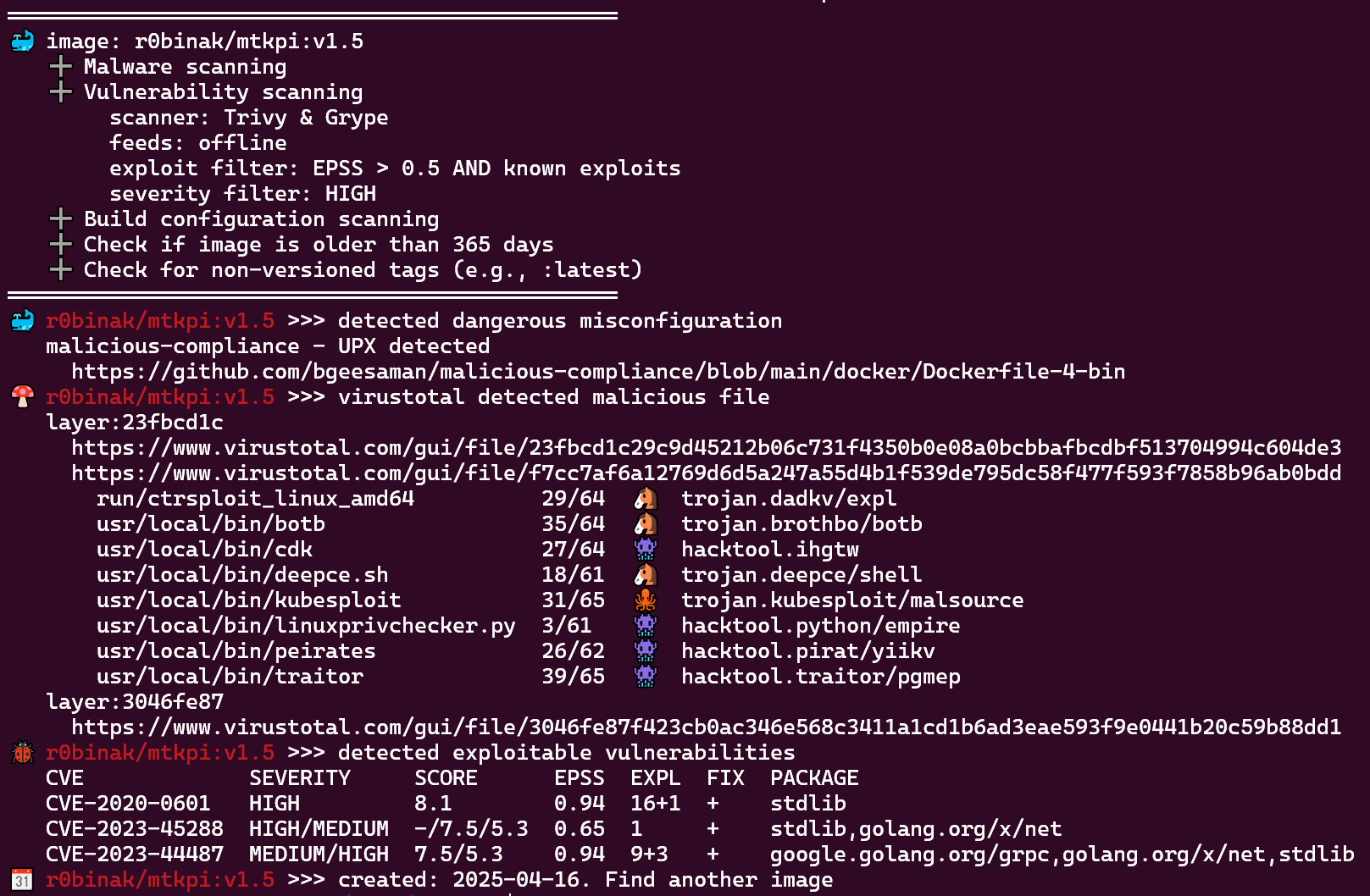
docker run kapistka/pisc:latest /bin/bash ./scan.sh -delm --virustotal-key <virustotal-api-key> -i r0binak/mtkpi:v1.5
docker run kapistka/pisc:latest-feeds /bin/bash ./scan.sh -delm --offline-feeds --virustotal-key <virustotal-api-key> -i r0binak/mtkpi:v1.5
Consulta el Dockerfile para obtener una lista de dependencias. Necesitas instalar trivy, grype, skopeo, jq y otros paquetes según la distribución que estés usando.
Usage:
  scan.sh [flags] [-i IMAGE | -f FILE | --tar TARFILE]

Flags:
  -d, --date                      Check image age against threshold (default: 365 days).
  --d-days <int>                  Custom threshold for build date check (in days). Example: '--d-days 180'.
  -e, --exploits                  Check for vulnerabilities with known exploits (using Trivy + Grype + inthewild.io + empiricalsecurity.com).
  --epss-and                      Use AND logic to combine EPSS score and exploit presence. If disabled, OR logic is applied (default: OR).
  --epss-min <float>              Minimum EPSS score threshold used for filtering vulnerabilities (default: 0.5).
  -f, --file <string>             Batch scan images from file. Example: '-f images.txt'.
  -h, --help                      Display this help message.
  --ignore-errors                 Ignore errors from external tools and continue execution.
  -i, --image <string>            Single image to scan. Example: '-i r0binak/mtkpi:v1.4'.
  -l, --latest                    Detect non-versioned tags (e.g., ':latest').
  -m, --misconfig                 Scan for dangerous build misconfigurations.
  --offline-feeds                 Use a self-contained offline image with pre-downloaded vulnerability feeds (e.g., :latest-feeds).
  --scanner [trivy|grype|all]     Choose which scanner to use: Trivy, Grype, or both (default: all)
  --severity-min <string>         Minimal severity of vulnerabilities [UNKNOWN|LOW|MEDIUM|HIGH|CRITICAL] default [HIGH]
  --show-exploits                 Show exploit details
  --tar <string>                  Scan local TAR archive of image layers. Example: '--tar /path/to/private-image.tar'.
  --trivy-server <string>         Trivy server endpoint URL. Example: '--trivy-server http://trivy.something.io:8080'.
  --trivy-token <string>          Authentication token for Trivy server. Example: '--trivy-token 0123456789abZ'.
  -v, --version                   Display version.
  --virustotal-key <string>       VirusTotal API key for malware scanning. Example: '--virustotal-key 0123456789abcdef'.
  --vulners-key <string>          Vulners.com API key (alternative to inthewild.io). Example: '--vulners-key 0123456789ABCDXYZ'.

Additional Notes:
- To authenticate with a registry, refer to 'scan-download-unpack.sh#L14'.
- To configure exclusions for specific CVEs or other criteria, see 'check-exclusion.sh#L5'.
Esta utilidad se puede integrar en un pipeline CI para realizar un escaneo de seguridad en imágenes de contenedores antes de enviarlas a un registro privado. Combina este paso con el firmado de imágenes y el envío automatizado al registro para un flujo de trabajo DevSecOps seguro. A continuación se muestra un ejemplo de configuración:
security_scan:
  stage: security
  image: $SECURITY_IMAGE_FEEDS
  script:
    - |
      /bin/bash /home/nonroot/scan.sh -delm --offline-feeds --virustotal-key $VIRUSTOTAL_API_KEY -f ${NEW_IMAGES_FILE}

      # Auto-approve: If the scan fails (exit code >0), the pipeline stops before reaching this point.
  rules:
    - if: $CI_PIPELINE_SOURCE == 'merge_request_event'
# CVE-2024-3094 (XZ Utils) exploit
./scan.sh --virustotal-key <virustotal-api-key> -i r0binak/xzk8s:v1.1
════════════════════════════════════════
🍄 r0binak/xzk8s:v1.1 >>> virustotal detected malicious file
   layer:0f28dfeb
     https://www.virustotal.com/gui/file/0f28dfebbf3451ccfe3d5b11d17bc38cc8d1c4e721b842969466dc7989d835e3
     https://www.virustotal.com/gui/file/dc24581c3500b9640e03c7a4c14cd7c22f88c533b831a7f6a49aaf3ba39fcde4
   layer:230cc513
     https://www.virustotal.com/gui/file/230cc513debf36c5294ba6dd2babd27934bb231362cd8d916ea1c58e9495d38f
     https://www.virustotal.com/gui/file/935cfccfa8d31d0e03f2162e9b46b7f9df77db64efa2e4cfb4dbaebdf94be6d3
       root/liblzma.so.5.6.0.patch  37/64  🐴  trojan.xzbackdoor/cve20243094
# vulnerabilities: trivy + grype + epss + exploits (IngressNightmare)
./scan.sh -e -i registry.k8s.io/ingress-nginx/controller:v1.11.2
════════════════════════════════════════════════
🐞 registry.k8s.io/ingress-nginx/controller:v1.11.2 >>> detected exploitable vulnerabilities
   CVE            SEVERITY  SCORE  EPSS  EXPL  FIX  PACKAGE
   CVE-2025-1974  CRITICAL  9.8    0.87  0     +    k8s.io/ingress-nginx
📆 registry.k8s.io/ingress-nginx/controller:v1.11.2 >>> created: 2024-08-15. Last update: 2025-06-04
💡 registry.k8s.io/ingress-nginx/controller:v1.11.2 >>> use a newer tags:
   v1.11.3  v1.11.4         v1.11.5  v1.11.6  v1.11.7
   v1.12.0  v1.12.0-beta.0  v1.12.1  v1.12.2  v1.12.3
# dangerous image build misconfiguration cve-2024-21626
./scan.sh -m -i r0binak/cve-2024-21626:v4
════════════════════════════════════════
🐳 r0binak/cve-2024-21626:v4 >>> detected dangerous misconfiguration
   CVE-2024-21626 runC Escape
     https://nitroc.org/en/posts/cve-2024-21626-illustrated/
