Skip to content
KitploitKITPLOIT
HerramientasExploitsBlog
Log in
Enviar
HerramientasExploitsBlog
Enviar

¡Herramientas de Hacking, PenTest y Ciberseguridad para tu Arsenal de Seguridad!

Kitploit es un directorio de herramientas de hacking, ciberseguridad y pentesting. Descubre las últimas actualizaciones de proyectos para encontrar vulnerabilidades, analizar sistemas, automatizar pruebas y fortalecer tu seguridad.

FeedsContactoPrivacidad© 2026 Kitploit

Directorio de Herramientas

Categorías

Ver todas las categorías
Loading categories
Herramientas/GitHubGitHub/cartography-cncf/cartography
Cloud Infrastructure SecurityContainer SecurityNetwork MappingVulnerability AnalysisConfiguration AuditingInformation GatheringCloud SecurityDevSecOpsThreat IntelligenceIdentity & Access Management (IAM)Supply Chain Security
4.2k614140hace 0 díasRevisado por Kitploit
GitHubcartography-cncf/cartography

cartography

Pulls infrastructure assets and their relationships from 30+ cloud, identity, and SaaS platforms into a Neo4j graph for security queries and rule-based analysis.

Ver RepositorioSitio web

Más Populares

Ver todos →

Descubre las herramientas más usadas por nuestra comunidad.

  • 1

    OsintHunter

    letox4/osinthunter

    🎯 El kit de herramientas OSINT definitivo: grafo de investigación, puntuación de confianza, familias de alias, mapa, línea de tiempo e informes. 49 módulos, más de 400 sitios, sin necesidad de claves API.

    1.1k
  • 2

    ghostlock-app

    yukonga/ghostlock-app

    # Aplicación de Ejecución con un Solo Toque GhostLock (CVE-2026-43499)

    628
  • 3

    looking-glass

    anonghosty/looking-glass

    Plataforma CSIRT que ingiere informes de Shadowserver en MongoDB y los reproduce como mapas interactivos, análisis, hallazgos, avisos y paneles ejecutivos.

    413
  • 4

    jumpserver

    jumpserver/jumpserver

    JumpServer es una plataforma de gestión de accesos privilegiados (PAM) de código abierto que proporciona a los equipos de DevOps y TI acceso seguro y bajo demanda a endpoints SSH, RDP, Kubernetes, base de datos y RemoteApp a través de un navegador web.

    366
  • 5

    ARTEX

    baarai/artex

    Plataforma de pruebas de penetración autónoma multiagente basada en LLM con agentes planificadores/trabajadores, grafos de activos y de exploración, registro de tráfico MITM y reevaluación de vulnerabilidades.

    329
  • 6

    Aliens_eye

    arxhr007/aliens_eye

    Motor de OSINT impulsado por IA para descubrir y mapear más de 7.700 identidades en redes sociales en toda la web

    287

Explora todas las herramientas

Explora nuestra colección de herramientas

Ver todas las herramientas →
Compartir
Contenido no disponible en el idioma solicitado. Mostrando versión en inglés.
Cartography

OpenSSF Scorecard OpenSSF Best Practices build

Documentation

Cartography is a Python tool that pulls infrastructure assets and their relationships into a Neo4j graph database.

What it connects: AWS, GCP, Azure, Kubernetes, GitHub, Okta, Entra ID, CrowdStrike, and 30+ more platforms.

Questions it answers:
  • Which identities have access to which datastores? How about across multiple tenants, or providers?
  • Am I affected by any critical vulnerabilities or compromised software packages?
  • What are the network paths in and out of my environment?
  • Which compute instances are exposed to the internet?
  • What AI agents are running in production, and what permissions do they have?

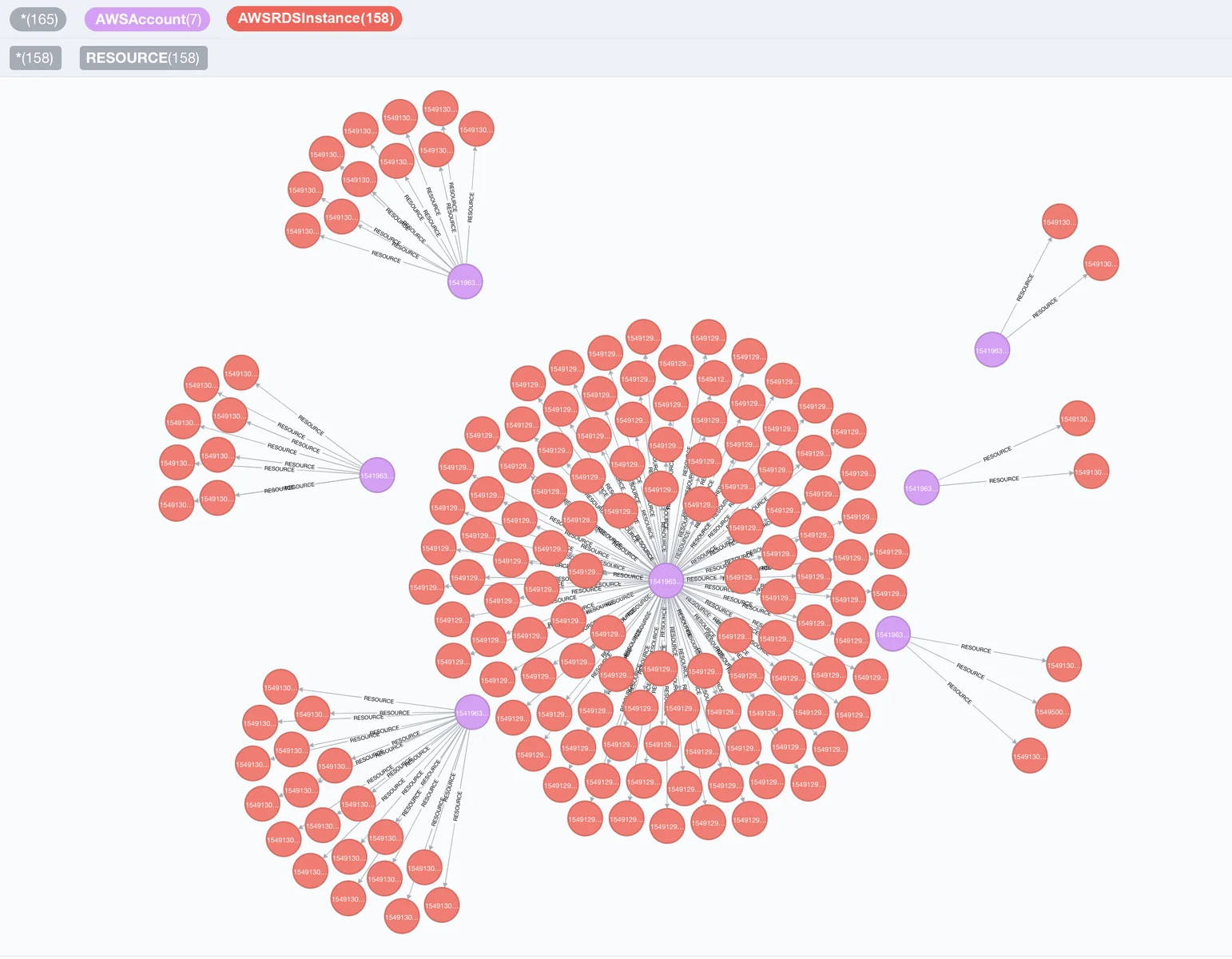
Visualization of RDS nodes and AWS nodes

Quick Start

Install Cartography

pip install cartography

Install cartography[neo4j-rust] instead to swap in Neo4j's Rust Bolt codec, which cuts sync time by roughly 20-30%. See Faster Neo4j driver.

Start Neo4j database

docker run -d --publish=7474:7474 --publish=7687:7687 -v data:/data --env=NEO4J_AUTH=none neo4j:5-community

Confirm that http://localhost:7474 is up.

Sync your first data source (AWS example)

Ensure your AWS credentials and default region are configured (e.g. via AWS_PROFILE, AWS_DEFAULT_REGION, or ~/.aws/config). See AWS credentials docs for reference.

Run Cartography:

cartography --neo4j-uri bolt://localhost:7687 --selected-modules aws

See the full install guide for other platforms.

Query the graph

Open http://localhost:7474 and try:

// Find unencrypted RDS instances by account
MATCH (a:AWSAccount)-[:RESOURCE]->(rds:AWSRDSInstance{storage_encrypted:false})
RETURN a.name, rds.id
// Find EC2 instances exposed to the internet
MATCH (instance:AWSEC2Instance{exposed_internet: true})
RETURN instance.instanceid, instance.publicdnsname

See the querying tutorial and data schema for more use-cases.

Run security rules

Once Cartography has populated the reachable Neo4j graph, list, inspect, and run security rules. This quickstart uses the no-auth Neo4j container started above, so no password is required:

cartography-rules list
cartography-rules list object_storage_public
cartography-rules run object_storage_public

For authenticated Neo4j, set NEO4J_PASSWORD or use one of the other secure password options in the rules docs.

Supported platforms

Click to expand full list of 30+ supported platforms
Descargar herramienta