 yuuouu/coloros-cve-2025-10184
ColorOS短信漏洞,以及用户自救方案
Information Source
Vulnerability Principle & Solution Technical Analysis
1=1 AND15.0.0.860Patch01|1.9MB) began rolling out to ColorOS 15 on October 4, followed by ColorOS 12-14 on October 9.@C and other helpful community members, ensure you disable the Cross Profile Test App before updating, otherwise installation may get stuck at 0.0%.
Confirmed rollout has begun; pushed starting morning of October 4.
15.0.0.860Patch01|1.9MB. Files vary by device model; refer to actual push notifications.
TheSource: Telegram @SnowWolf72515.0.0.860Patch01|1.9MBpush package'sPhone_SMS Storage_15.40.10.apkonly supports ColorOS 15.0.0, 15.0.1, and 15.0.2. Detailed push package contents
Download Phone_SMS Storage.apk. Note: Must match your system version.
Use adb command: adb install -t D:\xxx.apk
Reboot the device after successful installation to apply changes. If errors occur, uninstall the installed version.
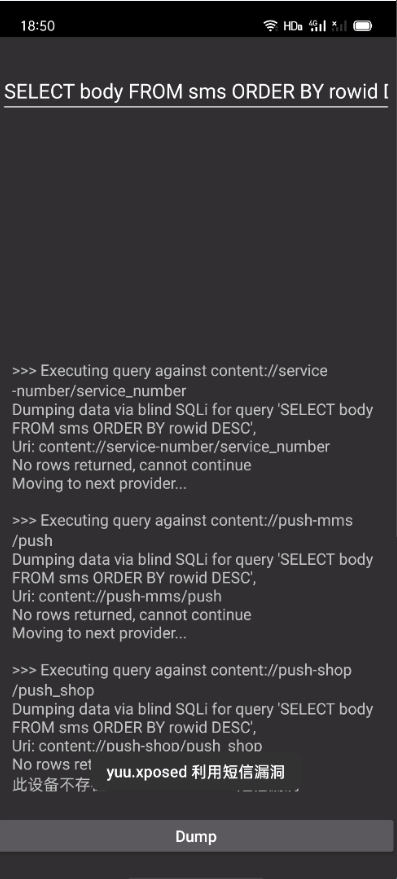
You can upload screenshots with sensitive data redacted to the Issues page
From v2ex@CoolMarket
Enable SMS spam blocking, block all numbers. This will route incoming SMS to the spam folder, preventing software from reading them.
Path: Messages → Spam Block → Block Rules → Message Block → Custom Block Keywords → Top-right ➕ icon → Copy and paste the following line by line:
0,1,2,3,4,5,6,7,8,9
#,*,+,@,.,【,(,(,,
-,/,!,码,中,余,元,退,
a,b,c,d,e,f,g,h,i,j,
k,l,m,n,o,p,q,r,s,t,
u,v,w,x,y,z,A,B,C,D,
E,F,G,H,I,J,K,L,M,N,
O,P,Q,R,S,T,U,V,W,X,
Y,Z,零,一,二,三,四,五,六,
七,八,九,十,百,千,万
Verification: Send a new SMS (e.g., message to 10086). After receiving it, check the spam folder for a blocked message. Then open the test tool to see if the message appears. If it does not appear, the method is effective.
This is the simplest method; recommended for older devices.
Improved based on the method proposed by v2ex@Dawnnnnnn. ⚠️ Modifying system content carries risks! Not available for all devices.
Blocker settings, change Controller Type to Shizuku/Sui, and grant Shizuku permission to Blocker.Blocker settings, enable Show System Apps.Blocker, search for telephony, and enter the Phone/SMS Storage app.Content Providers, and disable the three options: PushMessageProvider, PushShopProvider, and ServiceNumberProvider.
Modification takes effect only when the AndroidManifest.xml inside com.android.providers.telephony contains the android:testOnly="true" attribute. See specific reasons here
