 yeet-src/airtop
htop for the airwaves — a live 802.11 (Wi-Fi) RF dashboard in your terminal

htop for the airwaves — a live 802.11 (Wi-Fi) RF dashboard in your terminal.



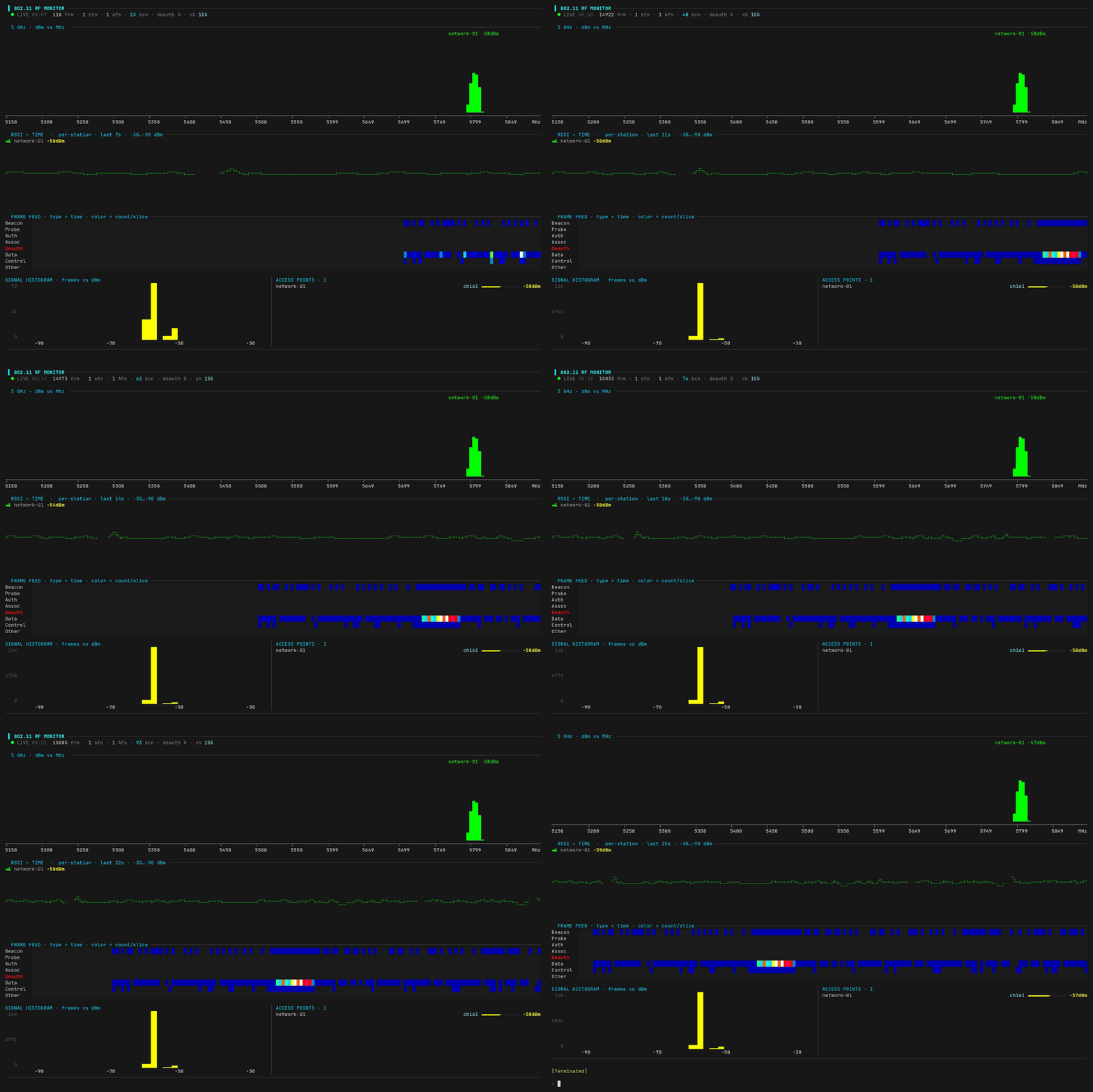
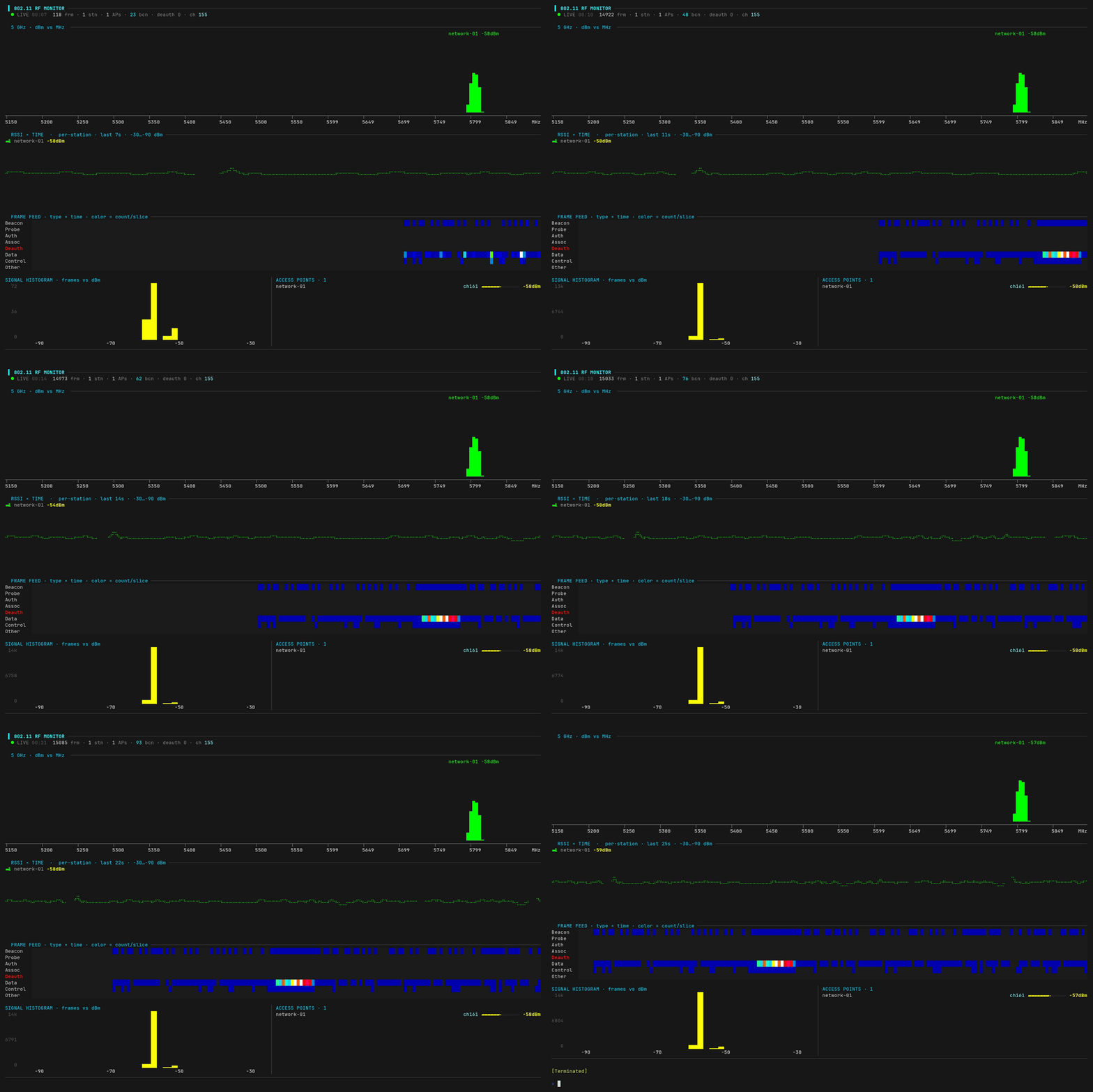
airtop turns the Wi-Fi traffic around you into a live terminal dashboard — a frequency spectrum of nearby access points, per-station signal traces, a frame-type activity feed, an RSSI histogram, and a rolling list of discovered networks — drawn with braille and block graphics over eBPF.
[!TIP] No monitor mode, no raw sockets. airtop attaches eBPF programs to
mac80211/cfg80211and reads 802.11 frames as they flow through the kernel's Wi-Fi stack, so it runs on your normal, connected interface without dropping your link.
curl -fsSL https://yeet.cx | sh
yeet run https://github.com/yeet-src/airtop
For a shareable screenshot, anonymize SSIDs and MACs (your network and your neighbors' get relabeled network-01, station-02, …):
yeet run https://github.com/yeet-src/airtop -- --anonymize
Runs until Ctrl-C. Resize the terminal and the layout reflows; minimum 80×24.
To surface neighboring networks the kernel needs scan results. Your OS scans periodically on its own, or force one:
nmcli dev wifi rescan # or: iw dev <iface> scan
Wi-Fi is the IEEE 802.11 family of standards. The mental model:
Everything is a frame. Your laptop, phone, and router exchange short radio packets called frames. Every frame carries MAC addresses, and one of them (the BSSID) identifies the access point it belongs to.
Three classes of frame:
| Class | Examples | Purpose |
|---|---|---|
| Management | Beacon, Probe, Auth, Assoc, Deauth | advertise, join, and leave networks |
| Control | ACK, RTS/CTS | coordinate who gets to talk |
| Data | your actual traffic | carry payloads |
Access points beacon. An AP announces itself ~10 times a second with a beacon frame carrying its network name (SSID) and BSSID. That's how your phone's Wi-Fi list gets populated, and how airtop discovers APs.
Channels & frequency. Wi-Fi lives in bands (2.4 GHz, 5 GHz, 6 GHz), each split into channels, and every channel is a center frequency in MHz (channel 6 ≈ 2437 MHz, channel 161 ≈ 5805 MHz). A radio listens to one channel at a time, which is why you mostly see traffic on your channel.
Signal strength (RSSI) is measured in dBm. Values are always negative, and closer to zero is stronger:
| RSSI | quality |
|---|---|
| −30 … −50 dBm | excellent (right next to it) |
| −50 … −67 dBm | good |
| −67 … −80 dBm | usable |
| −80 … −90 dBm | weak / marginal |
Mostly home users debugging flaky Wi-Fi, and netadmins picking channels before an event.
Each panel maps onto the concepts above:
Header — uptime, total frames seen, live stations, discovered APs, beacon count, deauth count (red if any non-zero), and your current channel. The deauth counter is the one to keep an eye on; healthy networks have zero.
Frequency spectrum — every discovered AP drawn as a signal "hump" positioned at its real center frequency on a MHz axis. Height and color show RSSI; the label is the SSID + dBm. Overlapping humps reveal co-channel congestion — the classic Wi-Fi-analyzer view, and the answer to "why is my Wi-Fi slow."
RSSI × time — a braille line graph per live station plotting its signal over the last several seconds. Watch a link fade as a device walks away from the AP, or jump when someone moves their laptop.
Frame feed — a heatmap of frame types over time; cell color = how many of that type arrived per slice. A deauth flood lights up that row instantly, which is the alert pattern you actually want.
Signal histogram — distribution of received frames by RSSI. The "shape" of your RF environment: a tight peak around −50 dBm means you're close to one strong AP, a smear across −60 to −80 means a crowded environment.
Access points — discovered SSIDs with channel, signal gauge, and dBm, sorted strongest-first.
A single BPF object (airtop.bpf.c) attaches two fentry programs and streams events to userspace over ring buffers:
| Hook | What it captures |
|---|---|
fentry/ieee80211_rx_list | every received 802.11 frame: type/subtype, addresses, RSSI from ieee80211_rx_status |
fentry/cfg80211_inform_bss_frame_data | every AP the kernel's scans discover: SSID, channel, signal |
The dashboard runs in yeet's V8 runtime, subscribing to those ring buffers and rendering the terminal UI:
main.js       entry: tty size, render loop, BPF bind/subscribe
state.js      live data + frame/scan ingest
render.js     ANSI, color ramps, braille canvas/charts (pure)
dashboard.js  panels + layout (renderDashboard)
[!IMPORTANT] Linux with BTF:
CONFIG_DEBUG_INFO_BTF=yandCONFIG_DEBUG_INFO_BTF_MODULES=y. Default on current Arch, Fedora, Ubuntu, and Debian 12+. CO-RE means no per-kernel recompile.
cfg80211/mac80211 stack (any normal Wi-Fi card on Linux).curl -fsSL https://yeet.cx | sh installs it.[!NOTE] What airtop doesn't do:
tx_status hook.fentry targets are stable in practice but not a kernel ABI; exact data depends on your Wi-Fi driver.Does this need monitor mode? No. That's the whole point. airtop hooks the kernel's Wi-Fi stack from inside, so it works on your normal connected interface.
Will it drop my connection? No. There's no mode switch; your interface stays associated to whatever it's associated to. airtop is observing what the kernel is already doing.
Why do I only see one or two networks?
Because your radio is listening to one channel (its own) most of the time. Neighboring networks show up when your OS does periodic scans, or when you force one with nmcli dev wifi rescan / iw dev <iface> scan. A full-band survey needs monitor mode + channel hopping, which is a different tool.
Is this legal? Passively observing 802.11 frames in the air around you is legal in most jurisdictions; your radio is already receiving them, and airtop just shows you what's there. Active interference (the deauth panel detects attacks, it doesn't perform them) is a different story. If you're on a corporate network, check your AUP.
How is this different from Kismet, airodump-ng, or Wireshark? Those tools do more with monitor mode: full per-frame capture, PCAP export, decryption. airtop runs on your normal interface and gives you an at-a-glance dashboard. For pen-testing, use airodump-ng. To find out why your call dropped, use this.
make          # generates include/vmlinux.h, builds bin/airtop.bpf.o
make vmlinux  # force-refresh the kernel type header
make clean
