
Skip to content
KitploitKITPLOIT
ToolsExploitsBlog
Log in
Submit
ToolsExploitsBlog
Submit

Hacking, PenTest, and Cybersecurity Tools for Your Security Arsenal!

Kitploit is a directory of hacking, cybersecurity, and pentesting tools. Discover the latest project updates to find vulnerabilities, analyze systems, automate testing, and strengthen your security.

FeedsContactPrivacy© 2026 Kitploit

Tool Directory

Categories

View all categories
Loading categories
LogsTotal — Self-hosted multi-engine Sigma detection for event logs | Kitploit
Tools/GitHubGitHub/wagga40/logstotal
Defensive ToolsIndicator of Compromise (IOC) ManagementVulnerability AnalysisDigital ForensicsThreat IntelligenceIntrusion DetectionIncident ResponseLog Analysis
GitHubwagga40/logstotal

LogsTotal

Self-hosted multi-engine Sigma detection for event logs

View Repository
911915h 11m agoNot yet reviewed

Most Popular

View all →

Discover the most used tools by our community.

Explore all tools

Browse our collection of tools

View all tools →
Website
Share

LogsTotal

LogsTotal logo

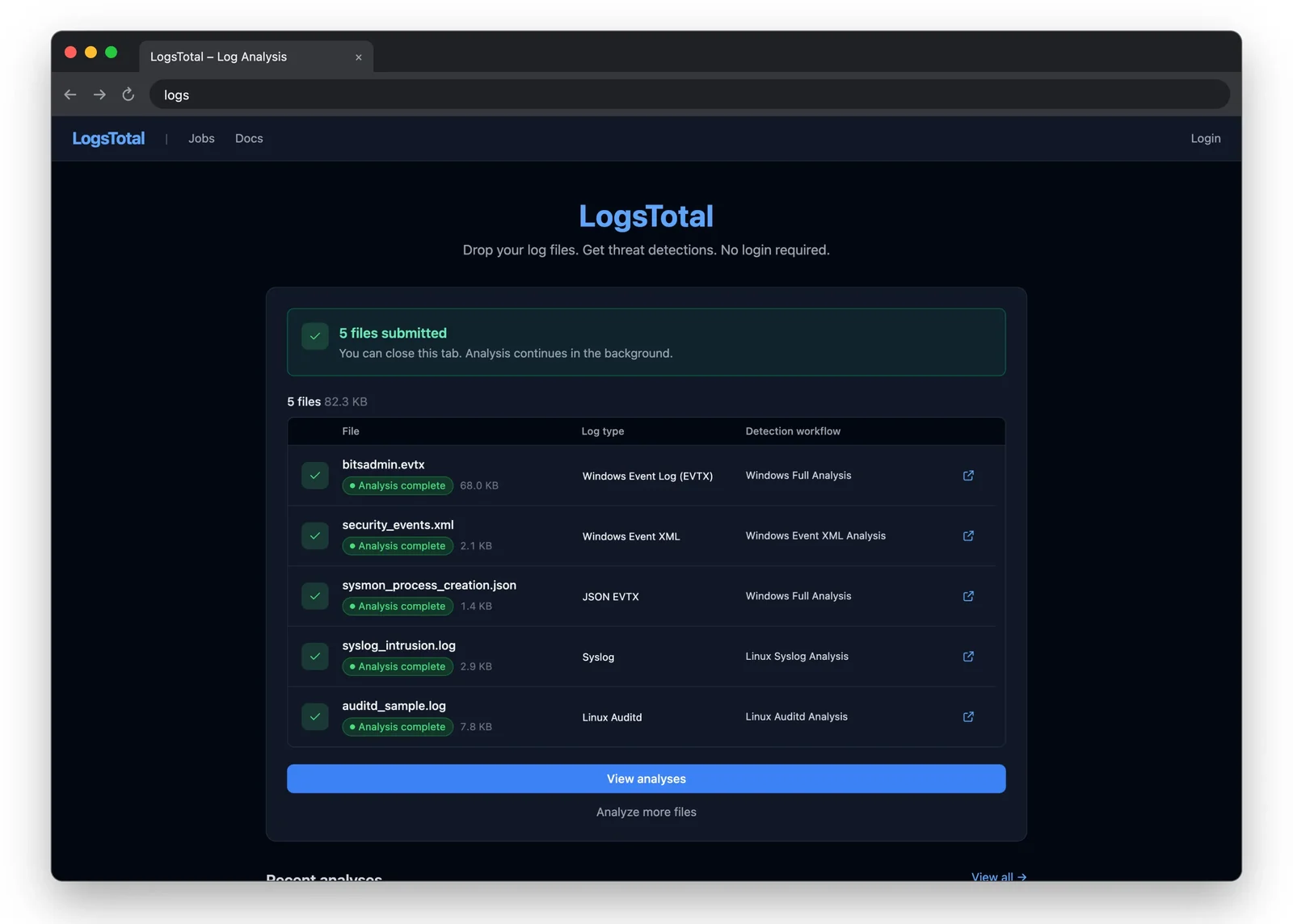
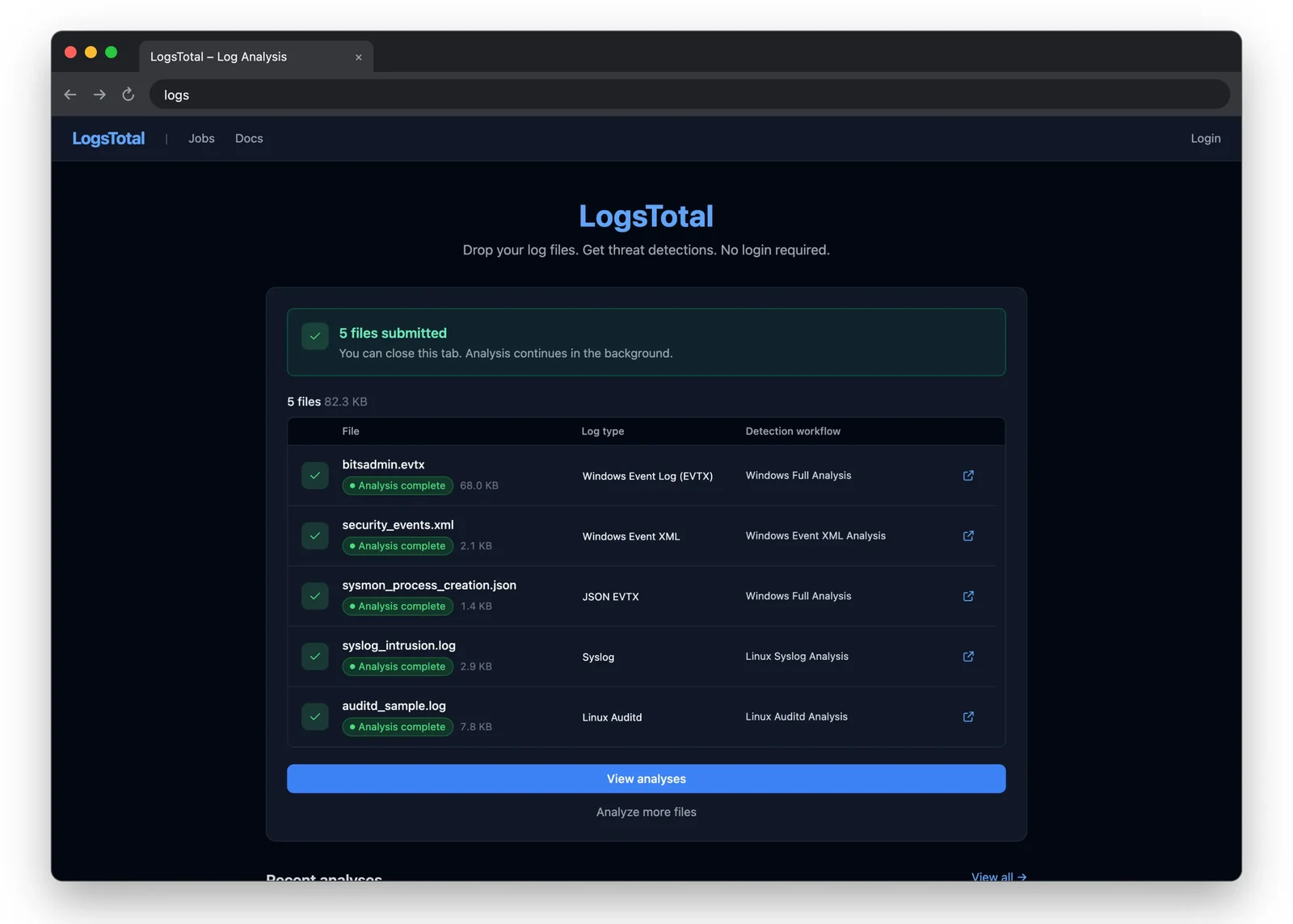
LogsTotal is a self-hosted log analysis platform. Drop a log file — Windows EVTX or Event XML, Winlogbeat/EVTX JSON, auditd, syslog, a journald export, Sysmon for Linux — and several detection engines run Sigma rules over it and report what each one found: findings grouped by severity, MITRE ATT&CK context, the entities involved, and analyst tooling on top.

No account is needed to submit a file or read public results.

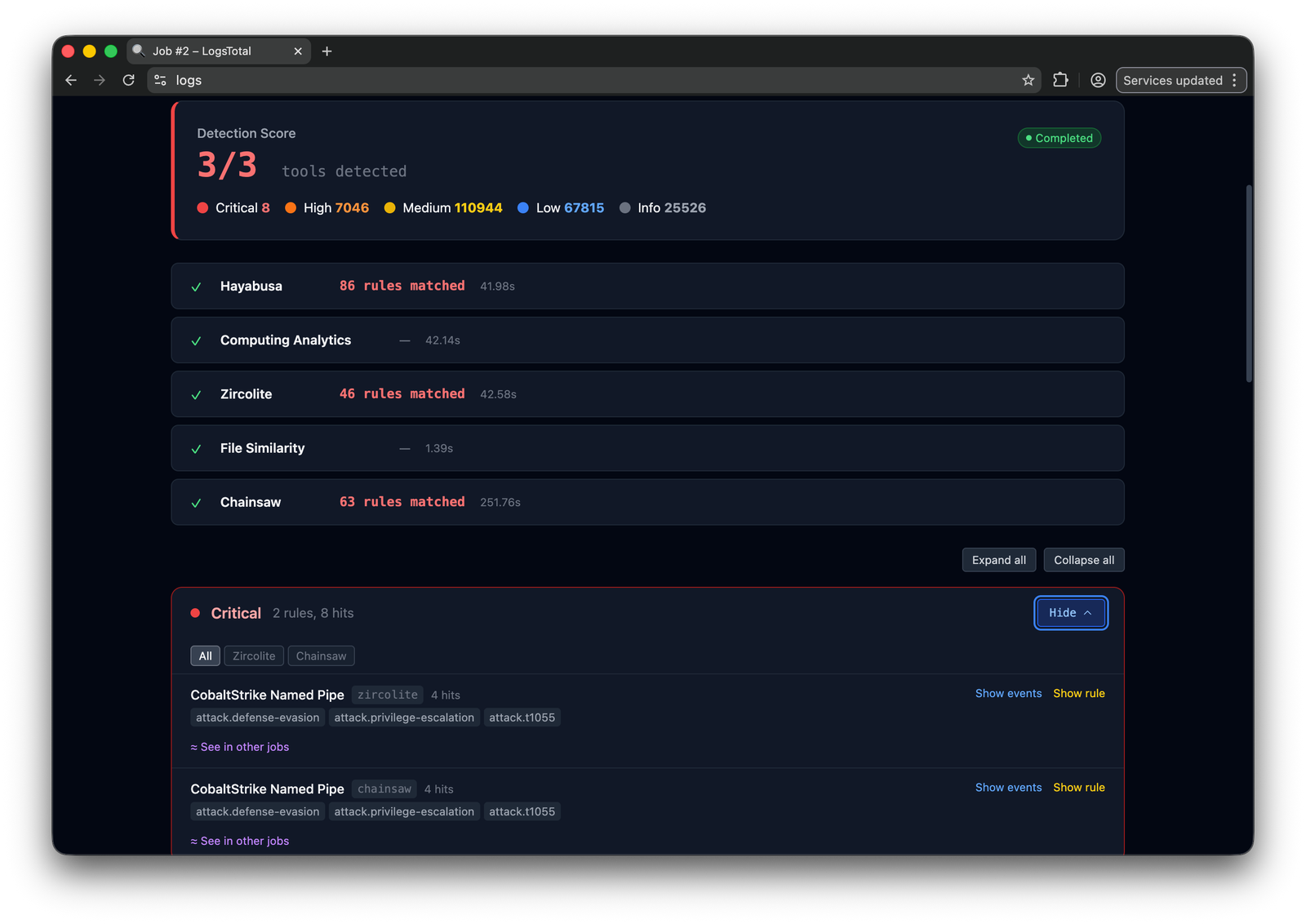
Detection engines: Zircolite, Chainsaw, Hayabusa, ChopChopGo and RSigma. Adding another takes a catalog entry and an adapter, with a typed output mapping, for a binary or a Docker image — see Adding a tool adapter.

Screenshots

Upload & workflowDetectionAnalytics
Main screenFindingsAnalysis
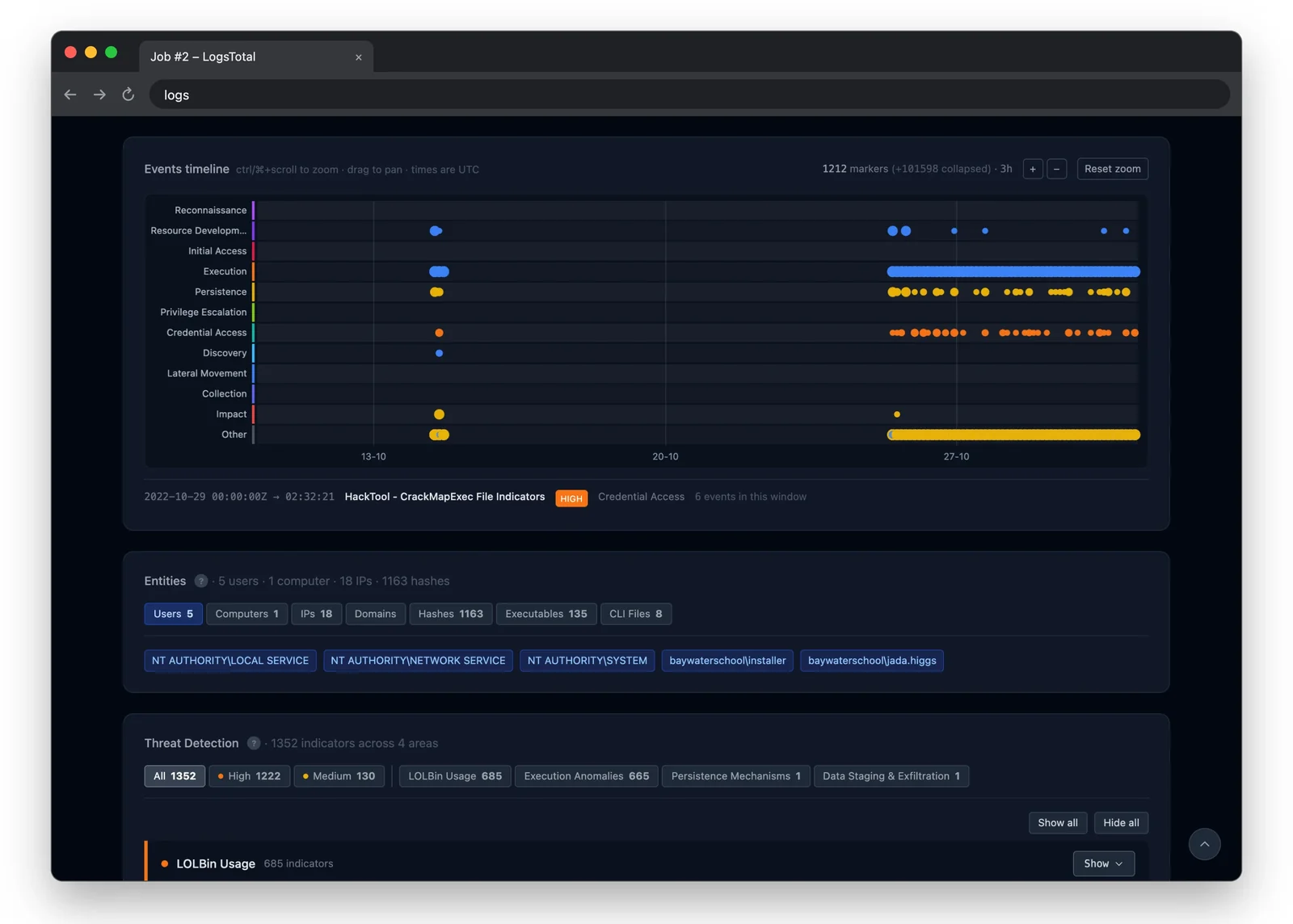
Events timelineRulesProcess tree

What you get

  • Drop a log, get a detection report. Five engines are available; the workflow and log type determine which engines run. The log type is detected on drop.
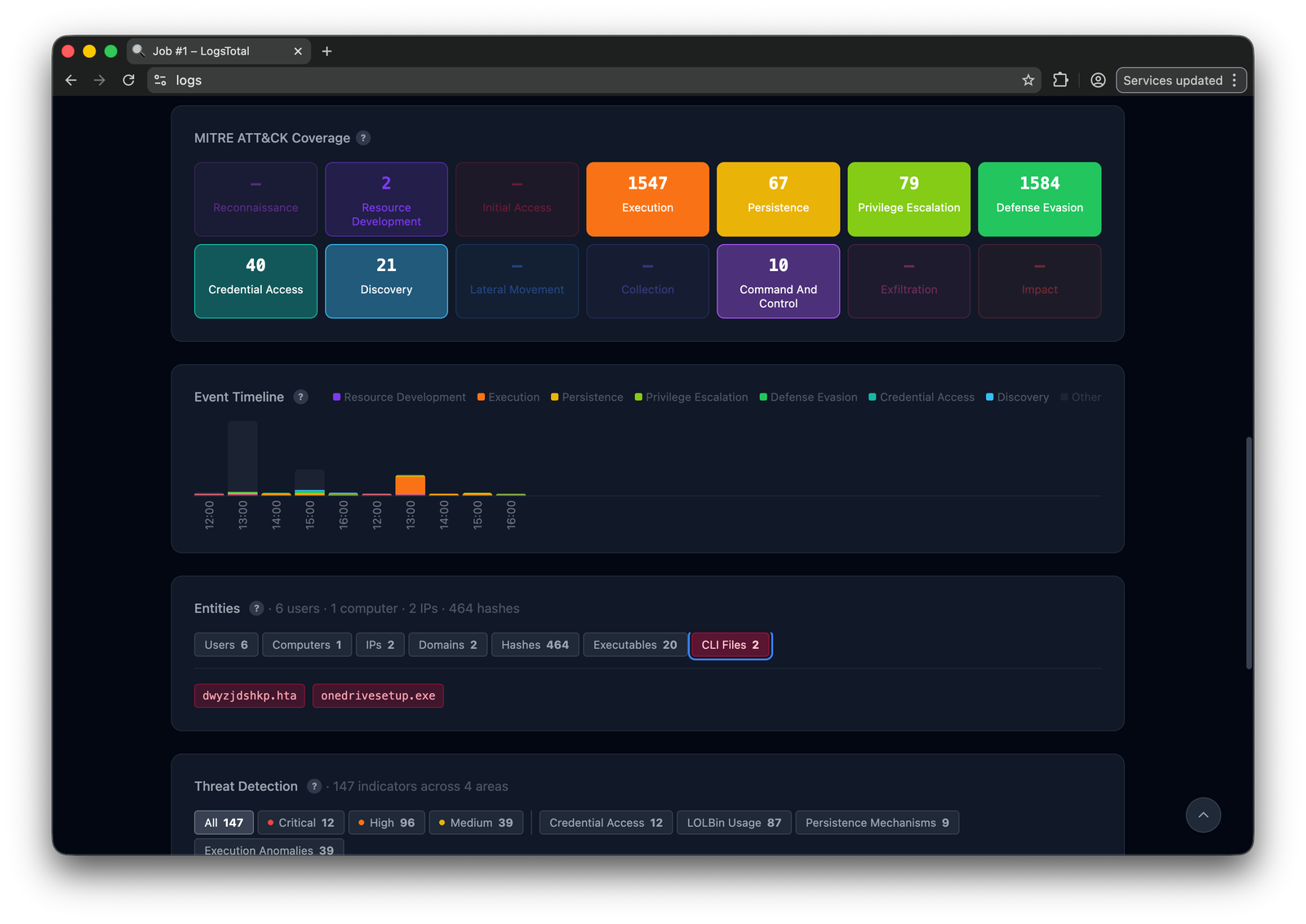
  • MITRE ATT&CK context — a tactic heat-map per job.
  • Two timelines — an hourly activity histogram by tactic, and a zoomable per-alert timeline.
  • Explore every event, not only the matched ones: search, a zoomable histogram, field values, stacking (rarest combinations first) and CSV/NDJSON export over an index LogsTotal builds from each upload.
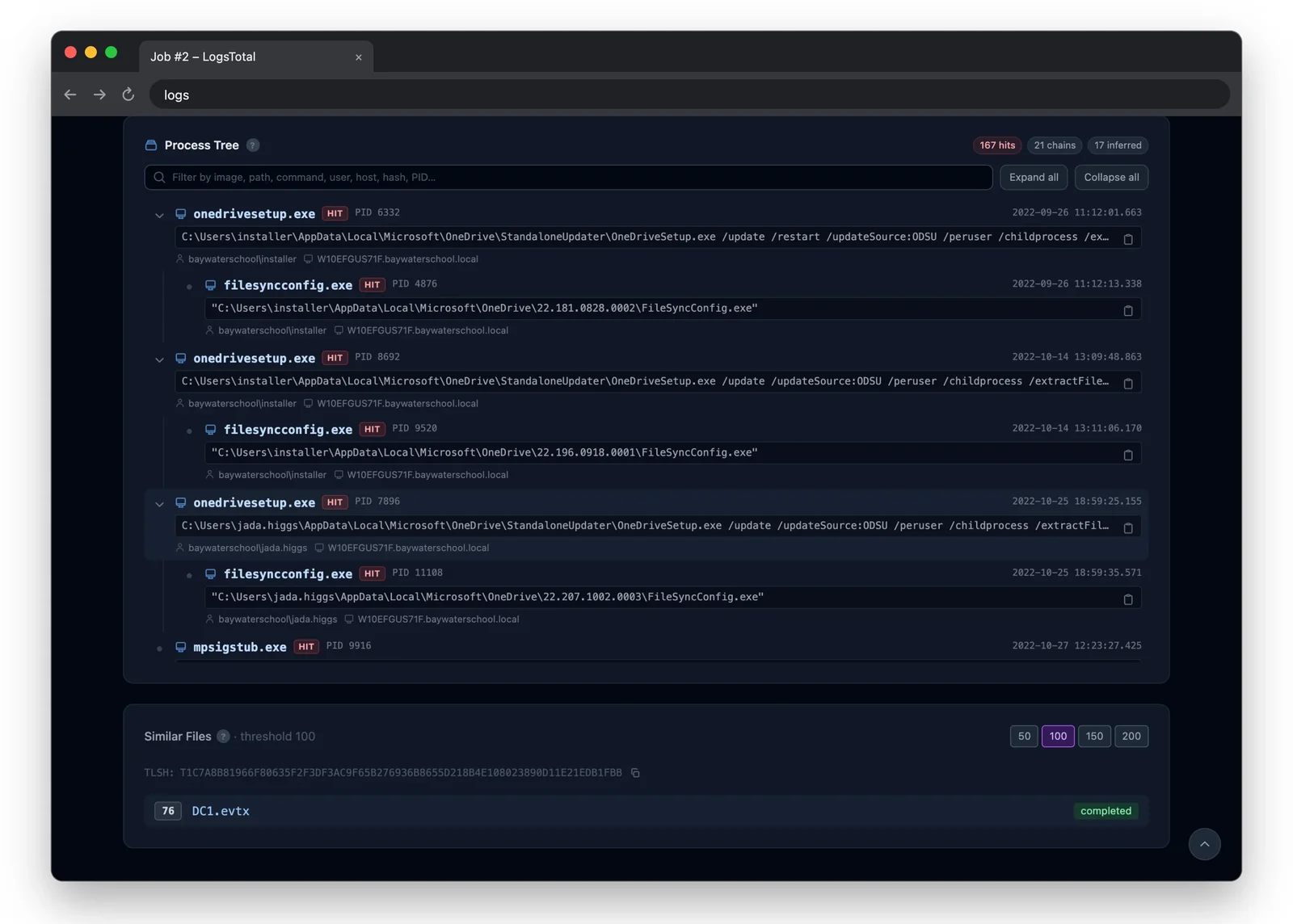
  • Process trees from every process creation in the log, detections marked.
  • Entity extraction and pivoting, and investigation cases.
  • A relationship graph with community detection, pathfinding, threat colouring and GraphML export.
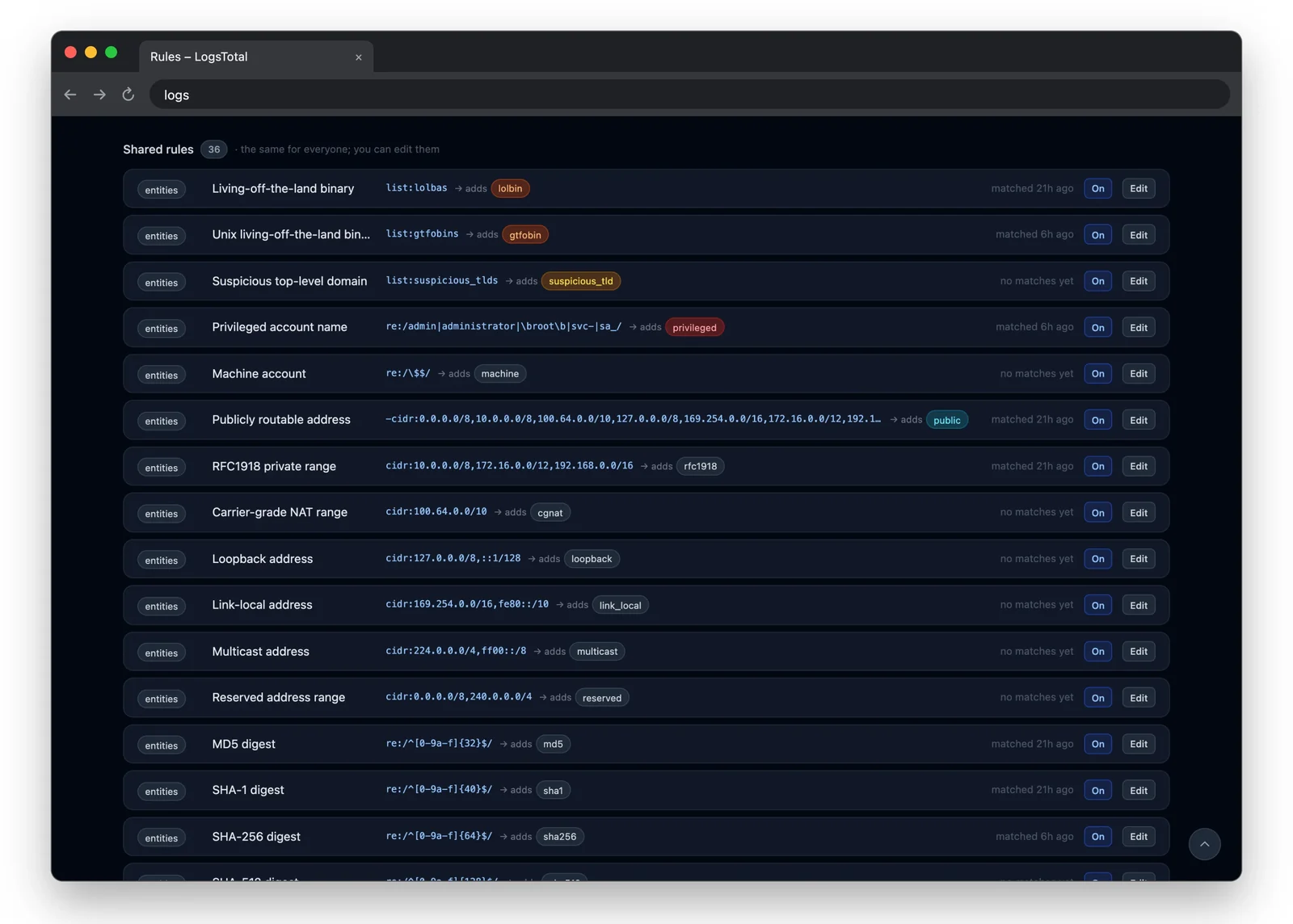
  • Rules — your own detection layer over what an analysis produces, with auto-tagging, alerts and signed webhooks.
  • Export to the rest of your stack — IOC feed (CSV/JSON/STIX/MISP), STIX bundles, MISP events, clipboard IOC packs.
  • Fuzzy similarity — TLSH matching between uploads, plus cross-job rule correlation.

Access model

FeatureAdminMemberUserAnonymous
Upload and jobsyesyesyesyes
Private submissionsyesyesyesno
Explore every event of a jobyesyesown jobsno
Intel (entities, cases, rules)yesyesnono
Admin pages and workflowsyesnonono

Administrators assign roles at /admin/users.

Prerequisites

  • Ubuntu or Debian (the tested platforms), with Docker Engine and the Compose plugin.
  • 7z (p7zip-full), rsync and curl.
  • Python 3.11 or later on the host, standard library only, for the helper scripts.
  • Nothing for the commands themselves: ./logstotal brings its own pinned Task.
  • A desktop browser, 1024px or wider, for the people using it.

The full list, with install commands, is in Prerequisites.

Quick start

Download logstotal-<version>.7z from the releases page. On the host:

7z x logstotal-<version>.7z -ologstotal
cd logstotal
./logstotal quickstart

./logstotal quickstart creates .env, generates every secret — including the admin password, printed once, so save it — builds and checks the stack, starts it, and waits for it to answer. It is safe to re-run.

Then open http://<host>:8000 and log in with ADMIN_EMAIL from .env and the printed password. The step-by-step version, PostgreSQL, and what to do next are in Single-host installation.

To upgrade, run ./logstotal upgrade from the same directory: it downloads the latest release and applies it. ./logstotal upgrade:rollback restores the release before it, on this host or on every host of a fleet. Each rollback consumes its snapshot, so running it twice goes back two releases. See Upgrade and rollback.

Documentation

The administrator documentation is published at https://wagga40.github.io/LogsTotal/, and every release ships it in docs/:

  • Prerequisites, then single-host installation, HTTPS with Caddy, fleet installation or offline installation
  • Configuration — every environment variable
  • Health, logs and first-day checks
  • Upgrade and rollback
  • Security and Known limitations
  • Commands — every ./logstotal command

The guide for analysts (submitting logs, reading results, Intel) is built into the application, at /docs. Contributors start with Local development.

Project

  • CHANGELOG.md — what changed in each release
  • CONTRIBUTING.md — how to propose a change
  • SECURITY.md — reporting a vulnerability (please don't open a public issue)
  • LICENSE — MIT
Download Tool