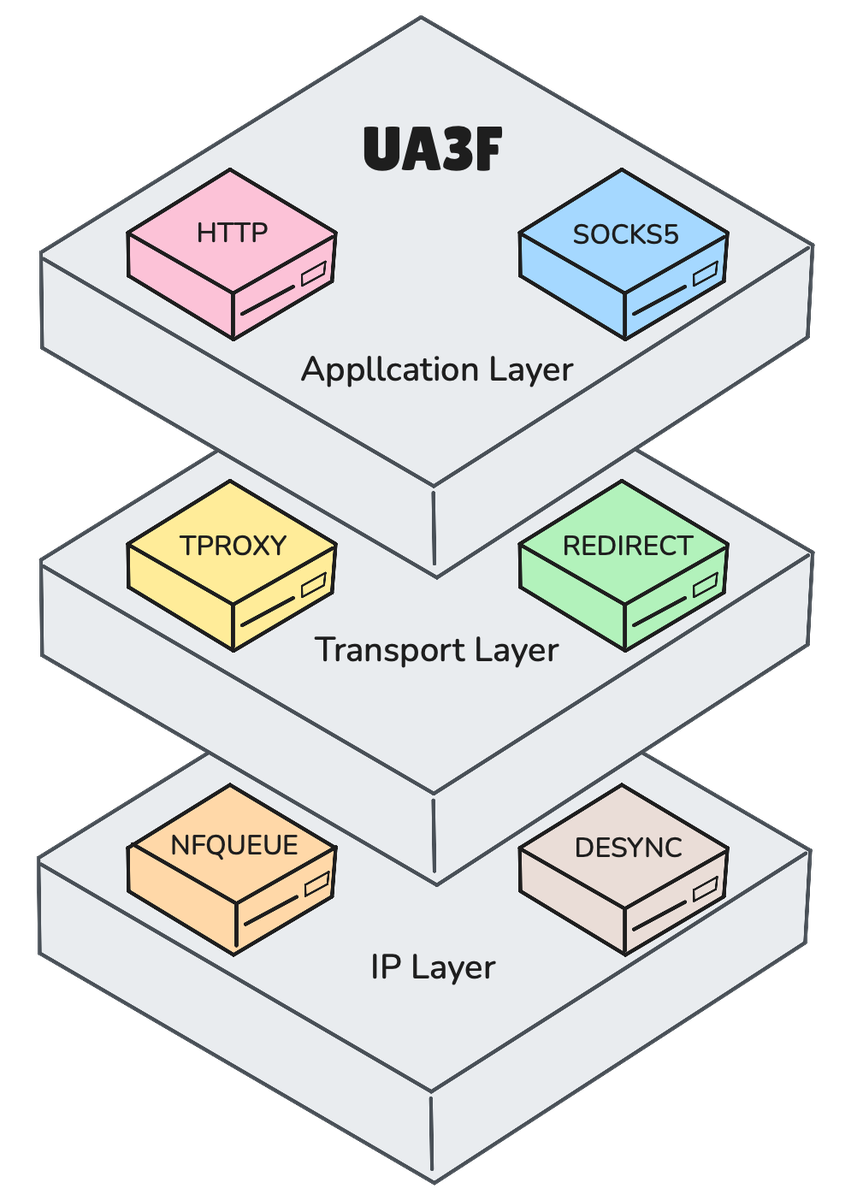
 sunbk201/ua3f
Transparent HTTP(S) rewriting proxy supporting HTTP, SOCKS5, TPROXY, REDIRECT and NFQUEUE modes with HTTPS MitM, rule-based header/body rewriting and DPI desync.




English | 简体中文
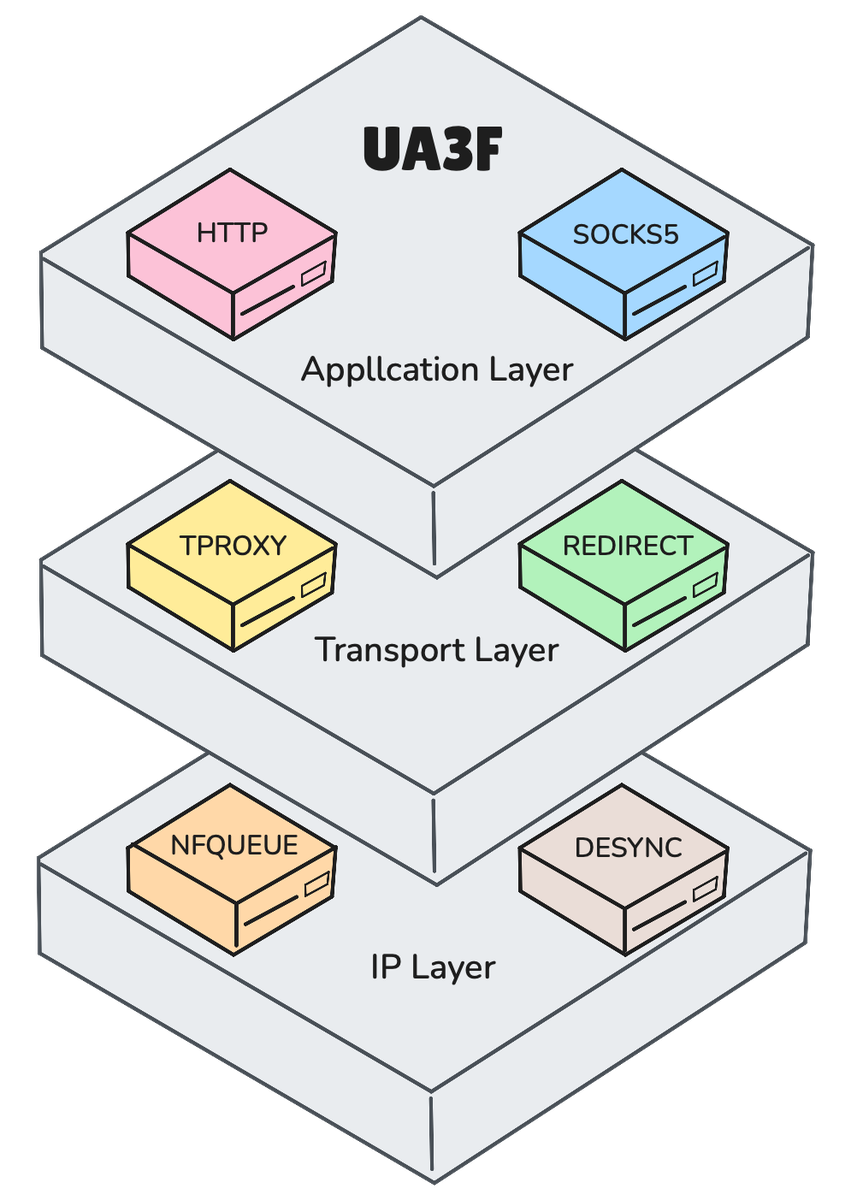
UA3F is an HTTP(S) rewriting proxy that transparently rewrites HTTP(S) (e.g., User-Agent) as an HTTP, SOCKS5, TPROXY, REDIRECT, or NFQUEUE server.
Multiple installation methods are available:
Binary Files and Packages
Pre-compiled binaries and opkg/apk packages for common architectures are available on the Release page. Download the appropriate package for your platform and install it directly.
Docker Deployment:
Run as a SOCKS5 proxy:
docker run -p 1080:1080 sunbk201/ua3f -f FFF
Source Compilation:
Build UA3F binary:
git clone https://github.com/SunBK201/UA3F.git && cd UA3F
go build -o ua3f main.go
OpenWrt Compilation:
git clone https://github.com/openwrt/openwrt.git && cd openwrt
git checkout openwrt-24.10
./scripts/feeds update -a && ./scripts/feeds install -a
git clone https://github.com/SunBK201/UA3F.git package/UA3F
make menuconfig # Select Network->Web Servers/Proxies->ua3f
make download -j$(nproc) V=s
make -j$(nproc) || make -j1 || make -j1 V=sc
# make package/UA3F/openwrt/compile -j1 V=sc # Compile single UA3F package
Detailed documentation is available at UA3F
Start UA3F with default configuration:
ua3f
Start with a specified configuration file:
ua3f -c /path/to/config.yaml
Generate a template configuration file:
ua3f -g
For detailed CLI parameters, see Configuration. For configuration examples, see Configuration Examples.
UA3F supports OpenWrt LuCI Web interface. Navigate to Services -> UA3F for configuration.
For detailed tutorial, please visit: UA3F User Guide
opkg install sudo
sudo -u nobody /usr/bin/ua3f
For shellclash/shellcrash users, use the following command:
sudo -u shellclash /usr/bin/ua3f
# If the above command fails, use this one
sudo -u shellcrash /usr/bin/ua3f
Command line parameters:
-c <config path>: Custom configuration file path-g: Generate a template configuration file config.yaml in the current directory-m <mode>: Server mode. Supports HTTP, SOCKS5, TPROXY, REDIRECT. Default: SOCKS5-b <bind addr>: Custom bind address. Default: 127.0.0.1-p <port>: Port number. Default: 1080-l <log level>: Log level. Default: info. Options: debug. Default log location: /var/log/ua3f.log-x: Rewrite mode. Supports GLOBAL, DIRECT, RULE. Default: GLOBAL-f <UA>: Custom User-Agent. Default: FFF-r <regex>: Custom regex to match User-Agent. Default: empty (all User-Agents will be rewritten)-s: Partial replacement, only replace the regex matched portion-z: Rewrite rules in JSON string format. Only effective in RULE rewrite modeUA3F includes a built-in API Server controller that provides query and control interfaces for UA3F runtime status, configuration rules, and more. Enable it with the --api-server parameter:
ua3f --api-server <addr:port>
API documentation: UA3F API Documentation
UA3F supports 5 different server modes, each with unique characteristics:
| Server Mode | Working Principle | Clash Dependency | Compatibility | Coexist with Clash |
|---|---|---|---|---|
| HTTP | HTTP Proxy | Yes | High | Yes |
| SOCKS5 | SOCKS5 Proxy | Yes | High | Yes |
| TPROXY | netfilter TPROXY | No | Medium | Yes |
| REDIRECT | netfilter REDIRECT | No | Medium | Yes |
| NFQUEUE | netfilter NFQUEUE | No | Low | Yes |
UA3F supports 3 different rewrite strategies:
| Rewrite Strategy | Rewrite Behavior | Rewrite Headers | Applicable Modes |
|---|---|---|---|
| GLOBAL | Rewrite all requests | User-Agent | All server modes |
| DIRECT | No rewriting, pure forwarding | None | All server modes |
| RULE | Rewrite based on rewriting rules | Customizable | HTTP/SOCKS5/TPROXY/REDIRECT |
Rule Types:
| Rule Type | Description |
|---|---|
| DOMAIN | Match based on domain name |
| DOMAIN-SUFFIX | Match based on domain suffix |
| DOMAIN-KEYWORD | Match based on domain keyword |
| DOMAIN-SET | Match based on a set of domain names |
| IP-CIDR | Match based on IP address range |
| SRC-IP | Match based on source IP address |
| DST-PORT | Match based on destination port |
| HEADER-KEYWORD | Match based on request header keyword |
| HEADER-REGEX | Match using regular expression on request headers |
| URL-REGEX | Match using regular expression on request URL |
Rewrite Actions:

