Skip to content
KitploitKITPLOIT
ToolsExploitsBlog
Log in
Submit
ToolsExploitsBlog
Submit

Hacking, PenTest, and Cybersecurity Tools for Your Security Arsenal!

Kitploit is a directory of hacking, cybersecurity, and pentesting tools. Discover the latest project updates to find vulnerabilities, analyze systems, automate testing, and strengthen your security.

FeedsContactPrivacy© 2026 Kitploit

Tool Directory

Categories

View all categories
Loading categories
craft-anything — Pure-Rust reverse-engineering engine with 314 CLI/MCP inspection tools (disassembly, decompilation, strings, call graphs) that studies any app, site or game and has an AI agent rebuild it. | Kitploit
Tools/GitHubGitHub/storytold/craft-anything
Static AnalysisDynamic Analysis (Sandboxing)Code AnalysisMobile App PentestingReverse EngineeringScripting & AutomationDebuggersMalware AnalysisBinary AnalysisAI-Assisted ReversingAI SecurityFirmware Analysis
4.6k7491511 day agoNot yet reviewed
GitHubstorytold/craft-anything

craft-anything

Pure-Rust reverse-engineering engine with 314 CLI/MCP inspection tools (disassembly, decompilation, strings, call graphs) that studies any app, site or game and has an AI agent rebuild it.


View Repository

Most Popular

View all →

Discover the most used tools by our community.

Explore all tools

Browse our collection of tools

View all tools →
Share

ArtCraft

Craft Anything icon: an engraved raven on a blue tile

Craft Anything

English · 日本語 · 简体中文 · 한국어

See how any website, app or game works, then have AI build your own version; an open-source, clean-room engine in pure Rust.
Point it at a target, say what you want, and it studies the original with real inspection tools,
has a coding agent build a new project, checks the result against the original and refines it.


100% Rust macOS · Windows · Linux · FreeBSD · Web License: MIT OR Apache-2.0 Status: early alpha

Join the ArtCraft community on Discord

Download Craft Anything · ArtCraft · All Crafting Apps
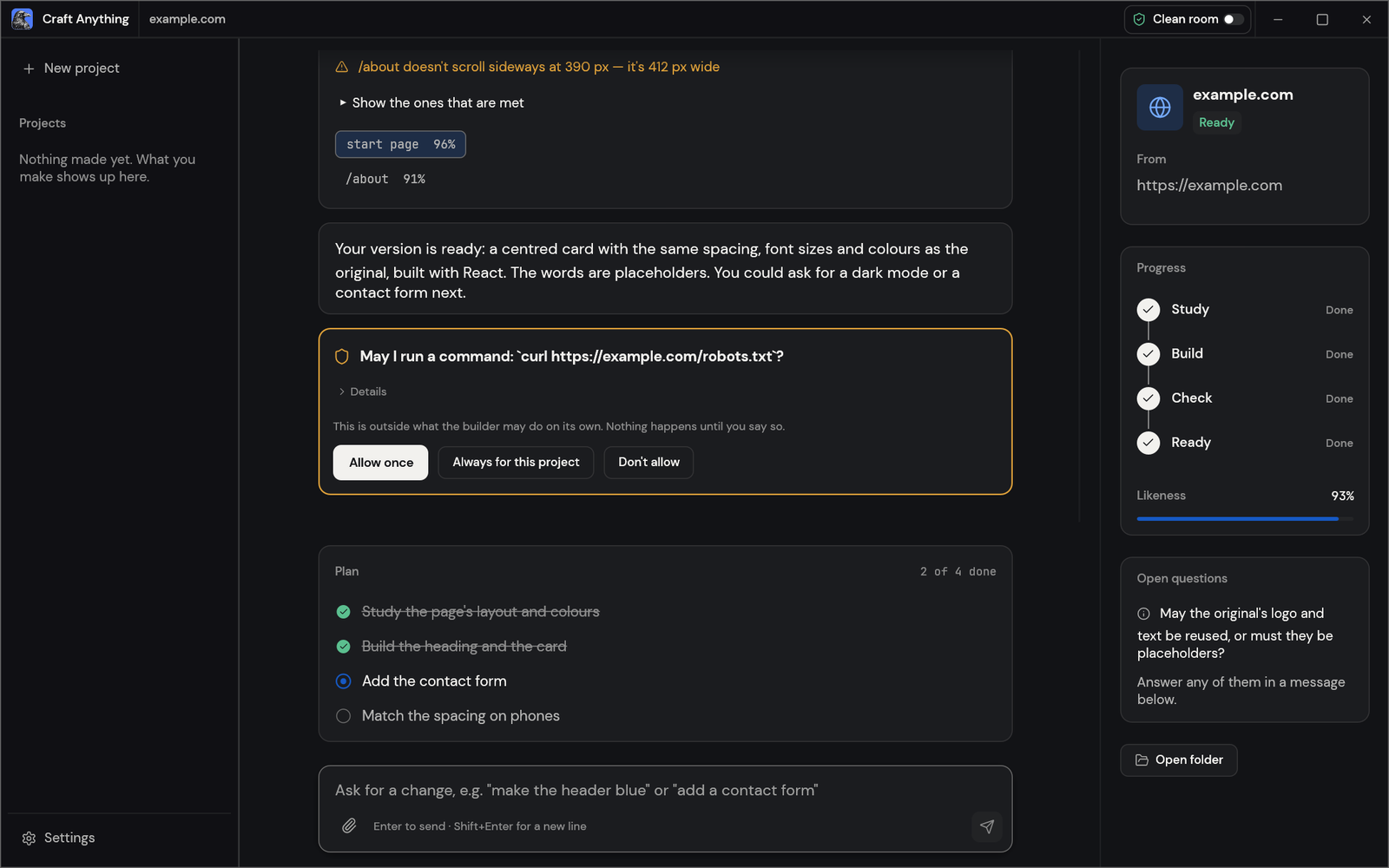

A website project in Craft Anything: the check lists what doesn't match yet and how alike each page is, the builder says its version is ready, an approval card asks before running a command, and the plan shows two of four steps done
A website project: each check says how alike the build is, you approve anything outside the rules, and the plan shows what's left.

[!NOTE] ArtCraft is a community of artists from all walks of life. Painters, photographers, filmmakers, illustrators, designers, animators, hobbyists, and people who picked up a pencil last week. If you make things, you're one of us. Come say hi on Discord.

How it works · Two ways to use it · AI · Agents · Under the hood · Get started · Status · Downloads · Discord


🔍 Study anything

Websites, desktop apps, phone apps, games and files: real inspection tools find out how they're built and what they do, with the evidence behind every answer.

🛠️ Build your own

Say what you want ("Recreate this website", "Recreate this game's gameplay in Rust") and a coding agent builds a new project in the stack you ask for.

✅ Checked, not guessed

Every build is compared with the original (pages at three screen widths, a game's own self-test, an app's runs) and refined until it's close.

🤖 Agent-ready

314 tools, each one a CLI command and an MCP tool, so any agent can drive the same engine the app uses. No AI is needed to inspect.

How it works

Point Craft Anything at a target, say what you want, and press Start. It works in four steps, asking you in plain words when a decision is yours:
  1. Study: inspect the original: its pages at every width, its code, its files, how it runs.
  2. Build: a coding agent builds a new project, in the language, framework or engine your request names (or a sensible default).
  3. Check: compare the build with the original and list what doesn't match yet.
  4. Ready: open, play or preview the result, or ask for changes and it refines it.
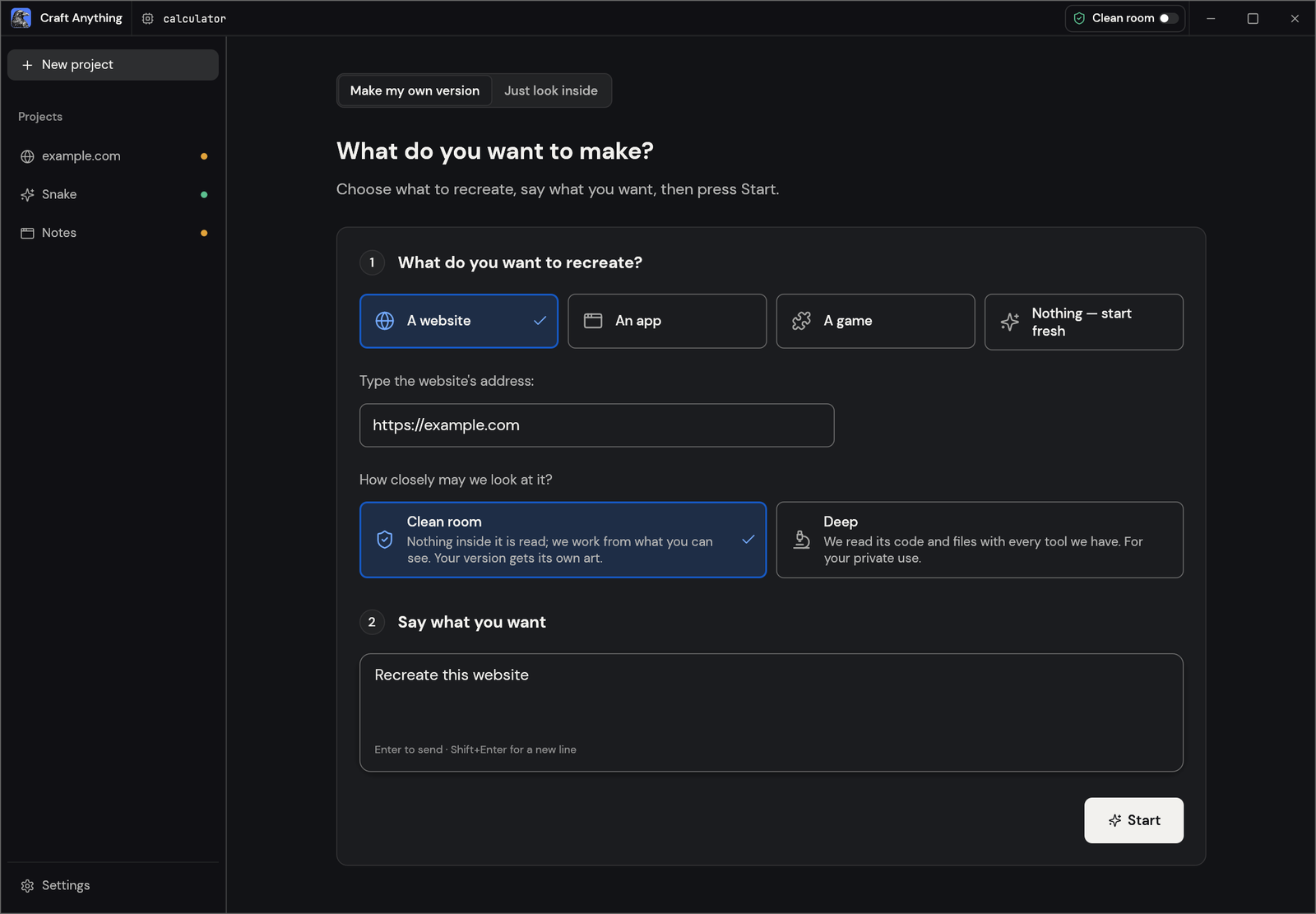
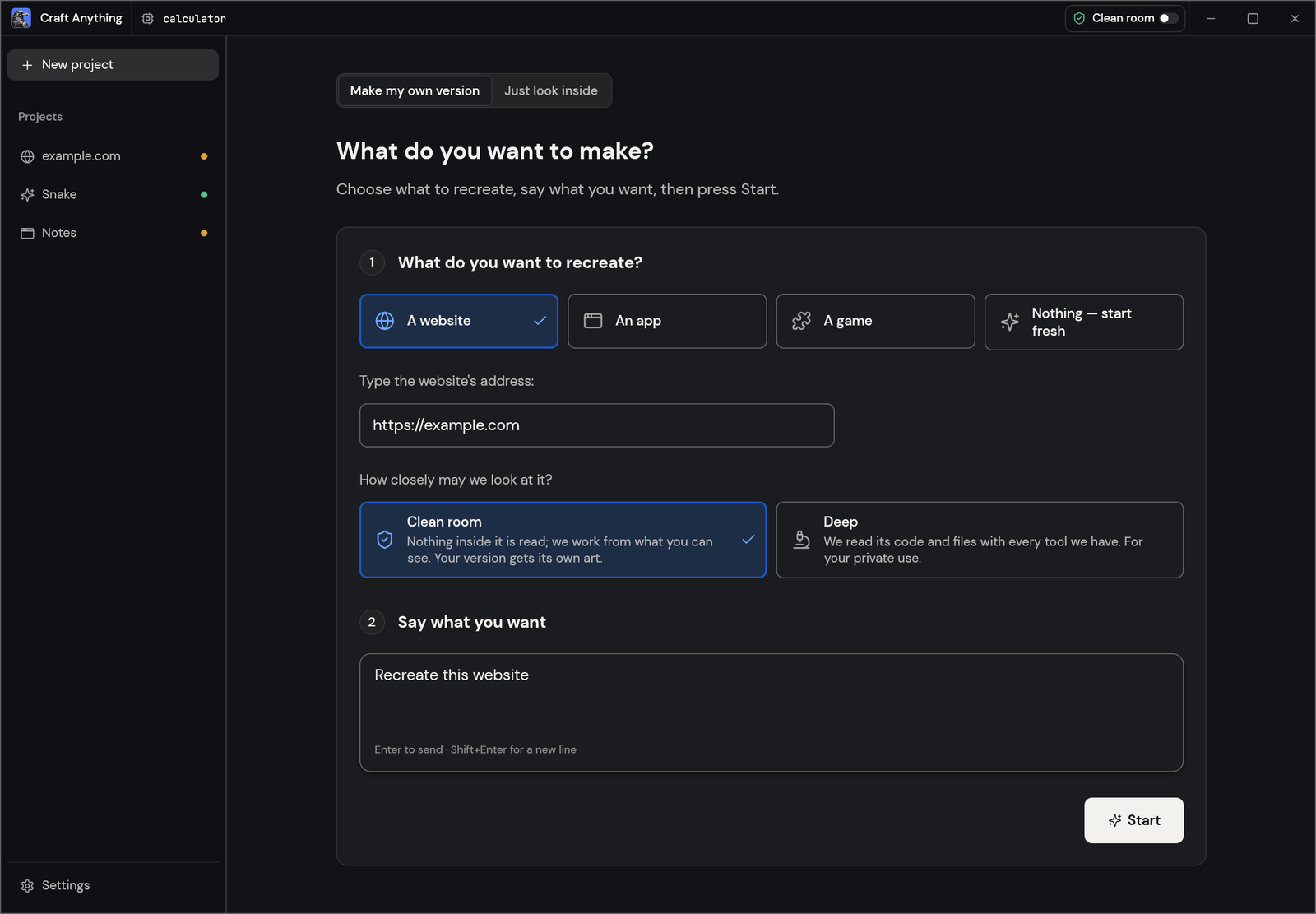
The Make screen: pick a website, an app or a game to recreate, type the address, choose Clean room or Deep, say what you want and press Start
Make: pick what to recreate, say what you want, press Start.
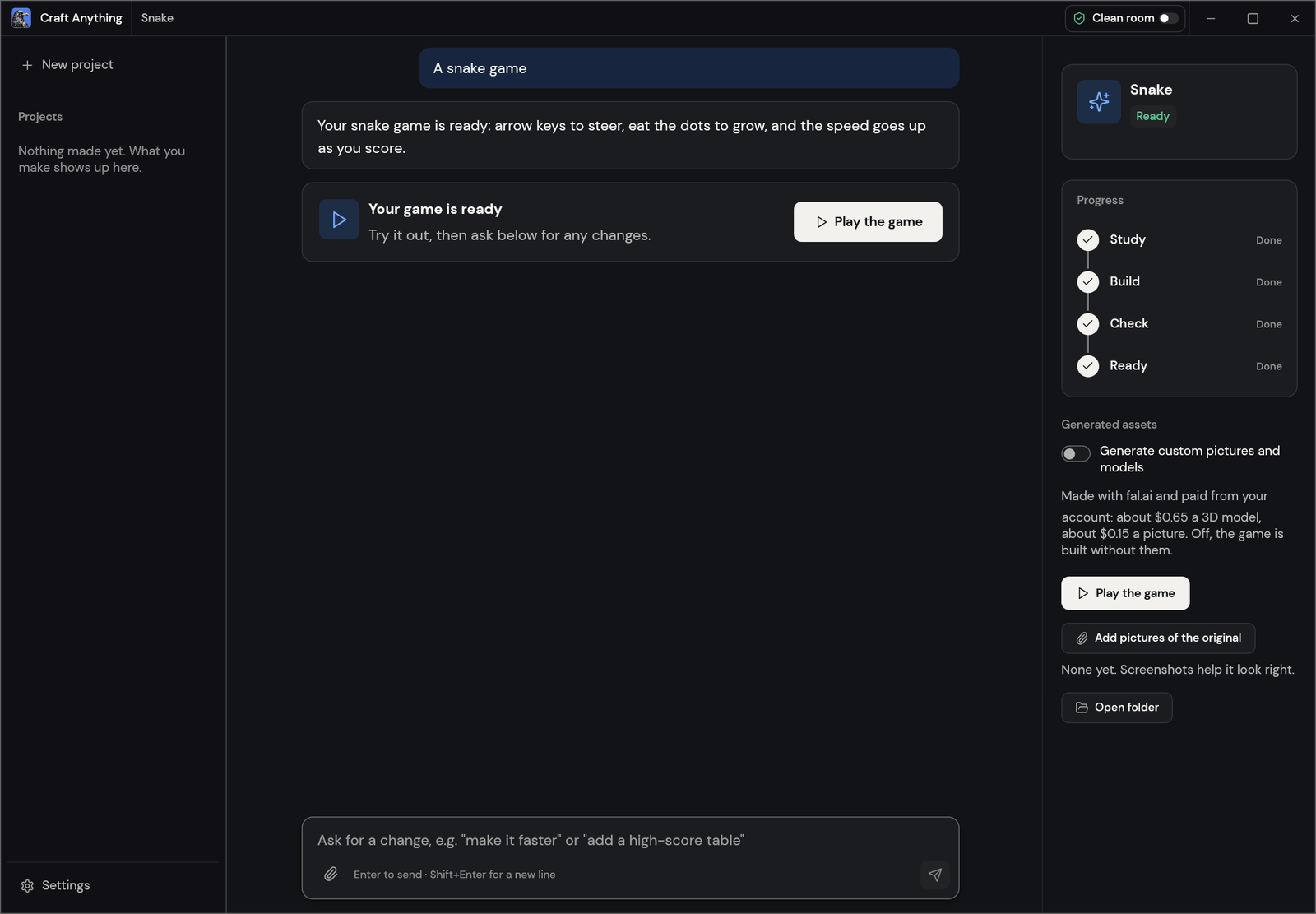
A finished snake game project with its steps all done and a Play the game button
Ready: play the game, or ask for changes below.

Two ways to use it

  • Simple (default): "What do you want to make?" Pick a website, app or game, describe it, press Start. A project page shows the four steps (Study → Build → Check → Ready), what the agent is doing in plain words, question and approval cards, how alike the result is, and buttons to open the result or its folder. Ask for changes in the box at the bottom. "Just look inside" opens a target for questions without building anything (in Deep mode).
  • Advanced: the full workbench: every tool (Ctrl/Cmd+K), functions, strings, pseudo-C, disassembly, hex, call graphs, evidence, unknowns, jobs, logs and the agent console.

Both modes drive the same engine.

Clean room or Deep

  • Clean room (the default): nothing inside the original is read, not its code, files or page source. Craft Anything works from what you can see: pictures you add, the website as a visitor sees it (screenshots, visible text, measured layout, colours, fonts and spacing, menus opened) and, when you allow it, a picture of the app's window. Tools that would look inside are refused and say how to turn on Deep mode.
  • Deep: every tool is used, for your private use. A program's code and files are read with the built-in engines (and Ghidra when it's installed), a website's JavaScript is read and its start page watched, and the builder may use all of them.

Switch in the title bar or Settings, with settings_set deep_mode true, or for one CLI run with --deep (or --clean-room).

Download Tool