 steved3/kit_hunter
A basic phishing kit scanner for dedicated and semi-dedicated hosting

Testing and development took place on Python 3.7.3 (Linux)
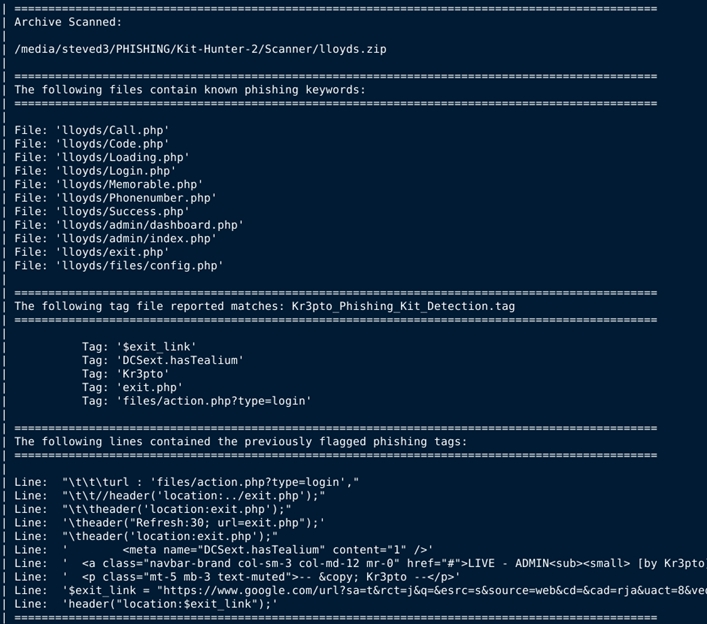
Kit Hunter is a personal project to learn Python, and a basic scanning tool that will search directories and locate phishing kits based on established markers. As detection happens, a report is generated for administrators.
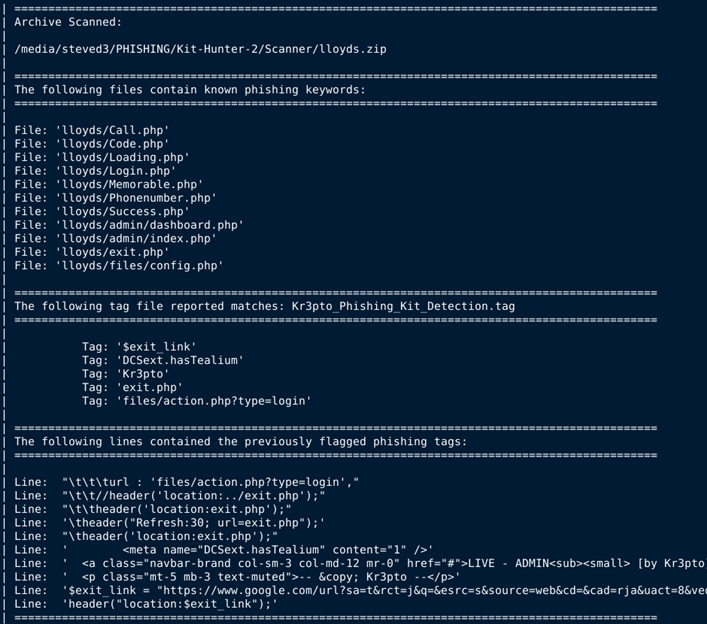
By default the script will generate a report that shows the files that were detected as potentially problematic, list the markers that indicated them as problematic (a.k.a. tags), and then show the exact line of code where the detection happened.
Detailed installation and usage instructions are available at SteveD3.io
To get quick help: python3 kit_hunter_2.py -h
To launch a full scan using the default settings:
python3 kit_hunter_2.py
To launch a quick scan, using minimal detection rules:
python3 kit_hunter_2.py -q
To launch a custom scan:
python3 kit_hunter_2.py -c
Note: When using the
-cswitch, you must place a tag file in the same location as Kit Hunter. You can name this file whatever you want, but the extension must be.tag. Please remember that the formatting is important. There should only be one item per line, and no whitespaces. You can look at the other tag files if you need examples.
You can run kit_hunter_2.py from any location using the -d switch to select a directory to scan:
python3 kit_hunter_2.py -d /path/to/directory
However, it is easier if you place kit_hunter_2.py in the directory above your web root (e.g. /www/ or /public_html/) and call the script from there.
The final report will be generated in the directory being scanned.
In my usage, I call Kit Hunter from my
/kit/download/directory where new phishing kits are saved. My reports are then generated and saved to that folder. However, if I call Kit Hunter and scan my/PHISHING/Archive/folder using the-dswitch, then the report will save to/PHISHING/Archive/.
This latest release of Kit Hunter comes with shell detection. Shell scripts are often packaged with phishing kits, or used to deploy phishing kits on webservers. Kit Hunter will scan for some common shell script elements. The process works exactly the same way as regular scanning, only the shell detections are called with the -s switch. This is a standalone scan, so you can't run it with other types. You can however leverage the -m and -l flags with shell scanning. See the script's help section for more details.
Once scanning is complete, output from the script will point you to the location of the saved scan report.
When it comes to the tag files, there are 41 tag files shipping with v2.5.8 Kit Hunter. These tag files detect targeted phishing campaigns, as well as various types of phishing tricks, such as obfuscation, templating, theming, and even branded kits like Kr3pto and Ex-Robotos. New tag files will be added, and existing tag files will be updated on a semi-regular basis. See the changelog for details.
As was the case with v1.0, the longer the tag file is, the longer it will take for the script to read it.






