
Skip to content
KitploitKITPLOIT
ToolsExploitsBlog
Log in
Submit
ToolsExploitsBlog
Submit

Hacking, PenTest, and Cybersecurity Tools for Your Security Arsenal!

Kitploit is a directory of hacking, cybersecurity, and pentesting tools. Discover the latest project updates to find vulnerabilities, analyze systems, automate testing, and strengthen your security.

FeedsContactPrivacy© 2026 Kitploit

Tool Directory

Categories

View all categories
Loading categories
FiddleZAP — Regex-based malicious traffic detection add-on for OWASP ZAP. Flags compromised websites by matching URI and HTML patterns, with color-coded alerts and tagging for web session analysis. | Kitploit
Tools/GitHubGitHub/malwareinfosec/fiddlezap
Web Proxies & InterceptionWeb SecurityMalware AnalysisThreat IntelligenceIntrusion Detection
GitHubmalwareinfosec/fiddlezap

FiddleZAP

Regex-based malicious traffic detection add-on for OWASP ZAP. Flags compromised websites by matching URI and HTML patterns, with color-coded alerts and tagging for web session analysis.

View Repository
174485 years agoNot yet reviewed
Share

FiddleZAP

FiddleZAP is a simplified version of EKFiddle for OWASP ZAP.

With ZAP as your web proxy, you are able to flag malicious traffic based on predefined regular expressions.

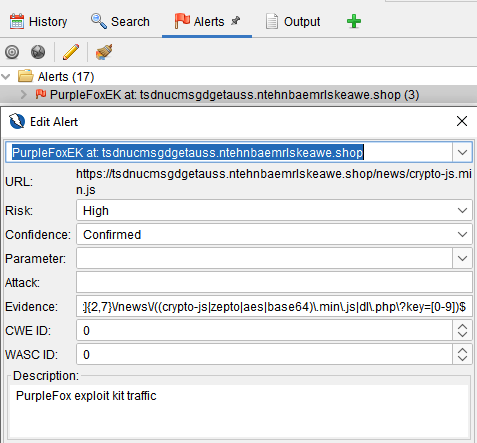
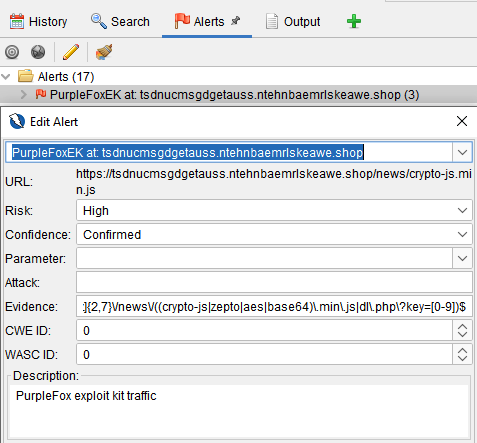
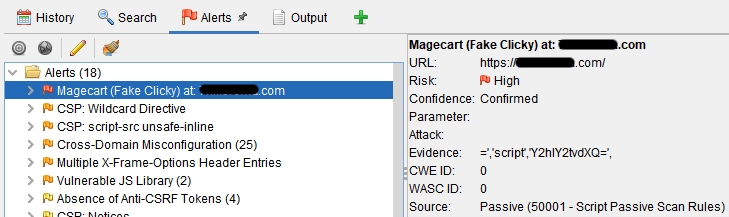
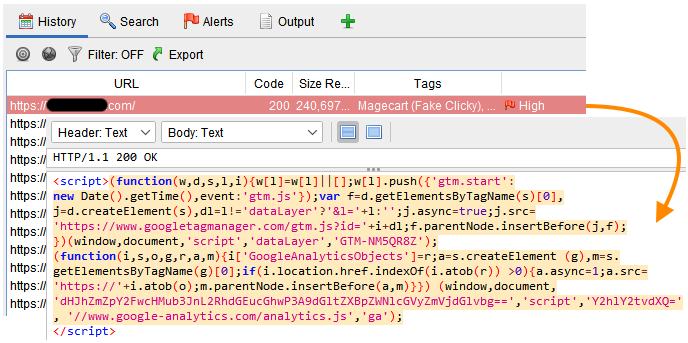
Example: Alert, highlighting and tagging when a regex matches on a string within the HTML source code of a compromised website
image

image

Installation

  • Download and install ZAP: https://www.zaproxy.org/download/

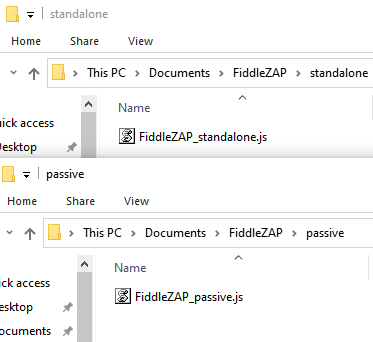
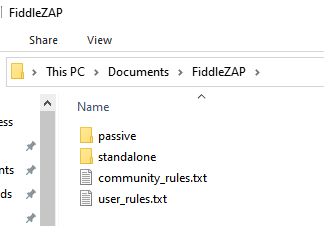
  • Download or clone the FiddleZAP directory into your Documents folder.

It should have the following structure:
image

image

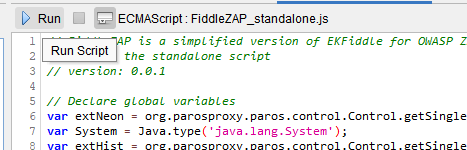
There are 2 scripts (standalone, passive rules). The former is used to run manually on the currently loaded session (web traffic), the latter automatically runs while recording traffic.

Stand Alone

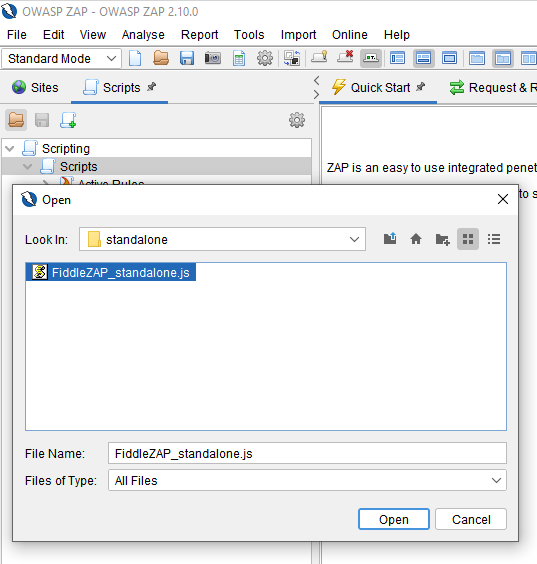
First, install the standalone script:
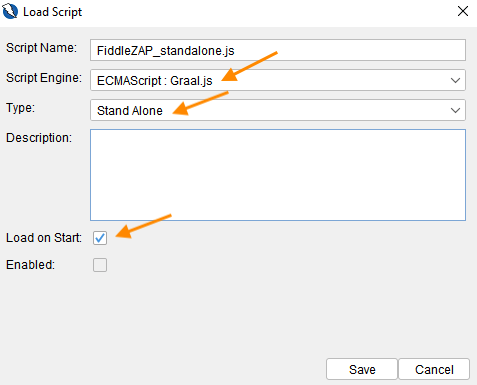
  • Click on the Load script icon:

image

  • Select the following parameters:

image

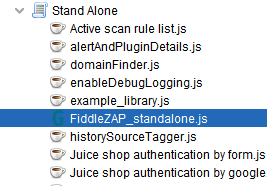
  • It now shows under standalone:

image

Passive Rules

Next, install the passive rules script:
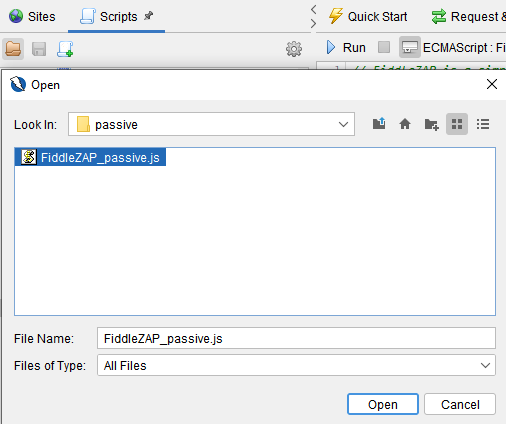
  • Click on the Load script icon:

image

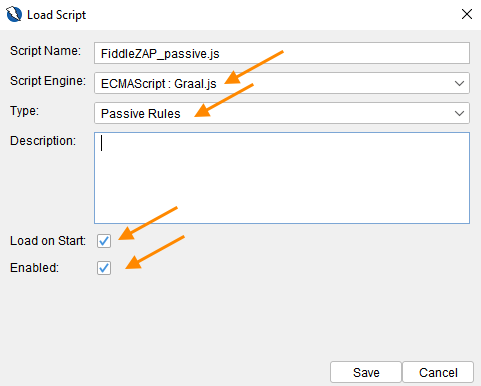
  • Select the following parameters:

image

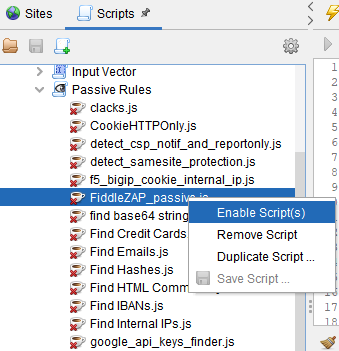
The FiddleZAP script should now show up under Passive Rules. If it is not enabled, right-click on it and select Enable script.
image

Features

Regexes (rules) to detect malicious traffic

Rules for FiddleZAP can look for URI patterns and source code patterns (session body).

  • A community_rules.txt file is provided with some examples.

  • The user_rules.txt is your own rules file.

Rules are automatically loaded and used to scan incoming traffic (if Passive Rules script is enabled). If you want to run rules on previously captured traffic, you need to run the standalone script.
image

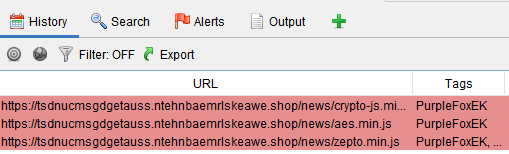
Color coding and tagging of matching web sessions

(This feature requires the neonmarker add-on)
image

Detailed alerts

image

Download Tool

Most Popular

View all →

Discover the most used tools by our community.

  • 1

    OsintHunter

    letox4/osinthunter

    🎯 The ultimate OSINT toolkit: investigation graph, confidence scoring, alias families, map, timeline and reports. 49 modules, 400+ sites, no API keys required.

    717
  • 2

    ghostlock-app

    yukonga/ghostlock-app

    GhostLock One-Tap Execution App (CVE-2026-43499)

    504
  • 3

    ARTEX

    baarai/artex

    LLM multi-agent autonomous penetration testing platform with planner/worker agents, asset and exploration graphs, MITM traffic recording, and vulnerability retesting.

    402
  • 4

    redforge

    cybersecurity91/redforge

    Browser-side red team toolkit with 102 offline tools for recon, payload generation, credential attacks, crypto, encoding and engagement reporting.

    342
  • 5

    CyberStrikeAI

    ed1s0nz/cyberstrikeai

    The system of action for AI-native cybersecurity—where intent becomes governed execution, evidence becomes operational memory, and every operation improves the next.

    260
  • 6

    antifox

    antifox-ai/antifox

    AI multi-agent autonomous penetration testing platform that runs recon, attack-surface discovery, exploitation validation and evidence-backed report delivery.

    259

Explore all tools

Browse our collection of tools

View all tools →