
Skip to content
KitploitKITPLOIT
ToolsExploitsBlog
Log in
Submit
ToolsExploitsBlog
Submit

Hacking, PenTest, and Cybersecurity Tools for Your Security Arsenal!

Kitploit is a directory of hacking, cybersecurity, and pentesting tools. Discover the latest project updates to find vulnerabilities, analyze systems, automate testing, and strengthen your security.

FeedsContactPrivacy© 2026 Kitploit

Tool Directory

Categories

View all categories
Loading categories
Hermes-Proxy — Hermes Proxy - HTTP Traffic Analyzer | Kitploit
Tools/GitHubGitHub/jp/hermes-proxy
Packet Sniffing & AnalysisDynamic Analysis (Sandboxing)Web Proxies & InterceptionAPI Security TestingDebuggersWeb Security
GitHubjp/hermes-proxy

Hermes-Proxy

Hermes Proxy - HTTP Traffic Analyzer

View Repository
651456 days agoReviewed by Kitploit
Share
Hermes Proxy

Hermes Proxy

See, filter, replay and rewrite every HTTP, HTTPS and WebSocket request your apps make.

A free, open-source desktop intercepting proxy for debugging APIs, mobile apps, games and anything else that talks over HTTP.

CI License: GPL v3 Platforms Electron

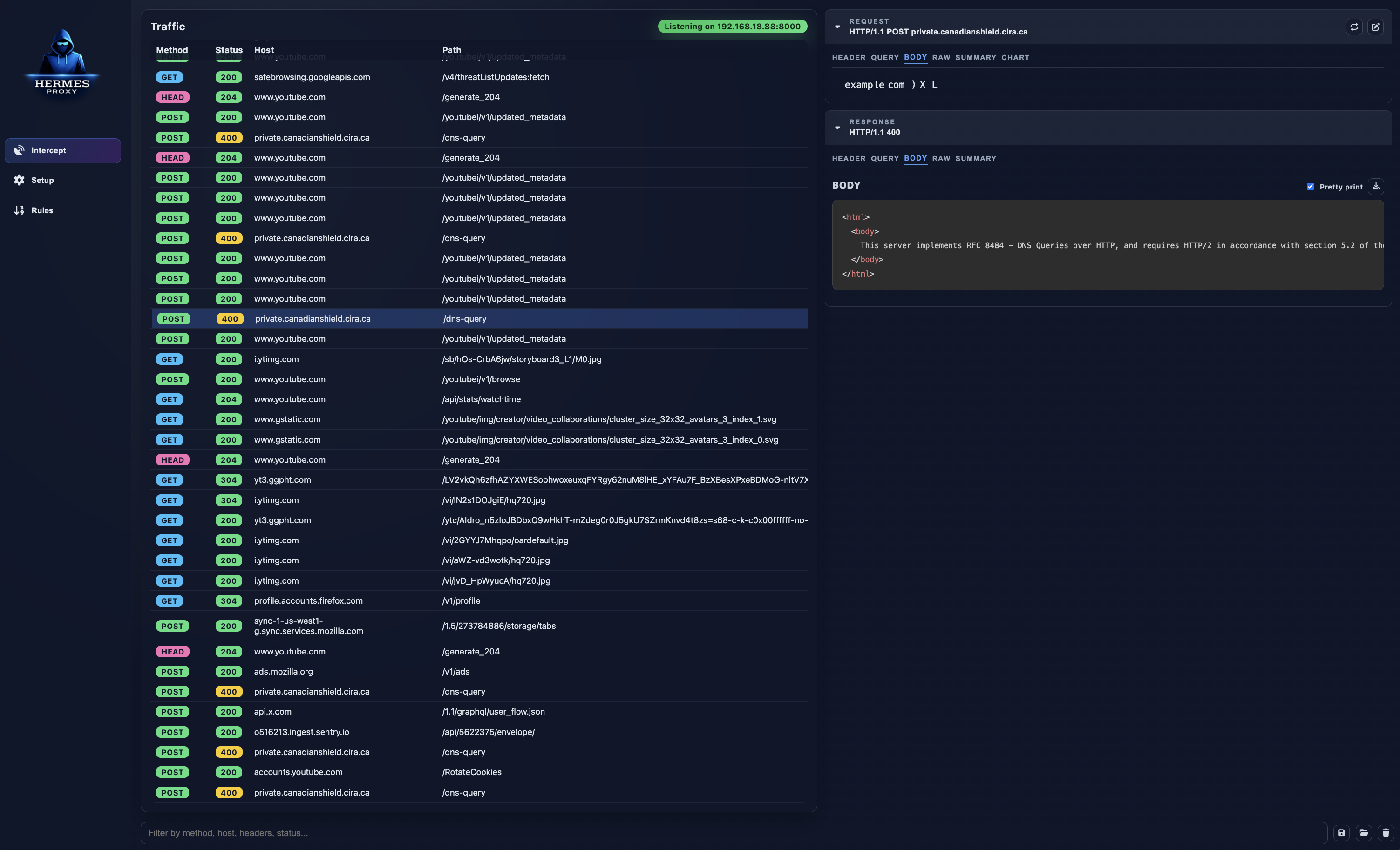
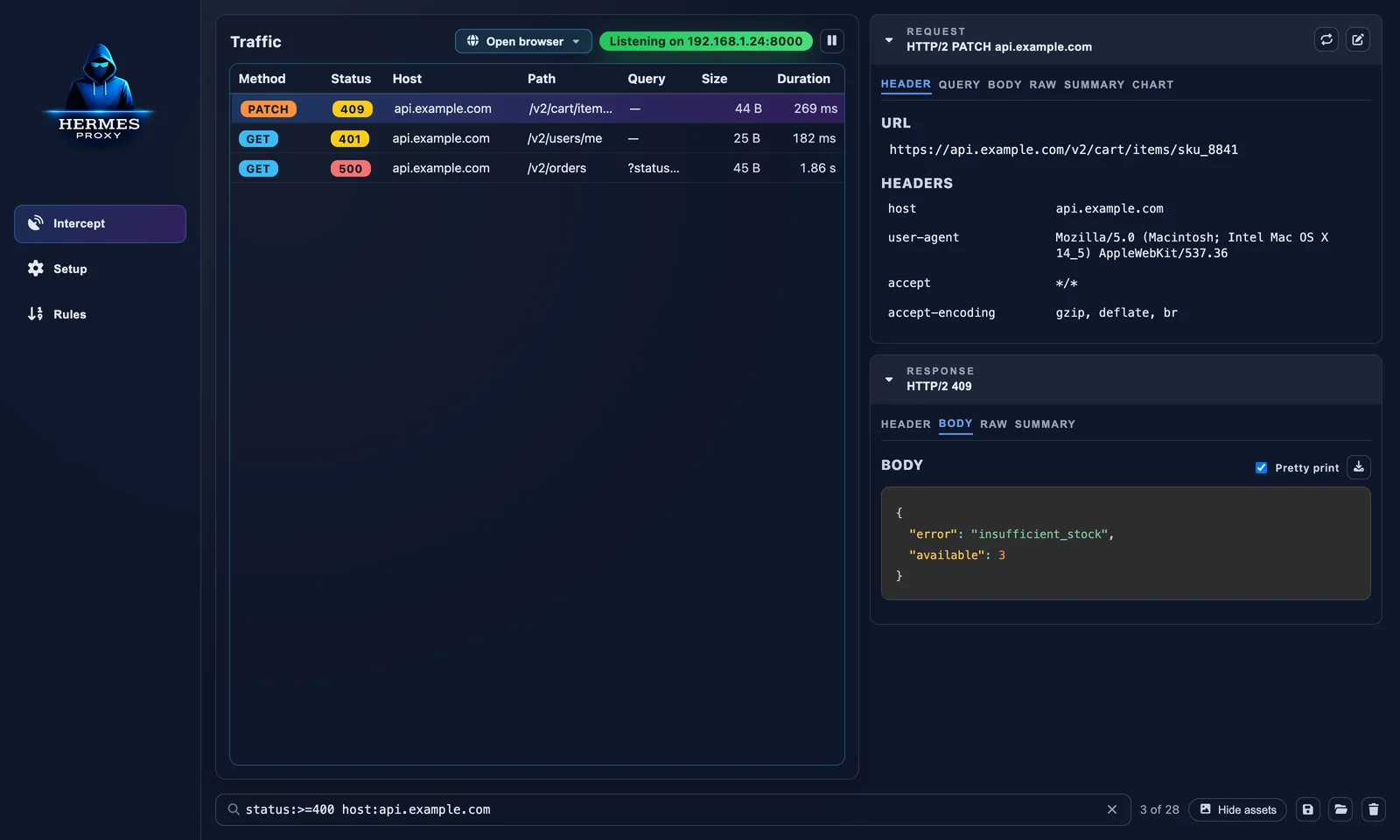
Hermes Proxy traffic view showing a list of captured requests and a pretty-printed JSON response

Why Hermes Proxy?

  • One click to start. Open Chrome, Edge, Brave, Firefox and friends already routed through Hermes and trusting its certificate, without touching system proxy settings or certificate stores.
  • Everything in one place. HTTP/1.1, HTTP/2, HTTPS (via a local CA) and WebSockets in a single live list.
  • Find the needle fast. Structured filters like status:>=400 host:api.example.com -path:/health, sortable columns, and one click to hide images, fonts and scripts.
  • Change what the app sees. Rules can delay requests, rewrite headers, return a fake response or drop the connection, with no code changes in the app under test.
  • Replay and edit. Re-send any request, or open it in an editor and change the URL, headers or body first.
  • Share what you found. Export everything (or just a selection) as HAR, copy as cURL / fetch / PowerShell, or import someone else's HAR.
  • Local and private. No account, no cloud. Traffic never leaves your machine.

Tour

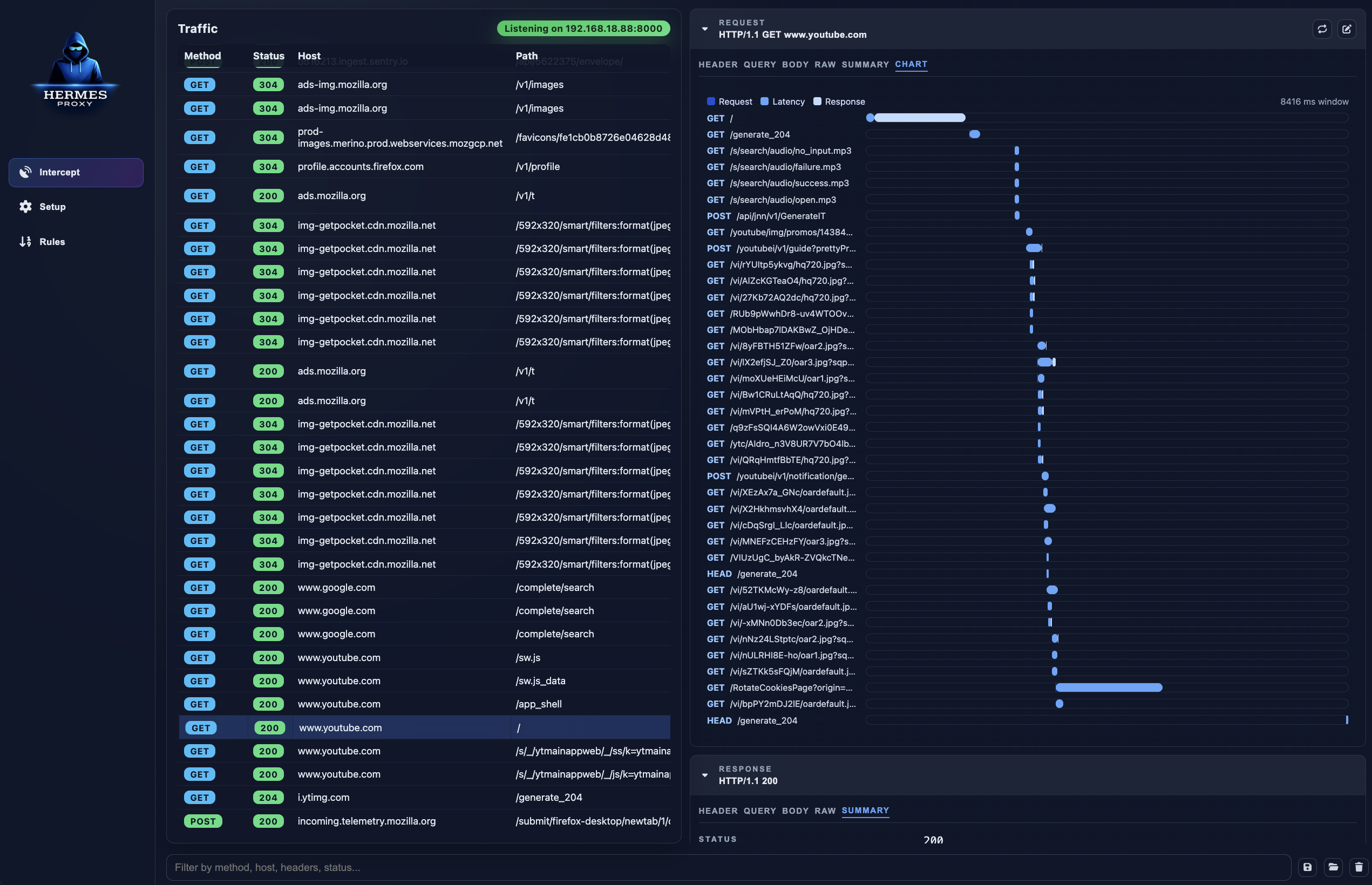
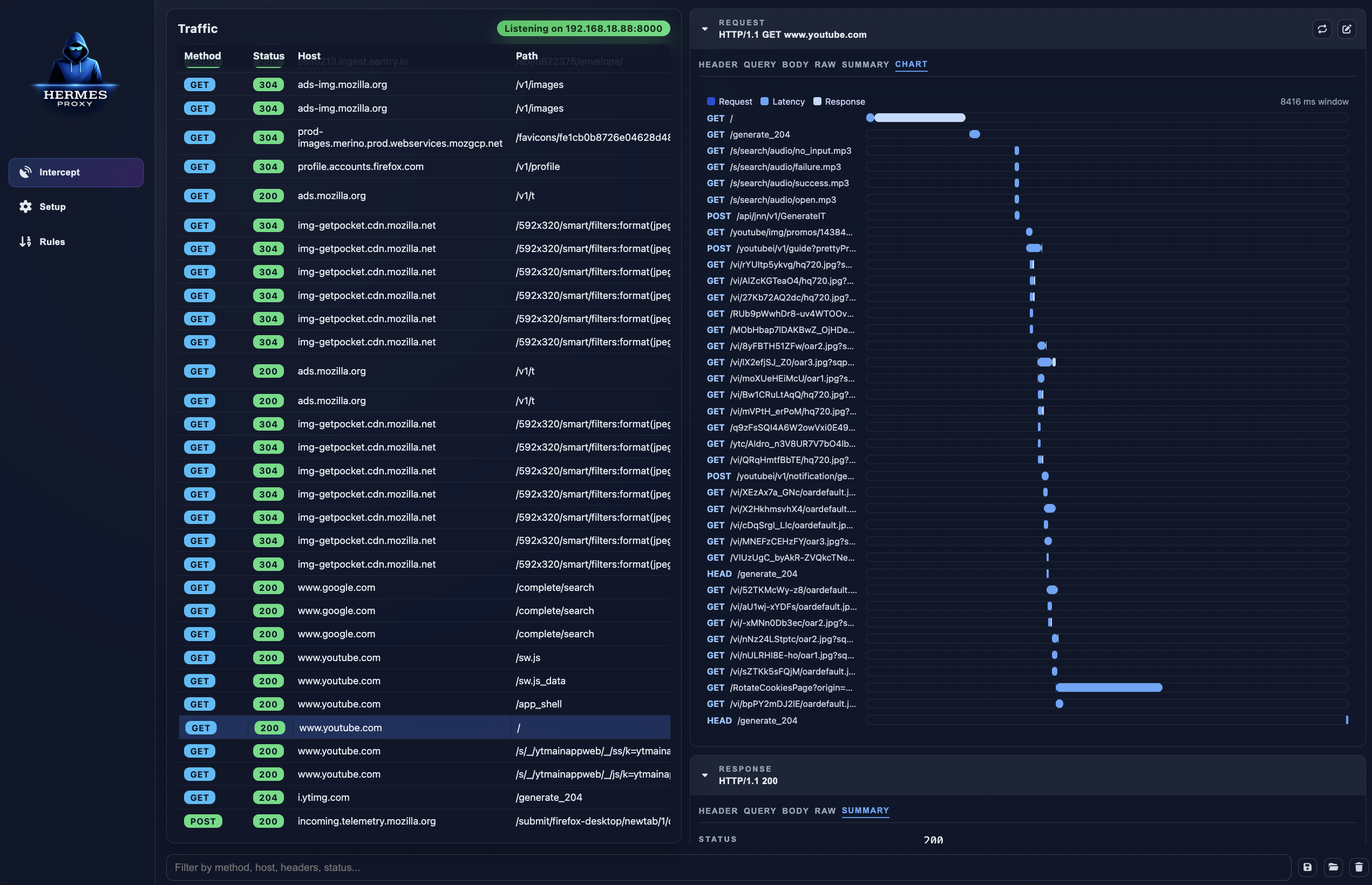
Structured filteringWaterfall chart
Filter like a query language. Combine method, status ranges, host wildcards, content type and negation.Waterfall chart. See every request a page triggered, with send / wait / receive timings.
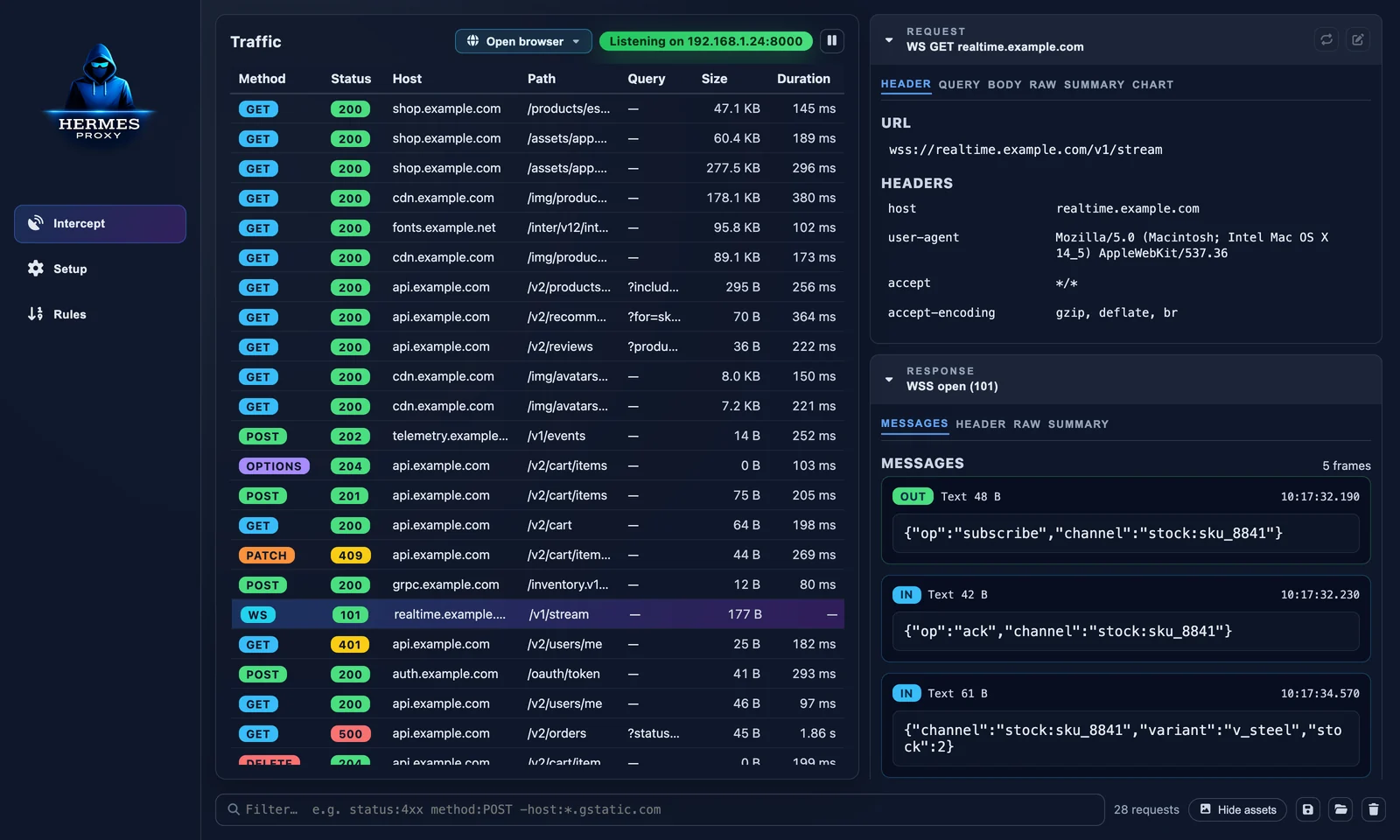
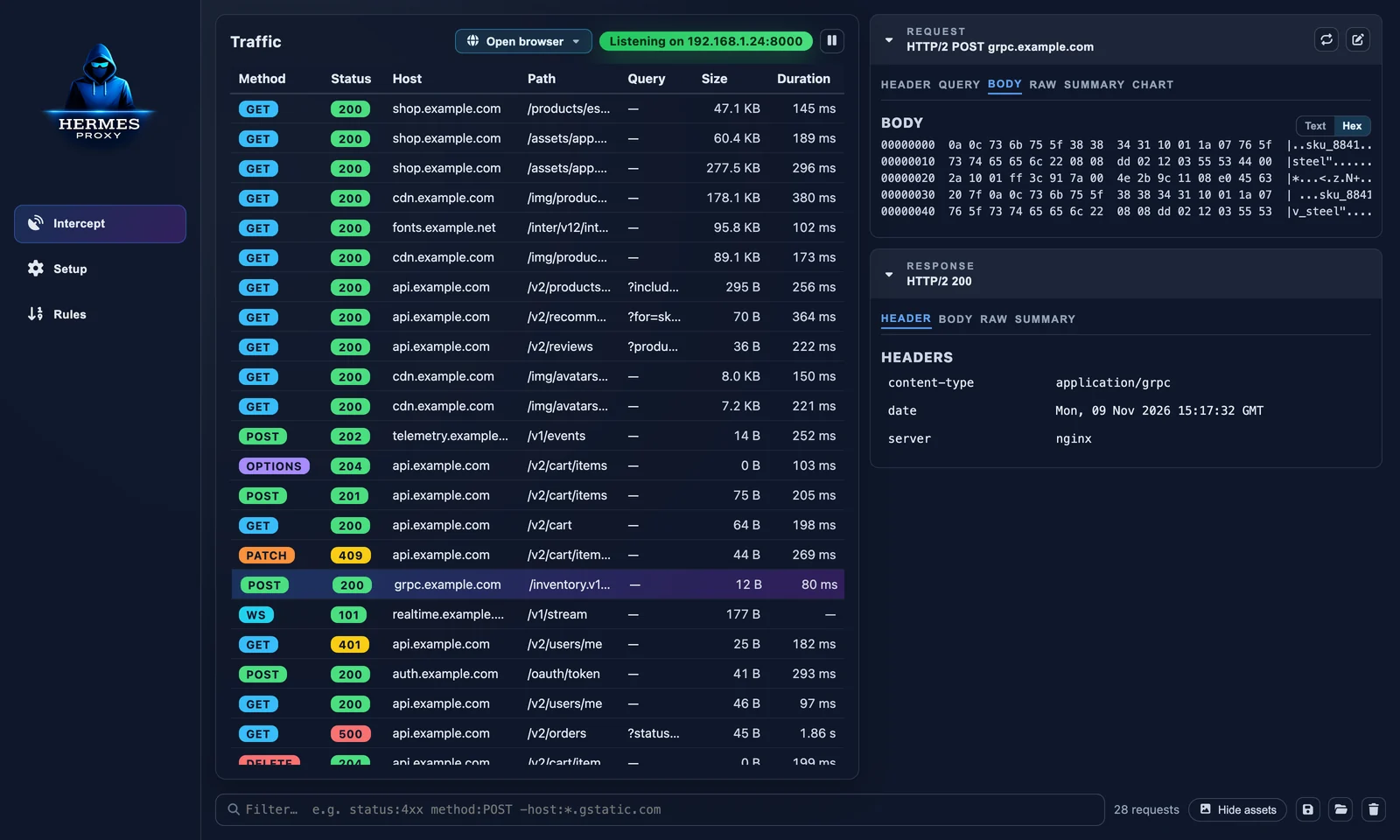
WebSocket messagesHex view of a binary body
WebSocket frames. Every message in and out, with direction, size and timestamp.Binary bodies. gRPC, protobuf, images and other non-text payloads open in a hex view.

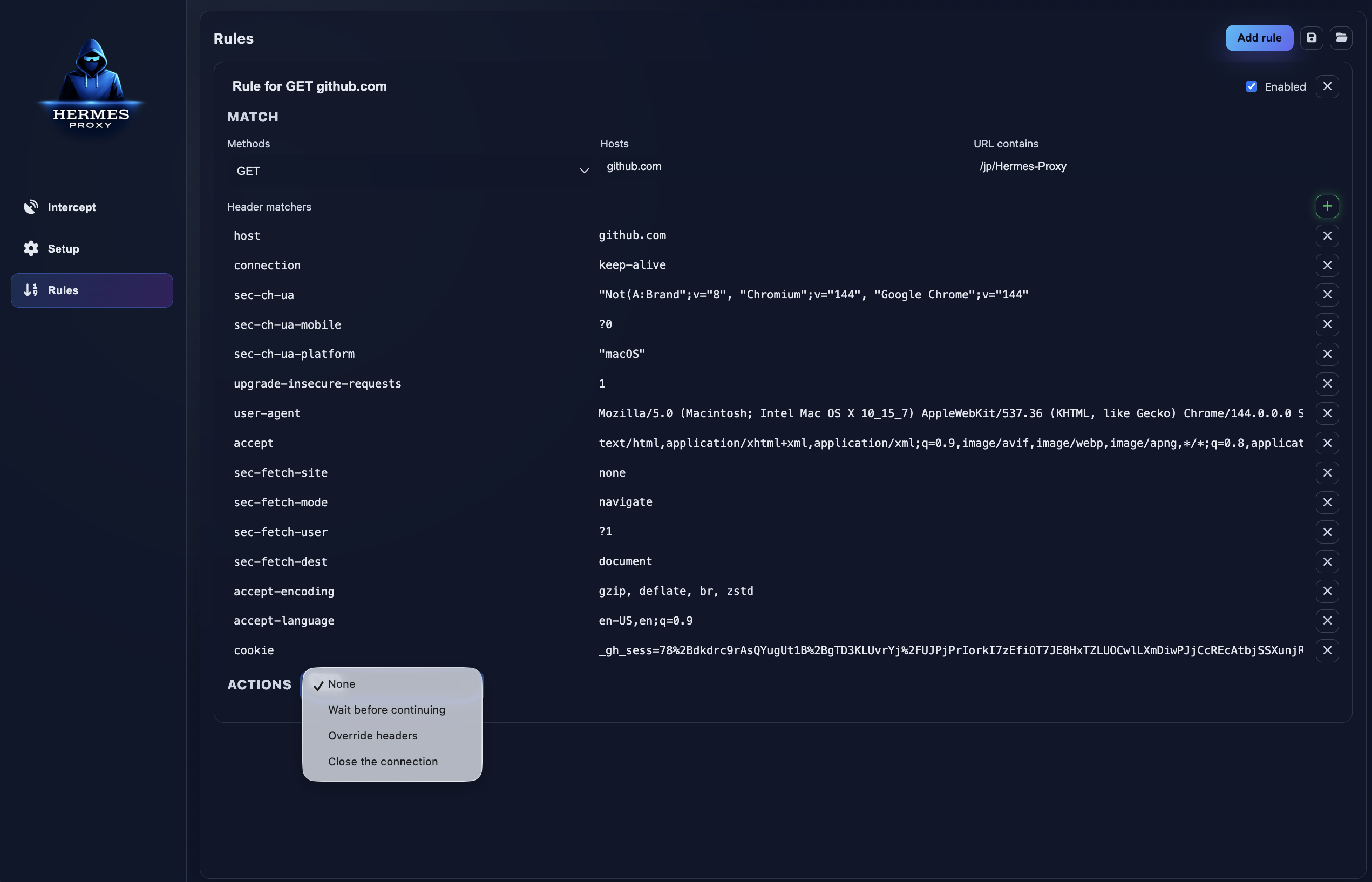
Rules editor

Features

Capture

  • Open a pre-configured browser (Chrome, Chrome Canary, Chromium, Edge, Brave, Vivaldi, Opera, Firefox) in its own profile, with no system changes
  • HTTP, HTTPS and WebSocket interception through an mockttp-powered proxy
  • Auto-generated local certificate authority, exportable from the Setup tab
  • Listen on all interfaces to capture phones, tablets, VMs and other devices on your network
  • Pause / resume recording without stopping the proxy
  • Configurable max captured body size

Inspect

  • Live, virtualized traffic table that stays fast with thousands of requests
  • Columns for time, method, status, host, path, query, content type, size and duration. Click to sort, right-click to show or hide; your layout is remembered.
  • Request & response headers, query params, raw view, summary (caching, compression, sizes)
  • Pretty-printed and syntax-highlighted JSON and HTML, hex dump for binary bodies
  • Waterfall chart of a request and everything it triggered

Act

  • Replay a request as-is, or edit URL/headers/body in a dedicated editor window
  • Rules: match by method, host, URL and headers; then delay, override headers, override the whole response, or close the connection
  • Create a rule straight from a captured request (right-click → Add matching rule)
  • Copy as URL, cURL, fetch or PowerShell; copy response body; save body to file
  • Export all or selected requests as HAR, import HAR files
  • Delete individual requests or clear the whole session

Getting started

Install

Prebuilt binaries for macOS, Windows and Linux are attached to each GitHub release.

[!NOTE] Release builds are not code-signed yet, so macOS Gatekeeper and Windows SmartScreen may refuse to open them. Until then, running from source (below) is the most reliable option.

Run from source

Requires Node.js 20.19+ (22 LTS recommended).

git clone https://github.com/jp/Hermes-Proxy.git
cd Hermes-Proxy
npm install
npm run dev

Open a browser through Hermes

The fastest way to start: click Open browser above the traffic list (or use the Setup tab) and pick one of the browsers Hermes found on your machine.
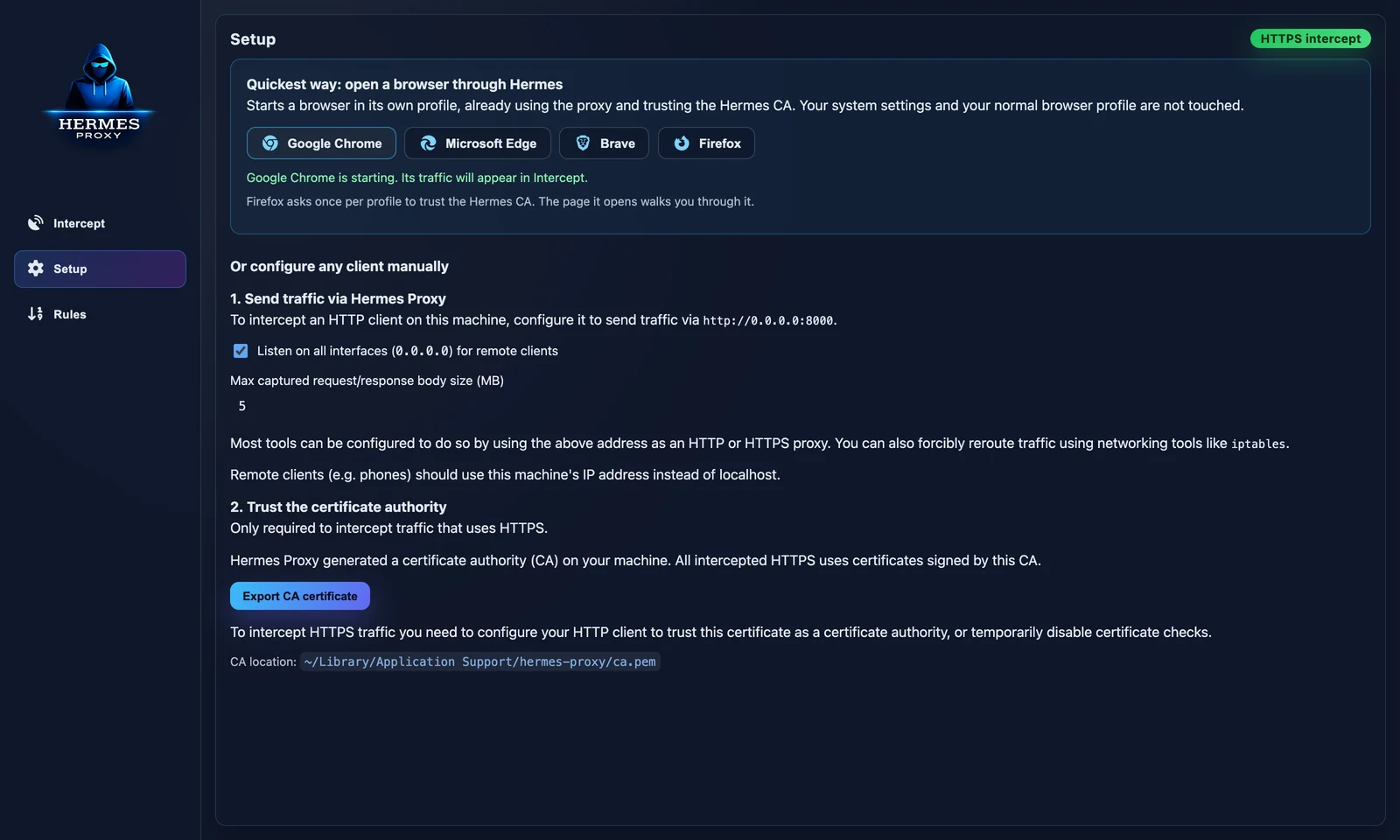
Browser launcher in the Setup tab

The browser opens in a dedicated profile that already uses the proxy, so your everyday profile and system settings stay untouched. On first launch it opens http://hermes.proxy, a page served by Hermes that confirms HTTP and HTTPS interception are working.

  • Chrome, Edge, Brave, Chromium, Vivaldi, Opera: HTTPS works immediately. Hermes tells the browser to trust its CA for that profile only (--ignore-certificate-errors-spki-list), so nothing is installed.
  • Firefox: the landing page has a Trust Hermes CA in this profile button. Firefox asks once per profile.

Profiles are kept between launches (logins and cookies included) in Hermes' data folder under browser-profiles/. Browsers started by Hermes are closed when Hermes quits.

Send traffic through it manually

Hermes listens on port 8000 by default. The exact address is shown at the top of the traffic list and in the Setup tab.

# A single command
curl -x http://localhost:8000 https://httpbin.org/get

# Most CLI tools and SDKs honor the standard proxy variables
export HTTP_PROXY=http://localhost:8000
export HTTPS_PROXY=http://localhost:8000

# Launch a desktop app with the proxy set (macOS)
HTTPS_PROXY=http://localhost:8000 open -a "Some App"

For browsers, set localhost:8000 as the HTTP and HTTPS proxy in your system or browser network settings. For a phone or another machine, enable Listen on all interfaces in Setup and use this computer's LAN IP.

Trust the certificate (HTTPS only)

To see HTTPS contents, clients must trust the Hermes CA. Export it from Setup → Export CA certificate, then:


Download Tool

Most Popular

View all →

Discover the most used tools by our community.

  • 1

    OsintHunter

    letox4/osinthunter

    🎯 The ultimate OSINT toolkit: investigation graph, confidence scoring, alias families, map, timeline and reports. 49 modules, 400+ sites, no API keys required.

    732
  • 2

    ghostlock-app

    yukonga/ghostlock-app

    GhostLock One-Tap Execution App (CVE-2026-43499)

    506
  • 3

    ARTEX

    baarai/artex

    LLM multi-agent autonomous penetration testing platform with planner/worker agents, asset and exploration graphs, MITM traffic recording, and vulnerability retesting.

    405
  • 4

    redforge

    cybersecurity91/redforge

    Browser-side red team toolkit with 102 offline tools for recon, payload generation, credential attacks, crypto, encoding and engagement reporting.

    342
  • 5

    CyberStrikeAI

    ed1s0nz/cyberstrikeai

    The system of action for AI-native cybersecurity—where intent becomes governed execution, evidence becomes operational memory, and every operation improves the next.

    261
  • 6

    antifox

    antifox-ai/antifox

    AI multi-agent autonomous penetration testing platform that runs recon, attack-surface discovery, exploitation validation and evidence-backed report delivery.

    259

Explore all tools

Browse our collection of tools

View all tools →