
AI security agent that runs in your terminal, orchestrating local tools, runbooks, and agents for authorized AppSec, pentest, OSINT, and CTF workflows with durable operation memory and evidence tracking.
The open source AI security agent.
Give your terminal a security brain.
Run security workflows with your local tools, agents, runbooks, findings, evidence, replay and reports.
npm install -g numasec



Demo | Why | What it feels like | Try it | What it does | Commands | Architecture | Roadmap
numasec is an AI security agent that runs in your terminal.
It uses the tools already installed on your machine, follows security runbooks, switches between cyber agents, keeps the operation context alive, tracks findings, stores evidence and helps turn the work into reports.
It is built for people who already live between shell, browser, HTTP requests, scanners, advisories, notes and reports.
A security agent for the workflow you already have.
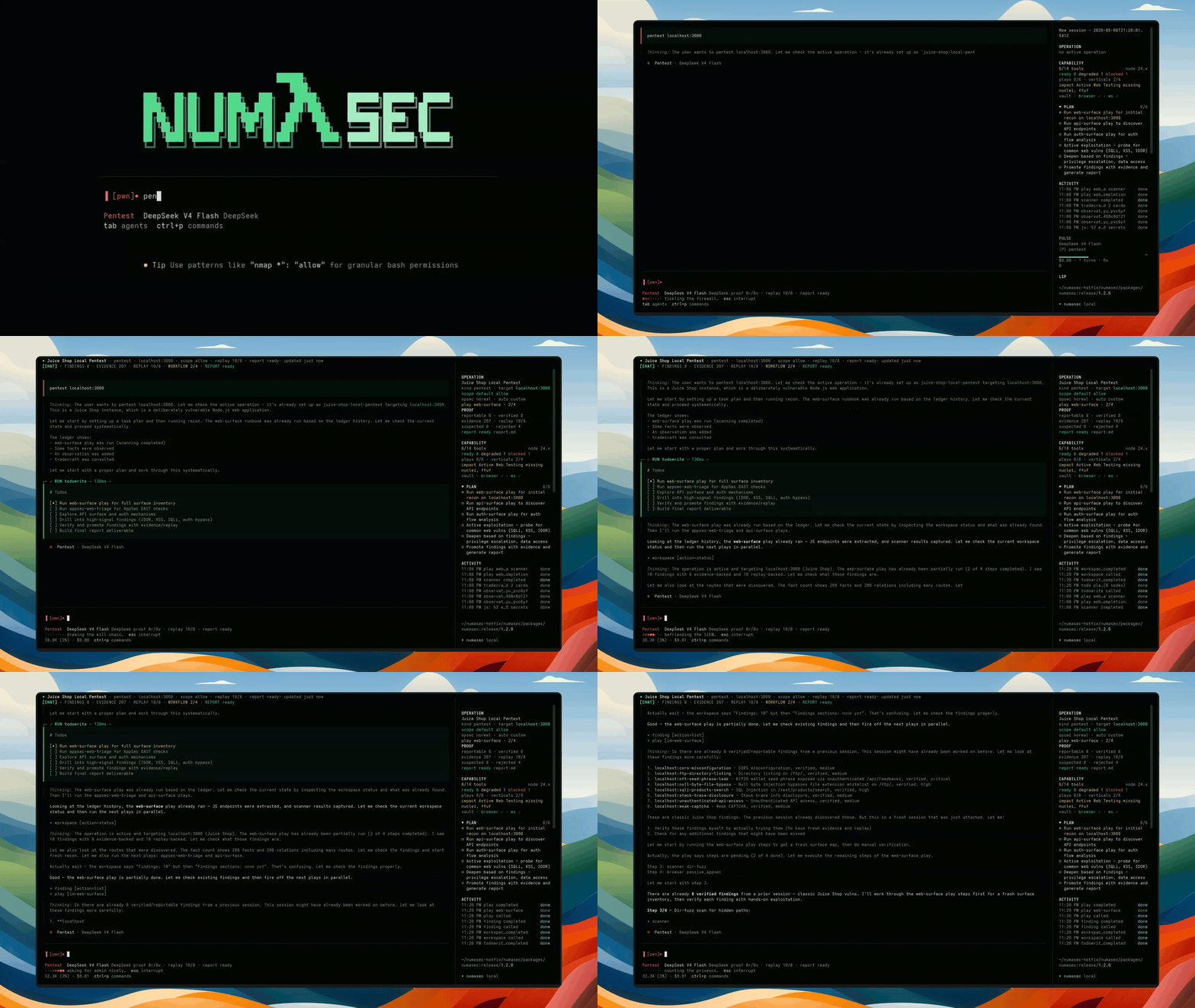
Click the preview for the full terminal recording.
Security work does not happen in one clean place.
You move between terminal commands, browser work, HTTP requests, local tools, scanners, advisories, notes, screenshots, findings and reports.
AI can help, but only if it lives inside that workflow.
numasec gives the model a security workspace instead of just a chat box. It keeps the target, scope, tools, runbooks, findings, evidence, replay and report state together while the work is happening.
The goal is simple:
make security work feel faster, sharper and less scattered.
numasec is strongest today for authorized AppSec and Pentest workflows. Other cyber surfaces exist or are possible, but they are not marketed as equally mature yet.
Coding agents changed how developers work.
They read code, run commands, edit files, execute tests and stay inside the development loop.
Security needs the same shift, but security work has different constraints.
A security agent needs to know the target, stay inside scope, use the local toolchain, remember what happened, separate noise from findings and keep enough context to produce useful output later.
That is what numasec is trying to become:
the open source AI security agent for the terminal.
Open numasec inside the workspace you are testing, pick the right security agent, check which local tools are available, then start a runbook and let the agent help you move through the workflow.
When the work changes, switch posture. When something matters, keep the finding, evidence, replay and report context close to the operation instead of scattering it across shell history, screenshots and notes.
Then come back later and resume without starting from zero.
numasec starts like a terminal agent, then the security work begins, and it becomes a workspace.
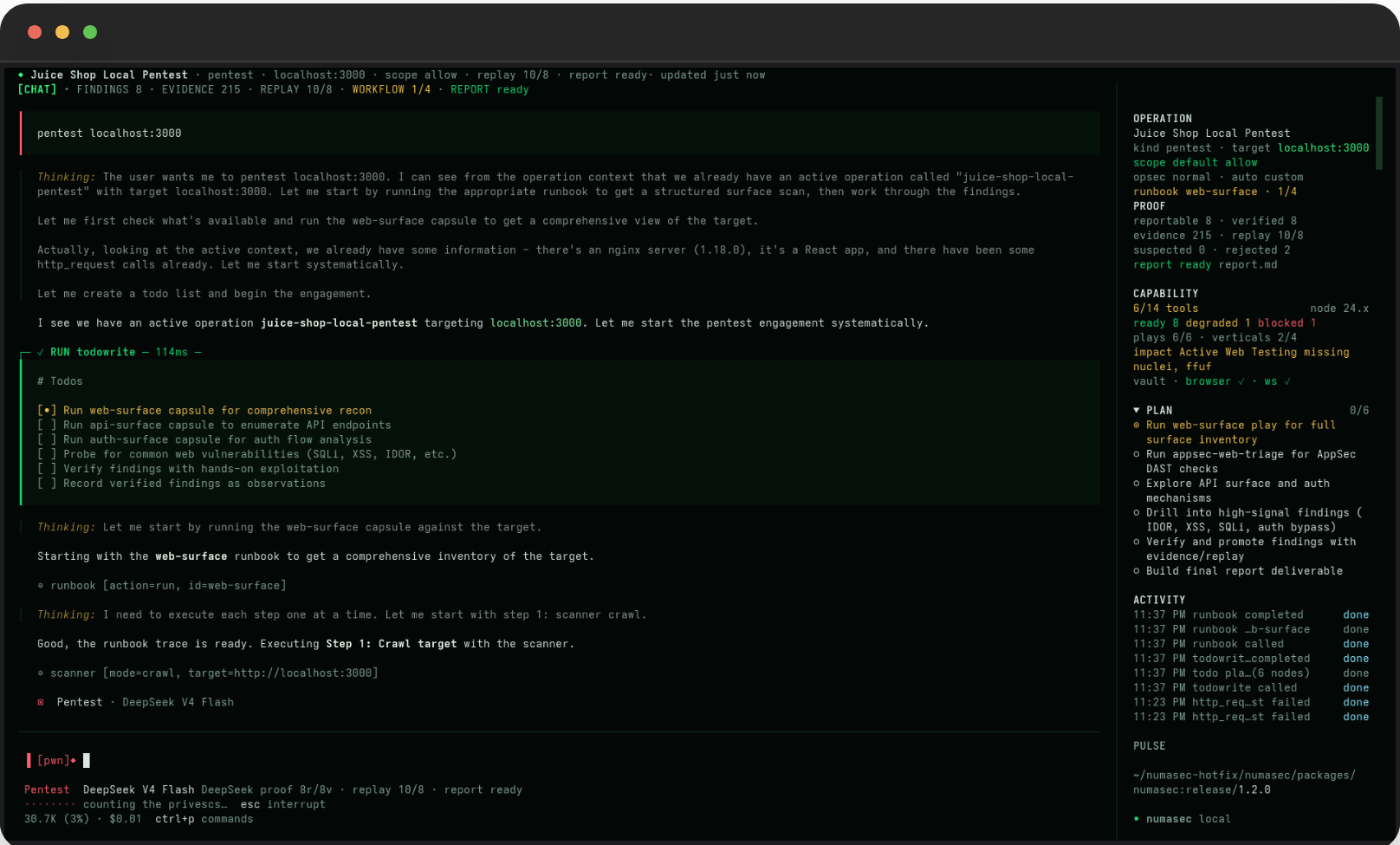
You get the model, the active agent, the command palette, the working directory and the prompt. The point is not to leave your terminal; the point is to make the terminal smarter.
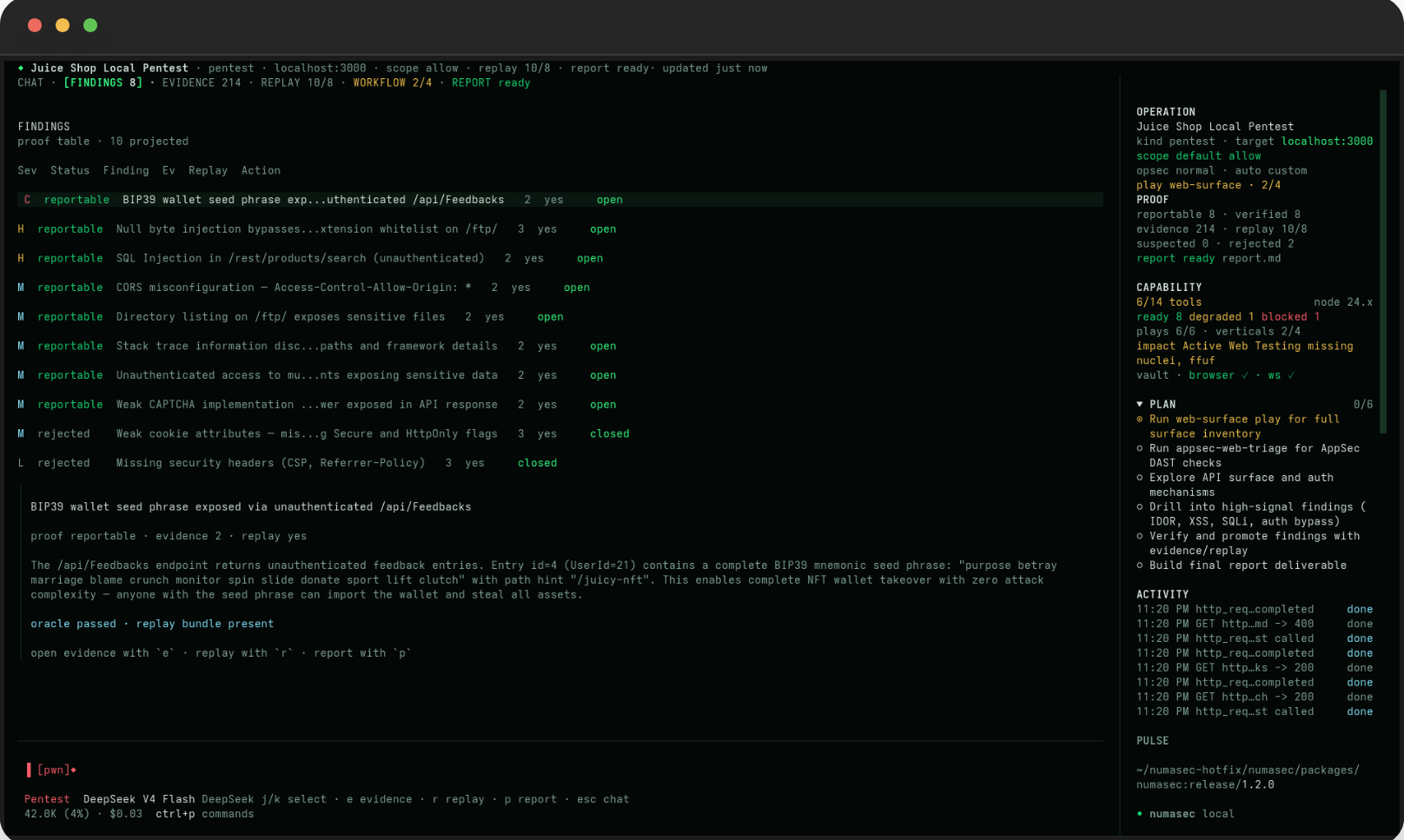
Findings are not dumped into chat: they live in the operation, where each one can carry state, severity, evidence, replay status and next action, so the agent can keep working without losing the thread.
Weak signals can stay weak. Rejected claims remain visible. Reportable findings need proof.
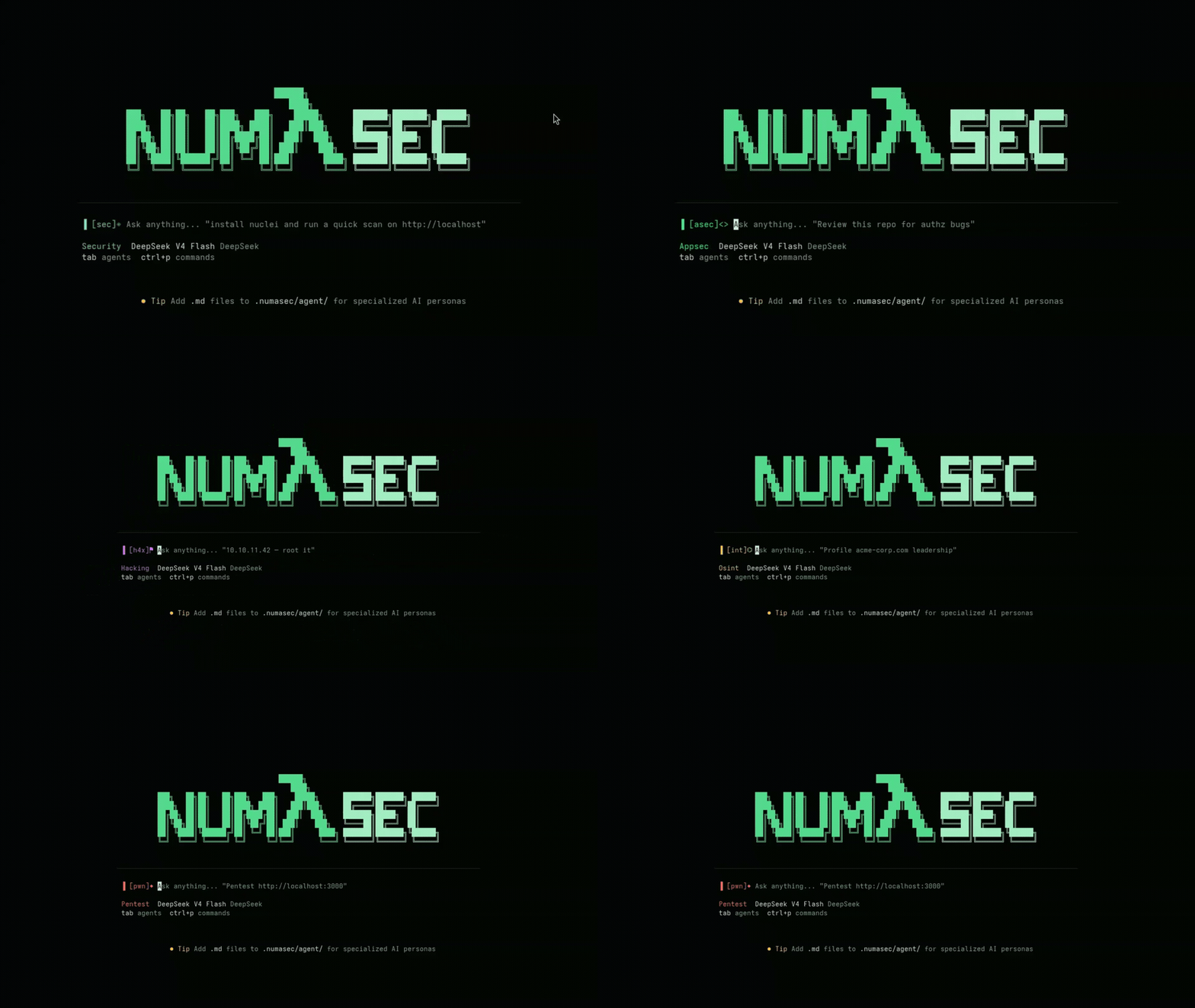
Security work changes shape. AppSec, Pentest, OSINT, CTF/lab and research do not need the same posture, so you can switch the agent when the work changes instead of forcing one generic assistant to behave the same way everywhere.
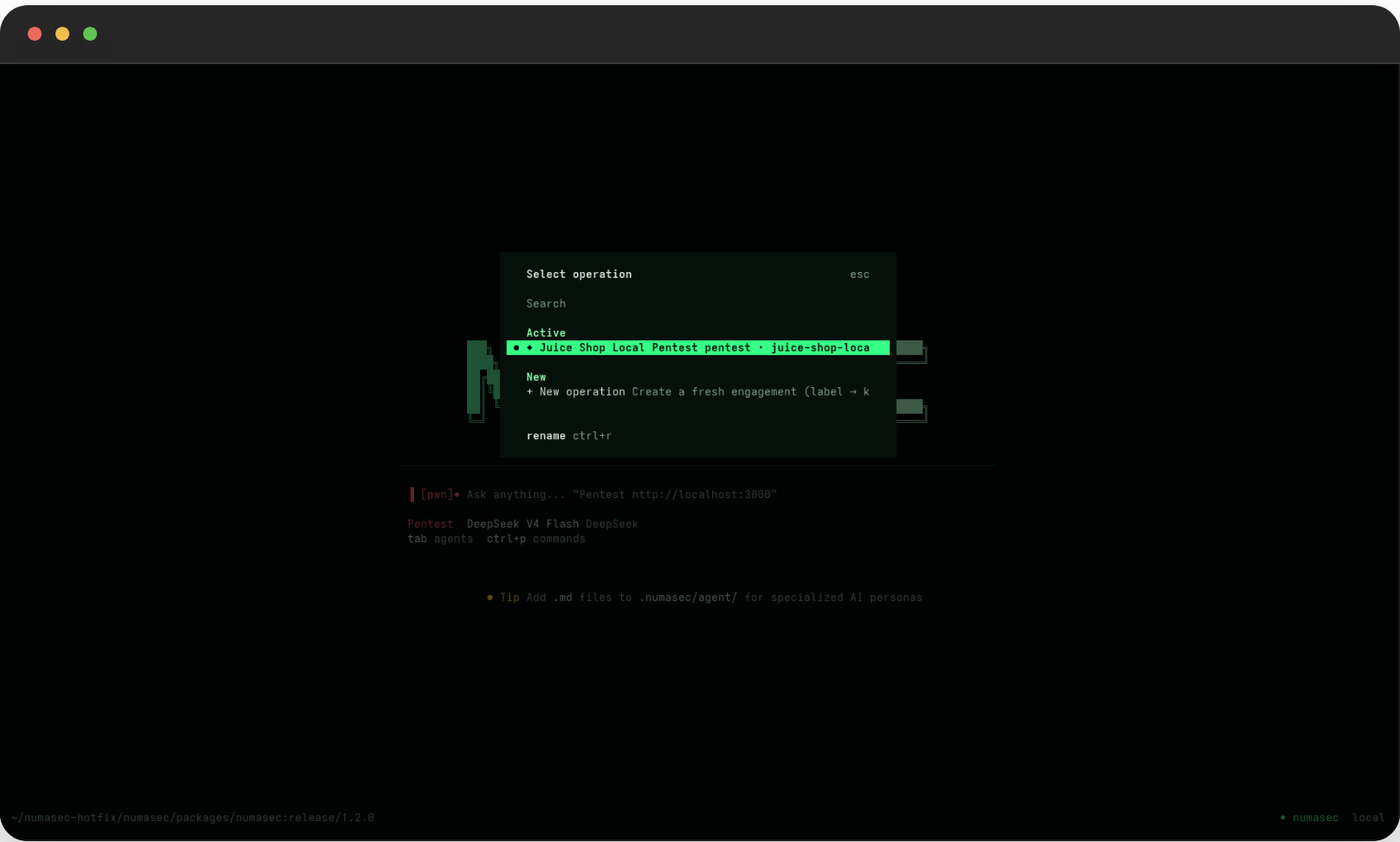
Operations are durable. Name them, rename them, resume them and export them. A security workflow should not disappear because the chat ended.
npm install -g numasec
numasec
Then start with a local lab, CTF, owned app or authorized target:
/doctor
/mode appsec
/runbook run appsec-web-triage http://localhost:3000
/share
Run numasec from the workspace you are testing and keep the target scope explicit.

