 dosx-dev/websafecompiler
A powerfull websites compiler/obfuscator for optimization or intellectual property protection purposes.


WebSafeCompiler (WSC) is an advanced utility (websites compiler) designed for the optimization, minification, and obfuscation (if you need it) of web applications and websites using Node.js. It enhances your web assets by reducing file sizes or providing durable protection against reverse engineering, ensuring your code is deployment-ready and secure.
[!NOTE]
Suitable for *.github.io sites
The compiler is monolithic: all implementation lives in source/wsc.js. Regression tests live separately in tests/.
To leverage the full potential of WebSafeCompiler, execute the following command in your terminal:
node wsc.js <input_dir> <output_dir> [--map] [--smart] [--drm]
<input_dir>: Directory containing the source files to be processed.<output_dir>: Directory where the optimized and obfuscated files will be output.-m, --map: Creates a sitemap.xml in the output directory for better SEO-s, --smart: Automatically detects minified files and skips them. This includes JS and CSS files.-d, --drm: Enables code obfuscation (DRM protection) to secure your source code against unauthorized analysis.
class, id, and title values. Existing class names and attributes are retained. Detected selector and DOM-inspection dependencies limit noise with a console warning.-h, --help: Displays the help message with detailed usage instructions.-v, --version: Outputs the current version of WebSafeCompiler.node wsc.js "/path/to/source" "/path/to/output" --drm --smart
This command will process all files within the specified source directory, optimize them, and, if the obfuscation flag is enabled, protect the code from unauthorized access or tampering. The output files will be ready for deployment in your web environment.
WebSafeCompiler uses the following libraries to work with JavaScript codes:
To get started with WebSafeCompiler, you'll need to have Node.js installed on your system. Follow these steps to install the required packages:
Install Node.js: Download and install Node.js from Node.js official website. Follow the installation instructions for your operating system.
Clone the repository: If you haven't already, clone the repository to your local machine:
git clone <repository-url>
cd <repository-directory>/source
Install dependencies: Navigate to the project directory and install the necessary npm packages:
npm install
Done! You can use WSC.
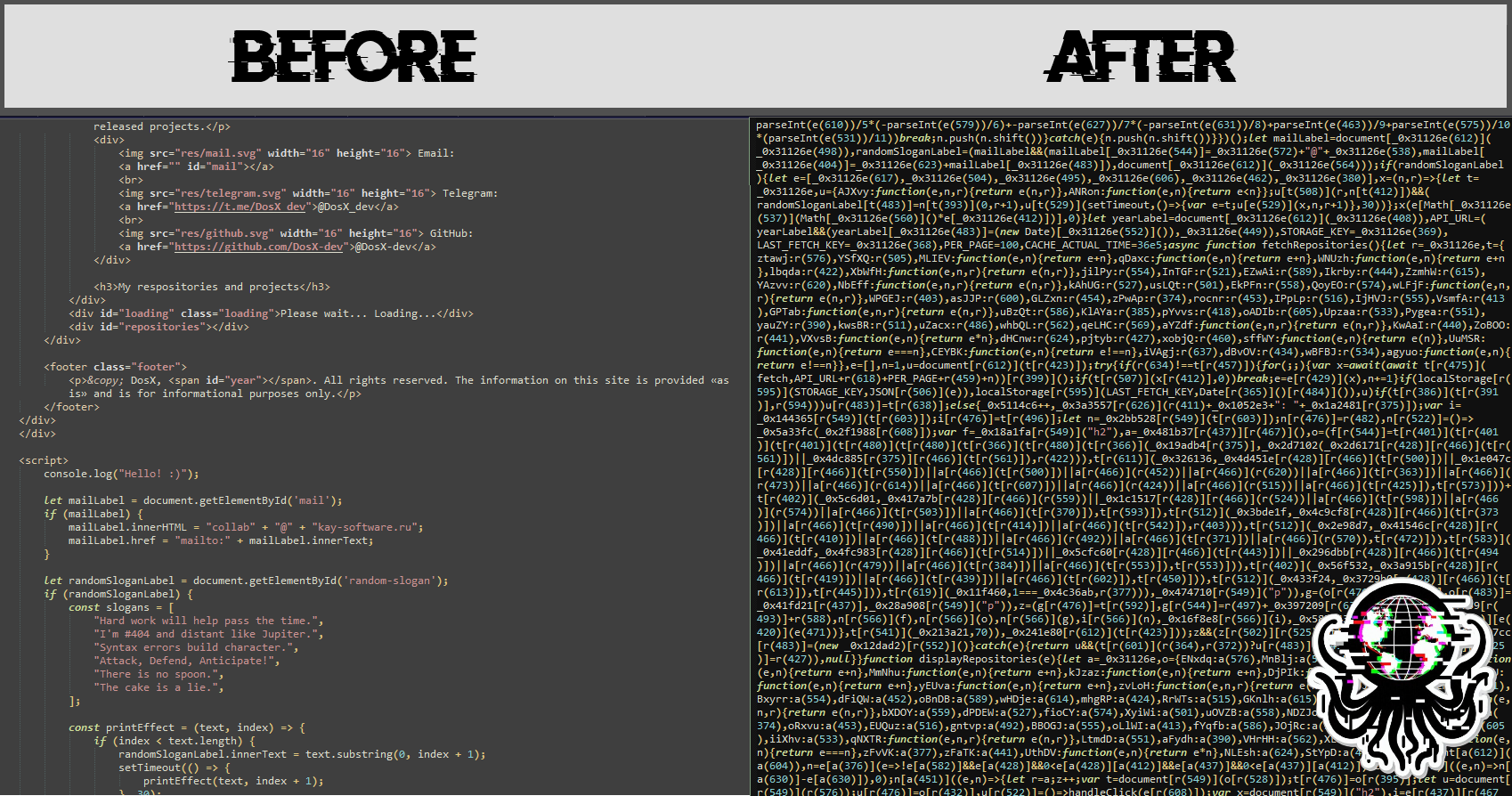
WSC minifies HTML tag/attribute spacing and removes ordinary HTML comments, while preserving quoted values, text whitespace, raw script/style bodies, conditional comments, and framework markers. Detected source/comment inspection disables those markup edits with a warning. JavaScript uses local-name mangling and five compression passes while retaining public globals and function names. DRM retains control-flow flattening, dead-code injection, and full string-array coverage with base64 encoding. CSS is parsed and minified; unsupported JS and CSS with parser warnings are kept unchanged with a warning. Non-UTF-8 assets are copied without conversion. Local SRI assets are processed before HTML, then SHA-256/384/512 metadata is recalculated from the final bytes in script, stylesheet, preload and template references. Matching external-script hashes in accessible CSP policies are updated too. Shared assets are kept unchanged with a DRM warning if any referring page has unavailable CSP or cannot be safely rewritten as UTF-8. Invalid SRI metadata remains blocked; externally hosted assets are not rewritten.
DRM adds random classes to existing class attributes and two random inert attributes around each real attribute of eligible ordinary HTML tags. Random names are checked against HTML, CSS, and JS source text. Class equality/substring selectors preserve affected class values; AST analysis scopes class/attribute inspection to statically identified elements, immutable aliases and observer subtrees, using each page and its local JS/CSS dependencies. Unrelated elements still receive noise. Unknown receivers, runtime selectors, destructuring and unresolved observers use a conservative fallback and print warnings. Script/style/meta/noscript tags, custom elements, and foreign SVG/MathML nodes do not receive junk attributes. These guards cover known dependencies; dynamically computed selectors or reflection cannot always be inferred statically.
In DRM mode, WSC automatically extracts eligible inline JavaScript into obfuscated wsc-inline-*.js files beside each HTML document when a supported CSP configuration applies: root _headers, root vercel.json (headers rules), or an HTML CSP meta tag. It adds 'self' to script-src-elem in the output policy, preserving other source permissions, script-src rules for event handlers, and unrelated directives. This intentionally broadens script permissions to same-origin files. Deploy the emitted JavaScript and header configuration together with the HTML. Nonces remain unchanged; generated files include SRI hashes. Literal routes and * wildcards are supported.
Generated script tags stay at their original positions. Classic scripts remain parser-blocking; ignored inline async/defer attributes are removed when adding src. Modules keep their attributes, and files are emitted beside the document to preserve relative import resolution. Import maps, data scripts, styles, and event handlers stay inline.
