PulseAPK





🌍 Languages
English |
Deutsch |
Español |
Français |
עברית |
한국어 |
Беларуская |
Suomi |
Latviešu |
Eesti |
Lietuvių |
Čeština |
Slovenčina |
Magyar |
العربية |
Português |
Русский |
Українська |
中文
PulseAPK is a professional-grade, cross-platform GUI for Android reverse engineering and security analysis, built with Avalonia and .NET 8. It combines the raw power of apktool with advanced static analysis capabilities, wrapped in a high-performance, cyberpunk-inspired interface. PulseAPK streamlines the entire workflow from decompilation to analysis, rebuilding, and signing.
Overview of PulseAPK functionality
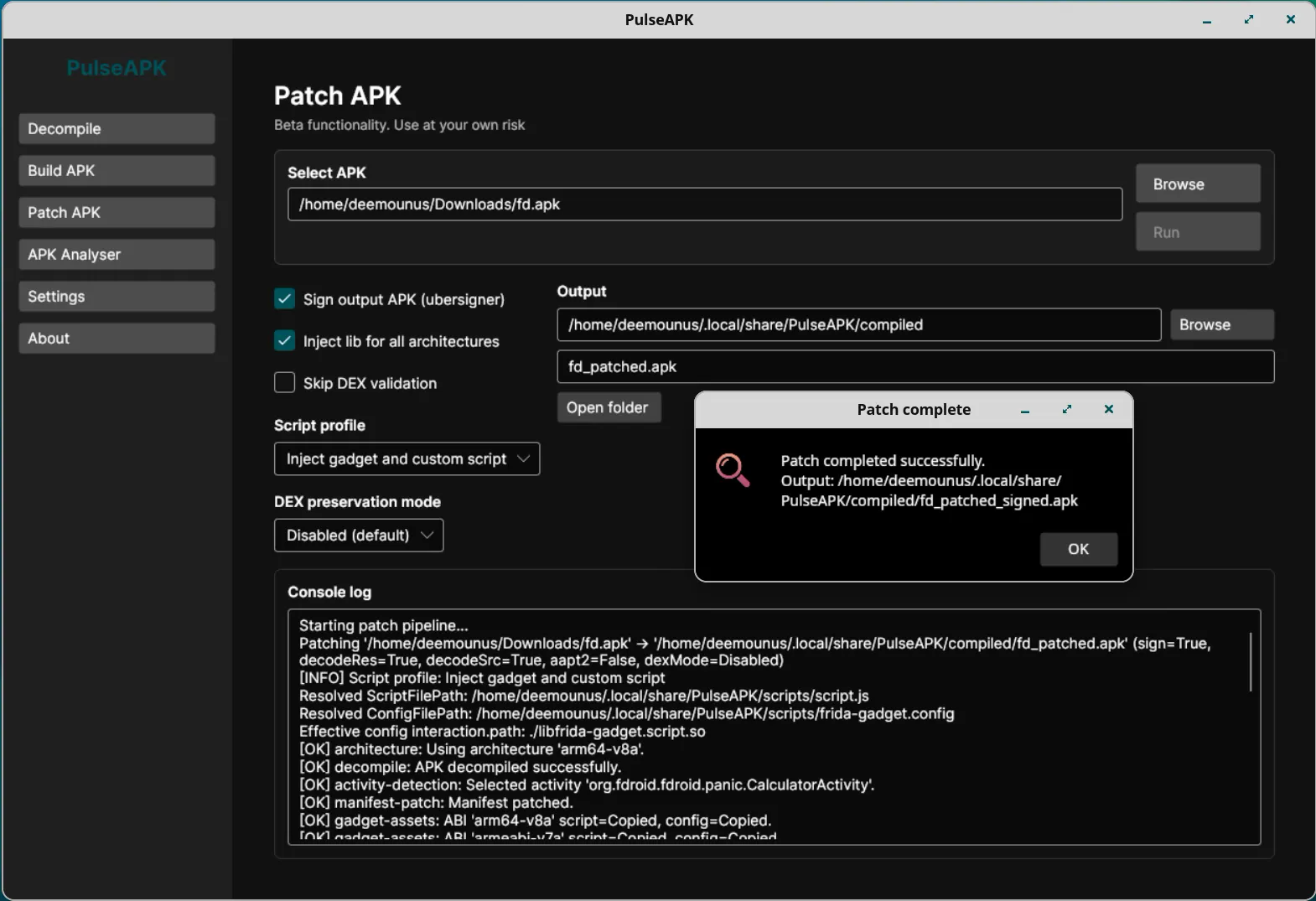
PulseAPK Patching functionality overview
PulseAPK is organized into a single-window workflow with a left sidebar for each tool: Decompile, Build APK, Patch APK, Analyser, Settings, and About. The optional Device Tools tab can be enabled from Settings when you want ADB-assisted workflows. Each section focuses on one stage of the APK lifecycle so you can move from decoding to analysis, patching, device interaction, rebuilding, and signing without leaving the app.
Screenshots
1) Decompile workflow
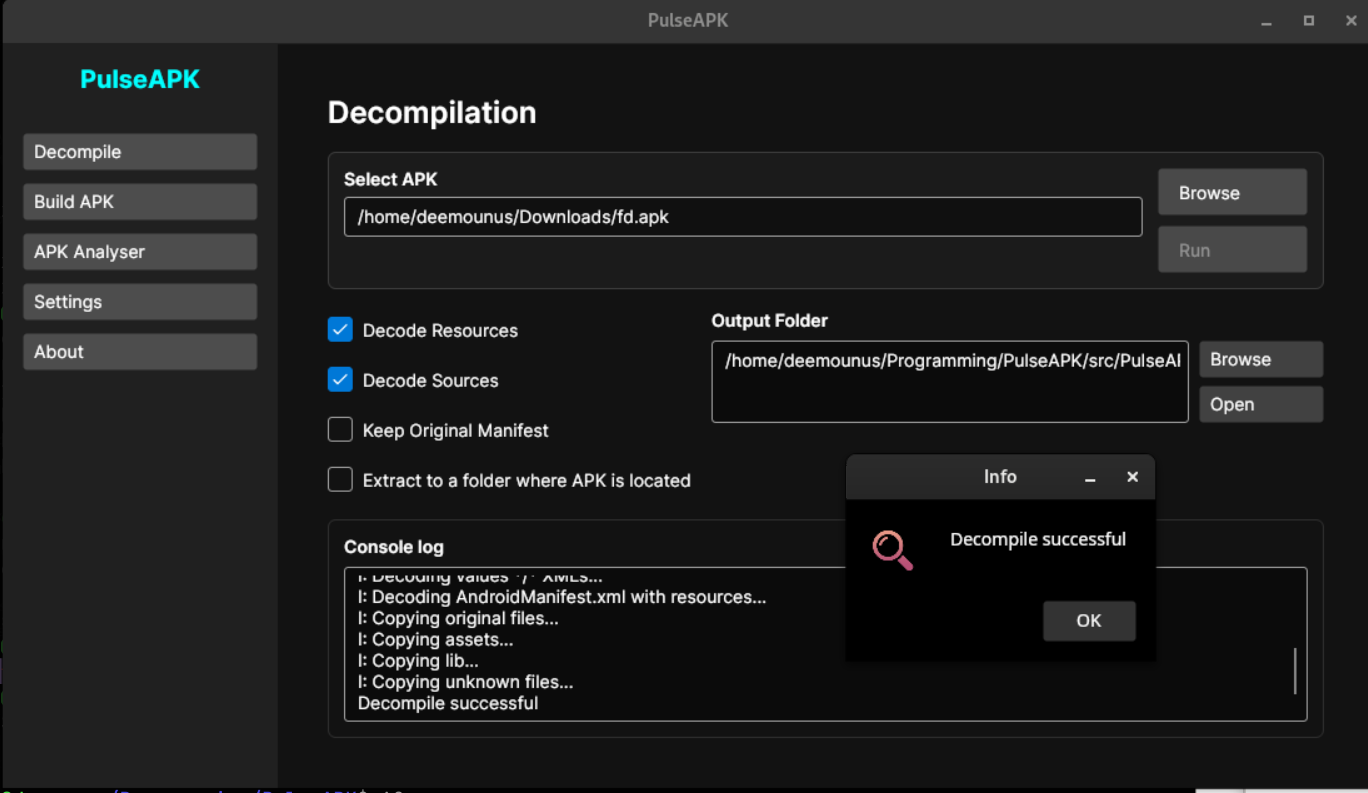
- Use this screen to pick an input APK and output folder, then run decompilation.
- Simple flow: select APK -> set output path -> click decompile.
2) Build workflow
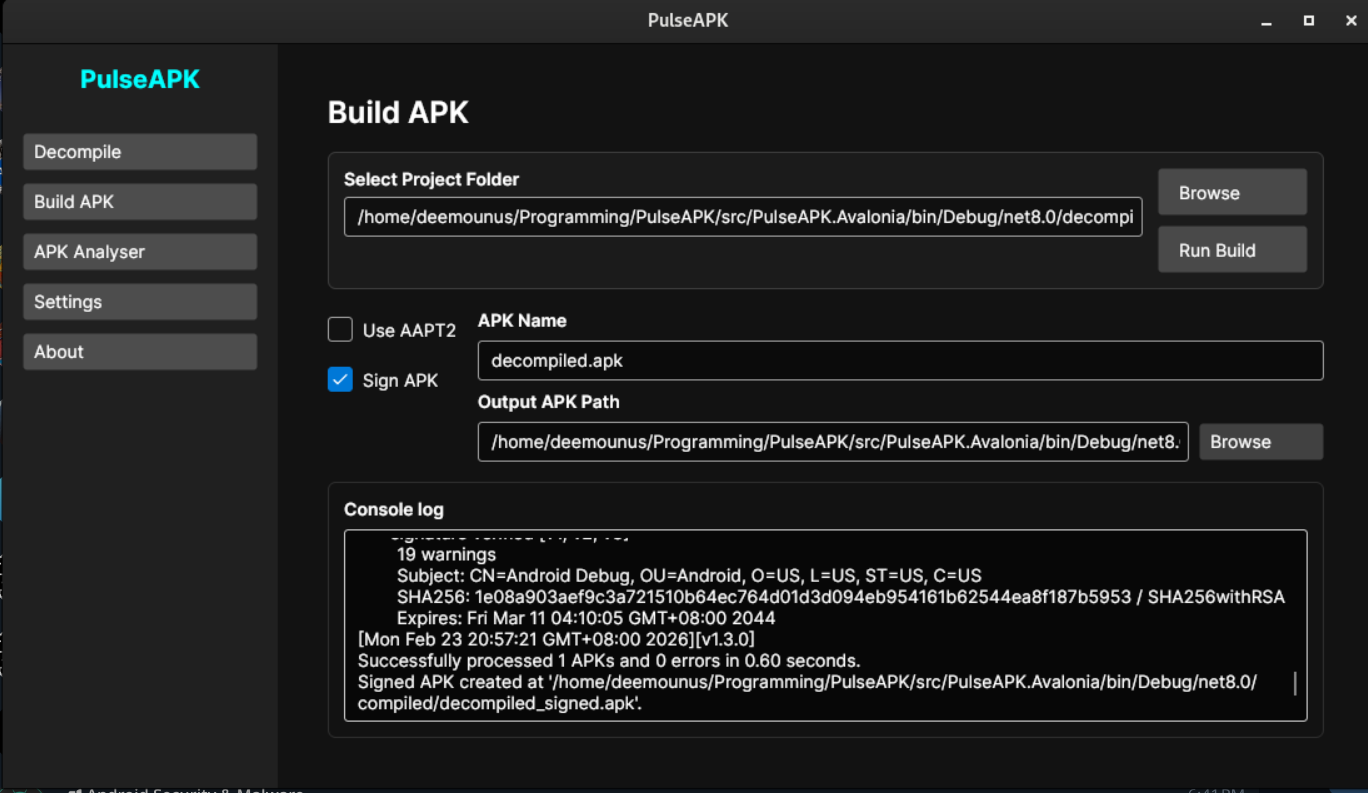
- Use this screen to rebuild a decompiled project into a new APK.
- Simple flow: select project folder -> choose output name/path -> click build (and enable signing if needed).
3) Patching workflow
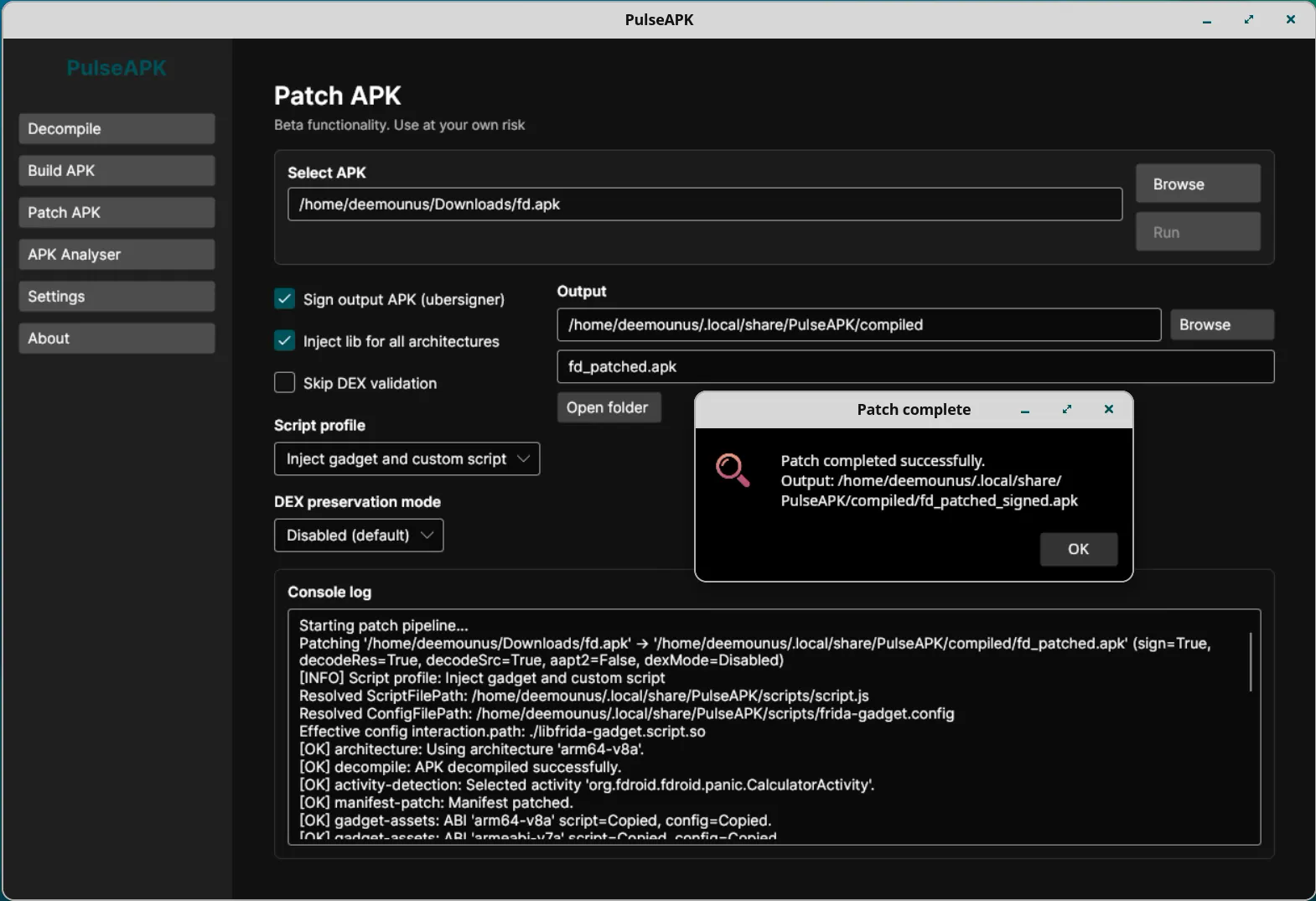
- Use this screen to automate APK patching actions, including Frida gadget injection.
- Simple flow: load APK/project -> choose patching options -> run patch -> verify output.
4) Static analysis results
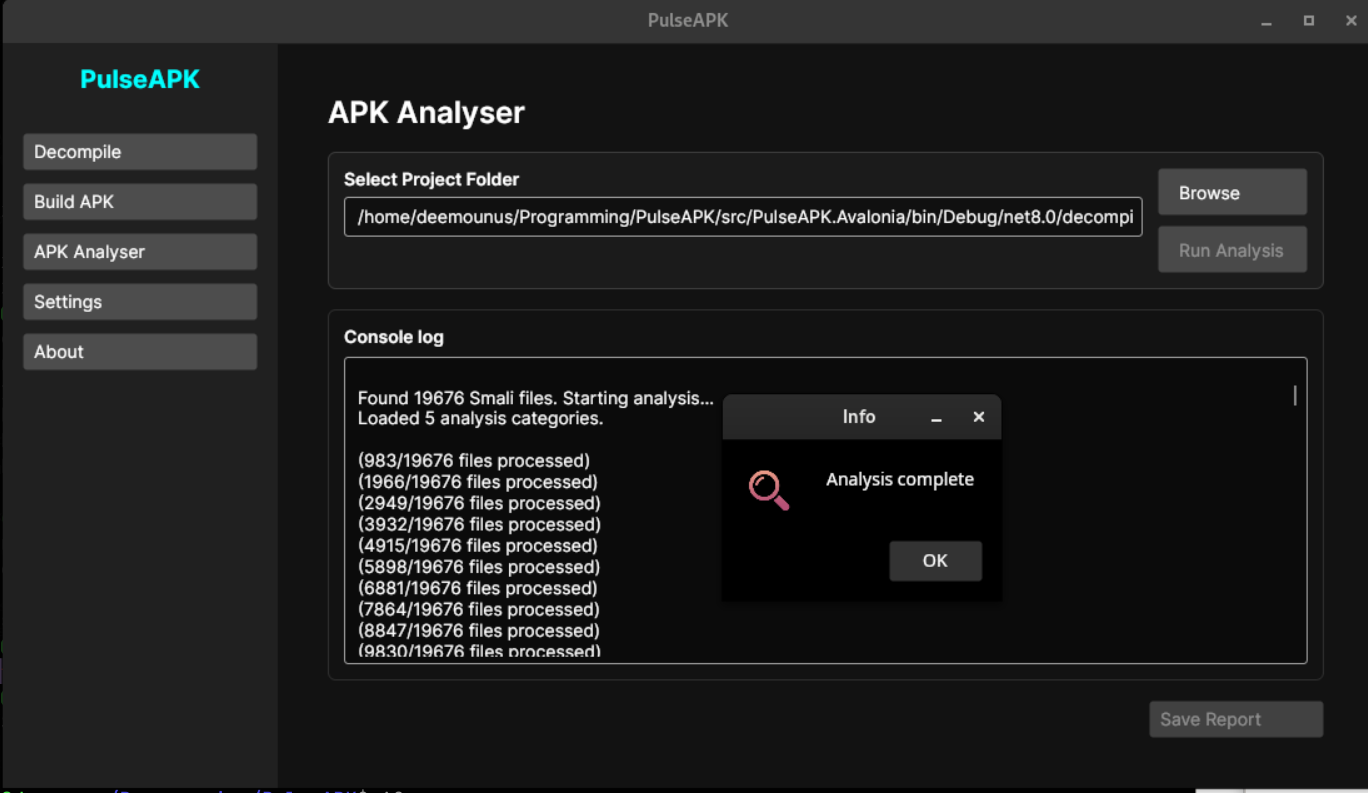
- This view shows security findings from Smali/static analysis.
- Simple flow: decompile first -> open analysis tab/output -> review findings and export report.
Key Features
- 🛡️ Static Security Analysis: Automatically scan Smali code for vulnerabilities, including root detection, emulator checks, hardcoded credentials, and insecure SQL/HTTP usage.
- ⚙️ Dynamic Rule Engine: Fully customizable analysis rules via
smali_analysis_rules.json. Modify detection patterns on the fly without restarting the application. Uses caching for optimal performance.
- 🚀 Modern UI/UX: A responsive, dark-themed interface designed for efficiency, with real-time console feedback.
- 📦 Complete Workflow: Decompile, Analyze, Patch, Recompile, and Sign APKs in one unified environment.
- 🧩 APK Patching: Automate Frida gadget injection, manifest updates, dex validation, architecture selection, and optional output signing from the patching workspace.
- 📱 Optional Device Tools: Enable ADB workflows for connected devices, including APK install, launch, app maintenance, package lookup, screenshots, screen recording, logcat presets, and custom shell/ADB commands.
- ⚡ Safe & Robust: Includes intelligent validation and crash prevention mechanisms to protect your workspace and data.
- 🔧 Fully Configurable: Manage tool paths (Java, Apktool, Uber APK Signer, ADB), language, theme, beta features, workspace settings, and analysis parameters with ease.
Advanced Capabilities
Security Analysis
PulseAPK includes a built-in static analyzer that scans decompiled code for common security indicators:
- Root Detection: Identifies checks for Magisk, SuperSU, and common root binaries.
- Emulator Detection: Finds checks for QEMU, Genymotion, and specific system properties.
- Sensitive Data: Scans for hardcoded API keys, tokens, and basic auth headers.
- Insecure Networking: Flags HTTP usage and potential data leakage points.
Rules are defined in smali_analysis_rules.json and can be customized to your specific needs.