 david942j/seccomp-tools
Provide powerful tools for seccomp analysis

[](https://rubygems.org/gems/seccomp-tools)
[](https://badge.fury.io/rb/seccomp-tools)
[](https://github.com/david942j/seccomp-tools/actions)
[](https://qlty.sh/gh/david942j/projects/seccomp-tools)
[](https://qlty.sh/gh/david942j/projects/seccomp-tools)
[](https://inch-ci.org/github/david942j/seccomp-tools)
[](https://www.rubydoc.info/github/david942j/seccomp-tools/)
[](http://choosealicense.com/licenses/mit/)
# Seccomp Tools
Powerful tools for seccomp analysis.
This project is aimed primarily (but not exclusively) at analyzing seccomp sandboxes in CTF pwn challenges.
Some features are CTF-specific, but they're just as useful for analyzing real-world seccomp filters.
## Features
* Dump - Automatically dumps seccomp BPF from executables.
* Disasm - Converts seccomp BPF to a human-readable format.
- With simple decompilation.
- With syscall names and arguments whenever possible.
- Colorful!
* Asm - Makes writing seccomp rules as easy as writing code.
* Emu - Emulates seccomp rules.
* Explain - Summarizes a filter as a per-action policy (which syscalls are allowed/killed, and when).
* Audit - Scans a filter for weaknesses and escape routes (missing arch/x32 guards, dangerous syscalls, ...).
* Multi-architecture support.
## Installation
Available on RubyGems.org!
```
$ gem install seccomp-tools
```
If compilation fails, try:
```
sudo apt install gcc ruby-dev make
```
then install seccomp-tools again.
## Command Line Interface
### seccomp-tools
```bash
$ seccomp-tools --help
# Usage: seccomp-tools [--version] [--help] <command> [<options>]
#
# List of commands:
#
# asm Seccomp bpf assembler.
# audit Assess a seccomp filter for weaknesses and escape routes.
# completion Print a shell completion script.
# disasm Disassemble seccomp bpf.
# dump Automatically dump seccomp bpf from executable(s).
# emu Emulate seccomp rules.
# explain Summarize a seccomp filter as a per-action policy.
#
# See 'seccomp-tools <command> --help' to read about a specific subcommand.
$ seccomp-tools dump --help
# dump - Automatically dump seccomp bpf from executable(s).
# NOTE: This command is only available on Linux.
#
# Usage: seccomp-tools dump [EXEC] [options]
# -c, --sh-exec <command> Executes the given command (via sh) and dumps its seccomp.
# Use this to pass arguments or pipe things to the executable.
# e.g. use `-c "./bin > /dev/null"` to keep the program output out of the result.
# Takes precedence over the positional argument.
# -l, --limit LIMIT Dump only the first LIMIT installed filters.
# Only meaningful when the input is an executable or --pid. Default: 1
# An executable is killed once it reaches LIMIT.
# -p, --pid PID Dump the seccomp filters installed on an existing process.
# You must have CAP_SYS_ADMIN (e.g. be root) to use this option.
# -t, --timeout SEC Timeout (seconds) for the execution. Default: no timeout
# This option is ignored when --pid is given.
# -f, --format FORMAT Output format. FORMAT can only be one of <disasm|raw|inspect>.
# Default: disasm
# -o, --output FILE Write output to FILE instead of stdout.
# If multiple seccomp syscalls have been invoked (see --limit),
# results are written to FILE, FILE_1, FILE_2, etc.
# For example, with "--output out.bpf" the output files are out.bpf, out_1.bpf, ...
```
### dump
Dumps the seccomp BPF from an executable, using the `ptrace` syscall.
NOTE: the target executable is actually run, so be careful with untrusted binaries.
```bash
$ file spec/binary/twctf-2016-diary
# spec/binary/twctf-2016-diary: ELF 64-bit LSB executable, x86-64, version 1 (SYSV), dynamically linked, interpreter /lib64/ld-linux-x86-64.so.2, for GNU/Linux 2.6.24, BuildID[sha1]=3648e29153ac0259a0b7c3e25537a5334f50107f, not stripped
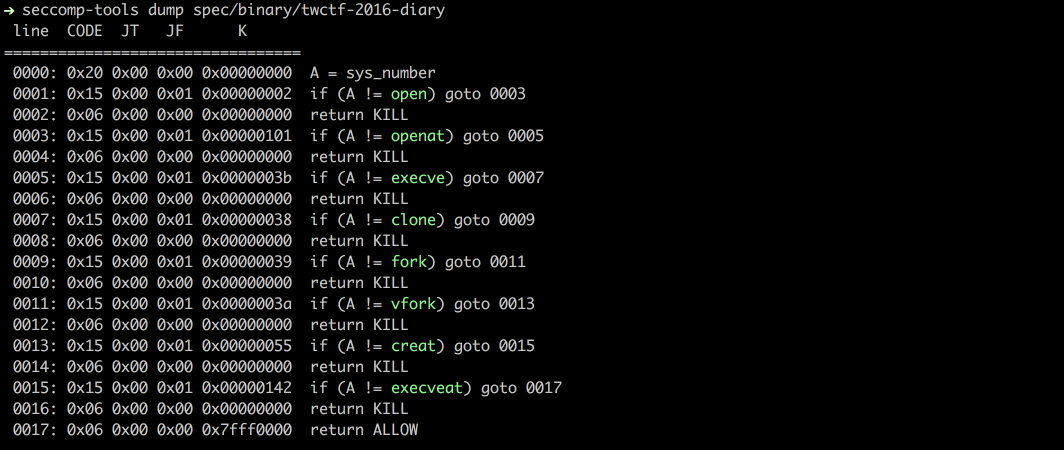
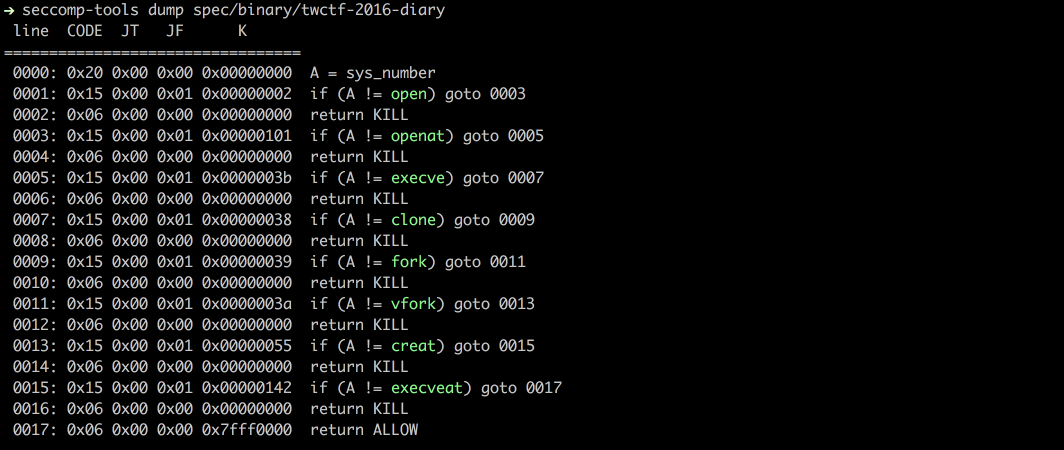
$ seccomp-tools dump spec/binary/twctf-2016-diary
# line CODE JT JF K
# =================================
# 0000: 0x20 0x00 0x00 0x00000000 A = sys_number
# 0001: 0x15 0x00 0x01 0x00000002 if (A != open) goto 0003
# 0002: 0x06 0x00 0x00 0x00000000 return KILL
# 0003: 0x15 0x00 0x01 0x00000101 if (A != openat) goto 0005
# 0004: 0x06 0x00 0x00 0x00000000 return KILL
# 0005: 0x15 0x00 0x01 0x0000003b if (A != execve) goto 0007
# 0006: 0x06 0x00 0x00 0x00000000 return KILL
# 0007: 0x15 0x00 0x01 0x00000038 if (A != clone) goto 0009
# 0008: 0x06 0x00 0x00 0x00000000 return KILL
# 0009: 0x15 0x00 0x01 0x00000039 if (A != fork) goto 0011
# 0010: 0x06 0x00 0x00 0x00000000 return KILL
# 0011: 0x15 0x00 0x01 0x0000003a if (A != vfork) goto 0013
# 0012: 0x06 0x00 0x00 0x00000000 return KILL
# 0013: 0x15 0x00 0x01 0x00000055 if (A != creat) goto 0015
# 0014: 0x06 0x00 0x00 0x00000000 return KILL
# 0015: 0x15 0x00 0x01 0x00000142 if (A != execveat) goto 0017
# 0016: 0x06 0x00 0x00 0x00000000 return KILL
# 0017: 0x06 0x00 0x00 0x7fff0000 return ALLOW
$ seccomp-tools dump spec/binary/twctf-2016-diary -f inspect
# "\x20\x00\x00\x00\x00\x00\x00\x00\x15\x00\x00\x01\x02\x00\x00\x00\x06\x00\x00\x00\x00\x00\x00\x00\x15\x00\x00\x01\x01\x01\x00\x00\x06\x00\x00\x00\x00\x00\x00\x00\x15\x00\x00\x01\x3B\x00\x00\x00\x06\x00\x00\x00\x00\x00\x00\x00\x15\x00\x00\x01\x38\x00\x00\x00\x06\x00\x00\x00\x00\x00\x00\x00\x15\x00\x00\x01\x39\x00\x00\x00\x06\x00\x00\x00\x00\x00\x00\x00\x15\x00\x00\x01\x3A\x00\x00\x00\x06\x00\x00\x00\x00\x00\x00\x00\x15\x00\x00\x01\x55\x00\x00\x00\x06\x00\x00\x00\x00\x00\x00\x00\x15\x00\x00\x01\x42\x01\x00\x00\x06\x00\x00\x00\x00\x00\x00\x00\x06\x00\x00\x00\x00\x00\xFF\x7F"
$ seccomp-tools dump spec/binary/twctf-2016-diary -f raw | xxd
# 00000000: 2000 0000 0000 0000 1500 0001 0200 0000 ...............
# 00000010: 0600 0000 0000 0000 1500 0001 0101 0000 ................
# 00000020: 0600 0000 0000 0000 1500 0001 3b00 0000 ............;...
# 00000030: 0600 0000 0000 0000 1500 0001 3800 0000 ............8...
# 00000040: 0600 0000 0000 0000 1500 0001 3900 0000 ............9...
# 00000050: 0600 0000 0000 0000 1500 0001 3a00 0000 ............:...
# 00000060: 0600 0000 0000 0000 1500 0001 5500 0000 ............U...
# 00000070: 0600 0000 0000 0000 1500 0001 4201 0000 ............B...
# 00000080: 0600 0000 0000 0000 0600 0000 0000 ff7f ................
```
### disasm
Disassembles raw seccomp BPF into a readable format.
```bash
$ xxd spec/data/twctf-2016-diary.bpf | head -n 3
# 00000000: 2000 0000 0000 0000 1500 0001 0200 0000 ...............
# 00000010: 0600 0000 0000 0000 1500 0001 0101 0000 ................
# 00000020: 0600 0000 0000 0000 1500 0001 3b00 0000 ............;...
$ seccomp-tools disasm spec/data/twctf-2016-diary.bpf
# line CODE JT JF K
# =================================
# 0000: 0x20 0x00 0x00 0x00000000 A = sys_number
# 0001: 0x15 0x00 0x01 0x00000002 if (A != open) goto 0003
# 0002: 0x06 0x00 0x00 0x00000000 return KILL
# 0003: 0x15 0x00 0x01 0x00000101 if (A != openat) goto 0005
# 0004: 0x06 0x00 0x00 0x00000000 return KILL
# 0005: 0x15 0x00 0x01 0x0000003b if (A != execve) goto 0007
# 0006: 0x06 0x00 0x00 0x00000000 return KILL
# 0007: 0x15 0x00 0x01 0x00000038 if (A != clone) goto 0009
# 0008: 0x06 0x00 0x00 0x00000000 return KILL
# 0009: 0x15 0x00 0x01 0x00000039 if (A != fork) goto 0011
# 0010: 0x06 0x00 0x00 0x00000000 return KILL
# 0011: 0x15 0x00 0x01 0x0000003a if (A != vfork) goto 0013
# 0012: 0x06 0x00 0x00 0x00000000 return KILL
# 0013: 0x15 0x00 0x01 0x00000055 if (A != creat) goto 0015
# 0014: 0x06 0x00 0x00 0x00000000 return KILL
# 0015: 0x15 0x00 0x01 0x00000142 if (A != execveat) goto 0017
# 0016: 0x06 0x00 0x00 0x00000000 return KILL
# 0017: 0x06 0x00 0x00 0x7fff0000 return ALLOW
```
### asm
Assembles seccomp rules into raw bytes.
Useful when you want to write your own seccomp rules.
Supports jump labels and syscall names. See the examples below.
```bash
$ seccomp-tools asm
# asm - Seccomp bpf assembler.
#
# Usage: seccomp-tools asm IN_FILE [options]
# -o, --output FILE Write output to FILE instead of stdout.
# -f, --format FORMAT Output format. FORMAT can only be one of <inspect|raw|c_array|c_source|assembly>.
# Default: inspect
# -a, --arch ARCH Specify architecture.
# Supported architectures are <aarch64|amd64|i386|riscv64|s390x>.
# Default: auto-detected from the host machine.
# Set it when the filter targets an architecture other than the host.
# Input file for asm
$ cat spec/data/libseccomp.asm
# # check if arch is X86_64
# A = arch
# A == ARCH_X86_64 ? next : dead
# A = sys_number
# A >= 0x40000000 ? dead : next
# A == write ? ok : next
# A == close ? ok : next
# A == dup ? ok : next
# A == exit ? ok : next
# return ERRNO(5)
# ok:
# return ALLOW
# dead:
# return KILL
$ seccomp-tools asm spec/data/libseccomp.asm
# " \x00\x00\x00\x04\x00\x00\x00\x15\x00\x00\b>\x00\x00\xC0 \x00\x00\x00\x00\x00\x00\x005\x00\x06\x00\x00\x00\x00@\x15\x00\x04\x00\x01\x00\x00\x00\x15\x00\x03\x00\x03\x00\x00\x00\x15\x00\x02\x00 \x00\x00\x00\x15\x00\x01\x00<\x00\x00\x00\x06\x00\x00\x00\x05\x00\x05\x00\x06\x00\x00\x00\x00\x00\xFF\x7F\x06\x00\x00\x00\x00\x00\x00\x00"
$ seccomp-tools asm spec/data/libseccomp.asm -f c_source
# #include <linux/seccomp.h>
# #include <stdio.h>
# #include <stdlib.h>
# #include <sys/prctl.h>
#
# static void install_seccomp() {
# static unsigned char filter[] = {32,0,0,0,4,0,0,0,21,0,0,8,62,0,0,192,32,0,0,0,0,0,0,0,53,0,6,0,0,0,0,64,21,0,4,0,1,0,0,0,21,0,3,0,3,0,0,0,21,0,2,0,32,0,0,0,21,0,1,0,60,0,0,0,6,0,0,0,5,0,5,0,6,0,0,0,0,0,255,127,6,0,0,0,0,0,0,0};
# struct prog {
# unsigned short len;
# unsigned char *filter;
# } rule = {
# .len = sizeof(filter) >> 3,
# .filter = filter
# };
# if(prctl(PR_SET_NO_NEW_PRIVS, 1, 0, 0, 0) < 0) { perror("prctl(PR_SET_NO_NEW_PRIVS)"); exit(2); }
# if(prctl(PR_SET_SECCOMP, SECCOMP_MODE_FILTER, &rule) < 0) { perror("prctl(PR_SET_SECCOMP)"); exit(2); }
# }
$ seccomp-tools asm spec/data/libseccomp.asm -f assembly
# install_seccomp:
# push rbp
# mov rbp, rsp
# push 38
# pop rdi
# push 0x1
# pop rsi
# xor eax, eax
# mov al, 0x9d
# syscall
# push 22
# pop rdi
# lea rdx, [rip + _filter]
# push rdx /* .filter */
# push _filter_end - _filter >> 3 /* .len */
# mov rdx, rsp
# push 0x2
# pop rsi
# xor eax, eax
# mov al, 0x9d
# syscall
# leave
# ret
# _filter:
# .ascii "\040\000\000\000\004\000\000\000\025\000\000\010\076\000\000\300\040\000\000\000\000\000\000\000\065\000\006\000\000\000\000\100\025\000\004\000\001\000\000\000\025\000\003\000\003\000\000\000\025\000\002\000\040\000\000\000\025\000\001\000\074\000\000\000\006\000\000\000\005\000\005\000\006\000\000\000\000\000\377\177\006\000\000\000\000\000\000\000"
# _filter_end:
# let's asm then disasm!
$ seccomp-tools asm spec/data/libseccomp.asm -f raw | seccomp-tools disasm -
# line CODE JT JF K
# =================================
# 0000: 0x20 0x00 0x00 0x00000004 A = arch
# 0001: 0x15 0x00 0x08 0xc000003e if (A != ARCH_X86_64) goto 0010
# 0002: 0x20 0x00 0x00 0x00000000 A = sys_number
# 0003: 0x35 0x06 0x00 0x40000000 if (A >= 0x40000000) goto 0010
# 0004: 0x15 0x04 0x00 0x00000001 if (A == write) goto 0009
# 0005: 0x15 0x03 0x00 0x00000003 if (A == close) goto 0009
# 0006: 0x15 0x02 0x00 0x00000020 if (A == dup) goto 0009
# 0007: 0x15 0x01 0x00 0x0000003c if (A == exit) goto 0009
# 0008: 0x06 0x00 0x00 0x00050005 return ERRNO(5)
# 0009: 0x06 0x00 0x00 0x7fff0000 return ALLOW
# 0010: 0x06 0x00 0x00 0x00000000 return KILL
```
Since v1.6.0 [not released yet], `asm` has switched to a yacc-based parser, which allows a more flexible and intuitive syntax!
```bash
$ cat spec/data/example.asm
# # An example of supported assembly syntax
# if (A == X)
# goto next # 'next' is a reserved label, means the next statement ("A = args[0]" in this example)
# else
# goto err_label # custom defined label
# A = args[0]
# if (
# A # put a comment here is also valid
# == 0x123
# ) goto disallow
# if (! (A & 0x1337)) # support bang in if-conditions
# goto 0 # equivalent to 'goto next'
# else goto 2 # goto $ + 2, 'mem[0] = A' in this example
# A = sys_number
# A = instruction_pointer >> 32
# mem[0] = A
# A = data[4] # equivalent to 'A = arch'
# err_label: return ERRNO(1337)
# disallow:
# return KILL
$ seccomp-tools asm spec/data/example.asm -f raw | seccomp-tools disasm -
# line CODE JT JF K
# =================================
# 0000: 0x1d 0x00 0x07 0x00000000 if (A != X) goto 0008
# 0001: 0x20 0x00 0x00 0x00000010 A = args[0]
# 0002: 0x15 0x06 0x00 0x00000123 if (A == 0x123) goto 0009
# 0003: 0x45 0x02 0x00 0x00001337 if (A & 0x1337) goto 0006
# 0004: 0x20 0x00 0x00 0x00000000 A = sys_number
# 0005: 0x20 0x00 0x00 0x0000000c A = instruction_pointer >> 32
# 0006: 0x02 0x00 0x00 0x00000000 mem[0] = A
# 0007: 0x20 0x00 0x00 0x00000004 A = arch
# 0008: 0x06 0x00 0x00 0x00050539 return ERRNO(1337)
# 0009: 0x06 0x00 0x00 0x00000000 return KILL
```
The output of `seccomp-tools disasm <file> --asm-able` is valid input for `asm`:
```bash
$ seccomp-tools disasm spec/data/x32.bpf --asm-able
# 0000: A = arch
# 0001: if (A != ARCH_X86_64) goto 0011
# 0002: A = sys_number
# 0003: if (A < 0x40000000) goto 0011
# 0004: if (A == x32_read) goto 0011
# 0005: if (A == x32_write) goto 0011
# 0006: if (A == x32_iopl) goto 0011
# 0007: if (A != x32_mmap) goto 0011
# 0008: A = args[0]
# 0009: if (A == 0x0) goto 0011
# 0010: return ERRNO(5)
# 0011: return ALLOW
# disasm then asm then disasm!
$ seccomp-tools disasm spec/data/x32.bpf --asm-able | seccomp-tools asm - -f raw | seccomp-tools disasm -
# line CODE JT JF K
# =================================
# 0000: 0x20 0x00 0x00 0x00000004 A = arch
# 0001: 0x15 0x00 0x09 0xc000003e if (A != ARCH_X86_64) goto 0011
# 0002: 0x20 0x00 0x00 0x00000000 A = sys_number
# 0003: 0x35 0x00 0x07 0x40000000 if (A < 0x40000000) goto 0011
# 0004: 0x15 0x06 0x00 0x40000000 if (A == x32_read) goto 0011
# 0005: 0x15 0x05 0x00 0x40000001 if (A == x32_write) goto 0011
# 0006: 0x15 0x04 0x00 0x400000ac if (A == x32_iopl) goto 0011
# 0007: 0x15 0x00 0x03 0x40000009 if (A != x32_mmap) goto 0011
# 0008: 0x20 0x00 0x00 0x00000010 A = addr # x32_mmap(addr, len, prot, flags, fd, pgoff)
# 0009: 0x15 0x01 0x00 0x00000000 if (A == 0x0) goto 0011
# 0010: 0x06 0x00 0x00 0x00050005 return ERRNO(5)
# 0011: 0x06 0x00 0x00 0x7fff0000 return ALLOW
```
### Emu
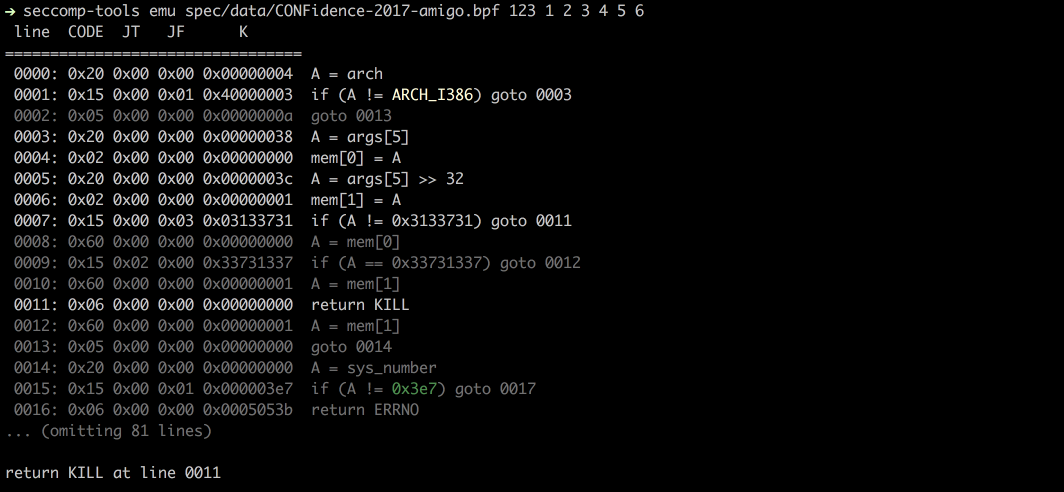
Emulates seccomp given `sys_nr`, `arg0`, `arg1`, etc.
```bash
$ seccomp-tools emu --help
# emu - Emulate seccomp rules.
#
# Usage: seccomp-tools emu [options] BPF_FILE [sys_nr [arg0 [arg1 ... arg5]]]
# -a, --arch ARCH Specify architecture.
# Supported architectures are <aarch64|amd64|i386|riscv64|s390x>.
# Default: auto-detected from the host machine.
# Set it when the filter targets an architecture other than the host.
# -q, --[no-]quiet Run quietly, only show emulation result.
# -i, --ip=VAL Set instruction pointer.
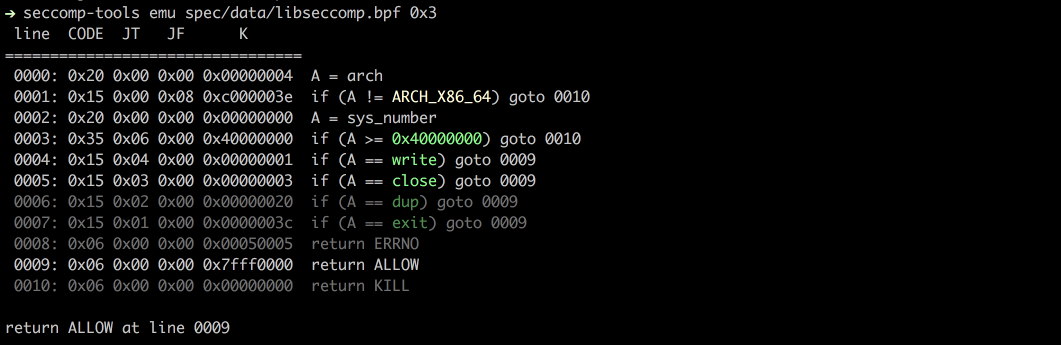
$ seccomp-tools emu spec/data/libseccomp.bpf write 0x3
# line CODE JT JF K
# =================================
# 0000: 0x20 0x00 0x00 0x00000004 A = arch
# 0001: 0x15 0x00 0x08 0xc000003e if (A != ARCH_X86_64) goto 0010
# 0002: 0x20 0x00 0x00 0x00000000 A = sys_number
# 0003: 0x35 0x06 0x00 0x40000000 if (A >= 0x40000000) goto 0010
# 0004: 0x15 0x04 0x00 0x00000001 if (A == write) goto 0009
# 0005: 0x15 0x03 0x00 0x00000003 if (A == close) goto 0009
# 0006: 0x15 0x02 0x00 0x00000020 if (A == dup) goto 0009
# 0007: 0x15 0x01 0x00 0x0000003c if (A == exit) goto 0009
# 0008: 0x06 0x00 0x00 0x00050005 return ERRNO(5)
# 0009: 0x06 0x00 0x00 0x7fff0000 return ALLOW
# 0010: 0x06 0x00 0x00 0x00000000 return KILL
#
# return ALLOW at line 0009
```
### Explain
Summarizes a whole filter as a per-action policy: which syscalls end in `ALLOW`, `KILL`, `ERRNO`, etc.,
and under what argument constraints. The input can be a dumped BPF file, an executable (its seccomp is
dumped first, like `dump`), or a running process via `--pid`.
```bash
$ seccomp-tools explain --help
# explain - Summarize a seccomp filter as a per-action policy.
#
# Usage: seccomp-tools explain [options] [BPF_FILE|EXEC]
# -c, --sh-exec <command> Executes the given command (via sh) and explains its seccomp.
# Use this to pass arguments or pipe things to the executable.
# e.g. use `-c "./bin > /dev/null"` to keep the program output out of the result.
# Takes precedence over the positional argument.
# -l, --limit LIMIT Explain only the first LIMIT installed filters.
# Only meaningful when the input is an executable or --pid. Default: 1
# An executable is killed once it reaches LIMIT.
# -p, --pid PID Explain the seccomp filters installed on an existing process.
# You must have CAP_SYS_ADMIN (e.g. be root) to use this option.
# -t, --timeout SEC Timeout (seconds) for the execution. Default: no timeout
# This option is ignored when --pid is given.
# -a, --arch ARCH Specify architecture.
# Supported architectures are <aarch64|amd64|i386|riscv64|s390x>.
# Default: auto-detected from the host machine.
# Set it when the filter targets an architecture other than the host.
# With an executable or --pid the architecture is auto-detected instead.
$ seccomp-tools explain spec/data/libseccomp.bpf -a amd64
# Seccomp policy for spec/data/libseccomp.bpf
#
# Architecture: amd64
#
# ALLOW:
# write, close, dup, exit
#
# ERRNO(5):
# <default> (any other syscall)
#
# KILL:
# sys_number >= 0x40000000 (x32 ABI)
#
# Other architectures: KILL
```
A more involved example - the 0CTF/TCTF 2023 "Nothing is True" filter, which has separate 32/64-bit
allowlists and argument checks on `open`, `mmap` and `execve`:
```bash
$ seccomp-tools explain spec/data/tctf-2023-nothing-is-true.bpf -a amd64
# Seccomp policy for spec/data/tctf-2023-nothing-is-true.bpf
#
# Architecture: i386
#
# ALLOW:
# exit, read, write, brk, mmap, munmap, exit_group
#
# KILL:
# <default> (any other syscall)
#
# Architecture: amd64
#
# ALLOW:
# close, munmap, brk, exit, exit_group
# open when filename == 0x31337 && flags == 0x0
# mmap when prot == 0x2
# execve when filename == 0x7ffea12f7d0e
#
# KILL:
# sys_number >= 0x40000000 (x32 ABI)
# <default> (any other syscall)
#
# Other architectures: KILL
```
### Audit
Scans a filter for weaknesses and likely escape routes - a missing architecture or x32 guard, a
permissive (denylist) default, equivalent-syscall gaps (e.g. `execve` blocked but `execveat` not),
an open/read/write chain, or dangerous syscalls reachable as `ALLOW` - and reports each with a
severity. It runs on every supported architecture (architecture-specific quirks like amd64's x32 are
applied only where they exist), and takes the same input as `explain` (a BPF file, an executable, or
`--pid`).
```bash
$ seccomp-tools audit --help
# audit - Assess a seccomp filter for weaknesses and escape routes.
#
# Usage: seccomp-tools audit [options] [BPF_FILE|EXEC]
# -c, --sh-exec <command> Executes the given command (via sh) and audits its seccomp.
# Use this to pass arguments or pipe things to the executable.
# e.g. use `-c "./bin > /dev/null"` to keep the program output out of the result.
# Takes precedence over the positional argument.
# -l, --limit LIMIT Audit only the first LIMIT installed filters.
# Only meaningful when the input is an executable or --pid. Default: 1
# An executable is killed once it reaches LIMIT.
# -p, --pid PID Audit the seccomp filters installed on an existing process.
# You must have CAP_SYS_ADMIN (e.g. be root) to use this option.
# -t, --timeout SEC Timeout (seconds) for the execution. Default: no timeout
# This option is ignored when --pid is given.
# -a, --arch ARCH Specify architecture.
# Supported architectures are <aarch64|amd64|i386|riscv64|s390x>.
# Default: auto-detected from the host machine.
# Set it when the filter targets an architecture other than the host.
# With an executable or --pid the architecture is auto-detected instead.
# -f, --format FORMAT Output format, one of <human|json>.
# Default: human
```
Auditing a denylist with several escape routes (the TokyoWesterns CTF 2016 "diary" filter):
```bash
$ seccomp-tools audit spec/data/twctf-2016-diary.bpf -a amd64
# Seccomp audit of spec/data/twctf-2016-diary.bpf
# Architectures: amd64
#
# [HIGH] Architecture is never validated
# The filter checks syscall numbers without ever comparing data[4] (arch). Numbers mean different syscalls under
# another AUDIT_ARCH, so the checks can be dodged by invoking through a different ABI (e.g. i386 numbering on amd64).
# fix: Compare data[4] against your AUDIT_ARCH_* and KILL every architecture you do not explicitly handle.
#
# [HIGH] io_uring_setup is allowed (amd64)
# io_uring_setup reaches ALLOW - reads/writes/opens as ring operations, bypassing filters on those syscalls.
# fix: Block io_uring_setup unless the program genuinely needs it.
#
# [HIGH] process_vm_readv is allowed (amd64)
# process_vm_readv reaches ALLOW - read another process's memory.
# fix: Block process_vm_readv unless the program genuinely needs it.
#
# [HIGH] process_vm_writev is allowed (amd64)
# process_vm_writev reaches ALLOW - write another process's memory.
# fix: Block process_vm_writev unless the program genuinely needs it.
#
# [HIGH] ptrace is allowed (amd64)
# ptrace reaches ALLOW - inspect/inject into other processes.
# fix: Block ptrace unless the program genuinely needs it.
#
# [HIGH] A file can be opened and its contents copied out (amd64)
# openat2, read and write all reach ALLOW, so the contents of an arbitrary file (e.g. the flag) can be copied straight
# back out.
# fix: Deny the open-family syscalls unless the program genuinely needs arbitrary files.
#
# [HIGH] Default action is ALLOW (denylist) (amd64)
# Any syscall the filter does not explicitly block is allowed; a denylist is bypassable by any syscall the author
# overlooked.
# fix: Use an allowlist: default to KILL/ERRNO and permit only the needed syscalls.
#
# [HIGH] open/openat blocked but openat2 allowed (amd64)
# open, openat denied, but the equivalent openat2 reaches ALLOW - same capability, different syscall number.
# fix: Deny every equivalent in the group: also block openat2.
#
# [HIGH] x32 ABI is not guarded (amd64)
# Syscalls blocked by their native number are reachable via their x32 number (nr | 0x40000000): open, clone, fork,
# vfork, execve, creat, openat, execveat.
# fix: After the arch check, KILL when sys_number >= 0x40000000 (or jset 0x40000000).
#
# [MEDIUM] connect is allowed (amd64)
# connect reaches ALLOW - network access (exfiltration).
# fix: Block connect unless the program genuinely needs it.
#
# [MEDIUM] socket is allowed (amd64)
# socket reaches ALLOW - network access (exfiltration).
# fix: Block socket unless the program genuinely needs it.
#
# [MEDIUM] fork/vfork/clone blocked but clone3 allowed (amd64)
# fork, vfork, clone denied, but the equivalent clone3 reaches ALLOW - same capability, different syscall number.
# fix: Deny every equivalent in the group: also block clone3.
```
Use `--format json` for CI or tooling:
```bash
$ seccomp-tools audit spec/data/gctf-2019-quals-caas.bpf -a amd64 -f json
# {
# "stacked_filters": 1,
# "reports": [
# {
# "source": "spec/data/gctf-2019-quals-caas.bpf",
# "arches": [
# "amd64"
# ],
# "truncated": false,
# "findings": [
# {
# "id": "dangerous-allow",
# "severity": "medium",
# "title": "connect is allowed",
# "detail": "connect reaches ALLOW - network access (exfiltration).",
# "arch": "amd64",
# "syscalls": [
# "connect"
# ],
# "condition": null,
# "remediation": "Block connect unless the program genuinely needs it."
# },
# {
# "id": "dangerous-allow",
# "severity": "medium",
# "title": "socket is allowed",
# "detail": "socket reaches ALLOW - network access (exfiltration).",
# "arch": "amd64",
# "syscalls": [
# "socket"
# ],
# "condition": "family == 0x2 && type == 0x1 && protocol == 0x0",
# "remediation": "Block socket unless the program genuinely needs it."
# }
# ]
# }
# ]
# }
```
## Shell Completion
`seccomp-tools completion <bash|zsh|fish>` prints a completion script for the given shell. Load it from your shell's startup file:
```bash
# bash (~/.bashrc)
eval "$(seccomp-tools completion bash)"
# zsh (~/.zshrc, after `compinit`)
eval "$(seccomp-tools completion zsh)"
# fish (~/.config/fish/config.fish)
seccomp-tools completion fish | source
```
To avoid the startup cost of evaluating it every time, write the script to the directory your shell loads completions from instead, e.g. `seccomp-tools completion zsh > "${fpath[1]}/_seccomp-tools"`.
## Screenshots
### Dump
### Emu
## Supported Architectures
- [x] x86_64
- [x] x32
- [x] x86
- [x] arm64 (@saagarjha)
- [x] s390x (@iii-i)
- [x] riscv64
Pull requests adding support for more architectures are welcome!
## Development
I recommend using [rbenv](https://github.com/rbenv/rbenv) to manage your Ruby environment.
### Setup
- Install bundler
- `$ gem install bundler`
- Clone the source
- `$ git clone https://github.com/david942j/seccomp-tools && cd seccomp-tools`
- Install dependencies
- `$ bundle install`
### Run tests
`$ bundle exec rake`
## I Need You
Any suggestions or feature requests are welcome!
Feel free to file issues or send pull requests.
And if you like this project, consider giving it a [star](https://github.com/david942j/seccomp-tools/stargazers) :grimacing:





