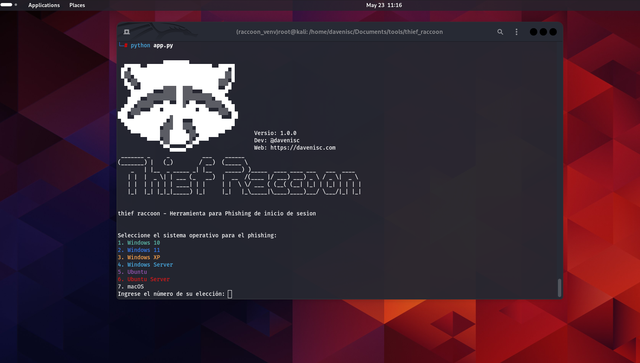
 davenisc/thief_raccoon
Educational phishing simulation tool that mimics OS login screens to capture credentials for cybersecurity awareness training. Supports Windows, Ubuntu, and macOS with customizable templates and ngrok exposure.

Thief Raccoon is a tool designed for educational purposes to demonstrate how phishing attacks can be conducted on various operating systems. This tool is intended to raise awareness about cybersecurity threats and help users understand the importance of security measures like 2FA and password management.
Clone the repository:
git clone https://github.com/davenisc/thief_raccoon.git
cd thief_raccoon
Install python venv
apt install python3.11-venv
Create venv:
python -m venv raccoon_venv
source raccoon_venv/bin/activate
Install the required libraries:
pip install -r requirements.txt
Usage
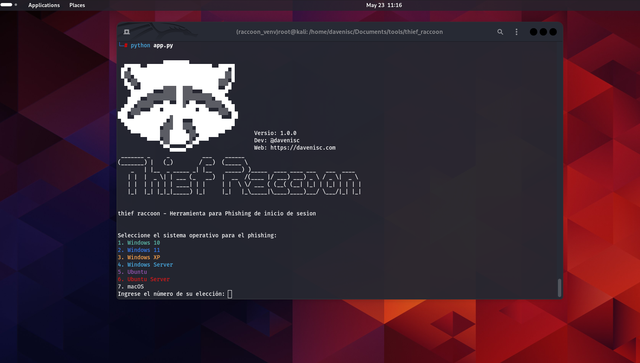
Run the main script:
python app.py
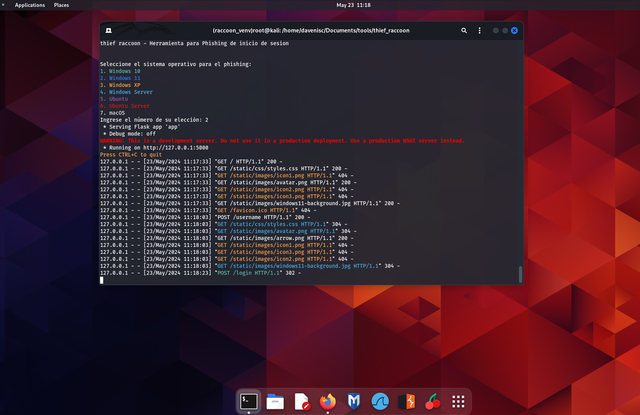
Select the operating system for the phishing simulation:
After running the script, you will be presented with a menu to select the operating system. Enter the number corresponding to the OS you want to simulate.
Access the phishing page:
If you are on the same local network (LAN), open your web browser and navigate to http://127.0.0.1:5000.
If you want to make the phishing page accessible over the internet, use ngrok.
Using ngrok
Download ngrok from ngrok.com and follow the installation instructions for your operating system.
Expose your local server to the internet:
Get the public URL:
After running the above command, ngrok will provide you with a public URL. Share this URL with your test subjects to access the phishing page over the internet.
How to install Ngrok on Linux?
Install ngrok via Apt with the following command:
curl -s https://ngrok-agent.s3.amazonaws.com/ngrok.asc \
   | sudo tee /etc/apt/trusted.gpg.d/ngrok.asc >/dev/null \
   && echo "deb https://ngrok-agent.s3.amazonaws.com buster main" \
   | sudo tee /etc/apt/sources.list.d/ngrok.list \
   && sudo apt update \
   && sudo apt install ngrok
Run the following command to add your authtoken to the default ngrok.yml
ngrok config add-authtoken xxxxxxxxx--your-token-xxxxxxxxxxxxxx
Deploy your app online
Put your app online at ephemeral domain Forwarding to your upstream service. For example, if it is listening on port http://localhost:8080, run:
ngrok http http://localhost:5000
Example
Run the main script:
python app.py
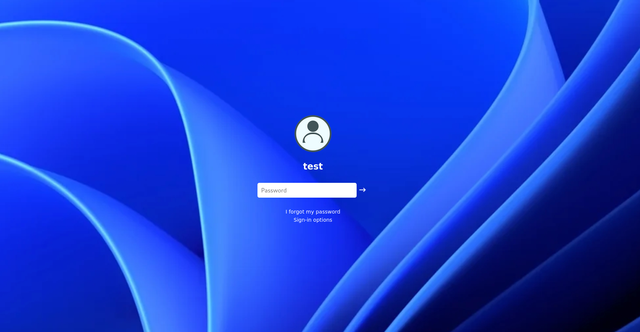
Select Windows 11 from the menu:
Select the operating system for phishing:
1. Windows 10
2. Windows 11
3. Windows XP
4. Windows Server
5. Ubuntu
6. Ubuntu Server
7. macOS
Enter the number of your choice: 2
Access the phishing page:
Open your browser and go to http://127.0.0.1:5000 or the ngrok public URL.
Disclaimer
This tool is intended for educational purposes only. The author is not responsible for any misuse of this tool. Always obtain explicit permission from the owner of the system before conducting any phishing tests.
License
This project is licensed under the MIT License. See the LICENSE file for details.
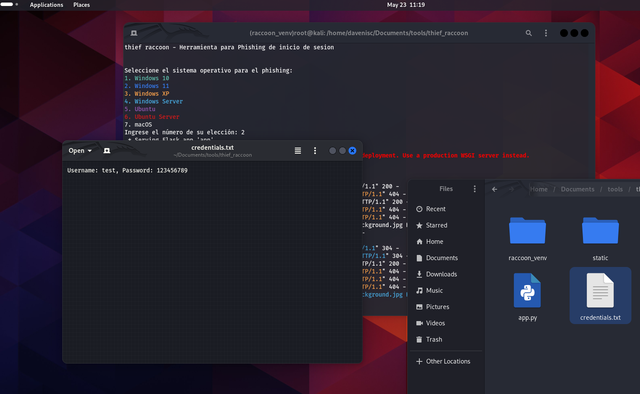
ScreenShots

Credits
Developer: @davenisc Web: https://davenisc.com
If you find this project useful, you can support me on Buy Me a Coffee.

Follow me on my social media profiles:



If you would like to support this project with a USDT BEP-20 donation, you can send it to the following Binance wallet address:
0x15283841da6b5099d991fd64fdcb302478f4cc5a
