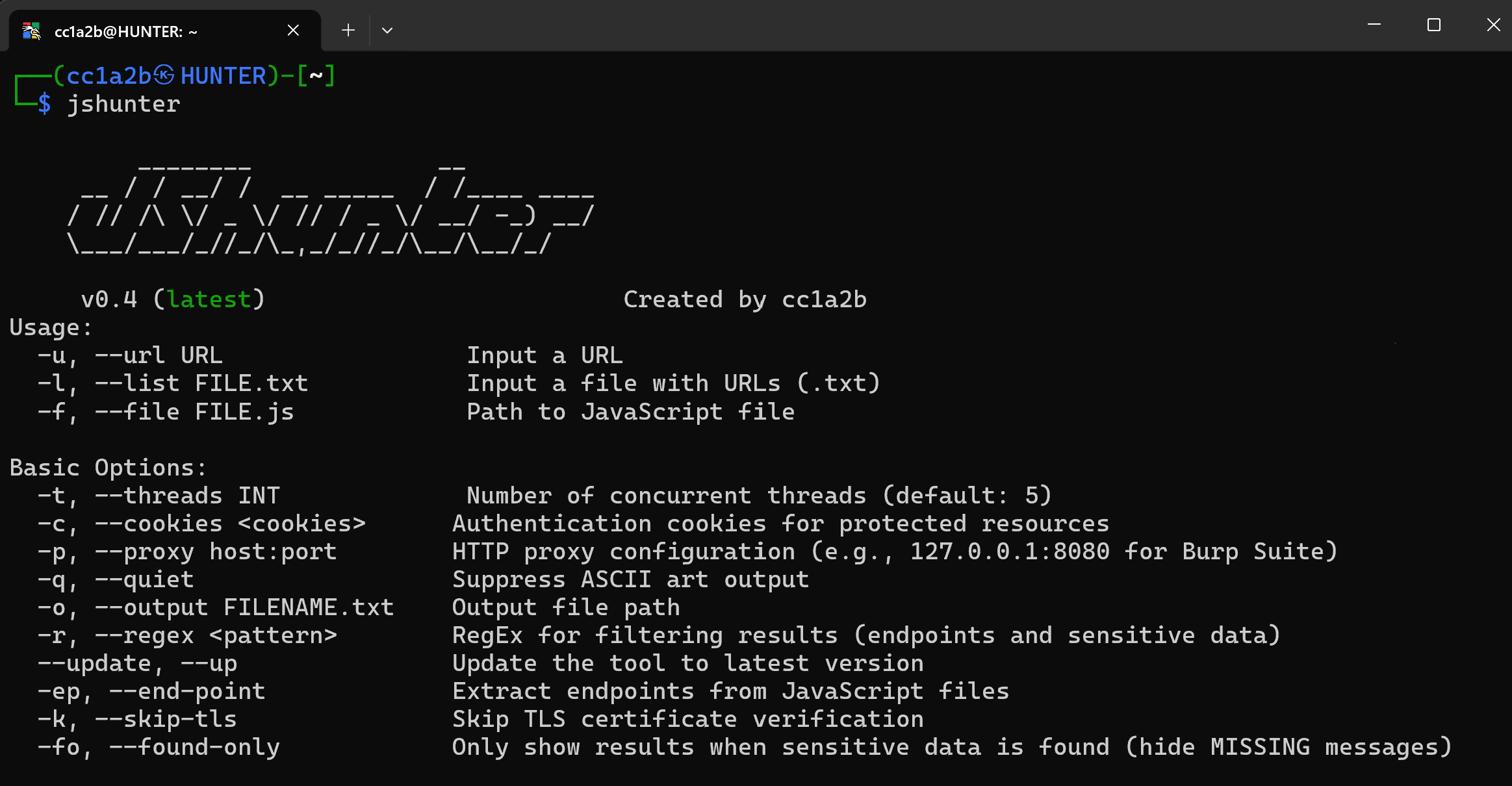

jshunter is a command-line tool designed for analyzing JavaScript files and extracting endpoints. This tool specializes in identifying sensitive data, such as API endpoints and potential security vulnerabilities, making it an essential resource for and bug bounty hunters and security researchers.
# JSHunter
<div align="center">
[](LICENSE)
[](https://golang.org)
[](https://github.com/cc1a2b/jshunter/releases)
[](https://github.com/cc1a2b/jshunter/stargazers)
[](https://github.com/cc1a2b/jshunter/releases)
**Professional JavaScript Security Analysis Tool**
*Complete endpoint discovery, sensitive data detection, and advanced code analysis for security professionals*
</div>
## About
**JSHunter** is a comprehensive command-line tool for JavaScript security analysis and endpoint discovery. Built for security professionals, penetration testers, and developers, it delivers enterprise-grade analysis capabilities with high accuracy detection algorithms and professional reporting features.
https://github.com/user-attachments/assets/5a5f60fa-f8dc-4aac-bd06-2e93779f9af4
*JSHunter in action — a real terminal capture of the CLI (every secret shown is fake test data)*
---
## Table of Contents
- [About](#about)
- [Features](#features)
- [Installation](#installation)
- [Quick Start](#quick-start)
- [Usage Examples](#usage-examples)
- [Command Reference](#command-reference)
- [Advanced Usage](#advanced-usage)
- [Contributing](#contributing)
- [License](#license)
- [Support](#support)
---
## Features
### Core Capabilities
- **Comprehensive Endpoint Discovery**: Automatically extracts URLs, API endpoints, and hidden parameters from JavaScript files
- **Advanced Security Analysis**: Identifies API keys, JWT tokens, credentials, and potential vulnerabilities with high accuracy
- **Flexible Input Methods**: Supports URLs, file lists, local files, stdin piping, and recursive discovery
- **High-Performance Architecture**: Multi-threaded concurrent processing with intelligent rate limiting
- **Professional Stealth Features**: Proxy support, custom headers, user-agent rotation, and bypass detection
### Intelligent Detection Engine
> **Enterprise-grade accuracy with advanced analysis algorithms**
- **Smart Base64 Detection**: High-accuracy filtering eliminates false positives from media content and encoded data
- **Professional Interface**: Enterprise-ready terminology, documentation, and comprehensive reporting formats
- **Context-Aware Analysis**: Advanced algorithms distinguish real security tokens from encoded media data
- **Entropy Analysis**: Mathematical algorithms identify genuine security tokens and credentials with precision
### Structural Detection Engine
JSHunter parses the JavaScript it scans instead of only pattern-matching it. A
single-pass ECMAScript scanner classifies every byte of the response as string
literal, template literal, comment, regular-expression literal, or code, and the
detection rules are evaluated against that classification.
This matters because a regex has no idea what it matched. The same forty base64
characters mean "credential" inside a string literal, "chunk hash" inside a
minified identifier, and nothing at all when they straddle the seam between two
adjacent tokens. Knowing which one it is replaces a pile of proximity
heuristics with a structural answer:
- **Region gating**: a match inside a regex literal is a pattern, not a value.
A match that crosses a token boundary is not a single literal. A match in code
is an identifier fragment. All three are rejected outright.
- **Binding context**: instead of scanning a fixed window of characters for the
word `key`, the engine recovers the identifier or property key the value is
actually bound to — `const stripeSecret = "..."` reads very differently from
`{contentHash: "..."}`, and a shape-only rule now requires that binding.
- **Sibling key-sets**: the members of a Firebase web config, an Algolia search
config, a Segment analytics config and a Supabase browser client are
recognised by the shape of the object they sit in.
- **Value shape**: digests, UUIDs, prose, paths, placeholders, and base64 that
decodes to a PNG, a font, a JSON document or an English sentence are each
identified for what they are.
- **Exposure classification**: values the issuer publishes on purpose — Stripe
publishable keys, Mapbox public tokens, Supabase anon JWTs read from their own
`role` claim, Twilio SIDs — are classified rather than reported as leaks.
`--include-public` reports them anyway.
- **File-relative surprisal**: a character-transition model built from the file
being scanned scores how unlike the rest of that file a candidate reads.
Every rejection is conditional on the body being confidently JavaScript or JSON.
On anything else — a `.env` file, prose, raw HTML — the engine contributes
evidence but never suppresses, so a misclassified input can never hide a secret.
`--no-structural` turns the whole layer off and restores v0.7 behaviour.
Findings carry the reasoning as an `evidence` object in `--json`, `--ndjson` and
the SARIF property bag:
```json
"exposure": "secret",
"evidence": {
"region": "string-literal",
"role": "assignment",
"bound_to": "awsAccessKeyId",
"shape": "opaque-token",
"charset": "alphanumeric",
"signals": [
{"name": "in-literal", "delta": 0.04, "detail": "value is a complete string-literal"},
{"name": "credential-binding", "delta": 0.12, "detail": "bound to 'awsAccessKeyId'"}
]
}
```
`--stats` reports what each stage dropped, so the pipeline stays auditable.
### Chunk Graph and Route Discovery
A modern application ships one entry bundle and several hundred lazily loaded
chunks whose URLs are assembled at runtime from a manifest the bundler inlines.
Nothing links to them, so a crawler never sees them. `-G` recovers that manifest
and prints the full asset list and client route table:
```console
$ jshunter -u https://target.example/_next/static/chunks/main-a1b2c3.js -G
[CHUNKS] https://target.example/...: next runtime, 214 chunks, 37 routes
[CHUNK] https://target.example/... https://target.example/_next/static/chunks/settings.11aa22bb33cc.js
[ROUTE] https://target.example/... /admin/users/:id
```
Supported runtimes: webpack 4 and 5 (`__webpack_require__.u`, `miniCssF`,
`jsonpScriptSrc`), Next.js build manifests, Vite and Rollup (`__vite__mapDeps`,
`__vitePreload`), plain dynamic `import()`, and route tables from React Router,
Vue Router and Angular. Output is tab-separated and deduplicated, so it pipes
straight back in as the input list of a follow-up scan:
```bash
jshunter -u https://target.example/main.js -G -q | awk -F'\t' '/^\[CHUNK\]/{print $3}' > chunks.txt
jshunter -l chunks.txt -s -j > findings.json
```
### Professional HTTP & Networking Suite
<details>
<summary><strong>Enterprise-Grade Network Configuration</strong></summary>
**Authentication & Headers:**
- **Custom Headers** (`-H`): Repeatable authentication headers and custom request headers
- **Cookie Management** (`-c`): Session cookies for accessing protected resources
- **User-Agent Control** (`-U`): Custom UA strings or file-based rotation for stealth
**Performance & Reliability:**
- **Rate Limiting** (`-R`): Configurable request delays (milliseconds) to avoid detection
- **Smart Timeouts** (`-T`): Custom timeout settings for different network conditions
- **Intelligent Retry** (`-y`): Automatic retry mechanism with exponential backoff for failed requests
**Professional Integration:**
- **Proxy Support** (`-p`): Full Burp Suite and custom proxy integration (HTTP/HTTPS/SOCKS5)
- **TLS Flexibility** (`-k`): Optional certificate verification bypass for testing environments
- **Thread Control** (`-t`): Configurable concurrent request handling for optimal performance
> **Security Professional Features**: Designed for penetration testing and security assessments
> **Example**: `jshunter -l targets.txt -p 127.0.0.1:8080 -H "Authorization: Bearer token" -R 1000`
</details>
### Advanced JavaScript Analysis
<details>
<summary><strong>Complete Code Analysis & Deobfuscation Suite</strong></summary>
**Core Analysis Tools:**
- **Deobfuscation Engine** (`-d`): Unpacks minified and obfuscated JavaScript for deep analysis
- **Source Map Parser** (`-m`): Extracts and analyzes original source code from source maps
- **Obfuscation Detection** (`-z`): Identifies and classifies obfuscation techniques and patterns
**Dynamic Analysis:**
- **Eval Analysis** (`-e`): Analyzes dynamic code execution (`eval()`, `Function()`, runtime generation)
**Code Intelligence:**
- **Pattern Recognition**: Identifies common JavaScript frameworks and libraries
- **Code Structure Analysis**: Maps application architecture and data flows
- **Context-Aware Detection**: Understands code context to reduce false positives
> **Professional Usage**: Combine analysis tools with security detection for maximum coverage
> **Example**: `jshunter -u target.js -d -m -e -s -g` (full deobfuscation + security analysis)
</details>
### Security Analysis Suite
<details>
<summary><strong>Complete Security Assessment Toolkit</strong></summary>
**Core Security Detection:**
- **Secrets Detection** (`-s`): API keys, access tokens, passwords, and hardcoded credentials
- **JWT Token Analysis** (`-x`): Authentication token extraction, validation, and payload inspection
- **Firebase Security** (`-F`): Configuration analysis, API keys, and database URL detection
**Advanced Analysis:**
- **Parameter Discovery** (`-P`): Hidden form parameters, variables, and configuration keys
- **URL Parameter Extraction** (`-PU`): Advanced parameter analysis with full URL context
- **GraphQL Analysis** (`-g`): Schema detection, query extraction, and endpoint discovery
- **WAF Bypass Detection** (`-B`): Security bypass patterns and evasion techniques
**Scope & Context:**
- **Internal Endpoint Filtering** (`-i`): Private/internal resource identification and classification
- **Link Analysis** (`-L`): Comprehensive URL extraction and relationship mapping
> **Professional Tip**: Combine flags for comprehensive analysis (e.g., `jshunter -u target.js -s -x -F -g`)
</details>
### Scope & Discovery
<details>
<summary><strong>Intelligent Crawling & Targeting</strong></summary>
- **Recursive Discovery**: Multi-depth JavaScript file crawling
- **Domain Scoping**: Focus analysis on specific domains
- **Extension Filtering**: Target specific JavaScript file types
</details>
### Professional Reporting & Export Suite
<details>
<summary><strong>Enterprise-Grade Output & Integration</strong></summary>
**Core Output Formats:**
- **Console Display**: Color-coded terminal output with professional formatting and clear categorization
- **File Export** (`-o`): Save comprehensive results to custom file locations
- **JSON Export** (`-j`): Structured data format for automation and programmatic processing
- **CSV Export** (`-C`): Spreadsheet-compatible format for executive reporting and analysis
**Professional Integration:**
- **Burp Suite Export** (`-n`): Direct integration with Burp Suite Professional for immediate testing
- **Regex Filtering** (`-r`): Custom pattern matching for targeted result filtering
- **Verbose Analysis** (`-v`): Detailed analysis output with debugging information and context
**Result Management:**
- **Clean Mode** (`--found-only`): Hide empty results for focused security reporting
- **Quiet Mode** (`-q`): Suppress banner for automated scripting and CI/CD integration
> **Reporting Workflow**: Use JSON for automation, CSV for management reports, Burp export for immediate testing
> **Example**: `jshunter -l targets.txt -s -j -o security-findings.json` (structured security report)
</details>
---
## Installation
### Go Install (Recommended)
```bash
# Install JSHunter
go install -v github.com/cc1a2b/jshunter/cmd/jshunter@latest
# Verify installation
jshunter --help
```
### Build from Source
```bash
git clone https://github.com/cc1a2b/jshunter.git
cd jshunter
go build -o jshunter ./cmd/jshunter
```
### System Requirements
- **Go 1.22.5+** (for building from source)
- **Linux, macOS, or Windows** (64-bit architecture)
- **Network connectivity** for remote JavaScript analysis
---
## Quick Start
### Basic Analysis
```bash
# Analyze a single JavaScript file
jshunter -u "https://example.com/app.js"
# Scan multiple URLs from file
jshunter -l urls.txt
# Analyze local JavaScript file
jshunter -f app.js
```
### Complete Security Analysis
```bash
# Find API keys, secrets, and credentials
jshunter -u "https://target.com/app.js" -s
# Full analysis with deobfuscation, GraphQL, and Firebase detection
jshunter -u "https://target.com/app.js" -d -s -g -F -x -L
# Professional security assessment with all tools
jshunter -u "https://target.com/app.js" -d -m -e -s -x -P -g -F -B -L
# Export comprehensive results for reporting
jshunter -l targets.txt -s -g -F -j -o security_findings.json
```
---
## Usage Examples
```bash
# Analyze single URL
jshunter -u "https://example.com/app.js"
# Analyze multiple URLs from file
jshunter -l urls.txt
# Pipe URLs from stdin
cat urls.txt | grep "\.js" | jshunter
# Complete security analysis - find secrets, API keys, and credentials
jshunter -u "https://example.com/app.js" -s -x -F
# Full analysis suite with deobfuscation and all security tools
jshunter -u "https://target.com/app.js" -d -m -e -s -x -P -g -F -B -L
# Professional assessment with source map analysis
jshunter -u "https://target.com/bundle.js" -d -m -s -g -F
# Export comprehensive results to structured formats
jshunter -l targets.txt -s -x -F -g -j -o security_findings.json
# Stealth scanning with Burp Suite integration
jshunter -l targets.txt -p 127.0.0.1:8080 -s -g -F -n -o burp_findings.txt
# Scanning through SOCKS5 proxy (Tor, SSH tunnel, etc.)
jshunter -l targets.txt -p socks5://127.0.0.1:9050 -s -x -F
# Rate-limited professional scanning with authentication
jshunter -l urls.txt -R 2000 -H "Authorization: Bearer token" -s -x -F -g -q
# Complete endpoint and parameter discovery
jshunter -l urls.txt -ep -P -PU -L -w 2
# Advanced obfuscation analysis with context detection
jshunter -f obfuscated.js -d -z -e -s -v
```
---
## Command Reference
Get the complete help anytime with `jshunter --help`
```
Usage:
-u, --url URL Input a URL
-l, --list FILE.txt Input a file with URLs (.txt)
-f, --file FILE.js Path to JavaScript file
--har FILE Ingest a Chrome DevTools HAR archive
Basic Options:
-t, --threads INT Number of concurrent threads (default: 5)
-c, --cookies <cookies> Authentication cookies for protected resources
-p, --proxy host:port HTTP/SOCKS5 proxy (e.g., 127.0.0.1:8080 for Burp Suite)
-q, --quiet Suppress ASCII art output
--no-color Disable ANSI color (auto-off when not a TTY)
-o, --output FILENAME Output file path
-r, --regex <pattern> RegEx for filtering results
--update, --up Update the tool to latest version
-ep, --end-point Extract endpoints from JavaScript files
-k, --skip-tls Skip TLS certificate verification
-fo, --found-only Only show results when sensitive data is found
HTTP Configuration:
-H, --header "Key: Value" Custom HTTP headers (repeatable, including Auth)
-U, --user-agent UA Custom User-Agent string or file path
-R, --rate-limit MS Request rate limiting delay (milliseconds)
-T, --timeout SEC HTTP request timeout (seconds)
-y, --retry INT Retry attempts for failed requests (default: 2)
--per-host INT Per-host outbound concurrency cap (default: 4)
--max-bytes N Cap response body read in bytes (default: 32MiB)
--allow-internal Permit localhost / RFC1918 / link-local targets
--cache-dir DIR Persist responses on disk; revalidate via ETag
JavaScript Analysis:
-d, --deobfuscate Deobfuscate minified and obfuscated JavaScript
-m, --sourcemap Fetch and parse source maps + sourcesContent[]
-e, --eval Analyze dynamic code execution (eval, Function)
-z, --obfs-detect Detect code obfuscation patterns and techniques
--inline-html Scan inline <script> tags + SRI/CSP in HTML responses
--csp-origins Emit CSP-allowed origins as candidate endpoints
Security Analysis:
-s, --secrets Detect API keys, tokens, and credentials
-x, --tokens Extract JWT and authentication tokens
-P, --params Discover hidden parameters and variables
-PU, --param-urls Advanced parameter extraction with URL context
-i, --internal Filter for internal/private endpoints
-g, --graphql Analyze GraphQL endpoints and queries
-B, --bypass Detect WAF bypass patterns and techniques
-F, --firebase Analyze Firebase configurations and keys
-L, --links Extract and analyze all embedded links
Detection Tuning:
-mc, --min-confidence FLOAT Minimum confidence (0.0-1.0) for a finding (default: 0.50)
-sc, --show-confidence Print [conf=X.XX] alongside each finding
--no-fp-filter Disable the false-positive filter (debug)
--ignore-file FILE Permanent suppressions (.jshunterignore)
--diff PREVIOUS.json Report only NEW findings vs previous JSON envelope
--rules-file FILE.json Load an external JSON rule pack
--only-rules id,glob Run only matching rules (supports * glob)
--disable-rule id,glob Disable matching rules (supports * glob)
Structural Engine:
--no-structural Disable byte-level classification (regex-only, v0.7 behaviour)
--include-public Report values published by design and non-granting identifiers
--min-severity LEVEL Report floor: info|low|medium|high|critical
-G, --chunk-graph Enumerate lazily loaded chunks and client routes
Verification:
--verify Probe findings against provider read-only endpoints
--verify-timeout SEC Timeout per verification probe (default: 10)
--verify-workers INT Concurrent verifier worker pool (default: 8)
Scope & Discovery:
-w, --crawl DEPTH Recursive JavaScript discovery depth (default: 1)
-D, --domain DOMAIN Limit analysis to specific domain
-E, --ext Filter by JavaScript file extensions
--robots Fetch /robots.txt for each input host and exit
Output Formats:
-j, --json Structured JSON output (schema_version 2)
--ndjson Newline-delimited JSON (jq / SIEM streaming)
--sarif SARIF 2.1.0 (GitHub code-scanning compatible)
-C, --csv CSV format for spreadsheet analysis
-v, --verbose Detailed analysis and debug output
-n, --burp Burp Suite compatible export format
--stats Per-stage counters on stderr at end of run
Registry:
--list-rules Print the rule registry as a table and exit
--explain RULE_ID Print full rule details and exit
--self-test Run rule registry against built-in TP/FP fixtures
-h, --help Display this help message
```
### Confidence model
Every secret-class match is scored in `[0.0, 1.0]`. The score starts from a per-rule prior and is adjusted by:
| Signal | Effect |
|------------------------------------------------|------------------------------|
| Source path looks like a vendor/chunk bundle | −0.15 |
| Surrounding context contains fixture wording | −0.30 |
| Provider-specific validator passed | +0.10 |
| Required context keyword present (generic rule)| +0.05 |
| Shannon entropy ≥ 4.5 | +0.05 |
| Character-class diversity ≥ 3 | +0.05 |
| Match in the vendor-noise denylist | dropped before scoring |
| Length / entropy below rule floor | dropped before scoring |
| Line is a `//# sourceMappingURL=` marker | dropped before scoring |
The default `--min-confidence 0.50` filters out the long tail of pattern-only matches. Use `--min-confidence 0.80` for high-precision triage, `--no-fp-filter` for raw, unfiltered output.
### Provider validators
A validator is a per-rule consistency check that runs *after* the regex matches.
It is the strongest defence against false positives: a random string that happens
to fit the shape still has to survive a checksum, a structural decode, or a
length/charset proof before it is reported (and passing one adds `+0.10`).
| Provider | Validator |
|----------|--------------------------------------------------------------------------|
| AWS | Prefix family (`AKIA/ASIA/A3T…`) + 16-char base32 body |
| Stripe | Key family (`sk/rk/pk_live/test_`) and `whsec_` webhook base62 body |
| GitHub | CRC32 base62 checksum verified against random body |
| OpenAI | Family prefix + length window (`sk-/sk-proj-/sk-svcacct-`) |
| Slack | Hyphen-segment shape (numeric inner segments, alphanumeric tail) |
| JWT | base64url-decoded JSON header with `alg` field + JSON payload |
| Twilio | 32-hex body + entropy gate |
| Azure | `AccountKey=` base64 body decodes to exactly 64 bytes; AD `…<digit>Q~…` |
| Telegram | `<8-10 digit id>:AA…` split, base64url secret + entropy gate |
| Intercom | base64 decodes to a `tok:`-prefixed payload |
| Sentry | `sntrys_` org token payload base64-decodes to JSON carrying a `url` claim |
| Terraform| `<14>.atlasv1.<60-70>` three-segment structure |
| Square | `sq0atp-/sq0csp-/sq0idp-` family + exact body length + entropy |
| Braintree| `access_token$<env>$<16 base36>$<32 hex>` four-segment structure |
| Airtable | `pat<14>.<64 hex>` two-segment split |
| Postman | `PMAK-<24 hex>-<34 hex>` segment lengths + entropy |
| Database | connection-URI password rejected if templated/default/low-entropy |
### Provider coverage
The curated registry ships **85+ detectors** spanning cloud & secret managers
(AWS, Azure, GCP/PKCS#8, HashiCorp Vault, Terraform, Fly.io, Tailscale), version
control & CI/CD (GitHub, GitLab, Docker Hub, Atlassian, Sentry, CircleCI,
Buildkite), payments (Stripe, Square, Braintree, Plaid), AI/LLM providers
(OpenAI, Anthropic, Groq, Perplexity, Replicate, OpenRouter, Fireworks,
HuggingFace), messaging (Slack, Discord, Telegram, Twilio, Intercom, SendGrid,
Mailgun), SaaS & databases (Notion, Airtable, Figma, Postman, Databricks,
PlanetScale, Grafana, New Relic, Dropbox, RubyGems, Supabase), and PKI material
(RSA/EC/DSA/OpenSSH/PGP/PKCS#8 private keys, PuTTY `.ppk`, database connection
URIs). Run `jshunter --list-rules` for the authoritative table and
`jshunter --explain <rule_id>` for any single rule's pattern, validator, and
fixtures. Prefix-less "bare hash" shapes are only shipped when a structural
validator or a mandatory context gate can keep them false-positive-free.
---
## Advanced Usage
### Professional Security Assessment
```bash
# Complete security analysis with all tools
jshunter -l targets.txt -d -m -e -z -s -x -P -PU -g -F -B -L -j -v -o complete_assessment.json
# Advanced deobfuscation and analysis pipeline
jshunter -l targets.txt -d -m -z -e -s -g -F --found-only -o deobfuscated_findings.json
# Stealth reconnaissance with rate limiting and custom headers
jshunter -l targets.txt -R 2000 -U "Mozilla/5.0..." -H "X-Forwarded-For: 1.1.1.1" -s -x -F -q
# Professional penetration testing through proxy
jshunter -l targets.txt -p 127.0.0.1:8080 -s -x -g -F -B -n -o burp_comprehensive.txt
# Deep parameter and endpoint discovery
jshunter -l targets.txt -ep -P -PU -L -w 3 -i -j -o endpoint_discovery.json
```
### Enterprise & Automation Integration
```bash
# CI/CD Security Pipeline Integration
jshunter -f dist/bundle.js -d -s -x -F -j --found-only > security-scan.json
# Comprehensive automated security reporting
jshunter -l production-js.txt -d -s -x -P -g -F -B -C -o enterprise-security-report.csv
# Source map analysis for development security
jshunter -f app.js -m -s -x -F -v -o sourcemap-analysis.json
# Firebase and GraphQL focused assessment
jshunter -l targets.txt -g -F -L -j -o api_security_findings.json
```
---
## Contributing
We welcome contributions! Here's how you can help:
- **Report bugs** via [GitHub Issues](https://github.com/cc1a2b/jshunter/issues)
- **Suggest features** or improvements
- **Improve documentation**
- **Submit pull requests** with enhancements
### Development Setup
```bash
git clone https://github.com/cc1a2b/jshunter.git
cd jshunter
go mod tidy
go build -o jshunter ./cmd/jshunter
```
---
## License
JSHunter is released under the **MIT License**. See [LICENSE](https://github.com/cc1a2b/jshunter/blob/master/LICENSE) for details.
```
Copyright (c) 2024-2026 Hussain Alsharman
Licensed under MIT License - free for commercial and personal use
```
---
## Support
If JSHunter helps with your security research or professional work:
<div align="center">
**Star this repo** • **Follow [@cc1a2b](https://twitter.com/cc1a2b)** • **Share with others**
</div>
---
<div align="center">
**JSHunter - Professional JavaScript Security Analysis**
*Built by [cc1a2b](https://github.com/cc1a2b) for the security community*
</div>






