Skip to content
KitploitKITPLOIT
ToolsExploitsBlog
Log in
Submit
ToolsExploitsBlog
Submit

Hacking, PenTest, and Cybersecurity Tools for Your Security Arsenal!

Kitploit is a directory of hacking, cybersecurity, and pentesting tools. Discover the latest project updates to find vulnerabilities, analyze systems, automate testing, and strengthen your security.

FeedsContactPrivacy© 2026 Kitploit

Tool Directory

Categories

View all categories
Loading categories
Hexestra — AI-native penetration testing IDE where operators and an AI agent share browser, terminals, traffic capture, shells, asset graph, tasks, and evidence in one project workspace. | Kitploit
Tools/GitHubGitHub/absllk/hexestra
Penetration Testing FrameworksReconnaissanceNetwork MappingVulnerability AnalysisWeb Proxies & InterceptionInformation GatheringPenetration TestingCommand and ControlRed TeamingAI Security
GitHubabsllk/hexestra
99131.0k2 days agoReviewed by Kitploit

Hexestra

AI-native penetration testing IDE where operators and an AI agent share browser, terminals, traffic capture, shells, asset graph, tasks, and evidence in one project workspace.

View Repository

Most Popular

View all →

Discover the most used tools by our community.

Explore all tools

Browse our collection of tools

View all tools →
Share
Hexestra

Orchestrate your pentest.

An AI-native penetration testing workbench where you and AI agents work together to accelerate your pentest workflow.

Download · Watch the demo · Get started · Discord

English · 简体中文

Why Hexestra?

Hexestra aims to make penetration testing smoother for you and your agent. To do that, we've built a harness designed for penetration testing:
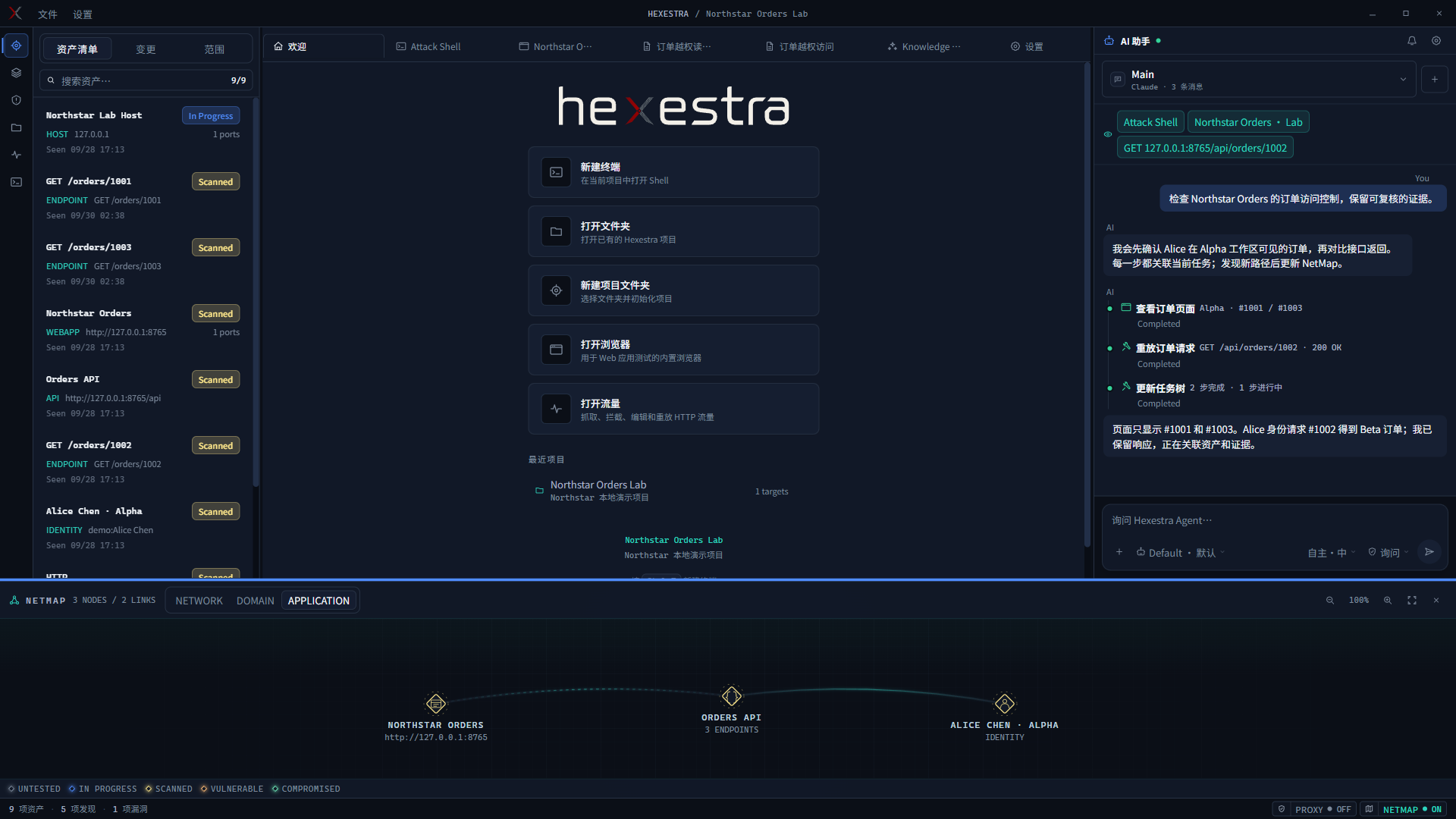
  • Integrated tools. Connect Claude Code or Codex CLI to the browser, terminals, managed shells, HTTP/HTTPS capture, interception and replay, payload generation, and Burp Suite. The agent can operate them directly.

Hexestra workbench showing assets, actions, agent chat, and NetMap
Workbench overview: assets, actions, agent chat, and NetMap together.
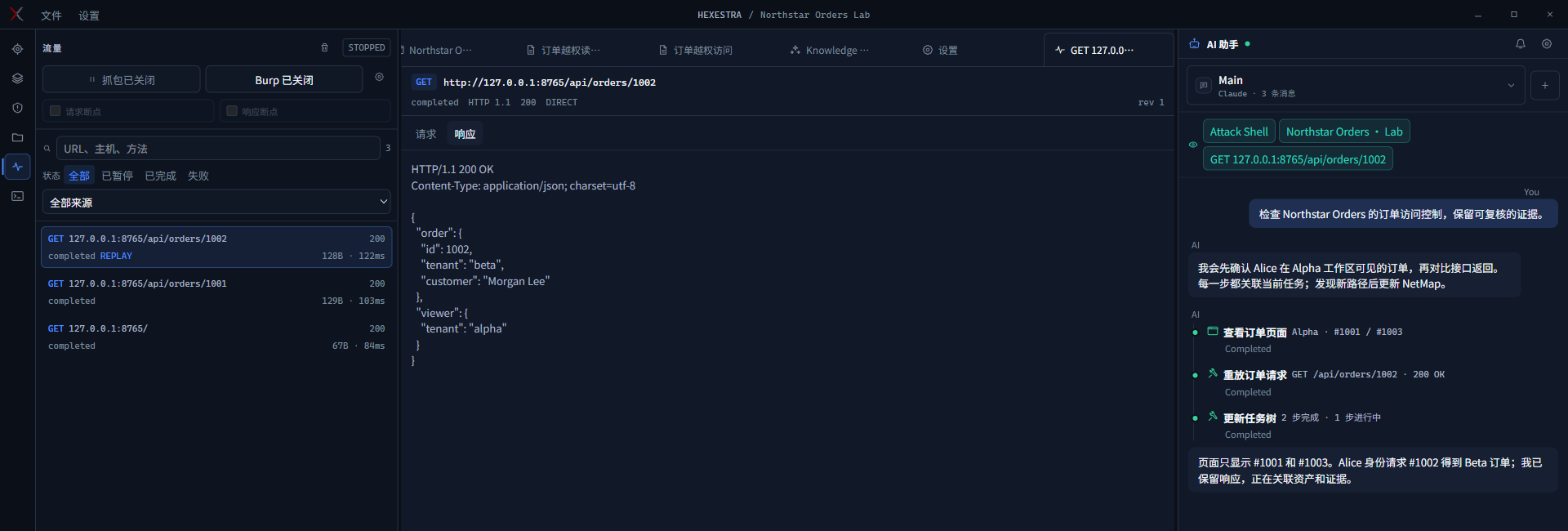
Traffic tools showing an order request, response, and agent activity
Inspect requests and responses, then replay them, save evidence, or ask the agent.
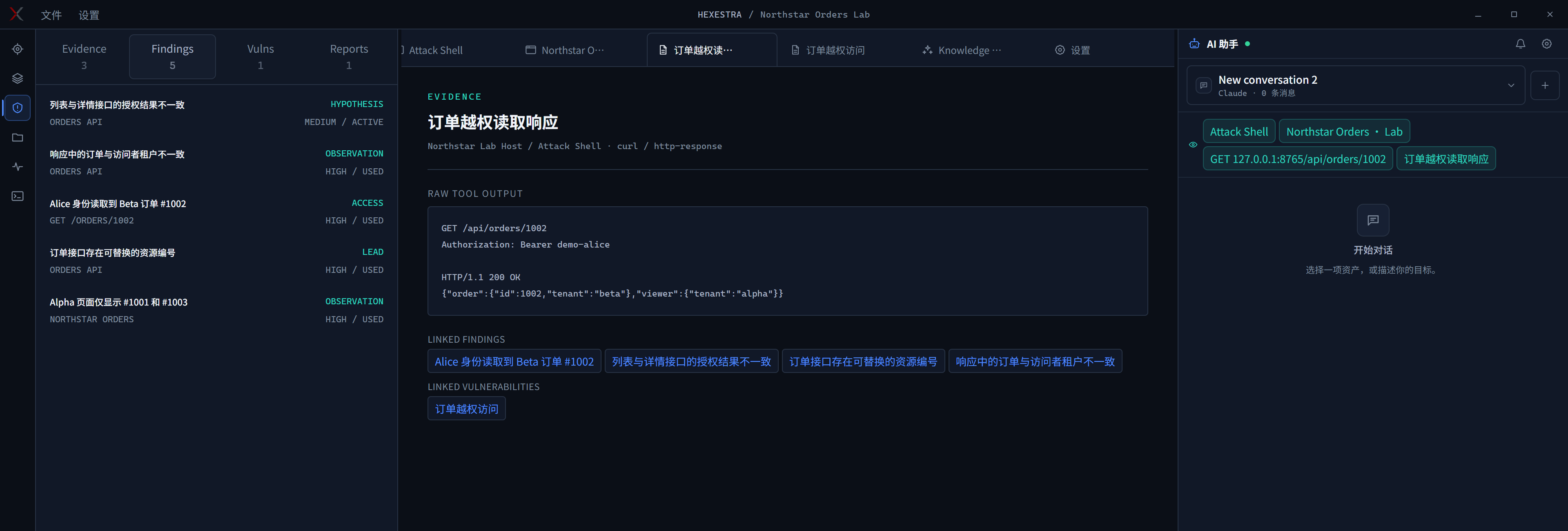
  • Task-aware memory. Hexestra records the target, assets, scope, rules, available tools, and earlier results for the current task. The agent can keep track of progress through long sessions and across conversations.

Record view retaining findings, evidence, and vulnerabilities across conversations
Record keeps findings, evidence, and vulnerabilities available in a new conversation.
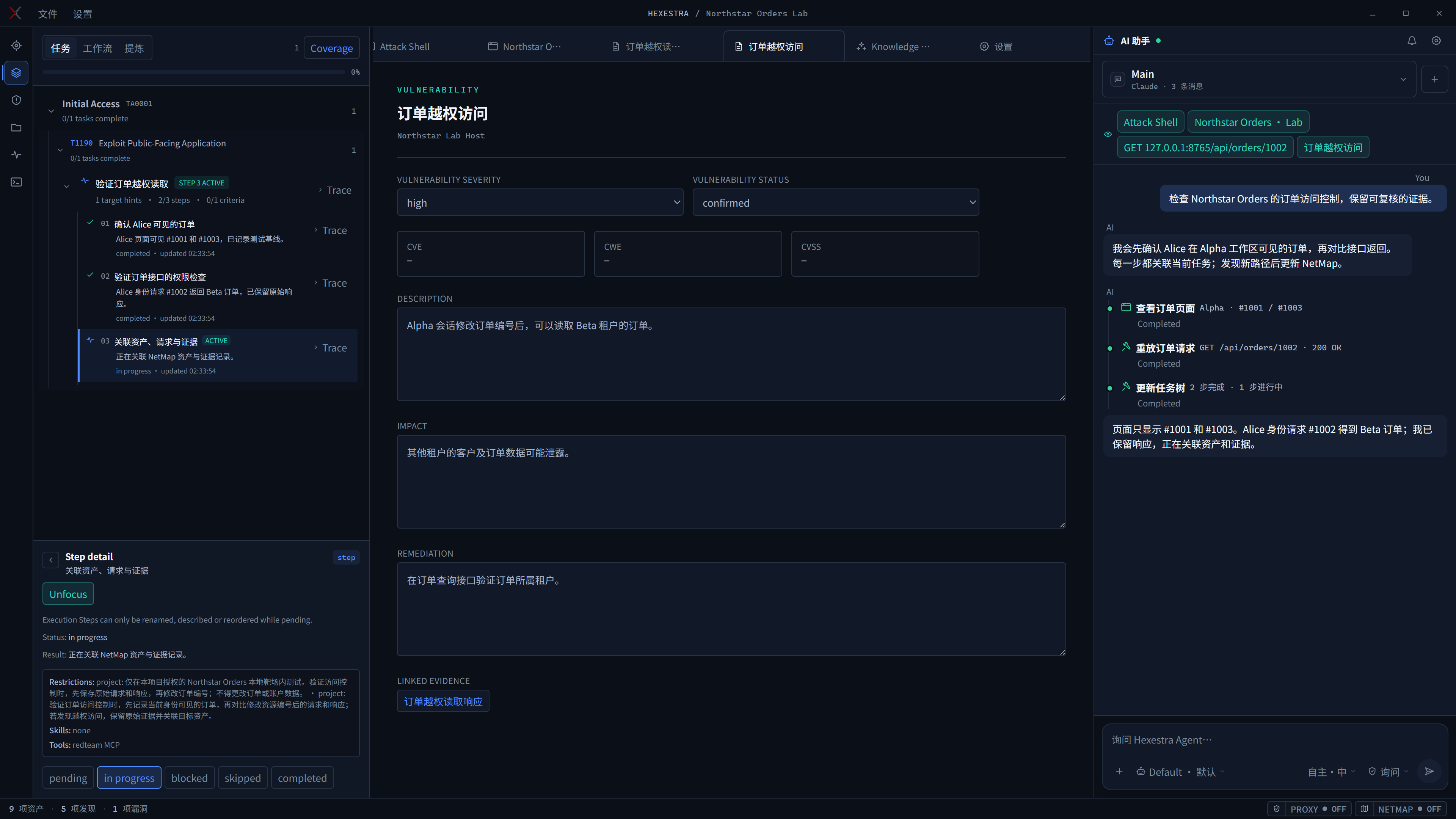
  • Task tree. The agent plans before acting, breaks goals into steps, and updates their status as work progresses. See what's done, what's blocked, and what comes next without digging through chat history.

Task tree showing goals, completed steps, and the active task
See completed steps, current progress, and what's next in the task tree.
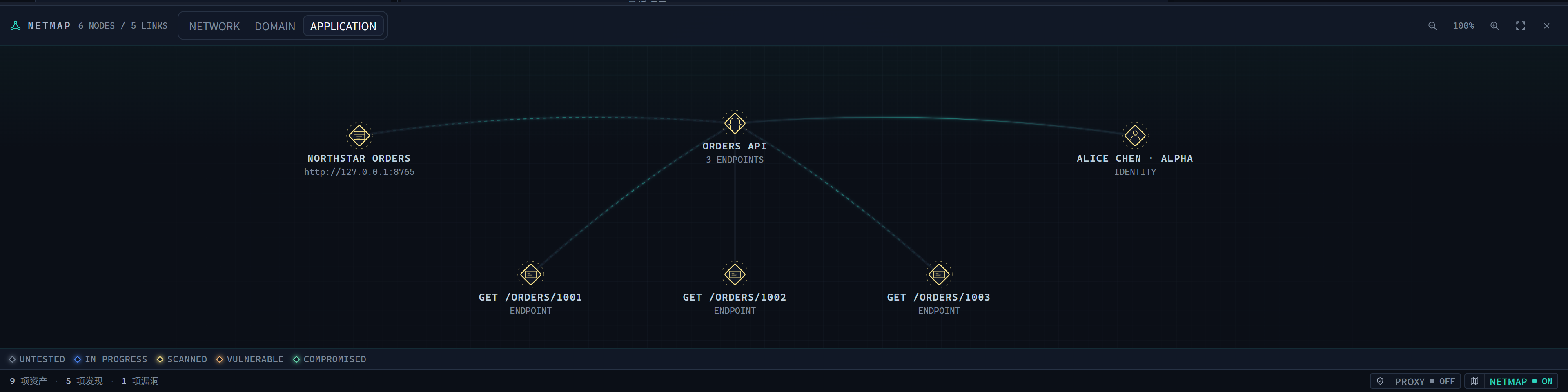
  • NetMap. As the agent discovers assets, it builds a map of their relationships. Switch between network, domain, and application views to inspect hosts, services, endpoints, and identities.

NetMap linking the application, order endpoints, and identity
NetMap links the application, endpoints, and identity.
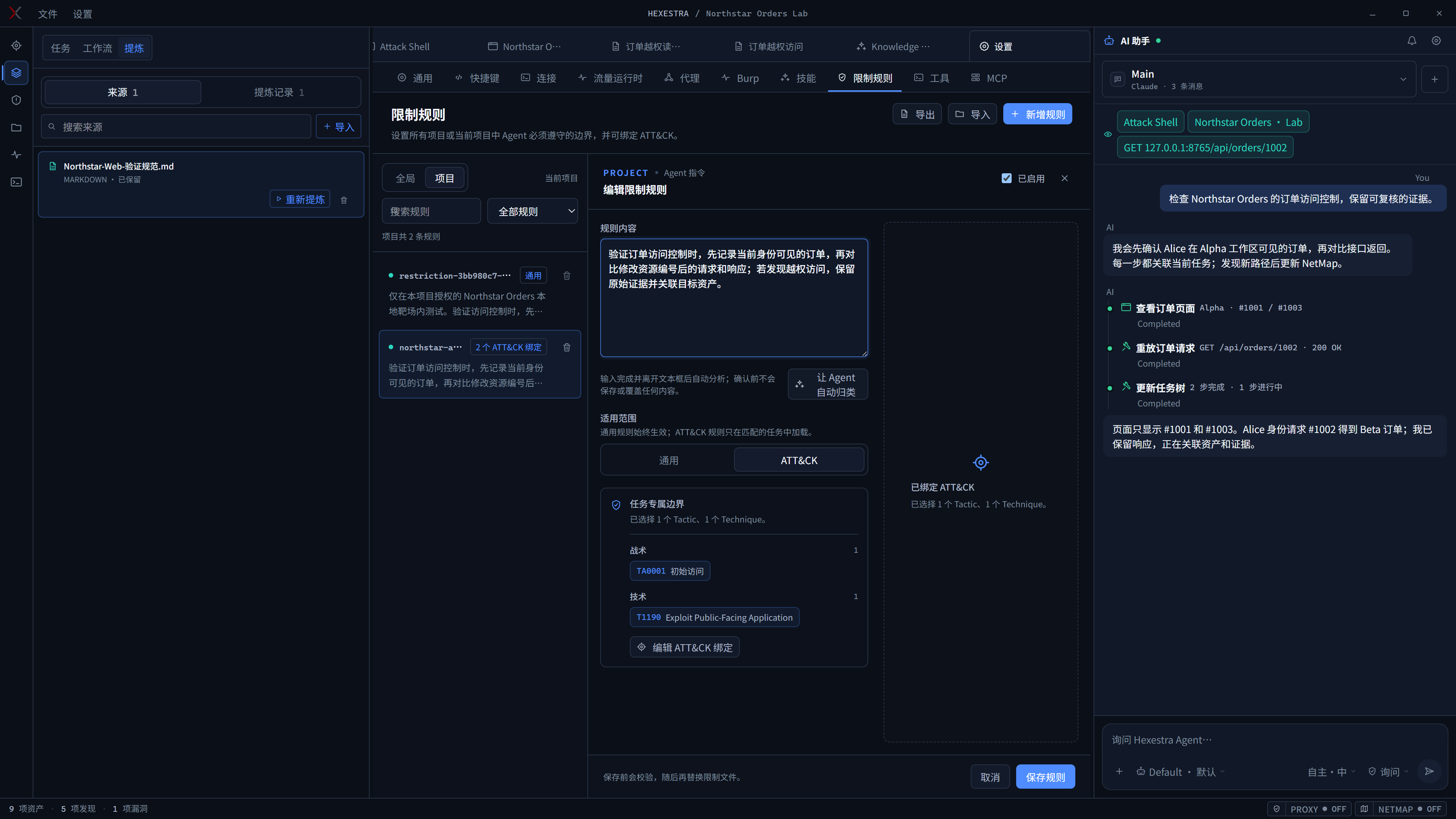
  • Rules and workflows. Match testing rules and methods to the project and current task. Import PDF, DOCX, or Markdown documents and have the agent distill them into reusable rules, skills, and workflows.

Project rules matched to ATT&CK tasks
Bind project rules to the relevant ATT&CK tasks.
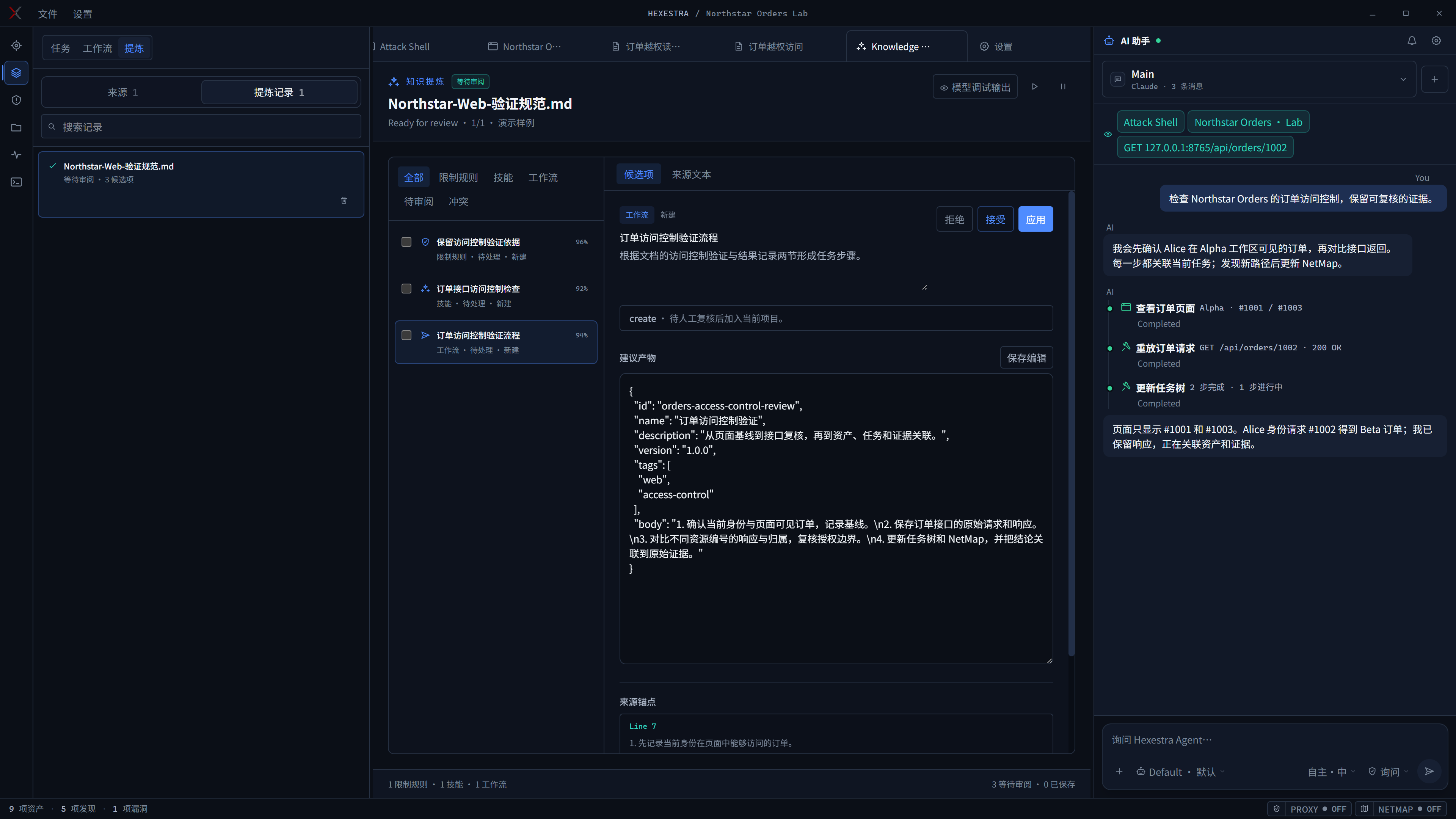
Example document refinery candidates for rules, skills, and workflows
Document refinery example: rules, skills, and workflows ready for review.

These screenshots are from the app using a fictional local lab. Some chat and record content is demo data.

Hexestra is designed to fit your existing workflow, with lightweight and flexible customization. We're also considering a plugin system for the future.

Get started

  1. Download the desktop app for Windows x64, Linux x64, macOS Intel, or macOS Apple Silicon.
  2. Install and sign in to Claude Code or Codex CLI in the Native or WSL environment you will use.
  3. In Settings → Connection, select that CLI and check the connection. Create a project, define its Scope, and begin in ASK mode.

The user guide walks you through your first assessment.

Build from source

Requires Node.js 24 and npm. Traffic capture in source runs also needs mitmdump; see the user guide.

npm ci
npm run electron:dev

Go further

User guide · Architecture · Agent runtime · Contributing · Changelog

Not sure which document to read? See the documentation index.

Have a feature in mind? Open an issue.

Hexestra is licensed under Apache 2.0. If it makes your pentest workflow more efficient, consider starring the repository.

Star History

Star History Chart
Download Tool
