
Skip to content
KitploitKITPLOIT
ToolsExploitsBlog
Log in
Submit
ToolsExploitsBlog
Submit

Hacking, PenTest, and Cybersecurity Tools for Your Security Arsenal!

Kitploit is a directory of hacking, cybersecurity, and pentesting tools. Discover the latest project updates to find vulnerabilities, analyze systems, automate testing, and strengthen your security.

FeedsContactPrivacy© 2026 Kitploit

Tool Directory

Categories

View all categories
Loading categories
PoC-for-CVE-2024-7014-Exploit — Proof of Concept (PoC) for CVE-2024-7014 (EvilVideo) Exploit | Kitploit

Tools/GitHubGitHub/absholi7ly/poc-for-cve-2024-7014-exploit
Android SecurityPayload GenerationExploitationWeb Application ExploitationMobile SecuritySocial Engineering
GitHubabsholi7ly/poc-for-cve-2024-7014-exploit

PoC-for-CVE-2024-7014-Exploit

Share

Proof of Concept (PoC) for CVE-2024-7014 (EvilVideo) Exploit

View Repository
121341 year agoNot yet reviewed

PoC for-CVE-2024-7014 Exploit

Proof of concept for the CVE-2024-7014 (EvilVideo) vulnerability in Telegram for Android (versions 10.14.4 and earlier). The program uploads a malicious file disguised as a video to a Telegram channel, exploiting the security vulnerability to install malware or redirect users.

Prerequisites

  • Python 3.x installed on your system.
  • pyTelegramBotAPI library (pip install pyTelegramBotAPI).
  • A Telegram bot token
  • A Telegram channel or chat ID where the bot has posting permissions.
  • The malicious file (Poc_CVE_2024_7014.txt) and thumbnail image (thumbnail.jpg) in the same directory.

Usage

  • Open Poc_CVE_2024_7014.py and update the following variables:
  • BOT_TOKEN: Replace with your Telegram bot token.
  • CHAT_ID: Replace with the chat ID of your target channel (e.g., @testevilvideo).
  • FILE_PATH: Ensure it points to the malicious file.
  • CAPTION: Customize the caption if needed

Important:

Start with the file Poc_CVE_2024_7014.txt (which contains the HTML payload). After completing your modifications (e.g., updating the APK download link), rename it to malicious_video.mp4. This disguises the file as a video, exploiting the vulnerability. - Example: Edit Poc_CVE_2024_7014.txt, then save as malicious_video.mp4.

Optional Thumbnail:

The script can include a thumbnail image (thumbnail.jpg) to make the "video" appear more legitimate. To change the thumbnail, replace thumbnail.jpg with your desired image (recommended size: 320x180 pixels)
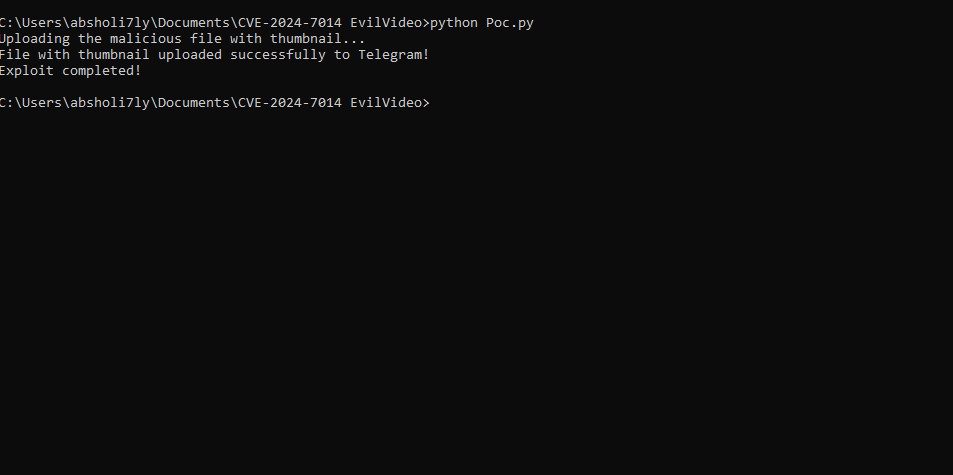
Proof of Exploit Screenshot

Proof of Exploit Screenshot
Download Tool

Most Popular

View all →

Discover the most used tools by our community.

  • 1

    OsintHunter

    letox4/osinthunter

    🎯 The ultimate OSINT toolkit: investigation graph, confidence scoring, alias families, map, timeline and reports. 49 modules, 400+ sites, no API keys required.

    696
  • 2

    ghostlock-app

    yukonga/ghostlock-app

    GhostLock One-Tap Execution App (CVE-2026-43499)

    499
  • 3

    ARTEX

    baarai/artex

    LLM multi-agent autonomous penetration testing platform with planner/worker agents, asset and exploration graphs, MITM traffic recording, and vulnerability retesting.

    396
  • 4

    redforge

    cybersecurity91/redforge

    Browser-side red team toolkit with 102 offline tools for recon, payload generation, credential attacks, crypto, encoding and engagement reporting.

    340
  • 5

    CyberStrikeAI

    ed1s0nz/cyberstrikeai

    The system of action for AI-native cybersecurity—where intent becomes governed execution, evidence becomes operational memory, and every operation improves the next.

    258
  • 6

    antifox

    antifox-ai/antifox

    AI multi-agent autonomous penetration testing platform that runs recon, attack-surface discovery, exploitation validation and evidence-backed report delivery.

    257

Explore all tools

Browse our collection of tools

View all tools →






